
Chip-Tools
Immo V adaptation of ECU / TCU / ELV
VAG
Interface New
Keys / Immo
Advanced
⏱ 20–40 min
6 steps
Adapts a replacement ECU/TCU/ELV when you know the CS bytes of both the original and the replacement module. Exception: post-2015 Bosch ECUs carry a crypto kernel inside the MCU and cannot be adapted this way.
Required licences
- Licenza VAG (Immo V)
Hardware / cables
 AVDI
AVDI- Cavo OBDII
- RH850 (per leggere i dati modulo)
⚠ WarningIf you are working on an ECU, save the coding FIRST: it can be lost during the procedure and you will need the backup. Without the CS of both modules (original and replacement) the procedure cannot be done.
Procedure
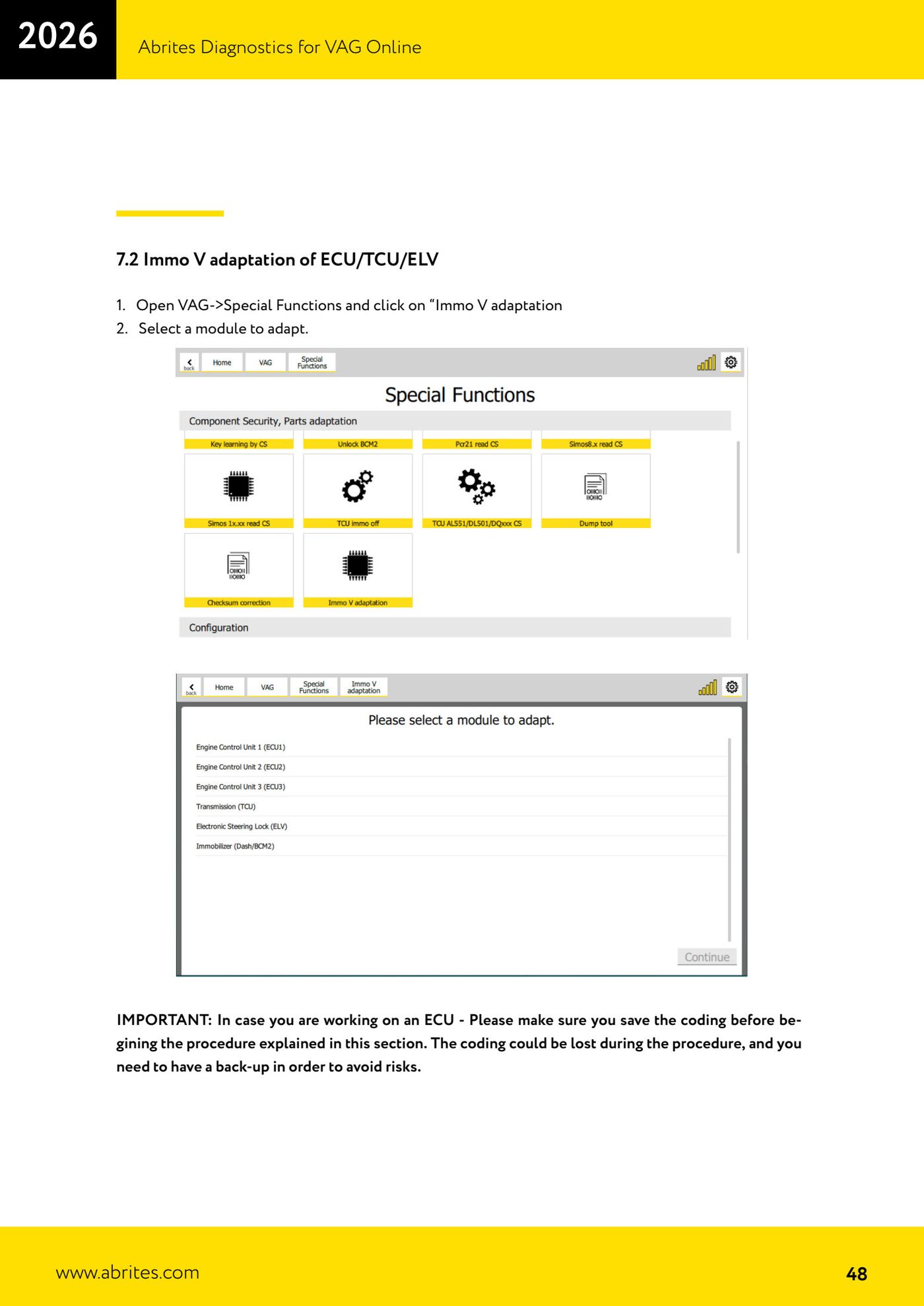
- Open VAG → Special Functions → "Immo V adaptation".
- Select the module to be adapted.
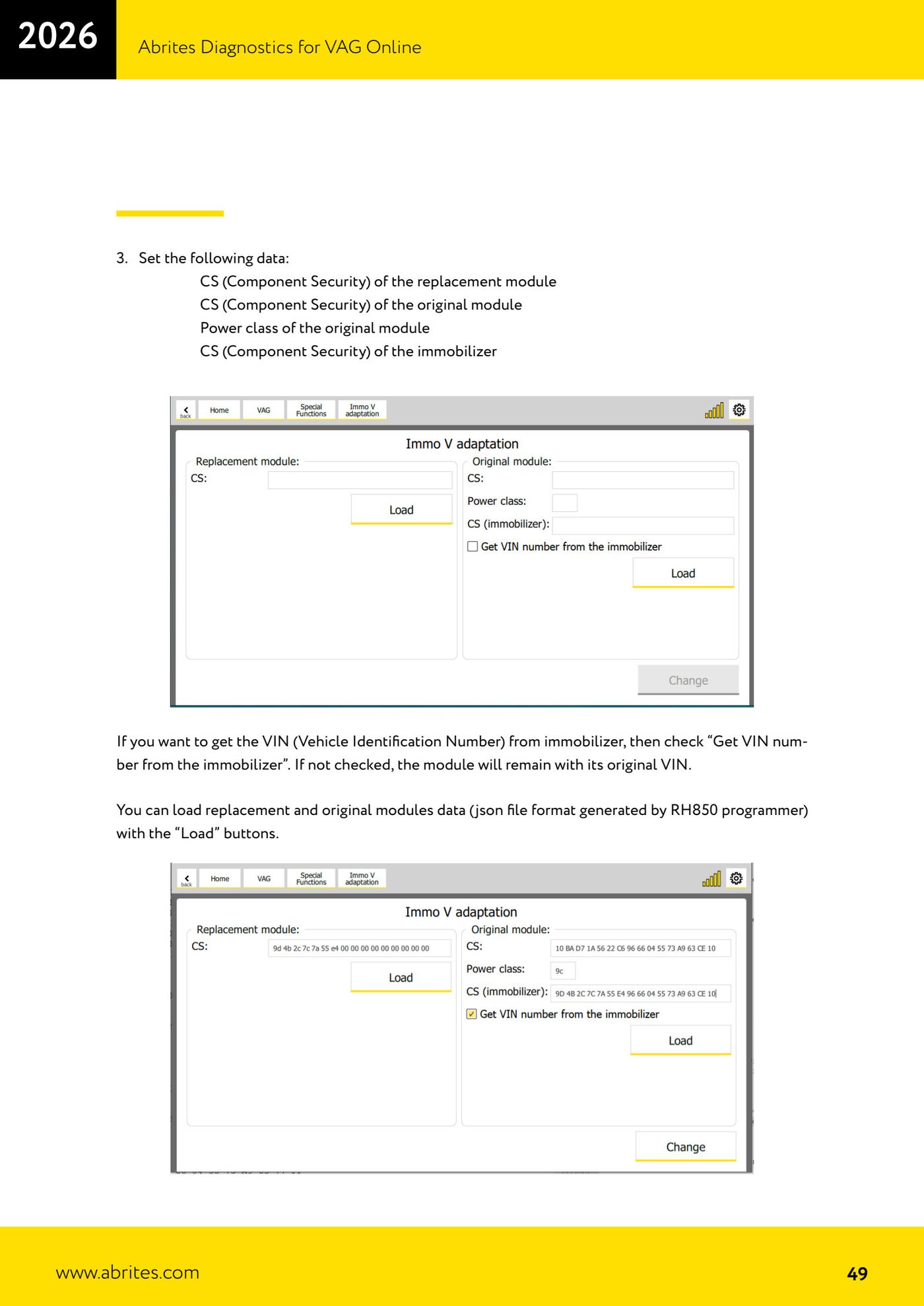
- Enter: CS of the replacement module, CS of the original module, power class of the original, and CS of the immobilizer. You can load the data (JSON from RH850) with the "Load" buttons.
- If you want the VIN pulled from the immobilizer, tick "Get VIN number from the immobilizer" (otherwise the original VIN stays).
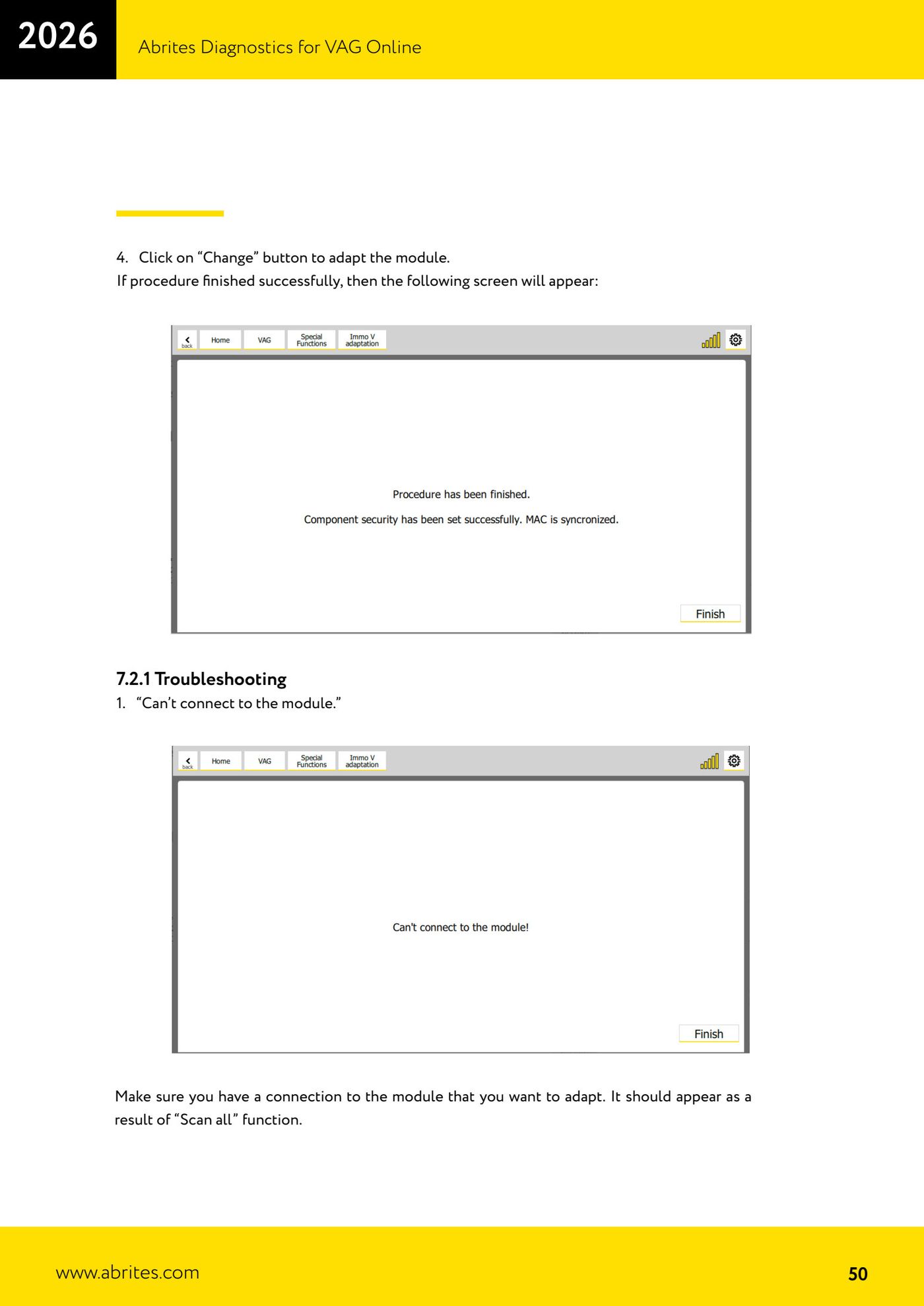
- Click "Change" to adapt. On successful completion a confirmation screen appears.
- Troubleshooting: "Can't connect" → check that the module shows up in the Scan all. "Failed to set component security" → the CS of the replacement module is wrong.
Reference screenshots
Source: Manuale VAG Online, cap. 7.2 (p.47–51) · ⏱ estimated time 20–40 min
← All Abrites guides Hardware catalogue
More guides VAG
- General diagnostics and fault code (DTC) read/clear
- Basic settings — factory reset (throttle body, steering, clutch)
- Adaptations — customer-requested changes
- Long coding — enabling hidden features
- MMI Functions — enable/disable infotainment features
- Wireless CarPlay / Android Auto
- Video in motion
- BCM2 unlock with the ZN080 set (solder-free)
- Reading CS on bench (PCR2.1, Simos 8.x/1x.xx, DCM6.2, TCU AL551/DL501/DQxxx)
- DSG mileage recalibration
- Service Intervals
- ECU programming with .frf files