
Chip-Tools
ECU and TCU adaptation on the MQB platform
VAG
Interface Classic
Keys / Immo
Advanced
⏱ 60-120 min
7 steps
Procedure for adapting a donor engine ECU or transmission control unit (TCU) to the immobiliser on MQB vehicles: you extract the current CS of the unit to be adapted and write the new CS read from the instrument cluster.


⚠ WarningThe adaptation requires both the CS of the unit coming from the donor vehicle and a working key for the vehicle you are working on.
Procedure
- ECU adaptation: read the Data Flash and the Program Flash (external/internal) of the engine ECU.
- Load the files you read into "Engine Control Unit" special function > "EDC17/MEDC boot mode" > "Get PIN/CS from dump" to extract the ECU's current CS.
- Determine the new CS to be written: go to "CAN instrument" special function > "VDO based on MQB platform" > "Immo data".
- In "Configuration options" select "ECU", then "Show CS".
- Put a working key in the PROTAG programmer: the new CS will be displayed.
- Select "Adapt module to immobilizer" and enter the unit's current (old) CS and the new CS.
- TCU adaptation: the procedure is identical, the only difference is how the current CS is extracted — it has to be read from "Immo V adaptation" special function > "Transmission control unit" > "MQB platform".
Reference screenshots
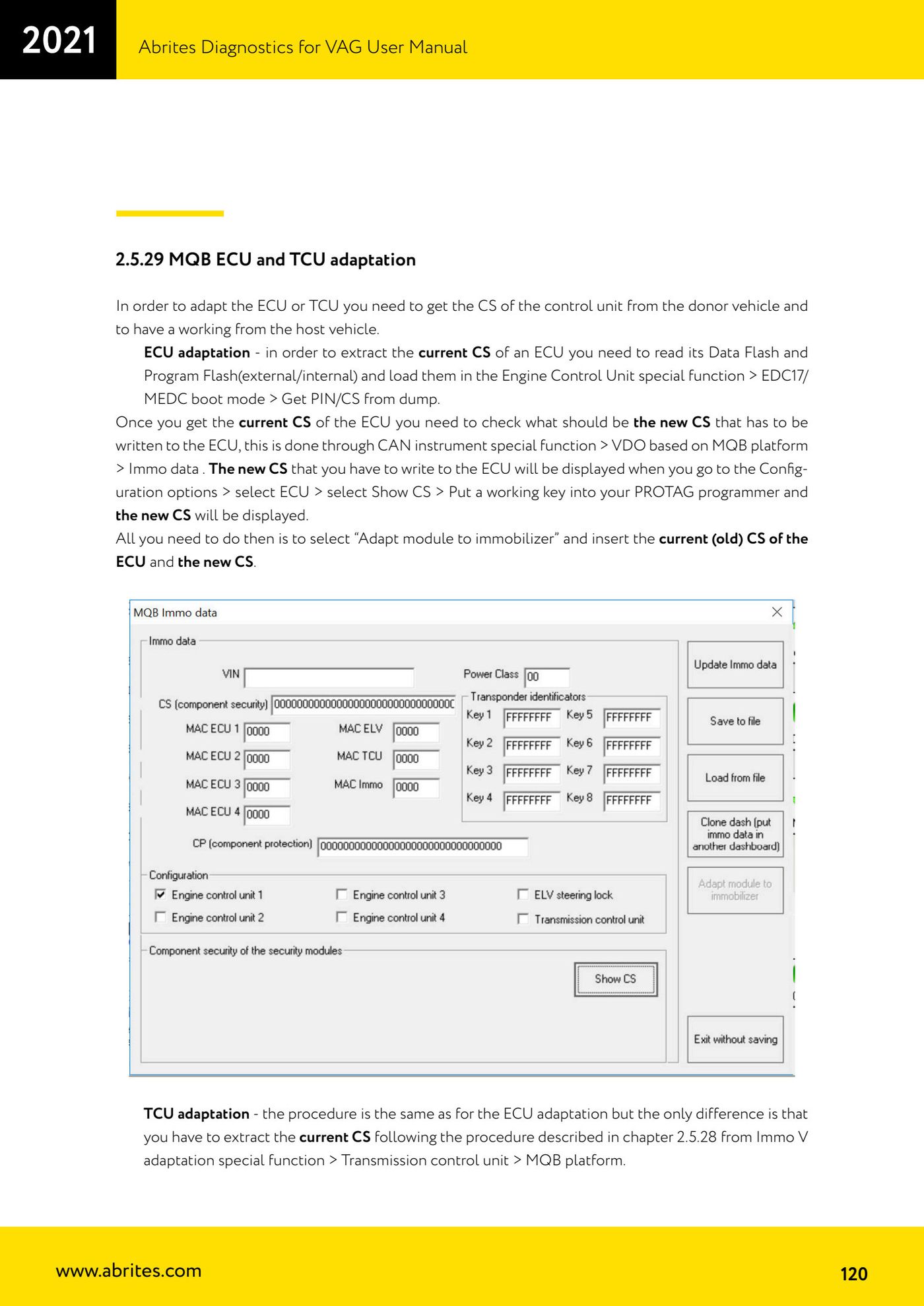
Source: Manuale VAG (Offline), cap. 2.5.29 (p.120) · ⏱ estimated time 60-120 min
← All Abrites guides Hardware catalogue
More guides VAG
- General diagnostics and fault code (DTC) read/clear
- Basic settings — factory reset (throttle body, steering, clutch)
- Adaptations — customer-requested changes
- Long coding — enabling hidden features
- MMI Functions — enable/disable infotainment features
- Wireless CarPlay / Android Auto
- Video in motion
- BCM2 unlock with the ZN080 set (solder-free)
- Reading CS on bench (PCR2.1, Simos 8.x/1x.xx, DCM6.2, TCU AL551/DL501/DQxxx)
- DSG mileage recalibration
- Service Intervals
- ECU programming with .frf files