
Chip-Tools
BCM2: reading the module with ABPROG (bench)
VAG
Interface Classic
Keys / Immo
Advanced
⏱ varies
6 steps
An alternative to the OBDII read: the BCM2 is read on the bench with the ABPROG programmer, by soldering wires to the module's board. Use it when reading over OBDII is not practical.
Required licences
- —
Hardware / cables

⚠ WarningA resistor on the board has to be removed temporarily: once the read is finished it must absolutely be put back.
Procedure
- Remove the BCM2 module from the car and open it up.
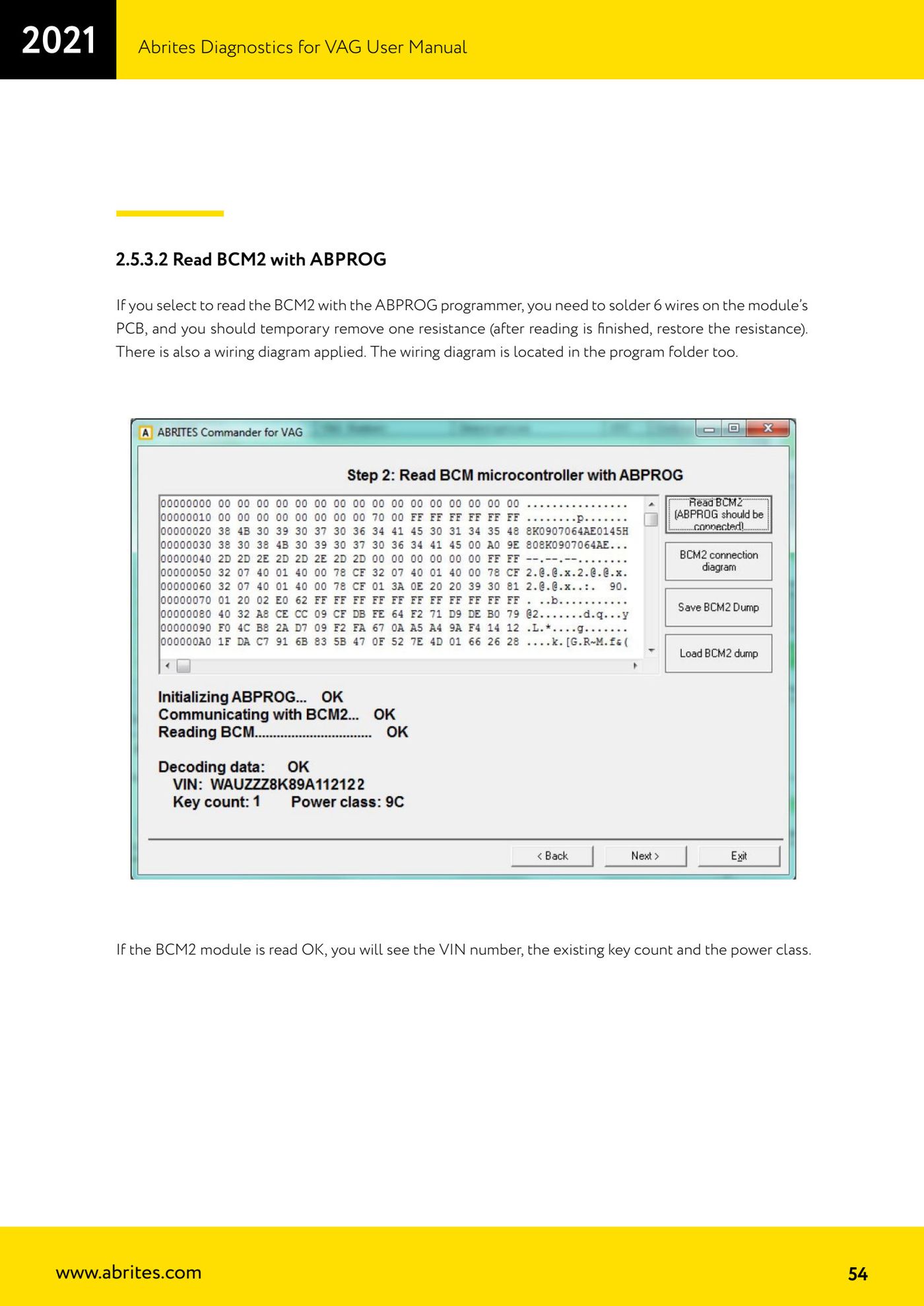
- Solder 6 wires to the module's PCB following the connection diagram supplied (the diagram is also included in the program's installation folder).
- Temporarily remove the resistor shown in the diagram.
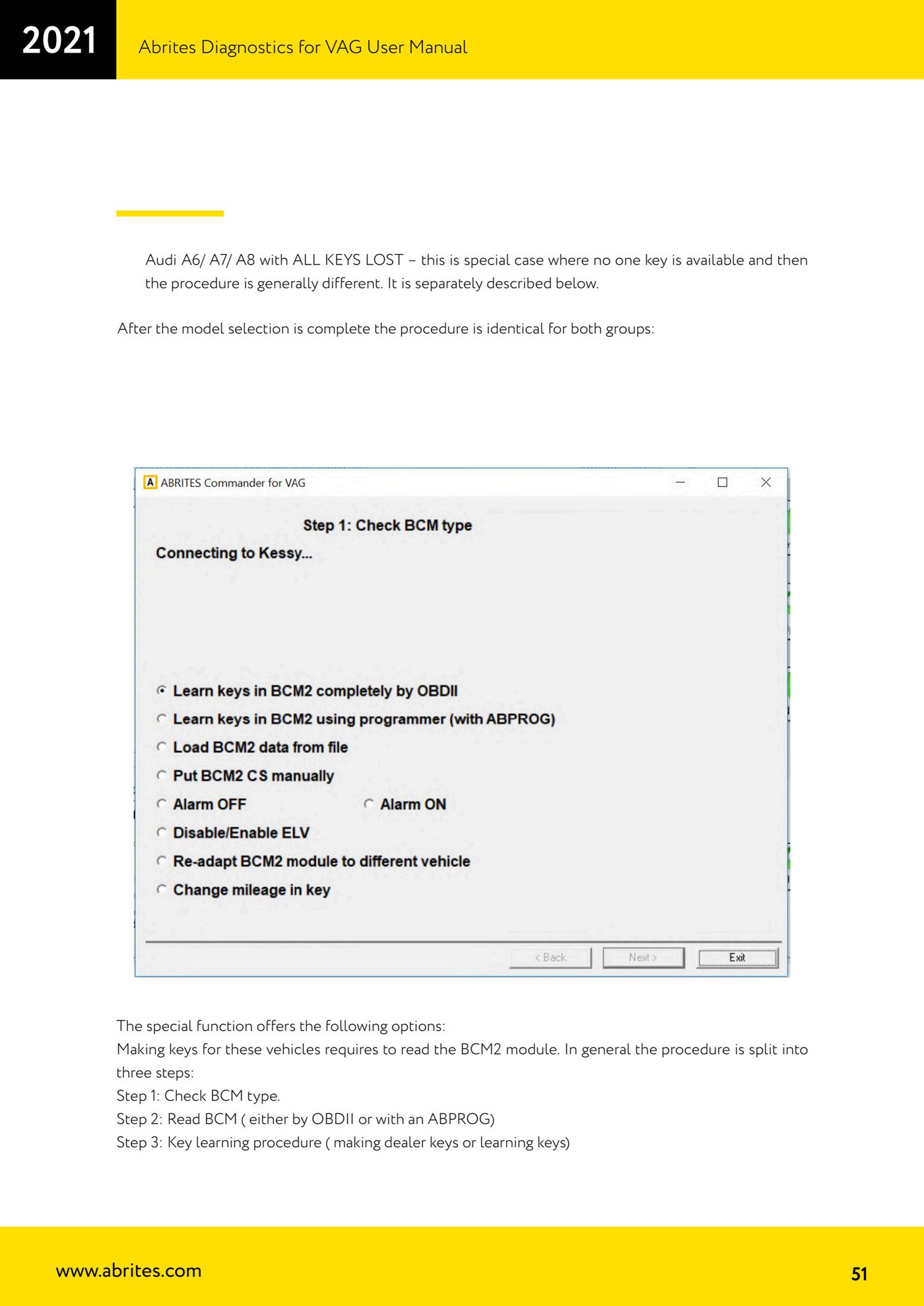
- Connect the ABPROG and, in the BCM2 special function, select the read-with-ABPROG option.
- Start the read: if the module is read correctly the software shows the chassis number (VIN), the number of existing keys and the power class.
- Once the read is complete, put the removed resistor back before refitting the module.
Reference screenshots
Source: Manuale VAG (Offline), cap. 2.5.3.2 (p.51, 54) · ⏱ estimated time varies
← All Abrites guides Hardware catalogue
More guides VAG
- General diagnostics and fault code (DTC) read/clear
- Basic settings — factory reset (throttle body, steering, clutch)
- Adaptations — customer-requested changes
- Long coding — enabling hidden features
- MMI Functions — enable/disable infotainment features
- Wireless CarPlay / Android Auto
- Video in motion
- BCM2 unlock with the ZN080 set (solder-free)
- Reading CS on bench (PCR2.1, Simos 8.x/1x.xx, DCM6.2, TCU AL551/DL501/DQxxx)
- DSG mileage recalibration
- Service Intervals
- ECU programming with .frf files