
Chip-Tools
BCM2: Alarm OFF and Alarm ON
VAG
Interface Classic
Special Functions
Basic
⏱ 5 min
5 steps
Needed when working on a BCM2 car with no keys: opening the driver's door sets the alarm off after 15 seconds. Alarm OFF stops it before it goes off, Alarm ON puts it back once the job is done.
Required licences
- —
Hardware / cables

⚠ WarningAfter disabling the alarm and learning the new key it is recommended to put the alarm back with the "Alarm ON" function.
Procedure
- Plug the AVDI into the OBDII socket and open the "BCM2 A4/A5/Q5/A6/A7/A8" special function.
- Unlock the driver's door: if an alarm is fitted, it will go off after 15 seconds.
- Within those 15 seconds run the "Alarm OFF" function: the alarm will not sound.
- Unlock the driver's door again to unlock all the doors. On some cars no alarm is fitted and opening the driver's door already unlocks all the doors by itself.
- Once the job is done and the new key has been learned, put the alarm back with the "Alarm ON" function.
Reference screenshots
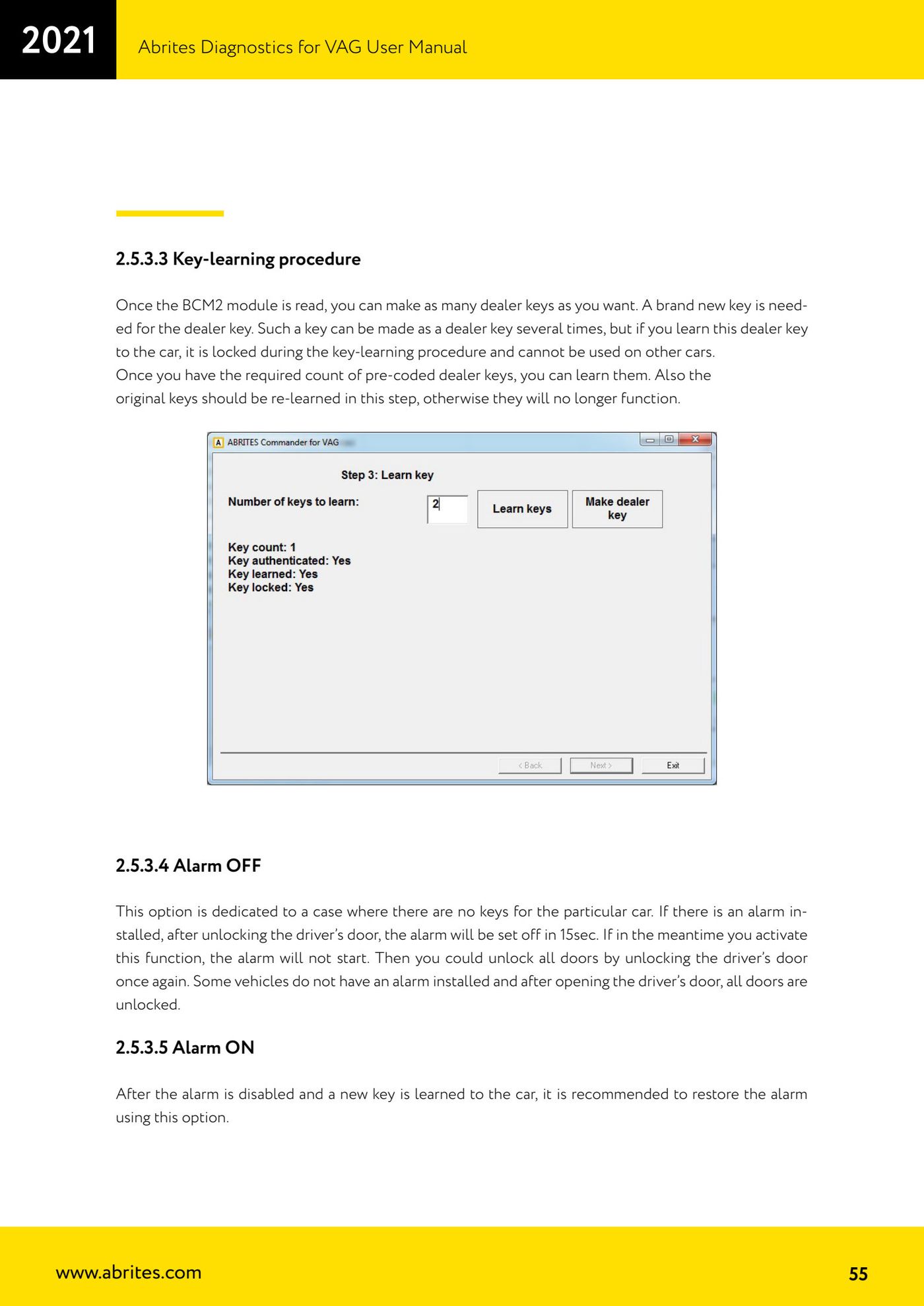
Source: Manuale VAG (Offline), cap. 2.5.3.4 - 2.5.3.5 (p.55) · ⏱ estimated time 5 min
← All Abrites guides Hardware catalogue
More guides VAG
- General diagnostics and fault code (DTC) read/clear
- Basic settings — factory reset (throttle body, steering, clutch)
- Adaptations — customer-requested changes
- Long coding — enabling hidden features
- MMI Functions — enable/disable infotainment features
- Wireless CarPlay / Android Auto
- Video in motion
- BCM2 unlock with the ZN080 set (solder-free)
- Reading CS on bench (PCR2.1, Simos 8.x/1x.xx, DCM6.2, TCU AL551/DL501/DQxxx)
- DSG mileage recalibration
- Service Intervals
- ECU programming with .frf files