
Chip-Tools
Adapting the EZS-Kessy on Audi A6/Q7/Allroad
VAG
Interface Classic
Keys / Immo
Advanced
⏱ varies
7 steps
A function dedicated to adapting a second-hand EZS-Kessy from one vehicle to another. You need the used EZS-Kessy's PIN and CS, or the PIN and CS of its engine ECU: this data is what gives you access to the module and lets you change the immo data by writing the values you need.
Required licences
- —
Hardware / cables
 AVDI
AVDI- programmatore EEPROM
Procedure
- Read the power class, CS and PIN from the engine ECU.
- Alternatively, read the EZS-Kessy with a programmer and save the dump file to the PC, to be loaded into the software afterwards.
- Go into "Immo Parts Adaptation" and select "EZS-Kessy".
- Load the donor EZS-Kessy dump, if you have it.
- If instead you have the donor's IMMO data, enter it manually in place of the dump.
- Press "Read": after entering the data manually a confirmation message appears.
- Wait for the adaptation procedure to complete.
Reference screenshots
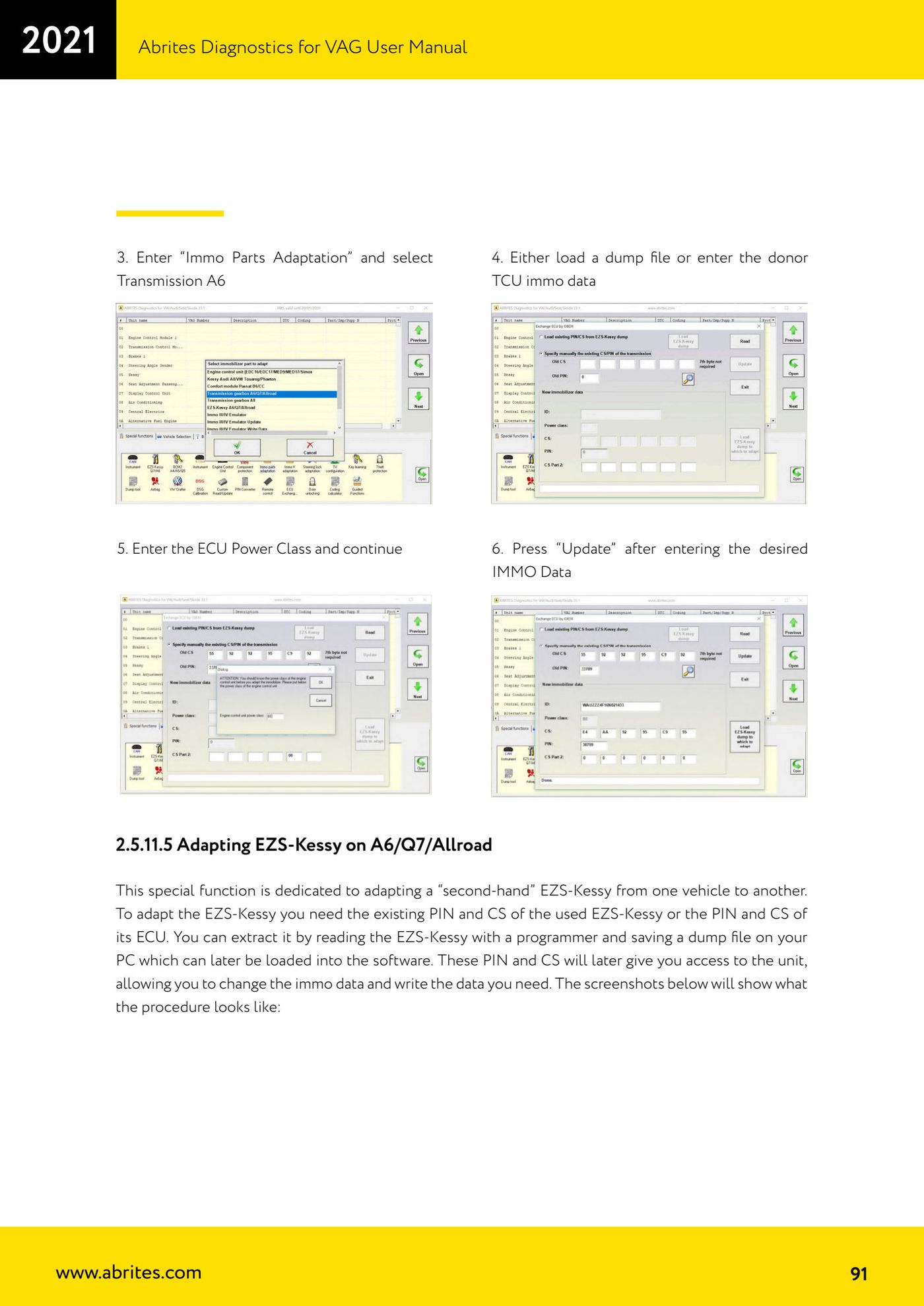
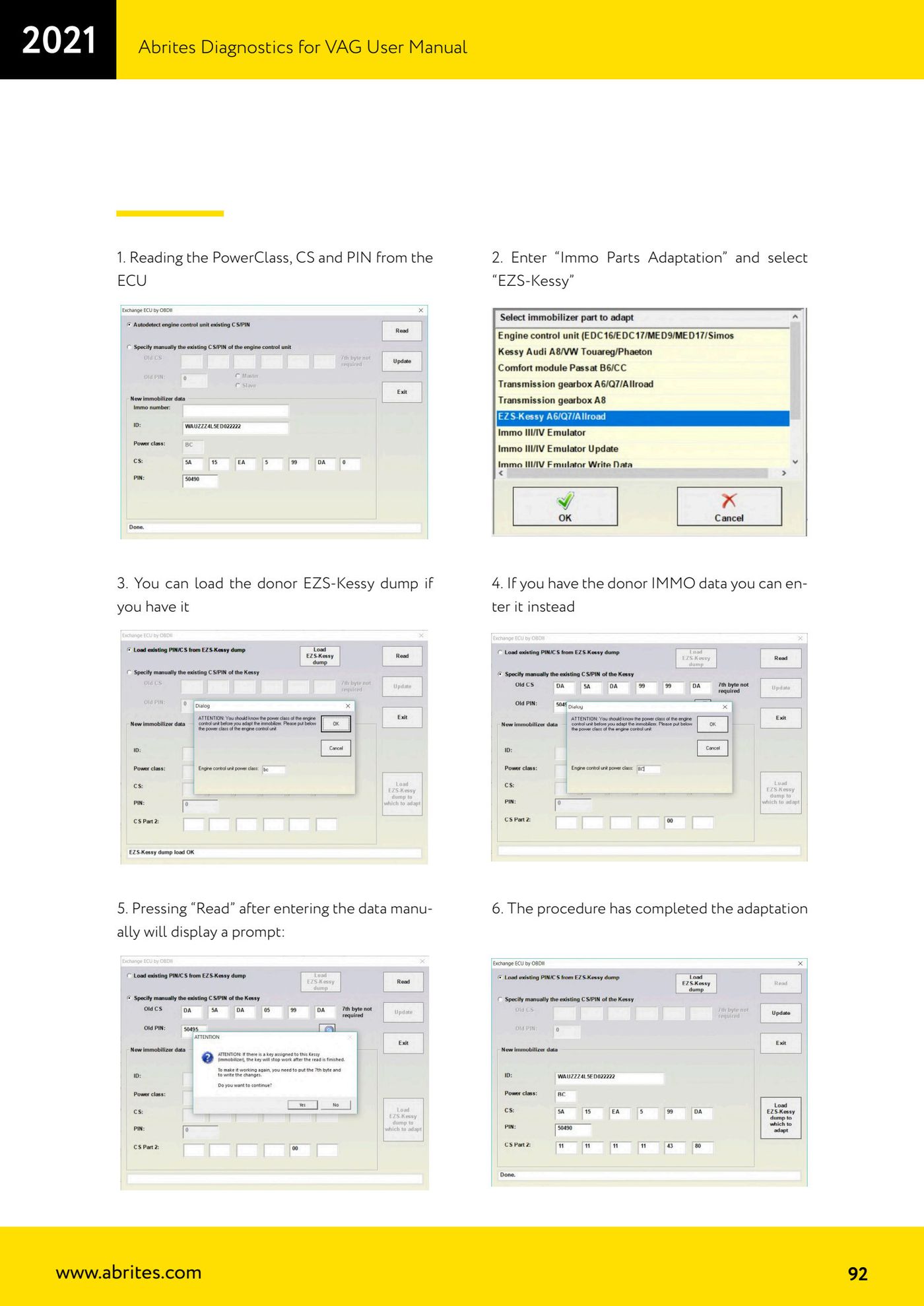
Source: Manuale VAG (Offline), cap. 2.5.11.5 (p.91-92) · ⏱ estimated time varies
← All Abrites guides Hardware catalogue
More guides VAG
- General diagnostics and fault code (DTC) read/clear
- Basic settings — factory reset (throttle body, steering, clutch)
- Adaptations — customer-requested changes
- Long coding — enabling hidden features
- MMI Functions — enable/disable infotainment features
- Wireless CarPlay / Android Auto
- Video in motion
- BCM2 unlock with the ZN080 set (solder-free)
- Reading CS on bench (PCR2.1, Simos 8.x/1x.xx, DCM6.2, TCU AL551/DL501/DQxxx)
- DSG mileage recalibration
- Service Intervals
- ECU programming with .frf files