
Chip-Tools
Resetting the Toyota ID-Box over the internal LIN with the ZN051 or CB012 (without stripping the dash)
Toyota/Lexus
Interface Classic
Keys / Immo
Advanced
⏱ 30-60 min (the reset takes up to 1 minute)
10 steps
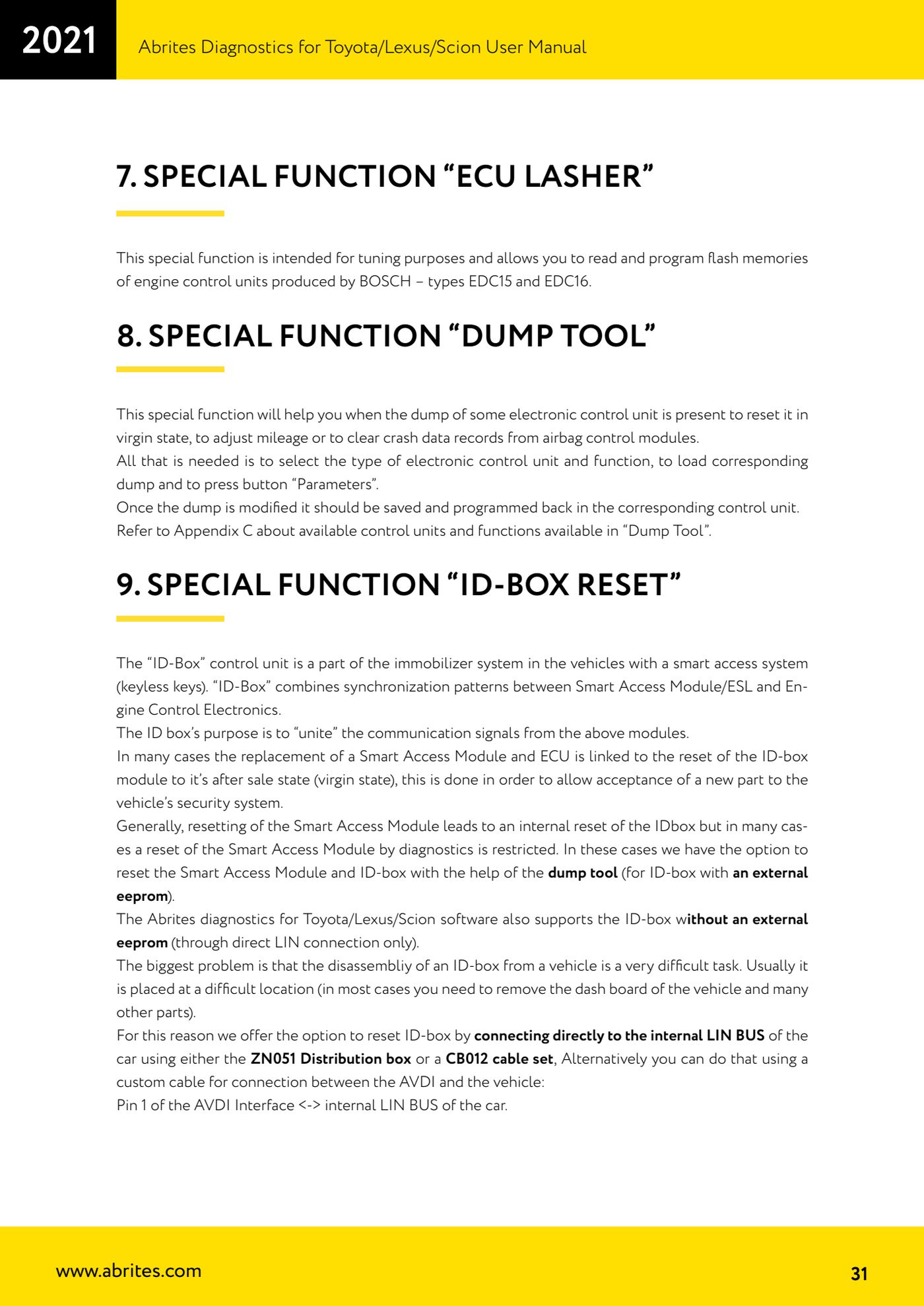
The ID-Box is part of the immobiliser system on vehicles with smart access and ties together the synchronisation signals between the Smart Access Module/ESL and the engine ECU. When the Smart Access Module or the engine ECU is replaced it often has to be put back to the after sale (virgin) state. Since removing it is very involved, Abrites lets you reset it by connecting directly to the vehicle's internal LIN bus.
Required licences
- —
Hardware / cables


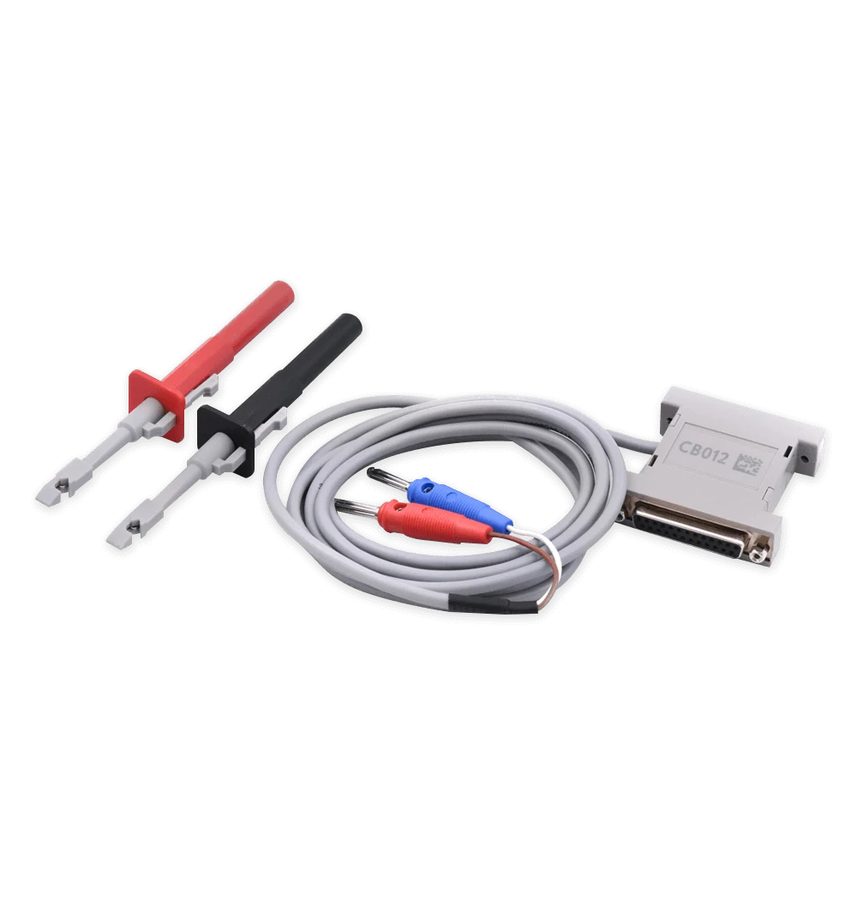
⚠ WarningMake sure you really need to reset the ID-box. It is NOT needed for key programming on vehicles up to 2017: you can try resetting the smart system (which internally also resets the ID-box) through diagnostics and, if that route is blocked, program a master key straight into the smart module dump or use the ZN039-2 adapter.
Procedure
- Connect the CB012 cable set between the AVDI interface and the CB100 OBDII cable, or connect the ZN051 Distribution box between the AVDI and the CB100 and use the K1 socket for the direct connection to the internal LIN bus. Alternatively you can use a custom cable between the AVDI and the vehicle: pin 1 of the AVDI interface to the car's internal LIN bus.
- Connect the AVDI to the vehicle's OBDII socket.
- Unplug the two smart system connectors, located under the glovebox.
- Connect to the vehicle's internal LIN bus using the red CB012 connector or the K1 socket of the ZN051.
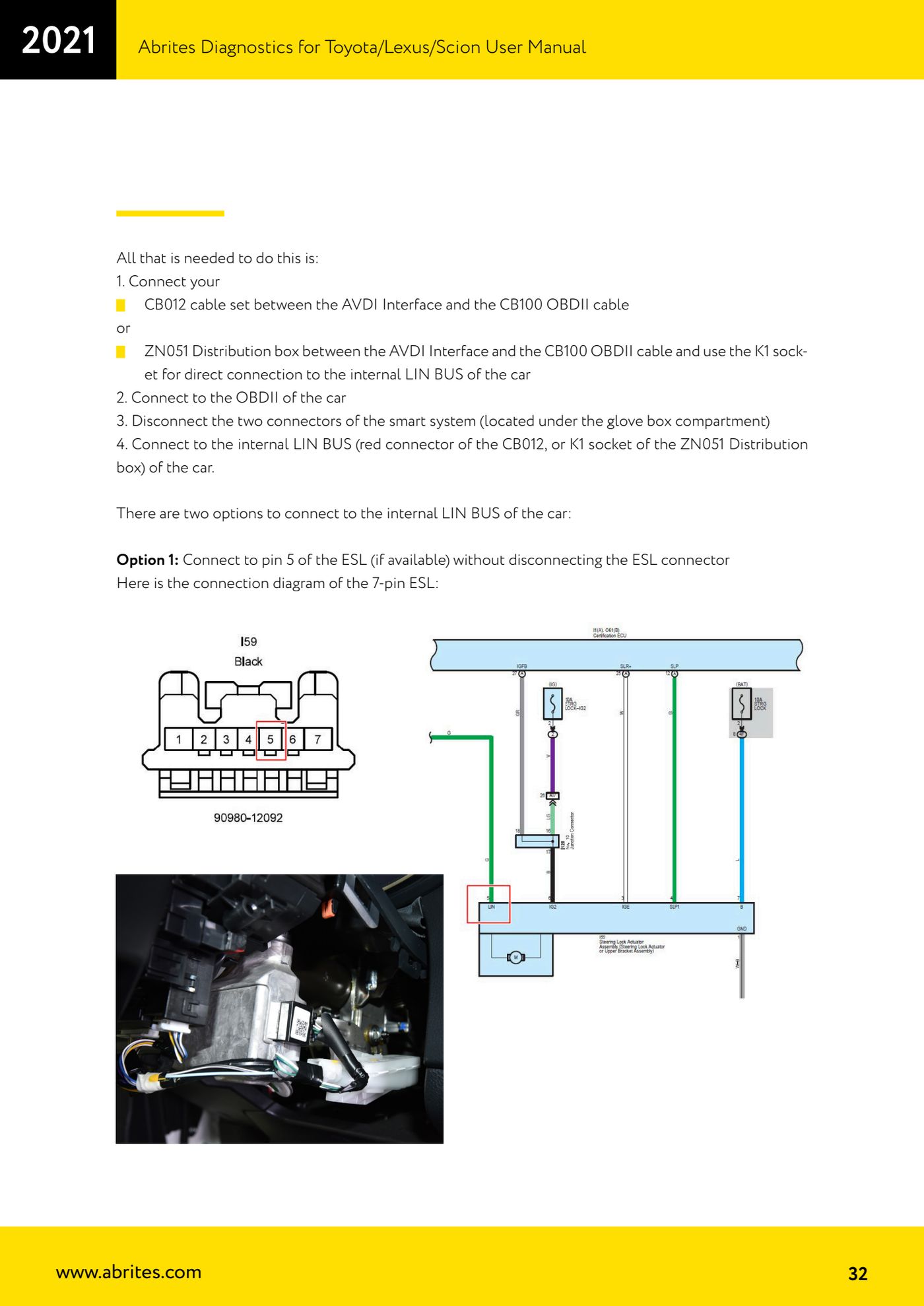
- LIN CONNECTION OPTION 1 - Connect to pin 5 of the ESL (where fitted) without unplugging the ESL connector: the manual shows the 7-pin ESL connector layout.
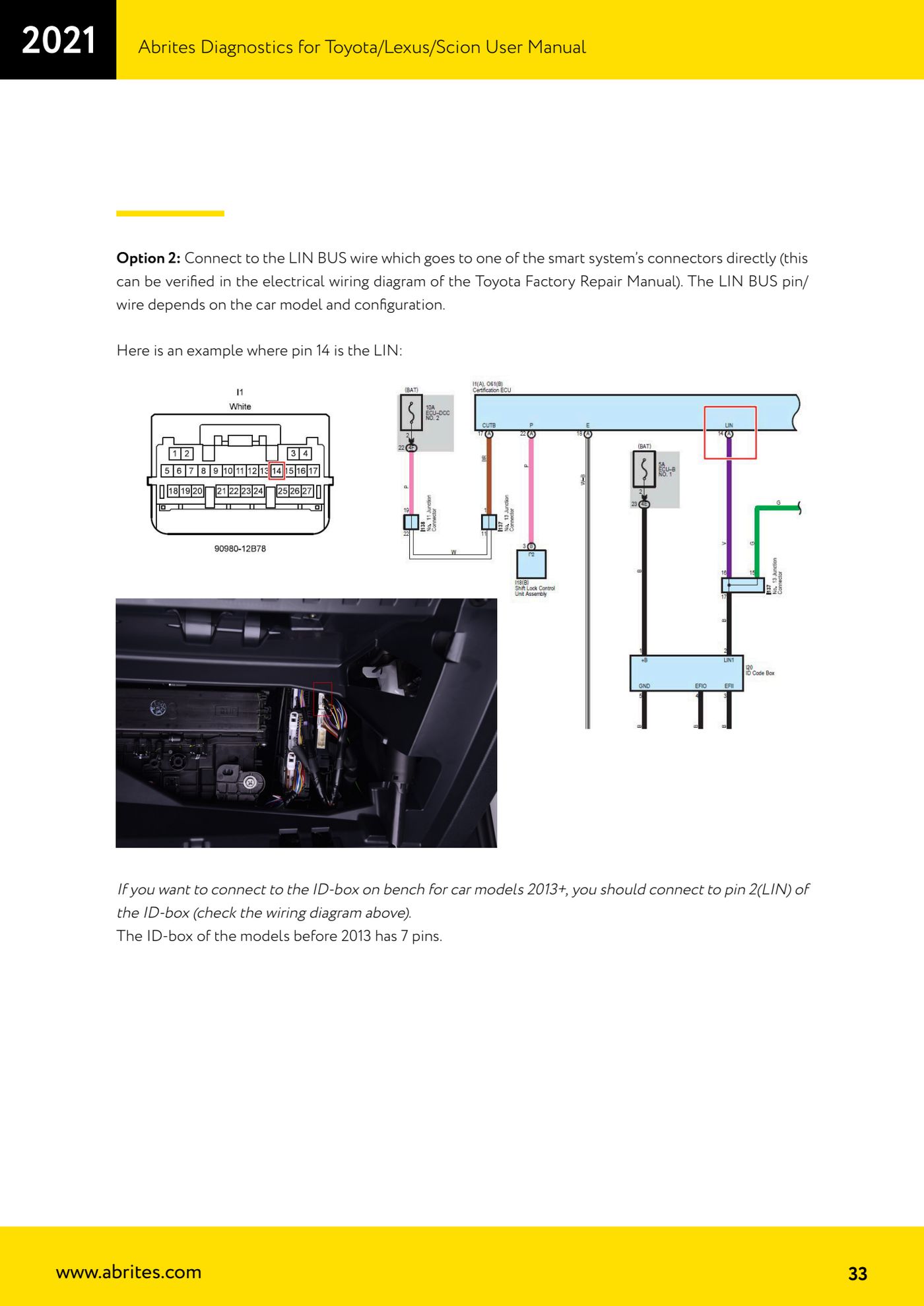
- LIN CONNECTION OPTION 2 - Connect directly to the LIN wire running to one of the smart system connectors. The LIN pin/wire varies with model and specification and must be checked on the wiring diagram in the Toyota Factory Repair Manual; in the manual's example the LIN is pin 14.
- If you want to connect to the ID-box on the bench on 2013-on models, connect to pin 2 (LIN) of the ID-box. The ID-box on pre-2013 models has 7 pins.
- Start Abrites Diagnostics for Toyota/Lexus/Scion and select the "ID-box reset" special function.
- Wait for the procedure to finish: the process takes up to 1 minute.
- Note: the software supports both ID-boxes with an external EEPROM (93C46, which can also be reset with the "Dump Tool") and those without an external EEPROM, the latter only through the direct LIN connection.
Reference screenshots
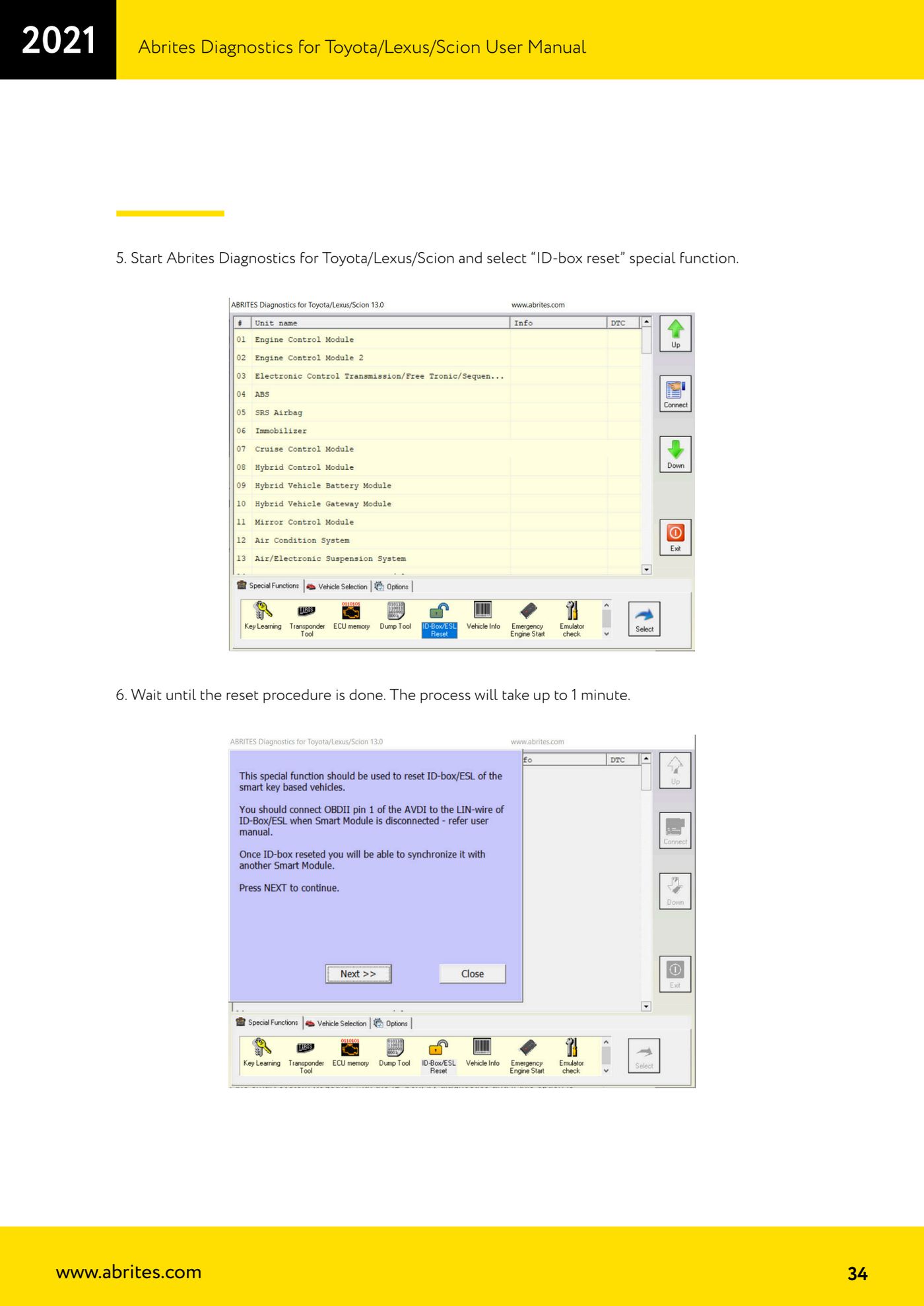
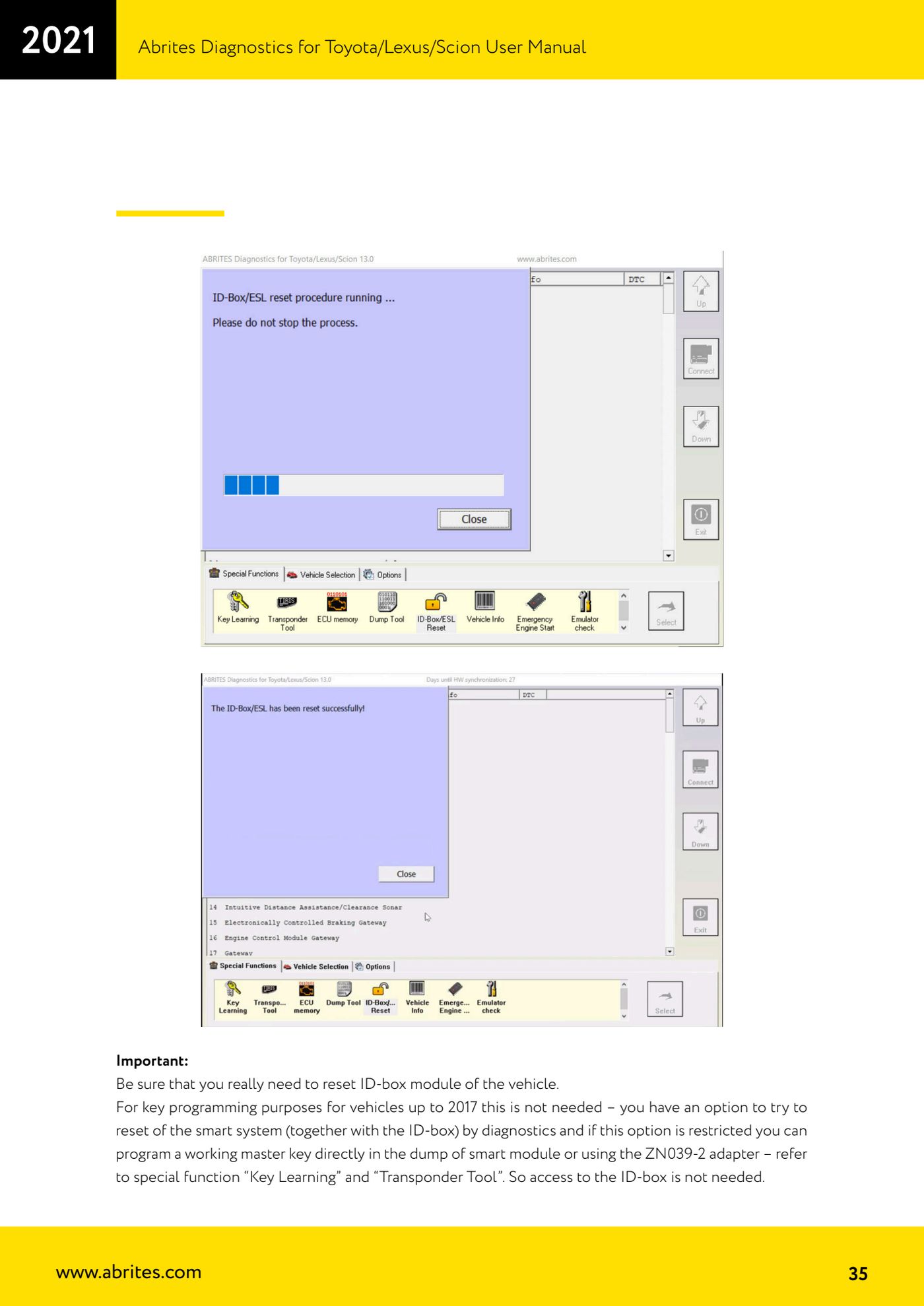
Source: Manuale Toyota/Lexus/Scion, cap. 9 - Special function "ID-Box reset" (p.31-35) · ⏱ estimated time 30-60 min (the reset takes up to 1 minute)
← All Abrites guides Hardware catalogue
More guides Toyota/Lexus
- Basic Toyota/Lexus/Scion diagnostics: reading and clearing DTCs, Live Data and full SCAN
- Toyota/Lexus/Scion Key Learning: identifying the immobiliser system and the rules to follow
- Toyota key programming with 4C transponder (immo integrated in the engine ECU or synchronised immobox)
- Key programming with 4D immoboxes: Tokai Rika 1st/2nd generation, VALEO and VISTEON
- Programming G-type keys (DST80, 80 bit) on Tokai Rika immoboxes
- Adding an H-type key (DST AES, 128 bit) via OBD with a working key
- All keys lost on Toyota with H-type mechanical key: reset and sniffing with ZN068 and ZN067
- Finding the B+, IG SW and KEY SW fuses for the ZN067 using immobiliser Live Data
- Bench programming of H-type keys with the ZN067 adapter
- Cloning Toyota/Lexus/Scion keys and transponders with PROTAG (4C, ID33, 4D, G and H)
- Key learning on Toyota smart keys with the ZN039-2 master emulator
- Emergency start with the ZN039-2 on Toyota/Lexus/Scion/Subaru smart access