
Chip-Tools
Basic Toyota/Lexus/Scion diagnostics: reading and clearing DTCs, Live Data and full SCAN
Toyota/Lexus
Interface Classic
Diagnostics
Basic
⏱ 10-20 min
9 steps
The starting point for any job on Toyota, Lexus and Scion with the AVDI: opening a diagnostic session on a single module, reading/clearing fault codes, reading live values and scanning every module fitted to the vehicle. It also serves as a preliminary check before any special function (for example confirming through live data that the key in use is working).
Required licences
- —
Hardware / cables
 AVDI
AVDI- cavo OBDII
Procedure
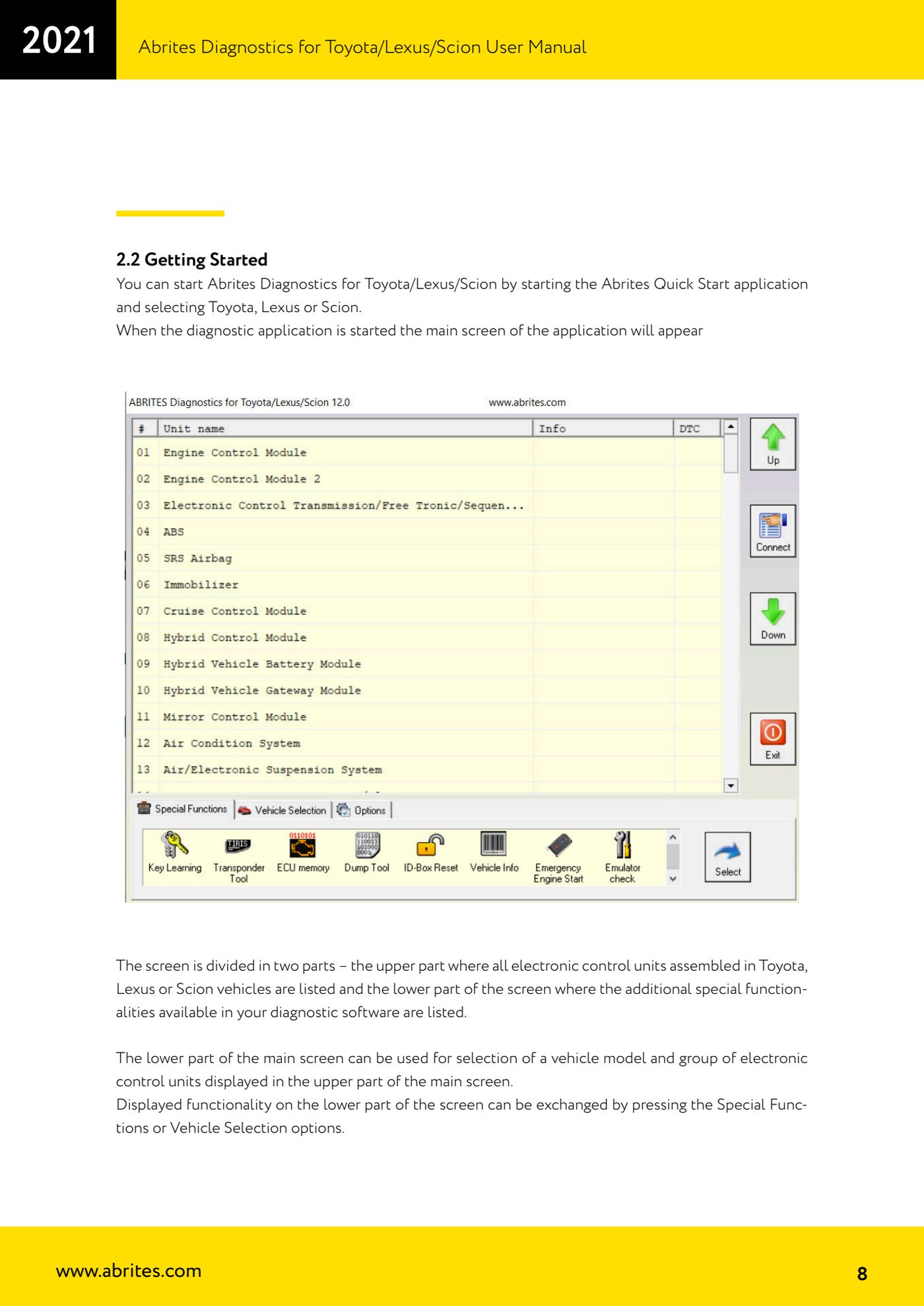
- Connect the AVDI to the vehicle's OBDII socket and to the PC, then start "Abrites Quick Start" and select Toyota, Lexus or Scion to open "Abrites Diagnostics for Toyota/Lexus/Scion" (the manual covers software versions 9.3 and later; minimum requirements Windows 7 SP1 and 2 GB of RAM, 4 GB recommended).
- Look at the main screen: the upper part lists every module that can be fitted to Toyota/Lexus/Scion, the lower part holds the additional functions. The "Special Functions" and "Vehicle Selection" buttons swap the content of the lower part.
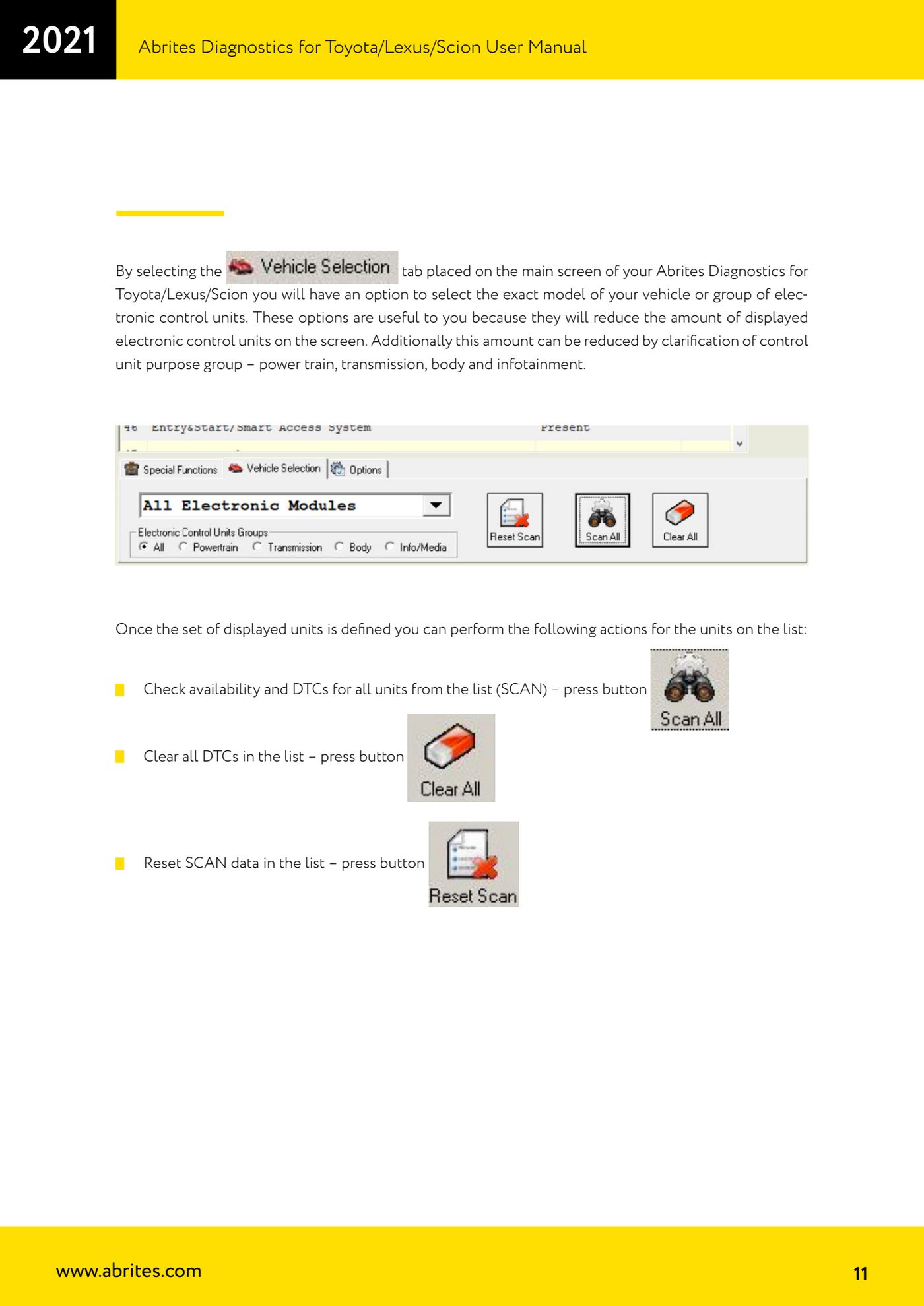
- Press "Vehicle Selection" and pick the exact vehicle model, or the module group, to cut down the list shown above. You can narrow it further by choosing the functional group: power train, transmission, body, infotainment.
- With the list filtered you can work on all units at once: press the SCAN button to check presence and DTCs of every module in the list, the clear button to wipe all DTCs in the list, and the SCAN data reset button to clear the results of the previous scan.
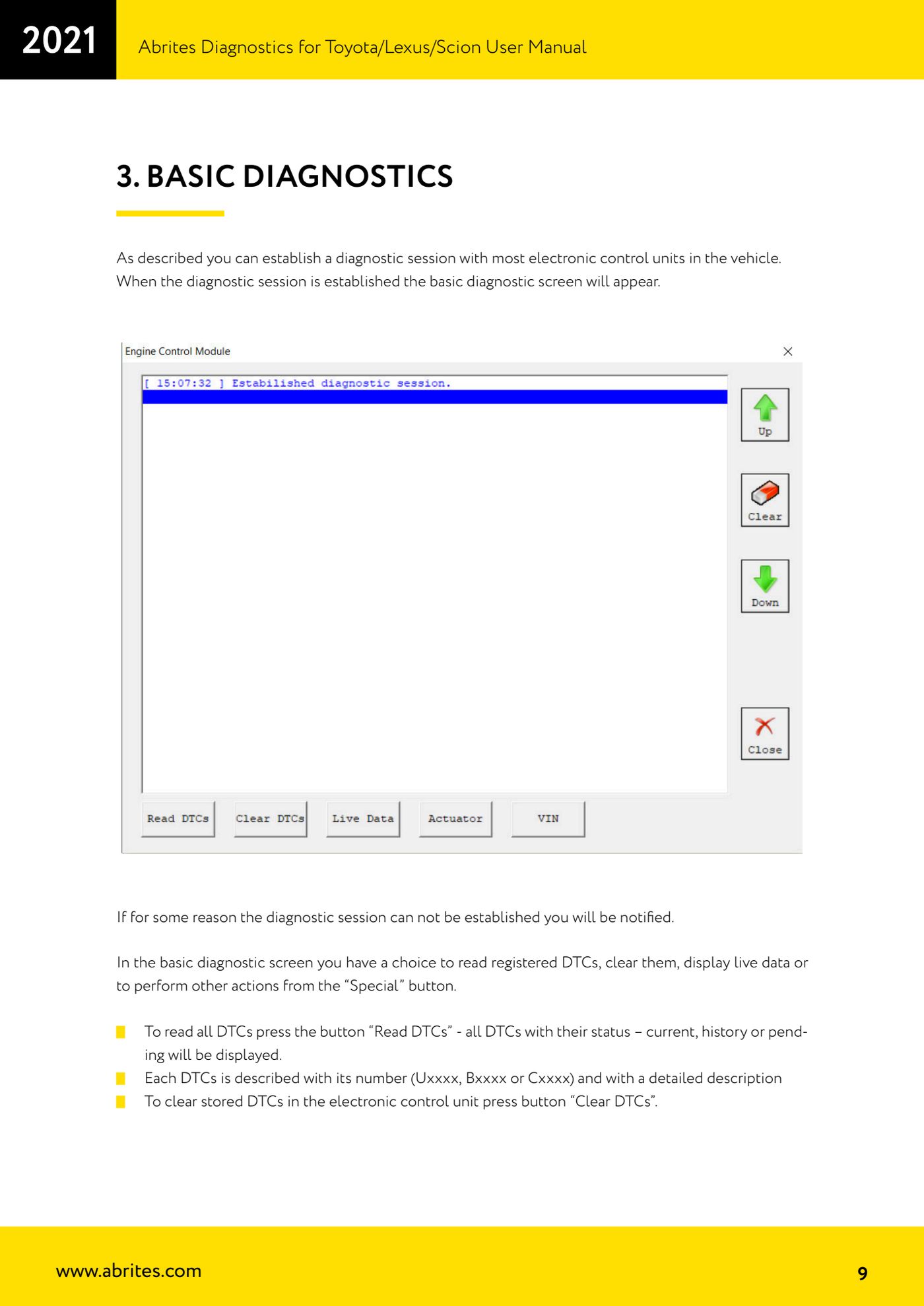
- To work on a single module, select it from the list: the diagnostic session opens and the basic diagnostics screen appears. If the session cannot be established the software tells you (check power supply, key in the ON position and that the module is actually fitted to the vehicle).
- Press "Read DTCs" to read every stored fault code: each DTC is shown with its number (Uxxxx, Bxxxx or Cxxxx), with a detailed description and with its status - current, history or pending.
- Press "Clear DTCs" to clear the codes stored in the selected module. Read them again to see which faults come straight back (real, current faults) and which do not.
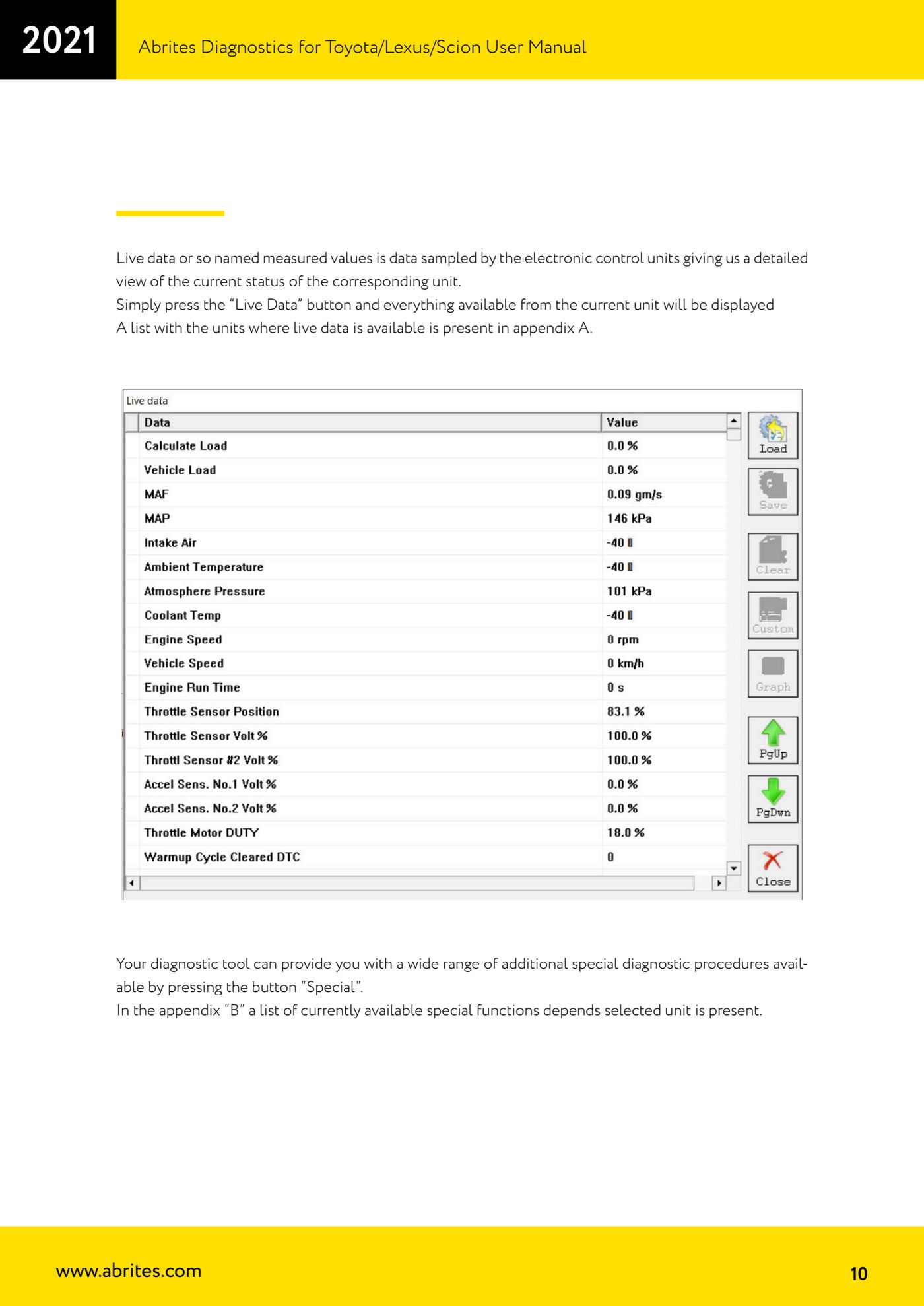
- Press "Live Data" to display all the measured values available on the selected module. The list of units that provide live data is in Appendix A of the manual (among others: Engine Control Module, Immobilizer, Entry & Smart Access Module, ABS, Hybrid Control Module, door modules, Main Body).
- Press "Special" to get to the special procedures available on the module you are in (the list changes with the selected unit: see Appendix B of the manual).
Reference screenshots
Source: Manuale Toyota/Lexus/Scion, cap. 2.2 e 3 - Basic Diagnostics (p.8-11) · ⏱ estimated time 10-20 min
← All Abrites guides Hardware catalogue
More guides Toyota/Lexus
- Toyota/Lexus/Scion Key Learning: identifying the immobiliser system and the rules to follow
- Toyota key programming with 4C transponder (immo integrated in the engine ECU or synchronised immobox)
- Key programming with 4D immoboxes: Tokai Rika 1st/2nd generation, VALEO and VISTEON
- Programming G-type keys (DST80, 80 bit) on Tokai Rika immoboxes
- Adding an H-type key (DST AES, 128 bit) via OBD with a working key
- All keys lost on Toyota with H-type mechanical key: reset and sniffing with ZN068 and ZN067
- Finding the B+, IG SW and KEY SW fuses for the ZN067 using immobiliser Live Data
- Bench programming of H-type keys with the ZN067 adapter
- Cloning Toyota/Lexus/Scion keys and transponders with PROTAG (4C, ID33, 4D, G and H)
- Key learning on Toyota smart keys with the ZN039-2 master emulator
- Emergency start with the ZN039-2 on Toyota/Lexus/Scion/Subaru smart access
- Toyota engine ECU and immobox replacement: matching with an OBDII jumper (30 minutes)