
Chip-Tools
Emergency start with the ZN039-2 on Toyota/Lexus/Scion/Subaru smart access
Toyota/Lexus
Interface Classic
Special Functions
Medium
⏱ 15-30 min
6 steps
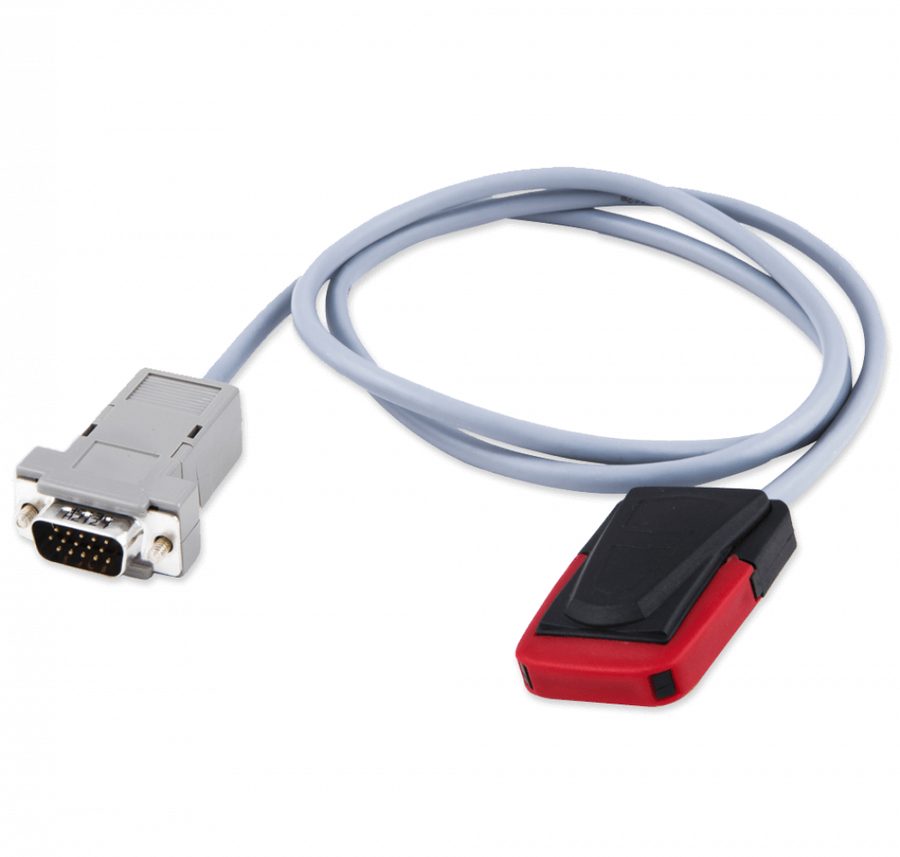
With the ZN039-2 adapter you can start a Toyota, Lexus, Scion or Subaru with smart access even without a master key, so the car can be driven to the workshop and the key programming completed there.

Procedure
- Connect the AVDI to the vehicle's OBDII socket and connect the ZN039-2.
- Start Abrites Diagnostics for Toyota/Lexus/Scion, press "Special Functions" and select the "Emergency start" special function.
- Turn the ignition ON.
- Confirm in the software that you want to use the emulator as a master key.
- Follow the on-screen instructions to the end of the procedure: from that point the car starts with the ZN039-2 emulator.
- Take the vehicle to the workshop and carry out the proper key learning there to program the final keys.
Reference screenshots
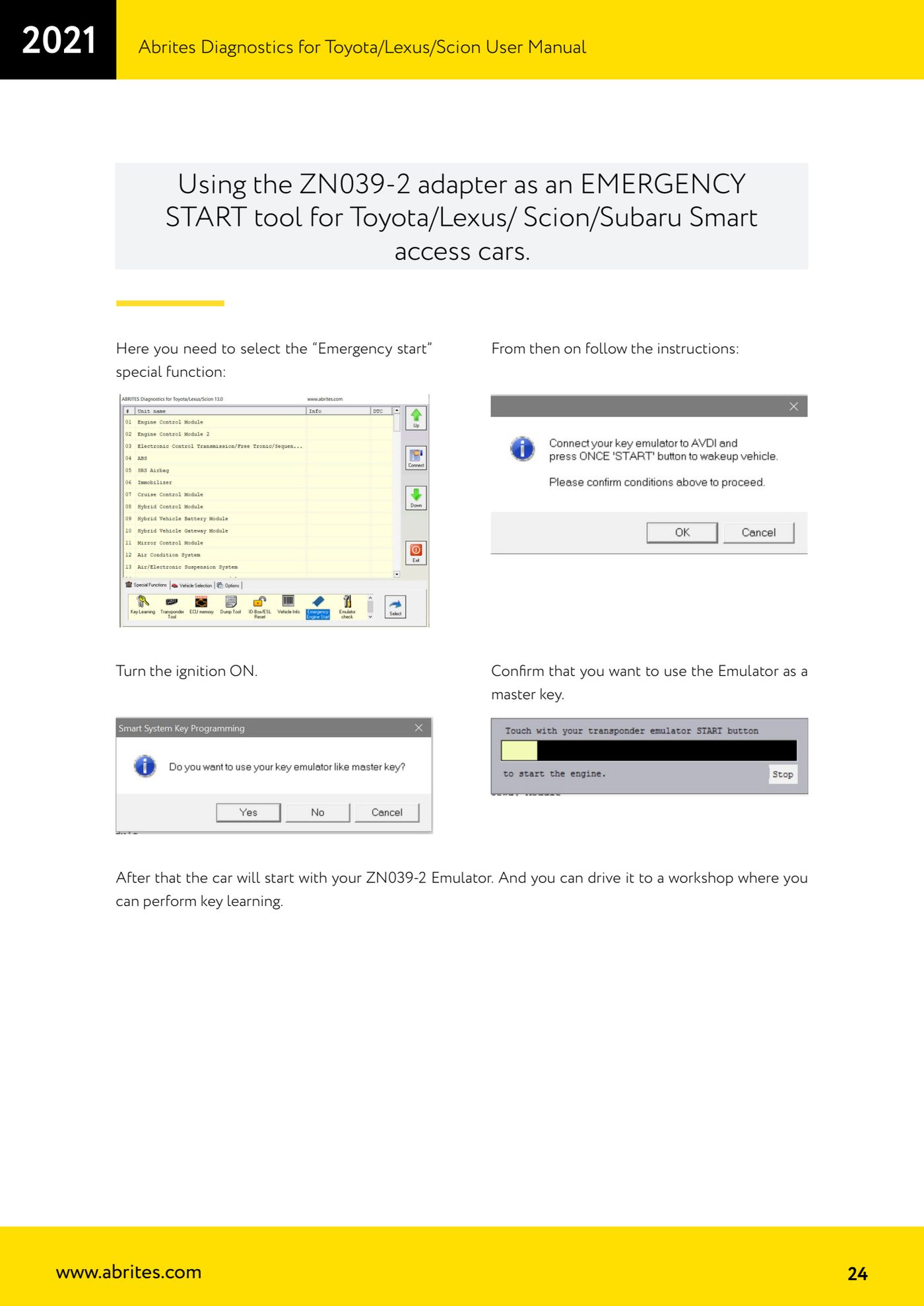
Source: Manuale Toyota/Lexus/Scion, cap. 5 - ZN039-2 come Emergency start (p.24) · ⏱ estimated time 15-30 min
← All Abrites guides Hardware catalogue
More guides Toyota/Lexus
- Basic Toyota/Lexus/Scion diagnostics: reading and clearing DTCs, Live Data and full SCAN
- Toyota/Lexus/Scion Key Learning: identifying the immobiliser system and the rules to follow
- Toyota key programming with 4C transponder (immo integrated in the engine ECU or synchronised immobox)
- Key programming with 4D immoboxes: Tokai Rika 1st/2nd generation, VALEO and VISTEON
- Programming G-type keys (DST80, 80 bit) on Tokai Rika immoboxes
- Adding an H-type key (DST AES, 128 bit) via OBD with a working key
- All keys lost on Toyota with H-type mechanical key: reset and sniffing with ZN068 and ZN067
- Finding the B+, IG SW and KEY SW fuses for the ZN067 using immobiliser Live Data
- Bench programming of H-type keys with the ZN067 adapter
- Cloning Toyota/Lexus/Scion keys and transponders with PROTAG (4C, ID33, 4D, G and H)
- Key learning on Toyota smart keys with the ZN039-2 master emulator
- Toyota engine ECU and immobox replacement: matching with an OBDII jumper (30 minutes)