
Chip-Tools
Replacing the engine ECU with the "DAS Manager": virgin, personalize, activate
Mercedes
Interface Classic
Coding / Adaptations
Advanced
⏱ varies
9 steps
The "DAS Manager" special function lets you virginize, personalize, code and activate Mercedes-Benz electronic modules. It is what you use when a used engine ECU has to go in place of a faulty one. Key concepts: Virgin = factory state, ready to be fitted; Personalize = a NON permanent adaptation to the vehicle (it lets you try a used module out and write the saved coding into it); Activate = the final, permanent adaptation, after which the coding can no longer be written.
Required licences
- —
Hardware / cables

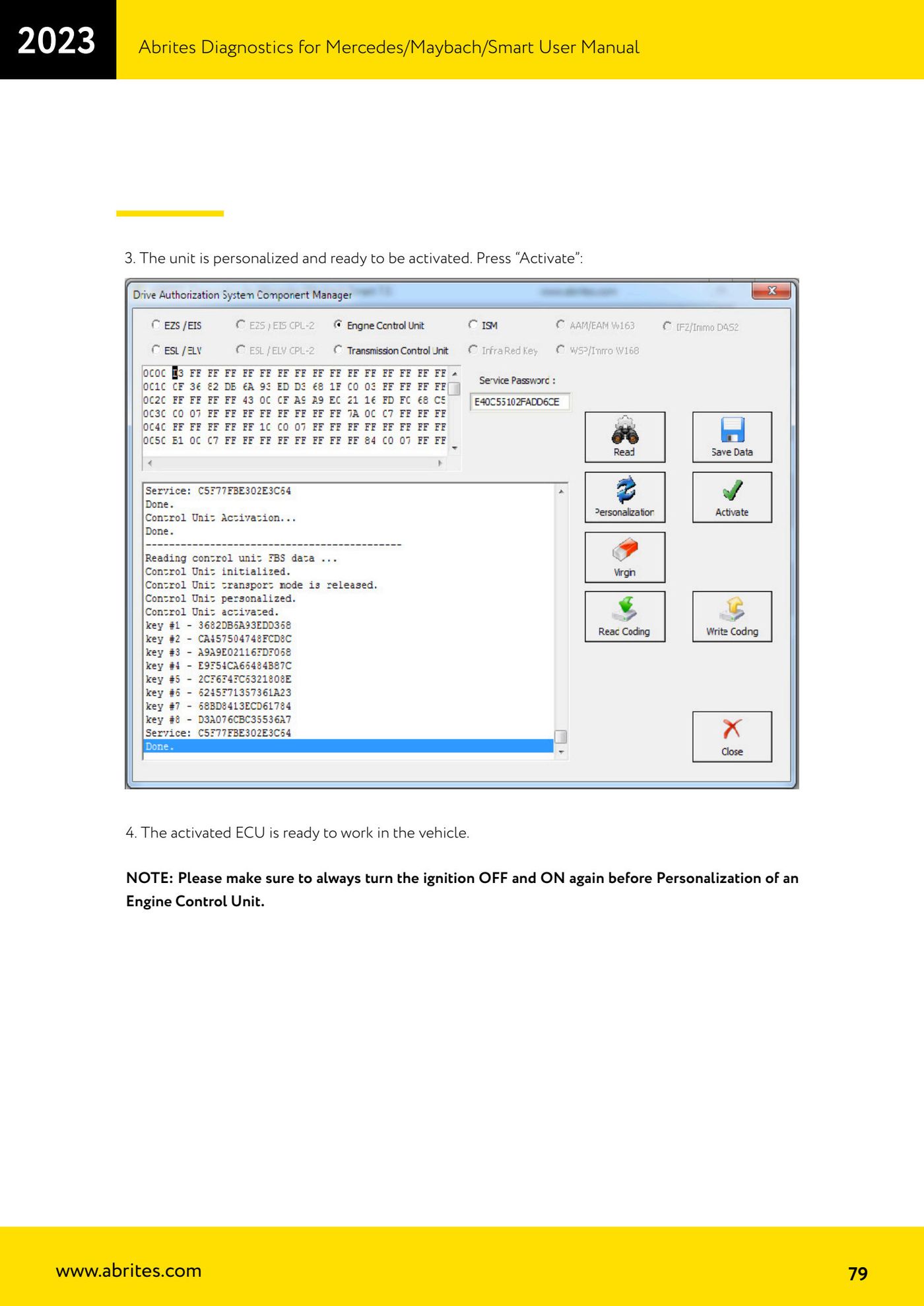
⚠ WarningNOTE: before personalizing an engine ECU, ALWAYS turn the key OFF and then back ON. After "Activate" the coding can no longer be written into the module, so read and save the coding before virginizing.
Procedure
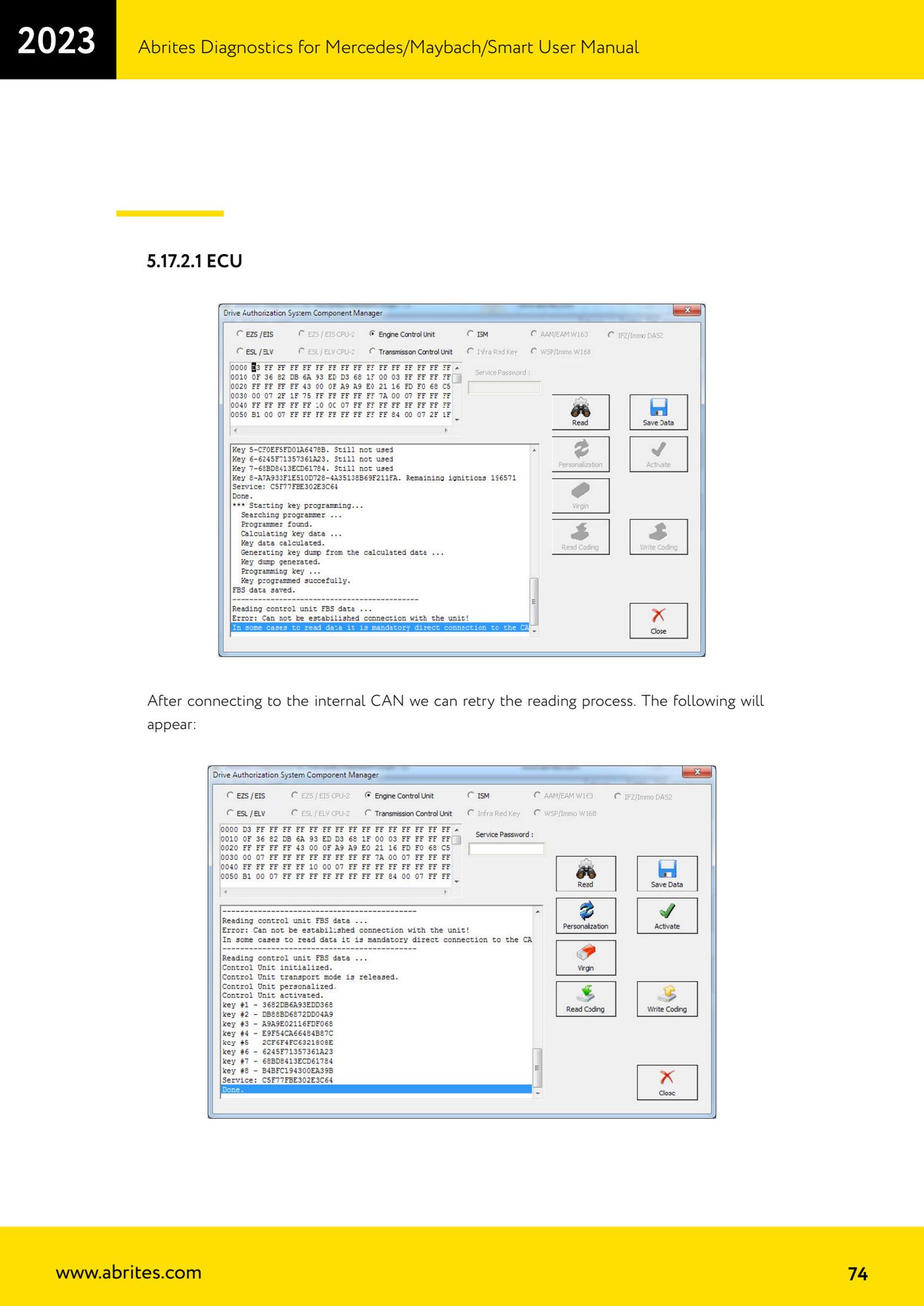
- Connect the AVDI and open the "DAS Manager" special function. Reading the ECU is always done over OBD; the other operations may require a connection to the internal CAN (or LIN).
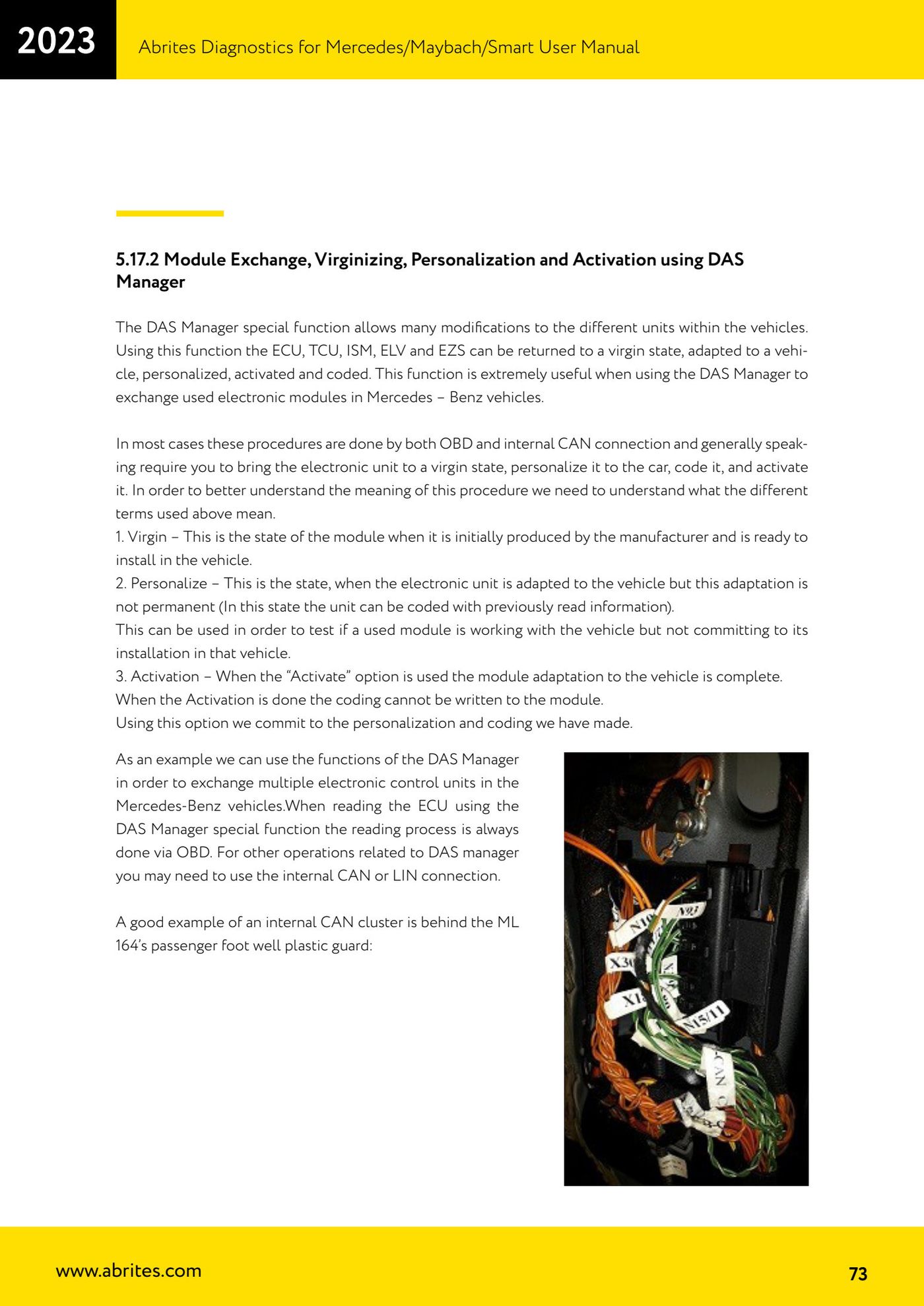
- If the read over OBD fails, connect to the vehicle's internal CAN and try the read again. Example of an internal CAN access point: behind the plastic trim in the passenger footwell on the ML 164.
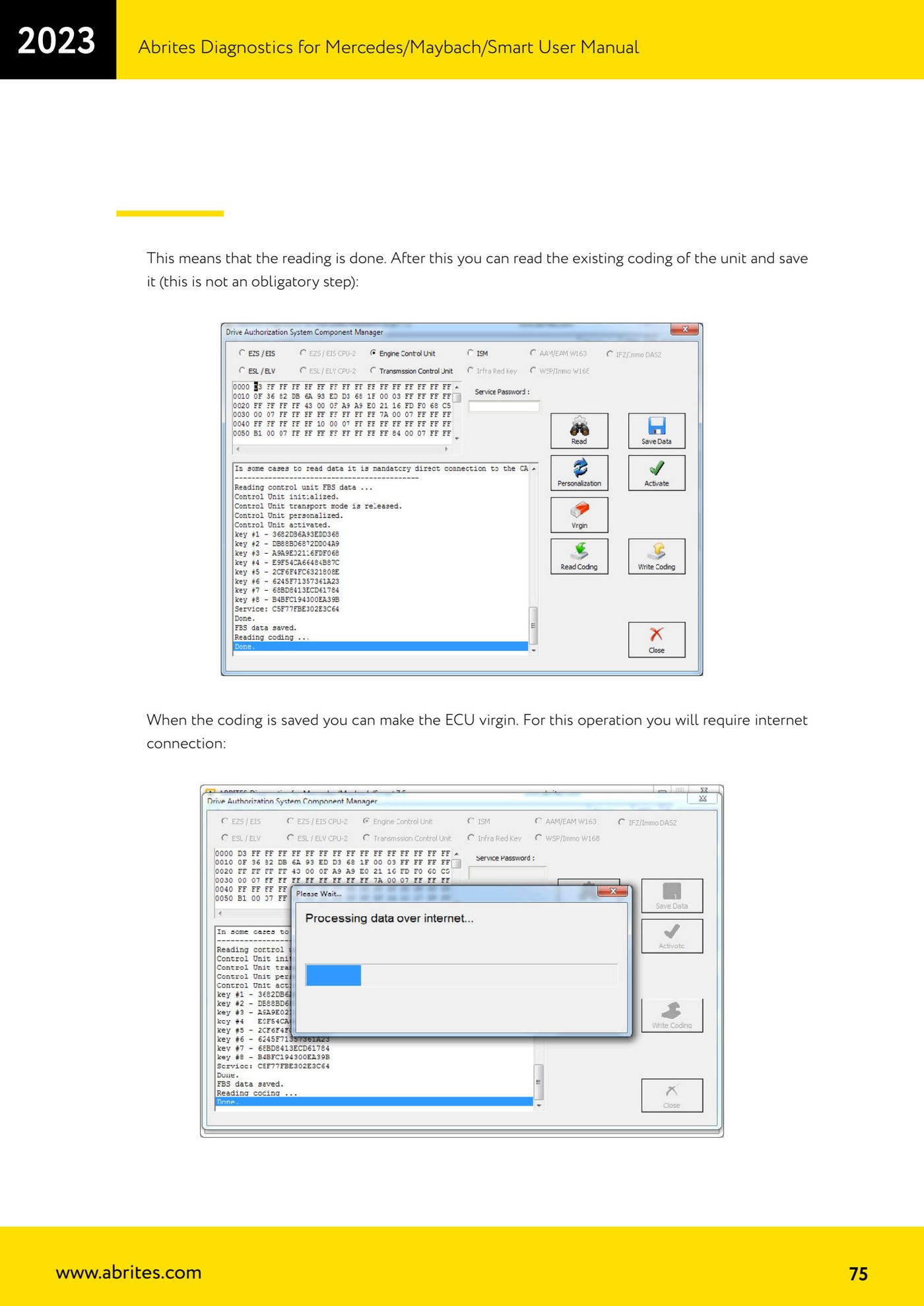
- Once the read is done, read and save the unit's existing coding (not mandatory, but recommended so you can write it back later).
- With the coding saved, virginize the ECU. This operation needs an internet connection.
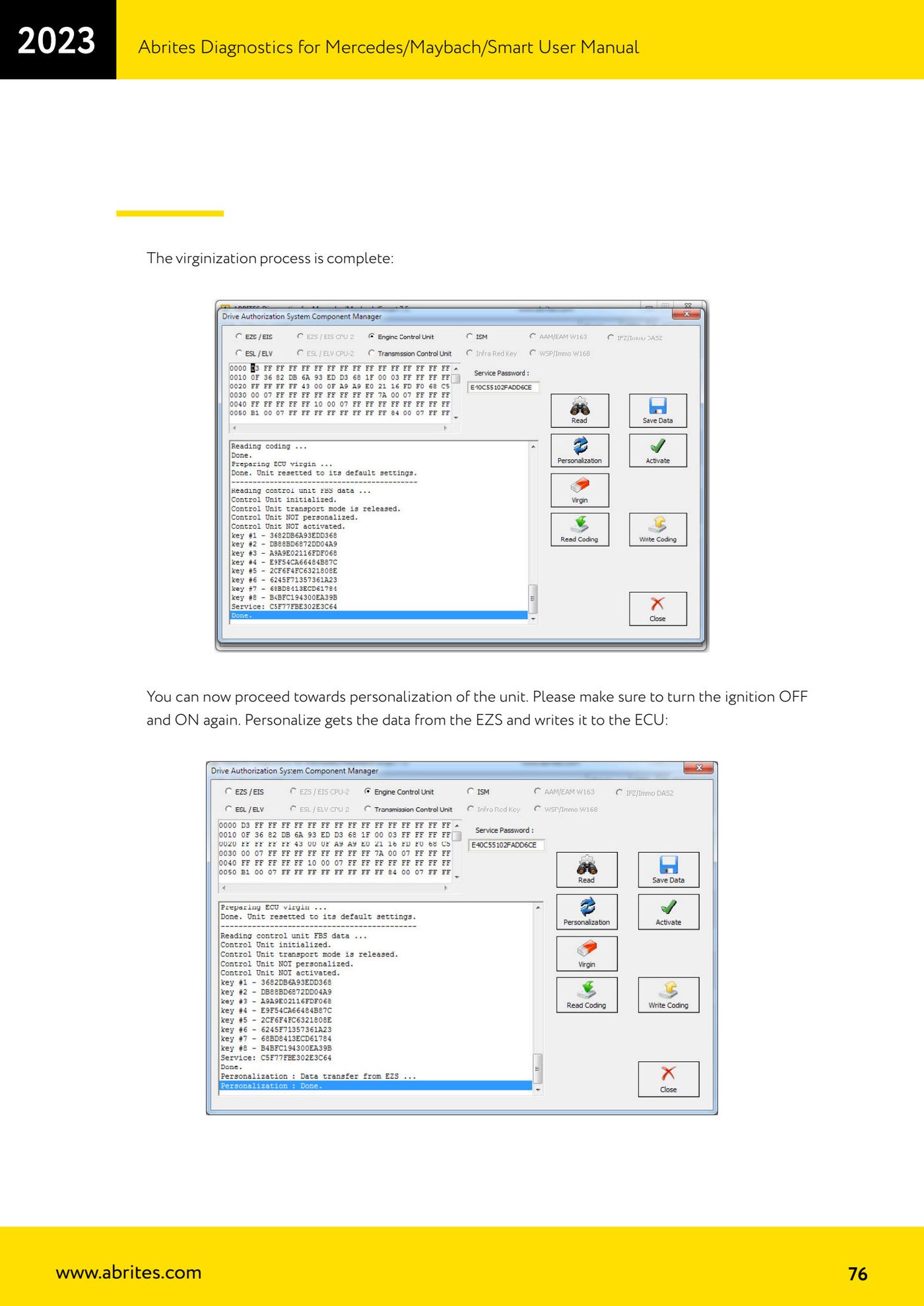
- Wait for the message confirming the virginizing process is complete.
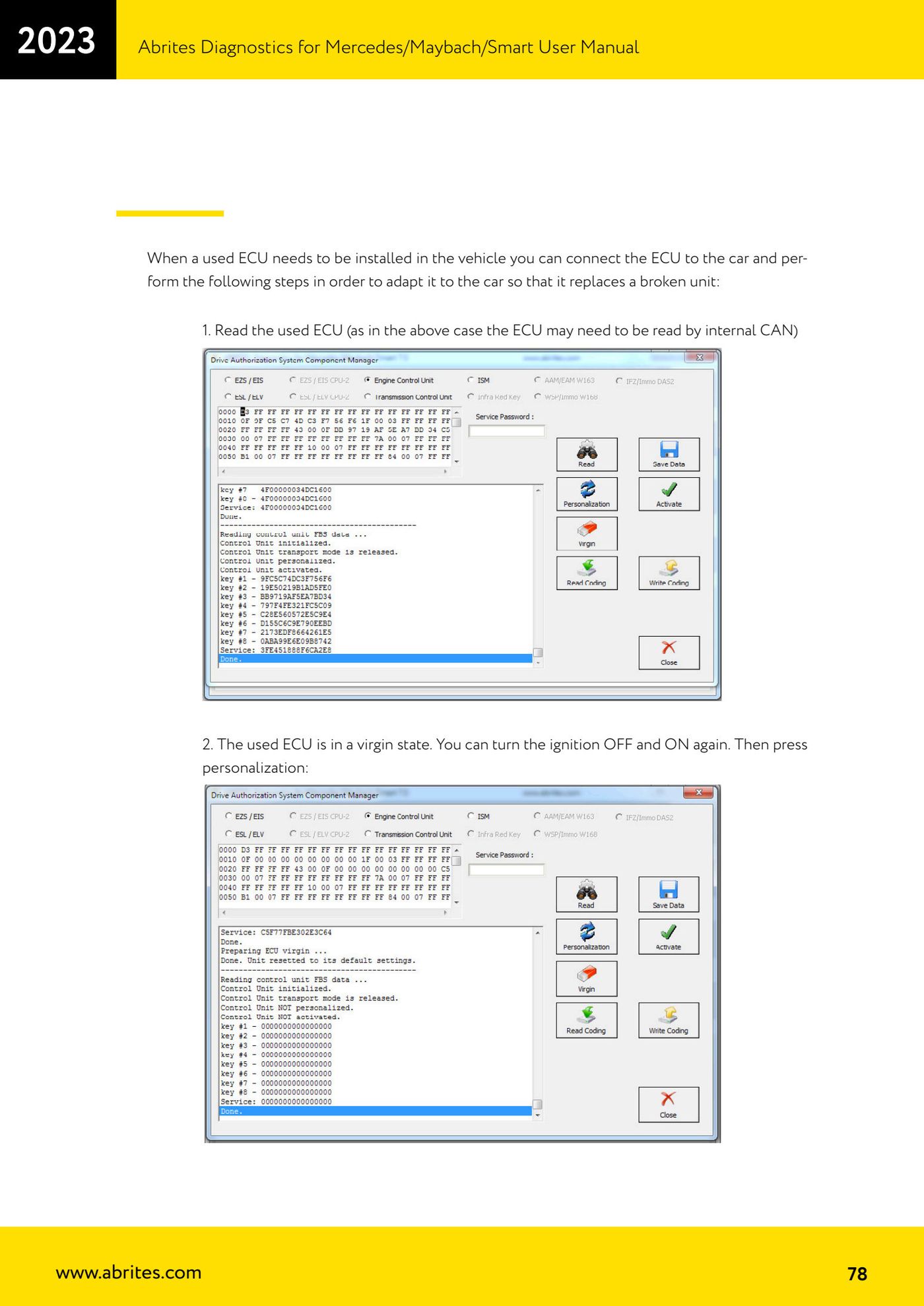
- Turn the key OFF and then back ON, then press "Personalize": personalization pulls the data from the EZS and writes it into the ECU.
- If prompted, turn the key OFF and back ON again, then press "Activate" to activate the unit.
- Follow the software's information window: every step performed is logged and displayed, and the software tells you which step to run next.
- Fitting a used ECU to the vehicle: 1) connect the used ECU to the car and read it (here too the internal CAN may be needed); 2) if the used ECU is already virgin, turn the key OFF and back ON and press personalize; 3) once the unit is personalized press "Activate"; 4) the activated ECU is ready to run in the vehicle.
Reference screenshots
Source: Manuale Mercedes (Offline), cap. 5.17.2 e 5.17.2.1 (p.73-79) · ⏱ estimated time varies
← All Abrites guides Hardware catalogue
More guides Mercedes
- Diagnostics and vehicle selection (VIN, chassis, over 1300 modules)
- Mercedes-Benz bus and truck diagnostics
- Mercedes Coding (VMAX, side sensors, parameters)
- Mercedes ECU Flashing (CFF files)
- Mercedes FBS4 Manager (722.9 and CRD3 renew, VIN change)
- Smart Functions (DPF mileage reset, DPF ash, VIM, seat belt alarm, sun roof, 360° cameras)
- FBS4 odometer correction with MN030 + emulators (EM008/EM014/EM018)
- Exhaust flaps — exhaust valve control
- CPC Torque limiter — torque limit
- VMax calibration — speed limiter
- Speed Limit Calibration — eVito 447 (electric)
- Mercedes AdBlue Reset: resetting the AdBlue system after component replacement or the remaining mileage warning