
Chip-Tools
Diagnostics and vehicle selection (VIN, chassis, over 1300 modules)
Mercedes
Interface New
Diagnostics
Basic
⏱ 5–10 min
5 steps
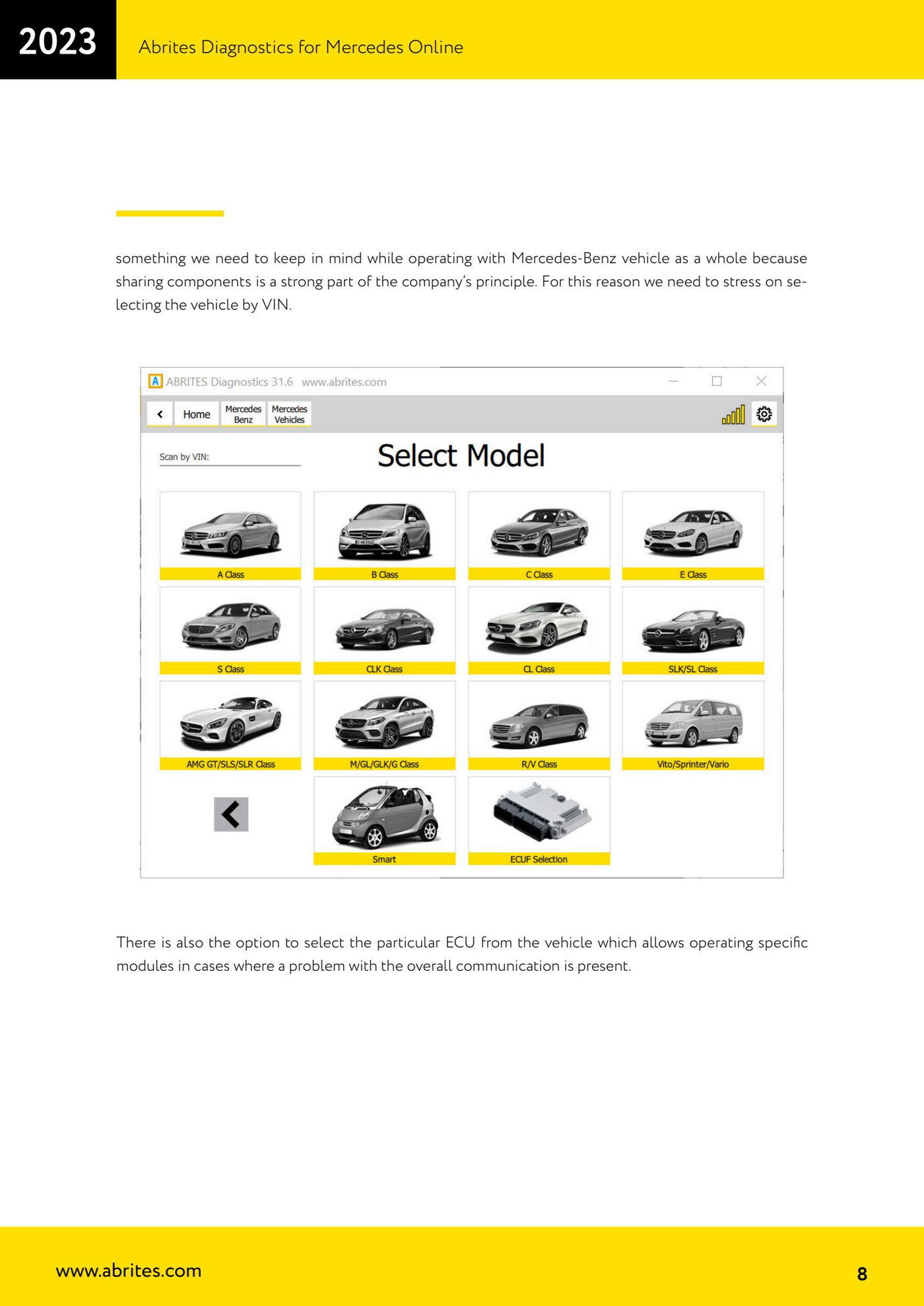
Dealer-level diagnostics: module identification, live values, DTC reading and clearing. The recommended route is automatic detection; if that fails, select the vehicle by VIN, and only as a last resort by chassis code (a list of over 1300 modules — use the search).
Required licences
- Licenza Mercedes Online
Hardware / cables
 AVDI
AVDI- Cavo OBDII
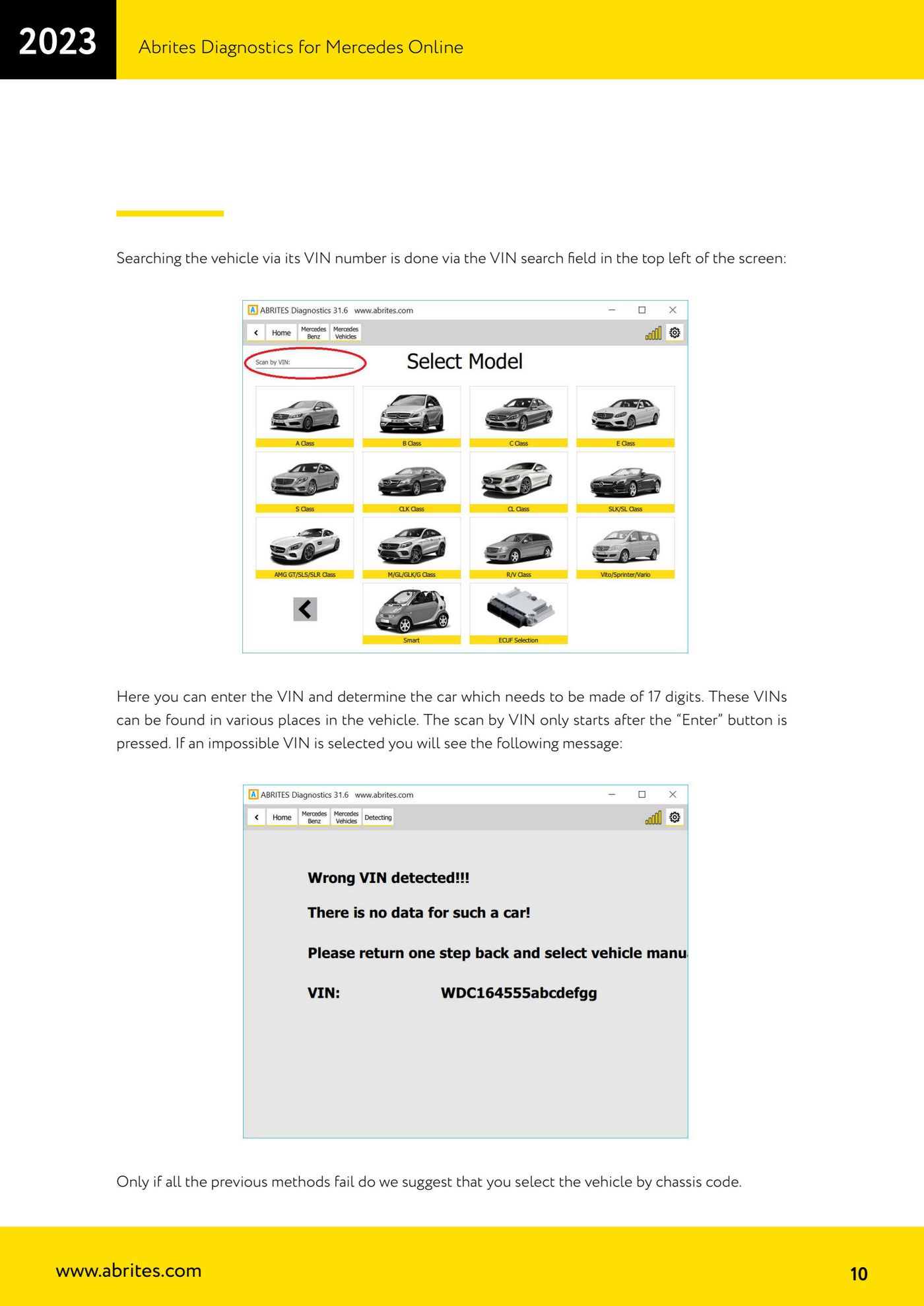
⚠ WarningOn US models and on the W221 the VIN format can cause a parsing error ("Can not parse VIN"): enter the VIN manually in the format that includes the chassis number, e.g. Sprinter xxx906xxxxxxxxxxx (906 = chassis number).
Procedure
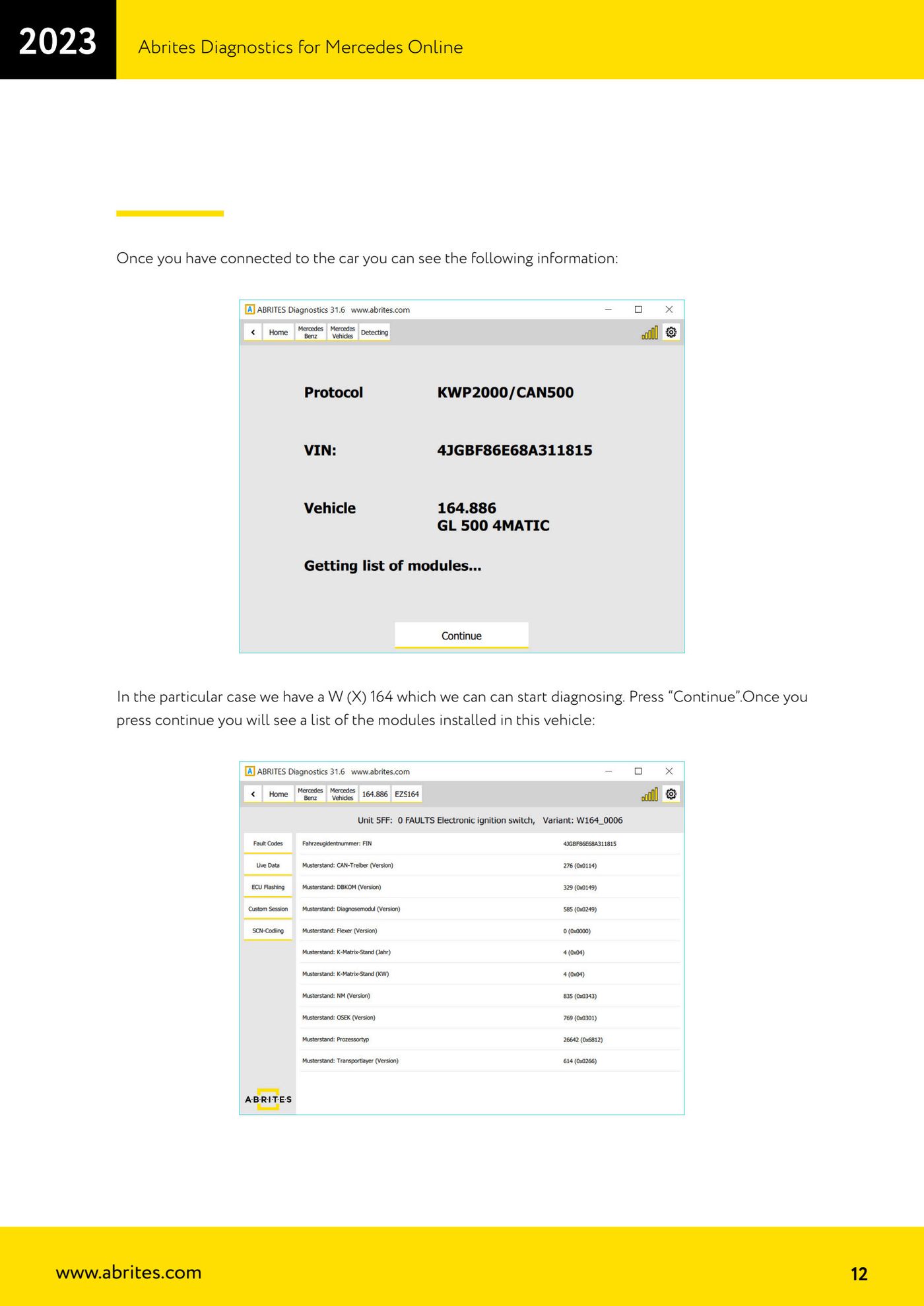
- Connect the AVDI and launch Abrites Diagnostics for Mercedes Online: let the software detect the vehicle and populate the module list.
- If it does not detect the car or does not show the modules: use the VIN field at the top left, type the 17 characters and press Enter.
- If the VIN route also fails: pick the vehicle from the chassis list (use the search to find the module).
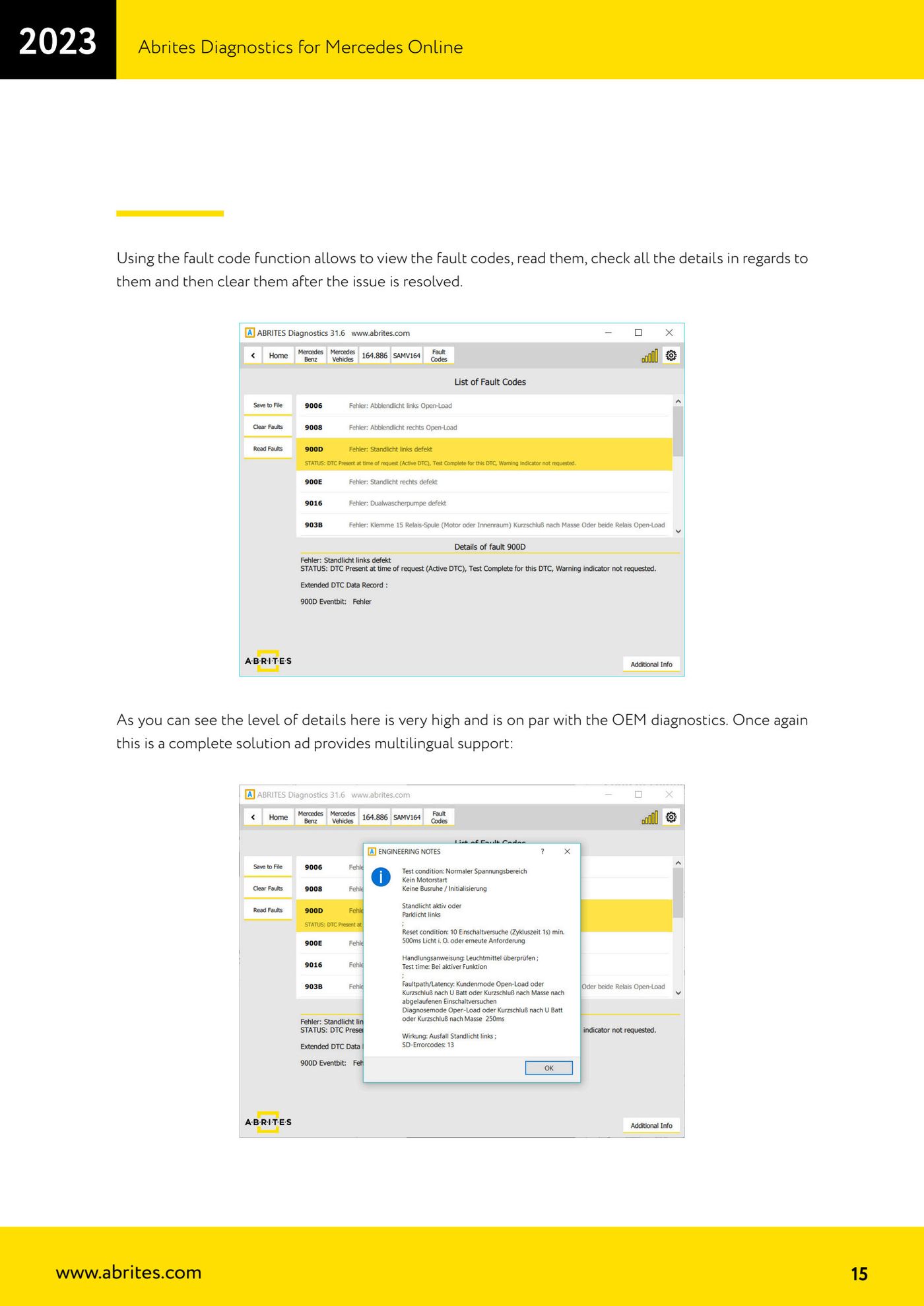
- Enter a module for full identification, live values (also in table form, and saveable) and detailed fault codes; the identification is multilingual.
- Advanced users can also send custom requests to the modules.
Reference screenshots
Source: Manuale Mercedes Online, cap. 2 (p.7–16) · ⏱ estimated time 5–10 min
← All Abrites guides Hardware catalogue
More guides Mercedes
- Mercedes-Benz bus and truck diagnostics
- Mercedes Coding (VMAX, side sensors, parameters)
- Mercedes ECU Flashing (CFF files)
- Mercedes FBS4 Manager (722.9 and CRD3 renew, VIN change)
- Smart Functions (DPF mileage reset, DPF ash, VIM, seat belt alarm, sun roof, 360° cameras)
- FBS4 odometer correction with MN030 + emulators (EM008/EM014/EM018)
- Exhaust flaps — exhaust valve control
- CPC Torque limiter — torque limit
- VMax calibration — speed limiter
- Speed Limit Calibration — eVito 447 (electric)
- Mercedes AdBlue Reset: resetting the AdBlue system after component replacement or the remaining mileage warning
- Basic diagnostics: identification, DTCs, Scan All, live values and actuator tests