
Chip-Tools
FBS4 odometer correction with MN030 + emulators (EM008/EM014/EM018)
Mercedes
Interface New
Odometer
Advanced
⏱ 30–60 min
5 steps
MN030 allows odometer correction on W205/W222/W213 and related models. Which emulator you need depends on the cluster type: IC222 (W205, W222 up to 2018) needs EM008/EM018 (or the older EM009)/EM014; IC213 (up to 2018) needs EM014; IC213 (2018+) needs no emulator at all, because MN030 disables synchronisation with the EZS. For W213 (up to 2018) use EM014; for W205/W222 (up to 2018) use EM008/EM018.
Required licences
- MN030 (o MN029 con EM014)
Hardware / cables
 AVDI
AVDI- MN030
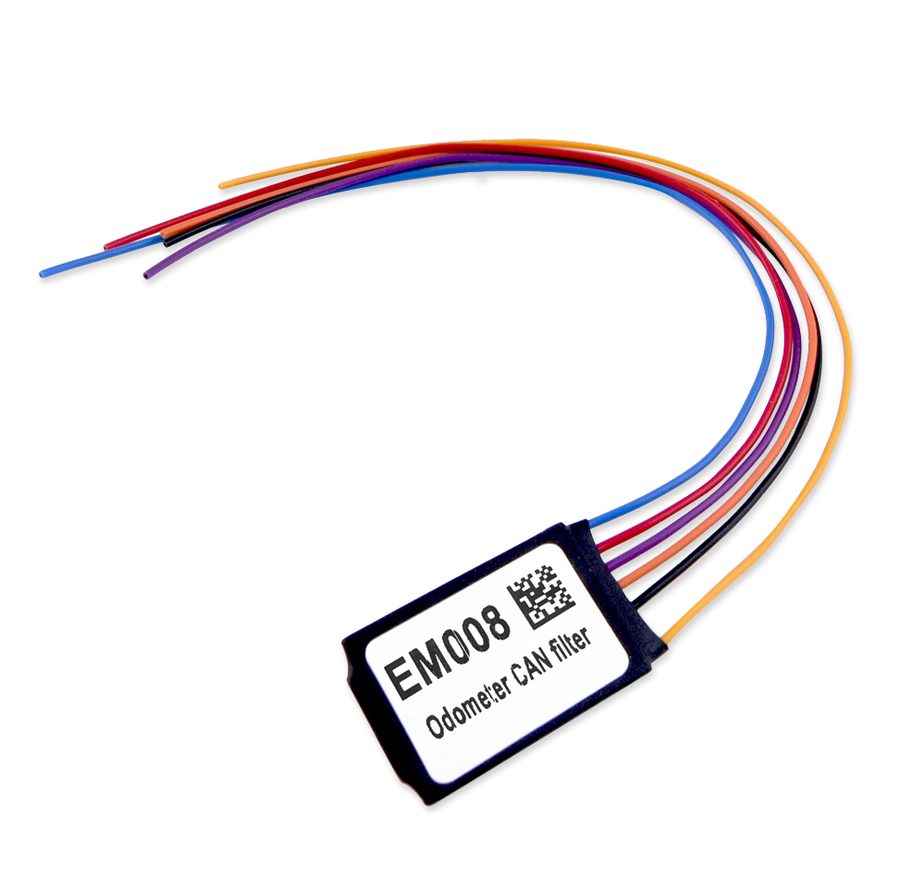 Emulatore adeguato (EM008/EM018/EM014)
- Cable set jumper
⚠ WarningThe emulator is there to block synchronisation with the EZS. Check the cluster type (IC222 vs IC213) and the model year carefully: with MN030 on an IC213 2018+ no emulator is needed. MN030 is also used to virginise and re-adapt IC213 2018+ clusters.
Procedure
- Identify the cluster type (IC222 or IC213) and the model year.
- Pick the correct emulator from the table (EM008/EM018 for IC222; EM014 for IC213 up to 2018; no emulator for IC213 2018+ with MN030).
- Connect the emulator to the cluster with the cable set jumper as per the diagram (for IC213 use the dedicated diagram; on the other clusters with two CAN H/L pairs connect to the Powertrain CAN — green).
- Dashboard connector legend: Red = 12V+, Brown = GND, Violet/White = CAN H, Violet = CAN.
- Run the odometer calibration from the software following the MN030 procedure.
Reference screenshots
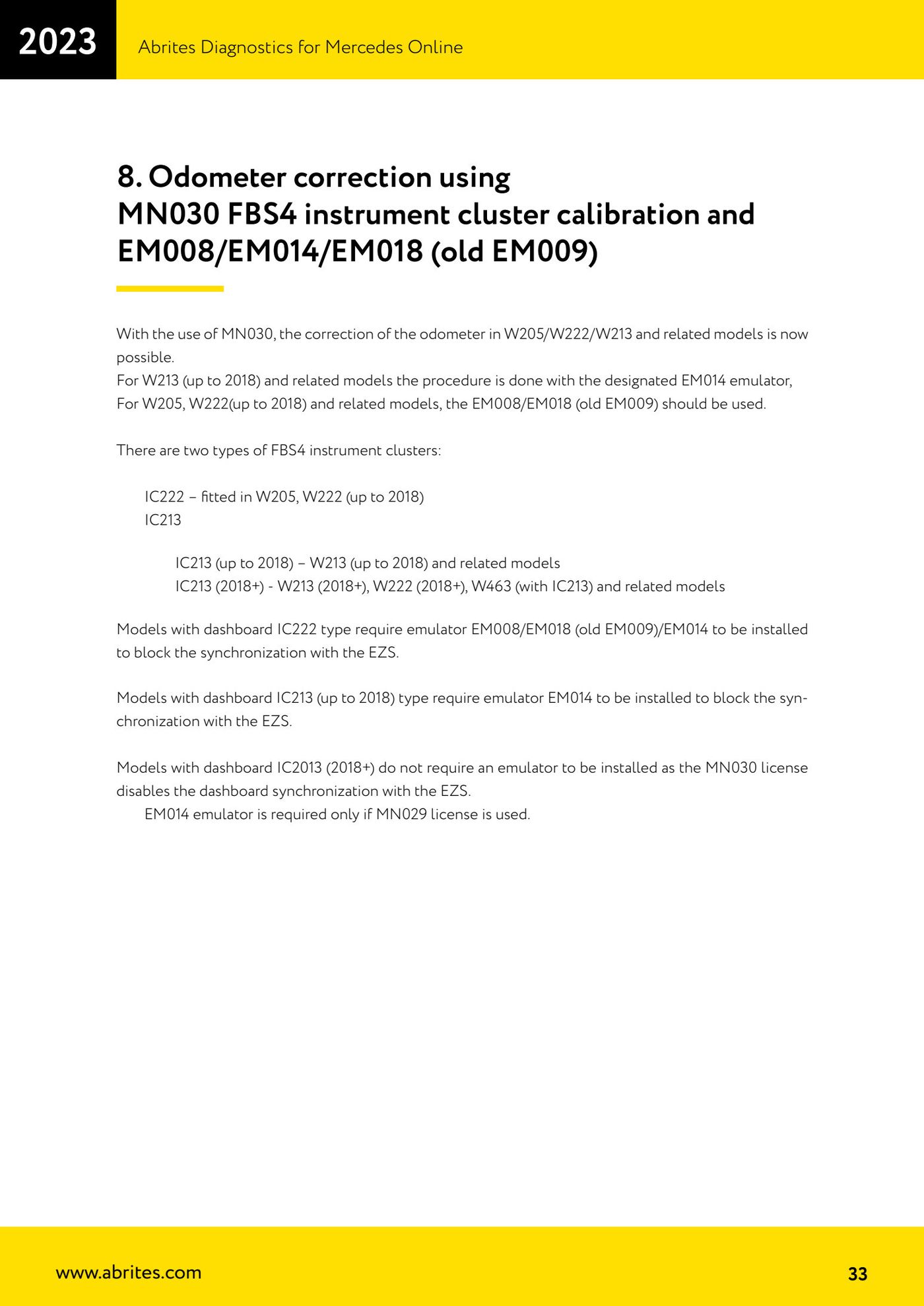
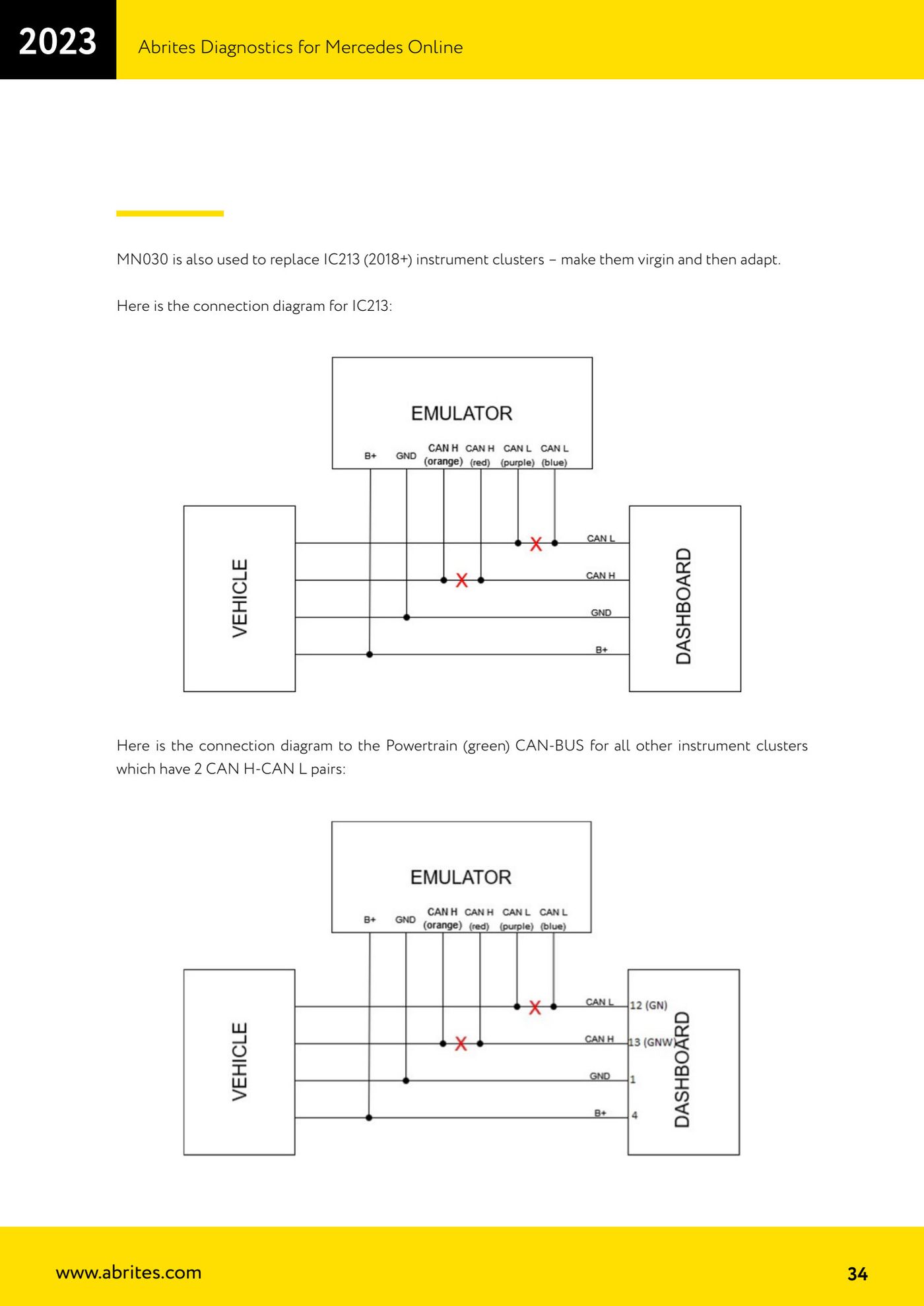
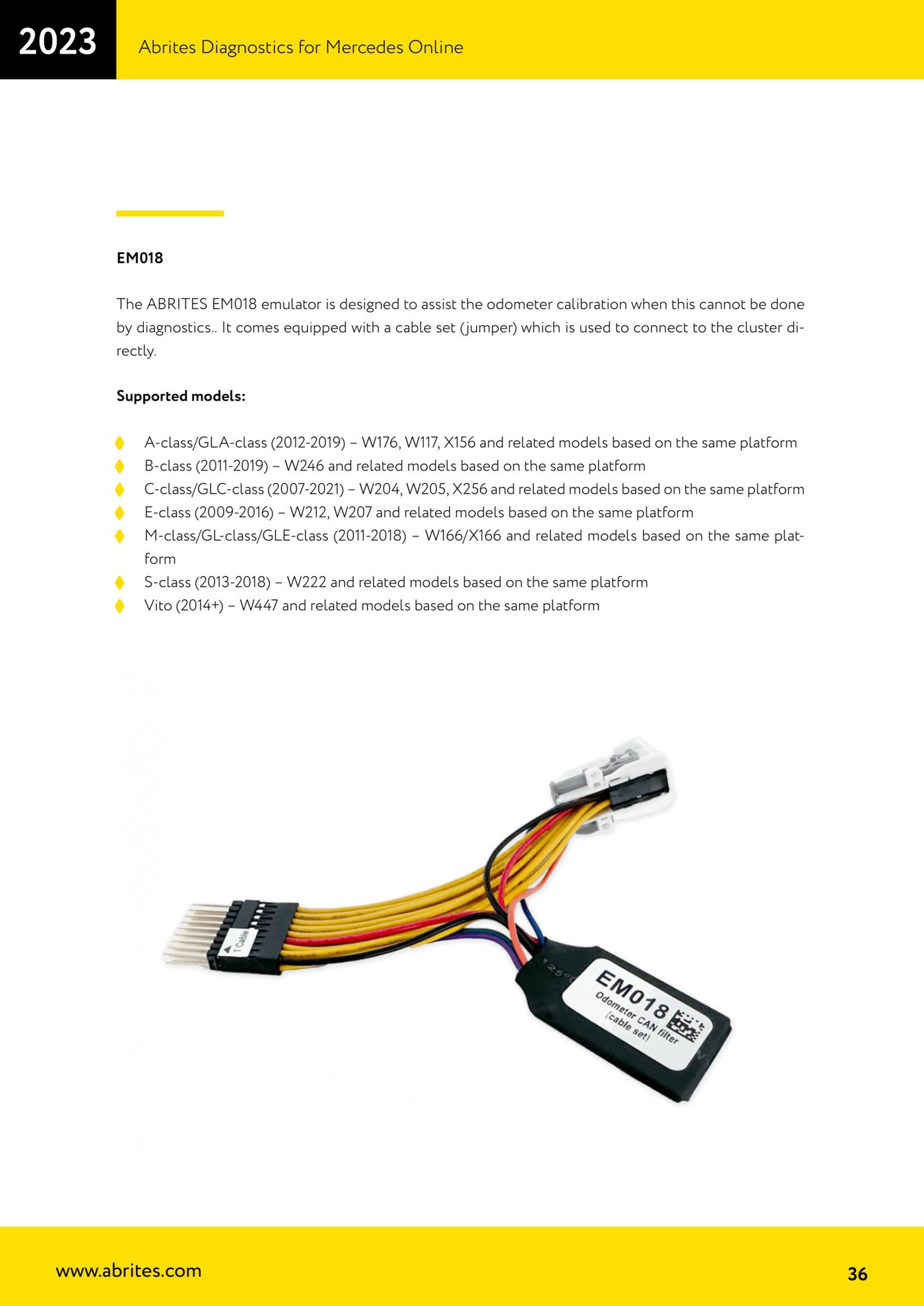
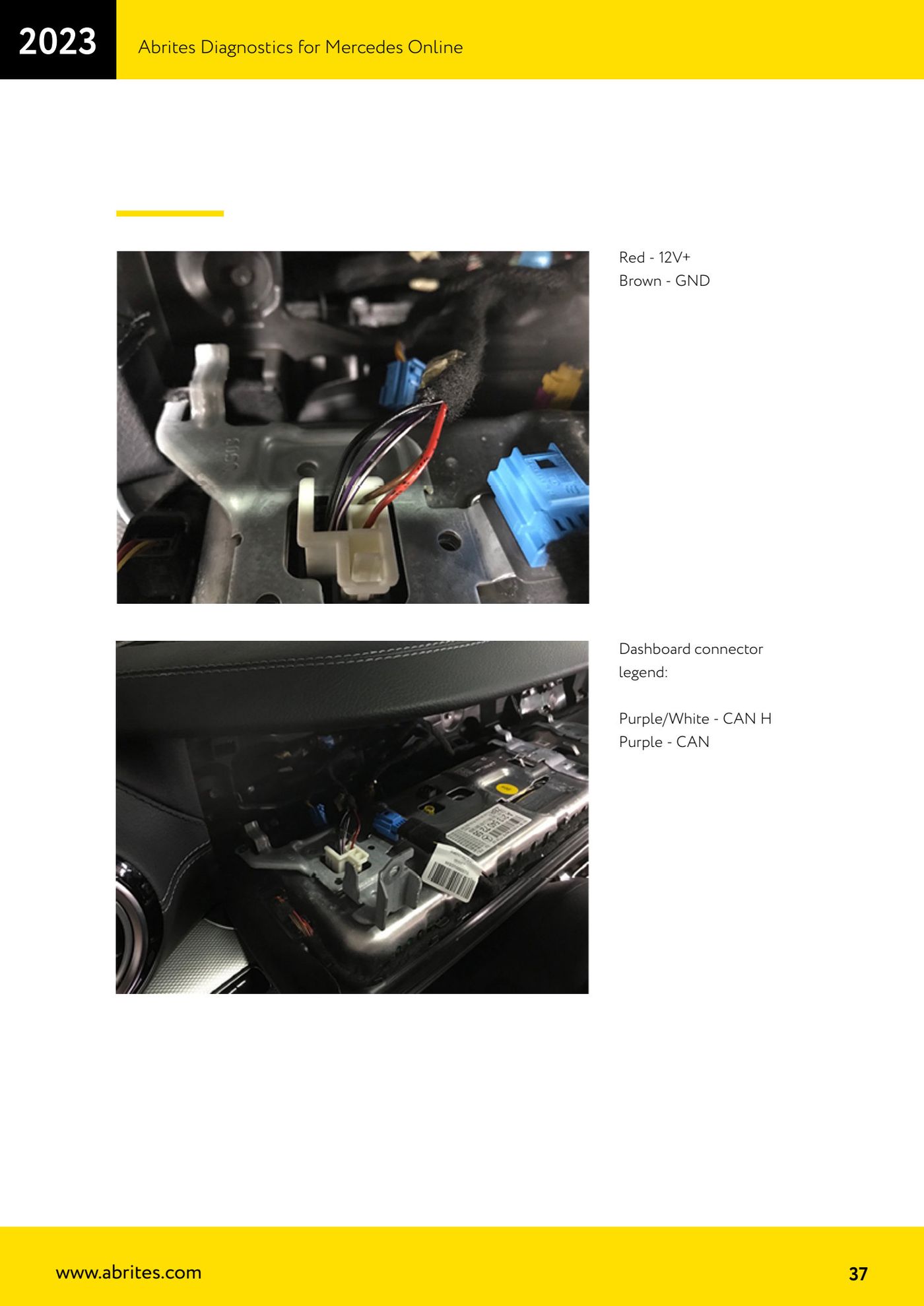
Source: Manuale Mercedes Online, cap. 8 (p.33–37) · ⏱ estimated time 30–60 min
← All Abrites guides Hardware catalogue
More guides Mercedes
- Diagnostics and vehicle selection (VIN, chassis, over 1300 modules)
- Mercedes-Benz bus and truck diagnostics
- Mercedes Coding (VMAX, side sensors, parameters)
- Mercedes ECU Flashing (CFF files)
- Mercedes FBS4 Manager (722.9 and CRD3 renew, VIN change)
- Smart Functions (DPF mileage reset, DPF ash, VIM, seat belt alarm, sun roof, 360° cameras)
- Exhaust flaps — exhaust valve control
- CPC Torque limiter — torque limit
- VMax calibration — speed limiter
- Speed Limit Calibration — eVito 447 (electric)
- Mercedes AdBlue Reset: resetting the AdBlue system after component replacement or the remaining mileage warning
- Basic diagnostics: identification, DTCs, Scan All, live values and actuator tests