
Chip-Tools
Mercedes-Benz Battery Unlock / Reset: unlocking Mild Hybrid, Plug-in Hybrid and EV batteries with FBS4 Manager
Mercedes
Interface New
Special Functions
Advanced
⏱ 30-60 min
8 steps
Function for unlocking or resetting the batteries on Mercedes-Benz Mild Hybrid, Plug-in Hybrid and electric vehicles. It also lets you read and clear the DTCs stored in the battery modules, provided the faults are not permanent. Work over OBDII on the car or on the bench.
Required licences
- —
Hardware / cables
 AVDI
AVDI- CB100/CB106 OBDII
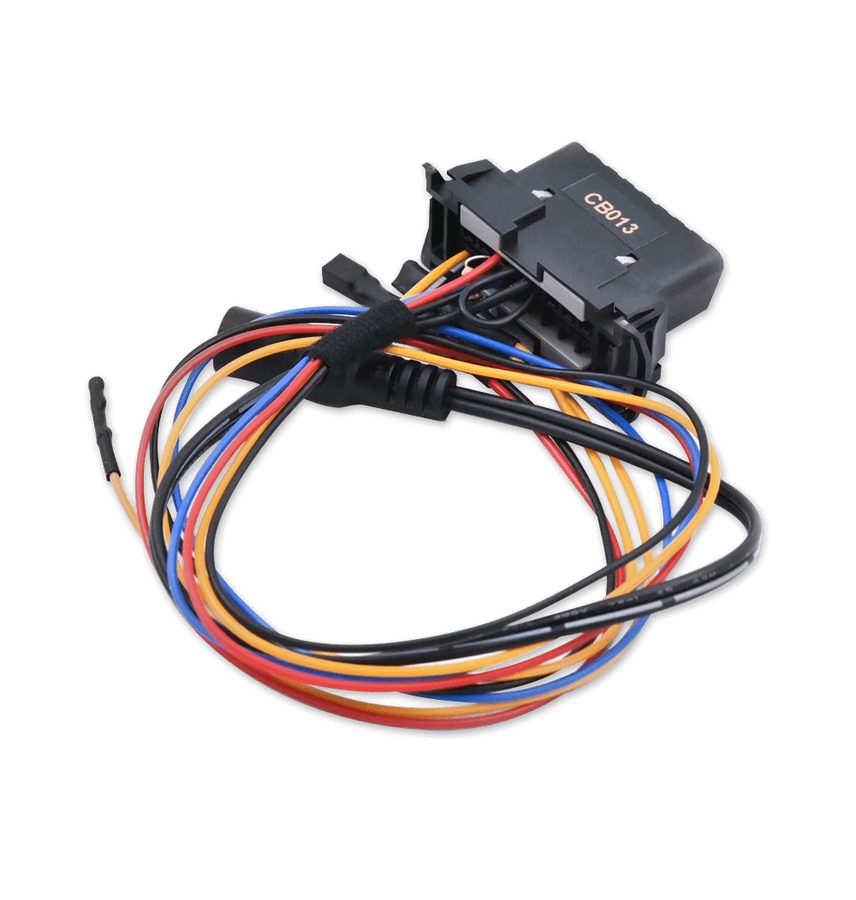 CB013 (per moduli BMS)
- DB25 maschio (per moduli LIB48)
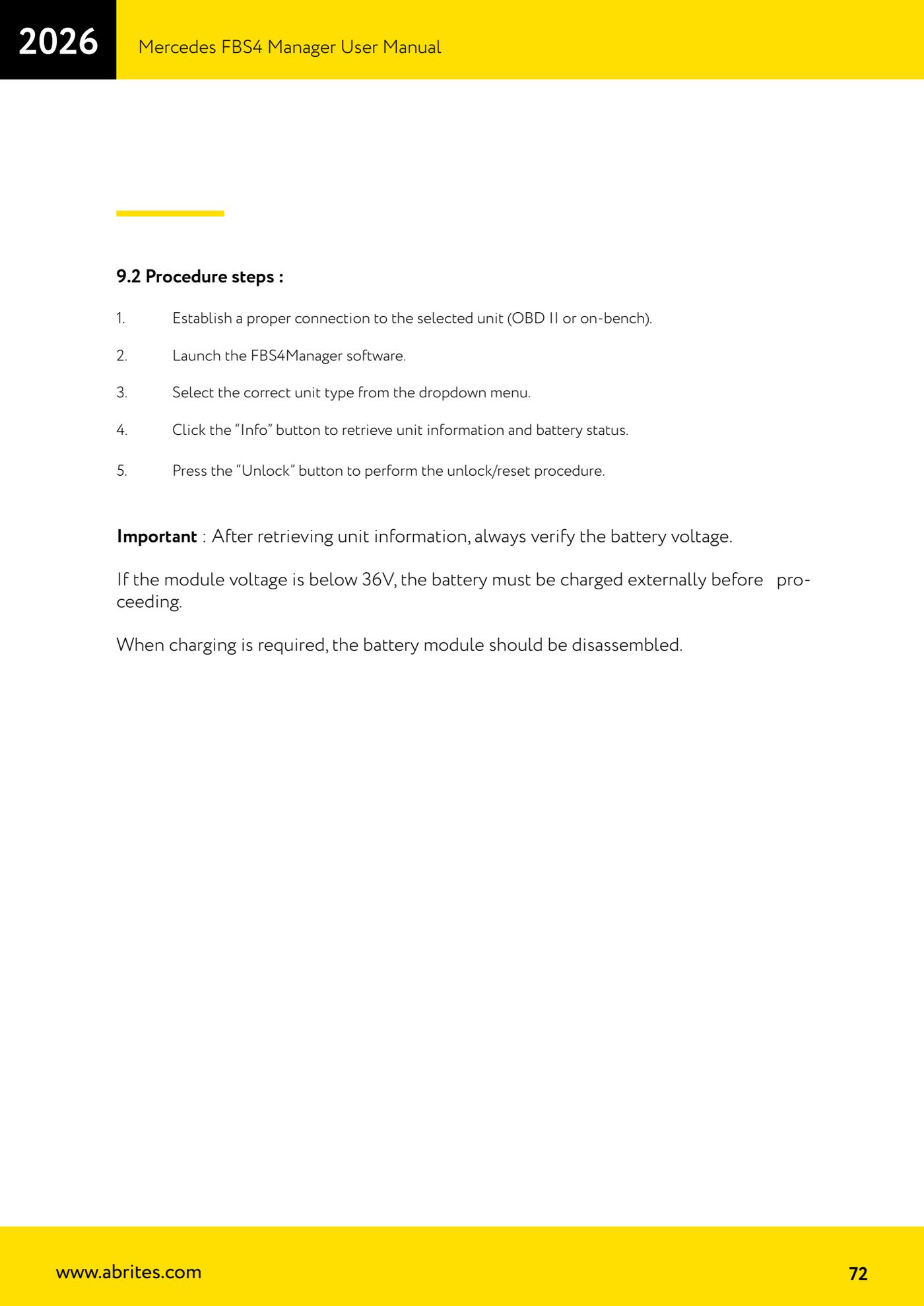
⚠ WarningAfter reading the unit information, always check the battery voltage: if the module voltage is below 36 V the battery has to be charged externally before you go any further, and for charging the battery module has to be removed.
Procedure
- ON-CAR CONNECTION - Connect the AVDI interface to the vehicle's OBDII diagnostic port.
- BENCH CONNECTION - For BMS222MH modules use the CB013 cable, which is required for connecting to BMS units; for LIB48_222 modules you need the male DB25 connector, wired as per the diagram in the manual.
- Start the FBS4Manager software.
- Select the correct unit type from the drop-down menu.
- Press the "Info" button to read the unit information and the battery status.
- Check the voltage reported: if the module is below 36 V, stop here, remove the battery module and charge it from an external supply before continuing.
- With the voltage in order, press the "Unlock" button to run the unlock/reset procedure.
- If needed, use the function for reading and clearing the DTCs stored in the battery modules: faults will only clear if they are not permanent.
Reference screenshots
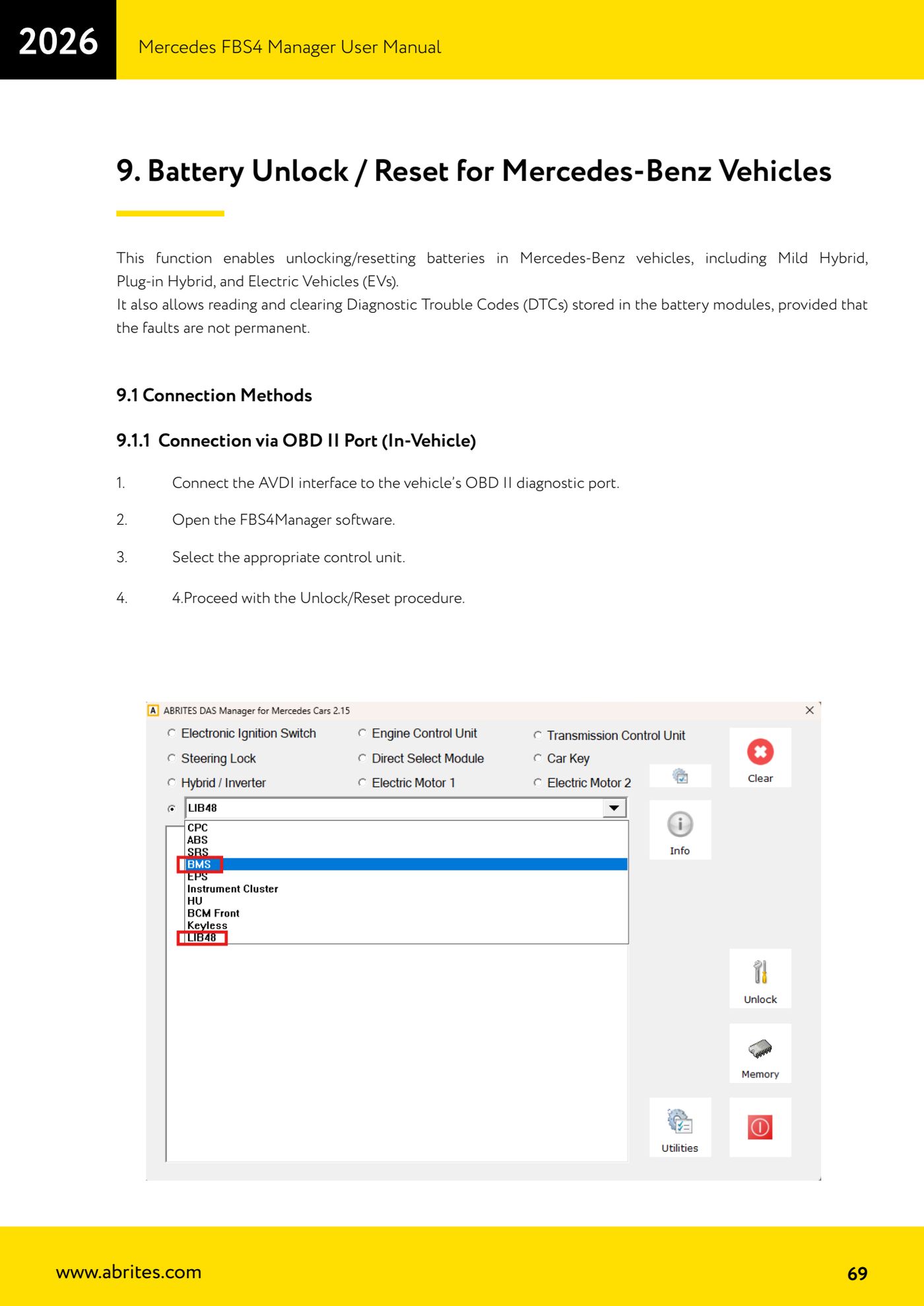
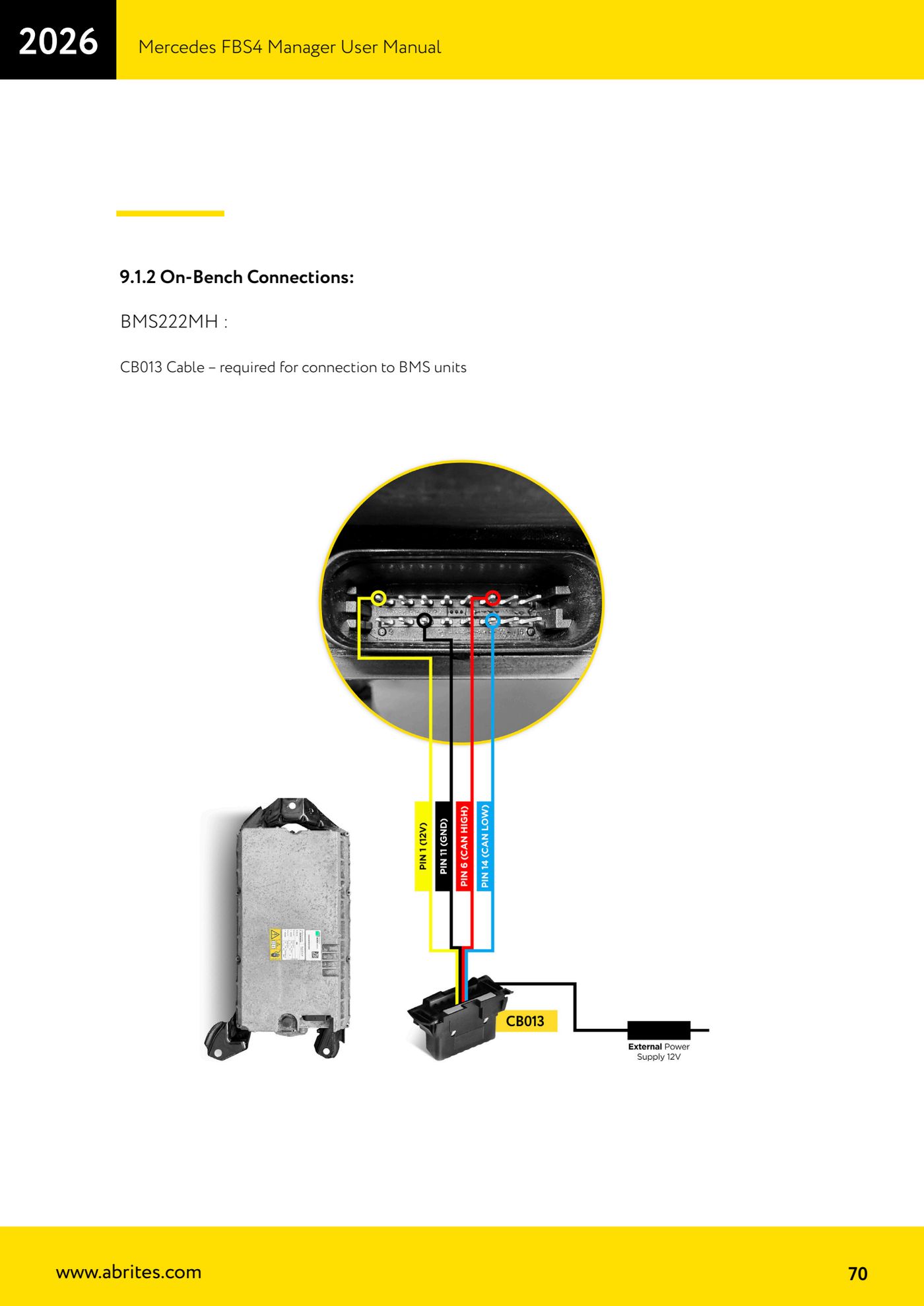
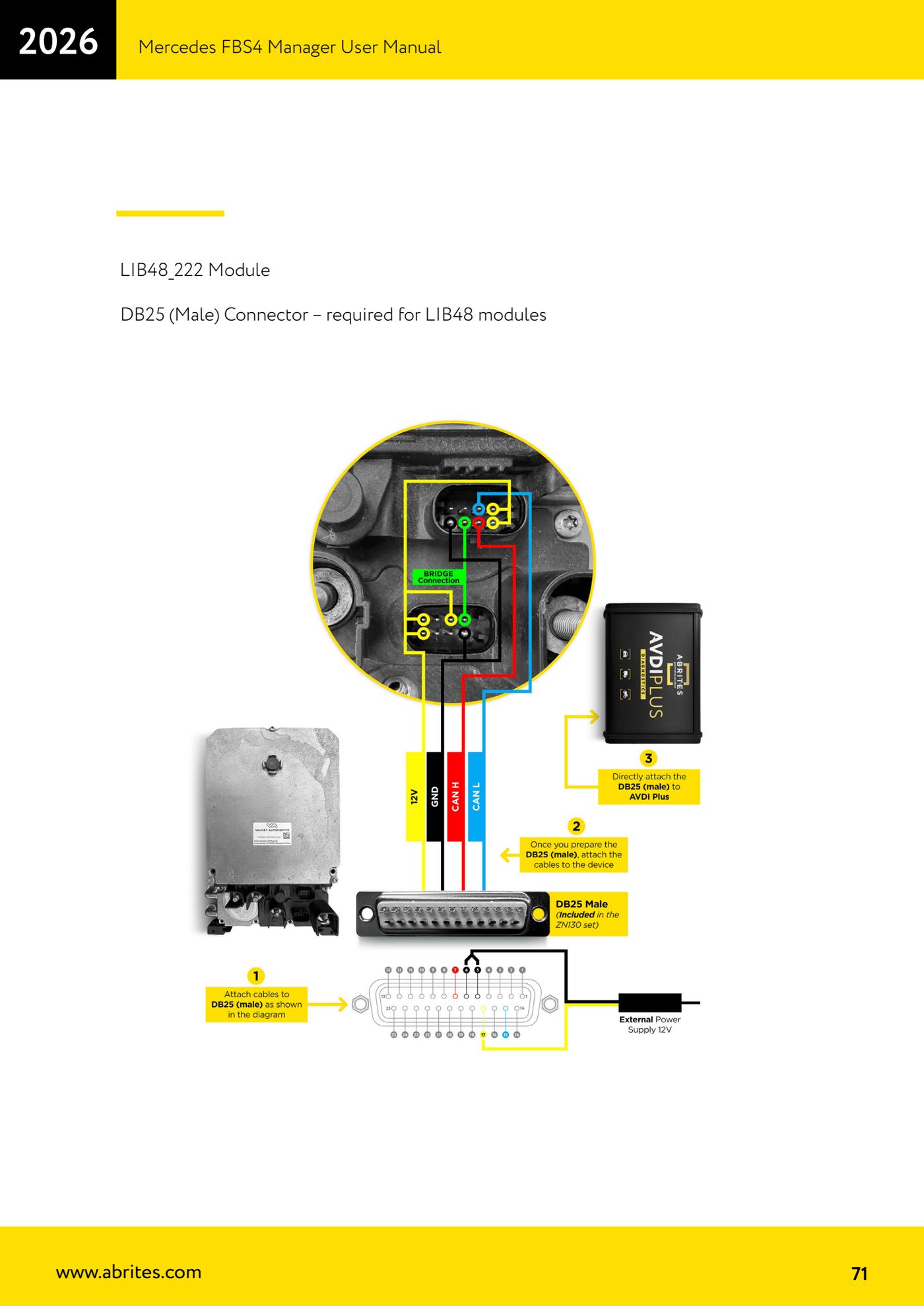
Source: Manuale Mercedes FBS4 Manager, parte 2 di 2, cap. 9, 9.1 e 9.2 (p.69-72) · ⏱ estimated time 30-60 min
← All Abrites guides Hardware catalogue
More guides Mercedes
- Diagnostics and vehicle selection (VIN, chassis, over 1300 modules)
- Mercedes-Benz bus and truck diagnostics
- Mercedes Coding (VMAX, side sensors, parameters)
- Mercedes ECU Flashing (CFF files)
- Mercedes FBS4 Manager (722.9 and CRD3 renew, VIN change)
- Smart Functions (DPF mileage reset, DPF ash, VIM, seat belt alarm, sun roof, 360° cameras)
- FBS4 odometer correction with MN030 + emulators (EM008/EM014/EM018)
- Exhaust flaps — exhaust valve control
- CPC Torque limiter — torque limit
- VMax calibration — speed limiter
- Speed Limit Calibration — eVito 447 (electric)
- Mercedes AdBlue Reset: resetting the AdBlue system after component replacement or the remaining mileage warning