
Chip-Tools
EM001 ESL emulator: supported models, dip switches and fitting
Mercedes
Interface Classic
Keys / Immo
Medium
⏱ 30-60 min
9 steps
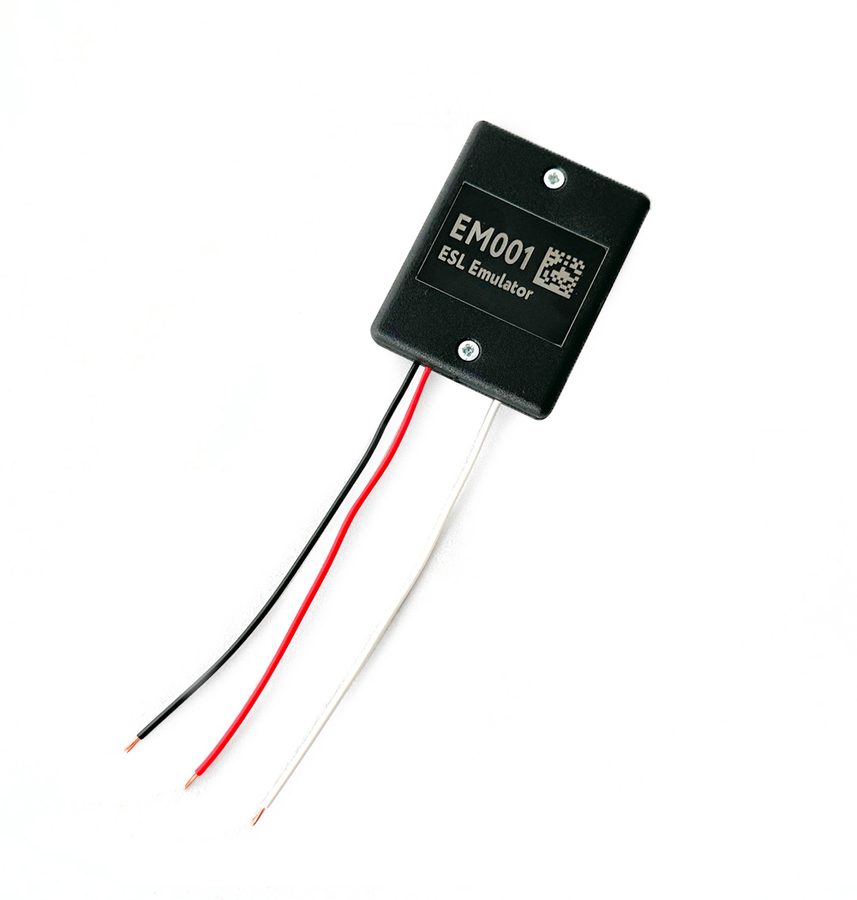
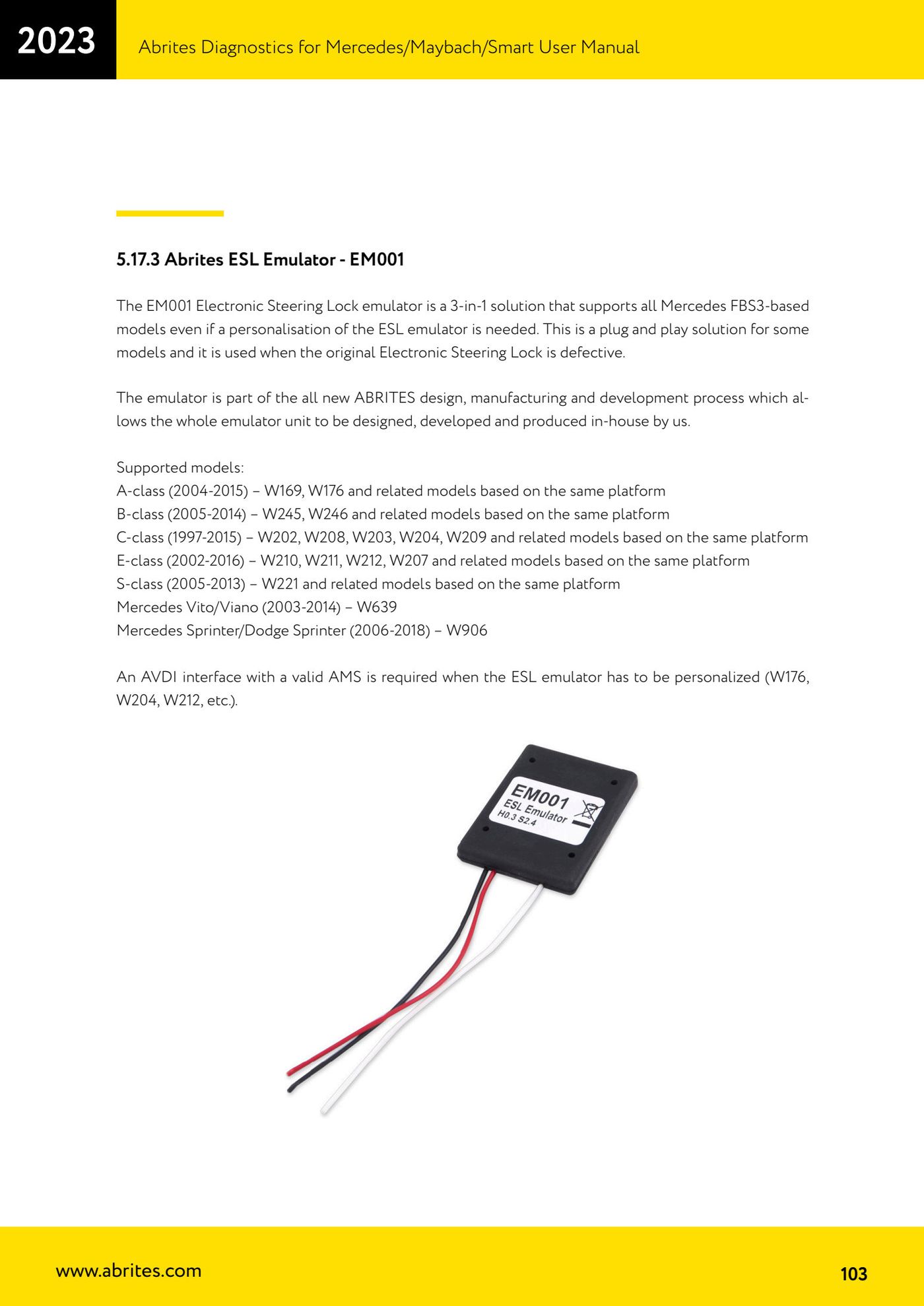
The EM001 electronic steering lock emulator is a 3-in-1 solution covering every FBS3-based Mercedes model, and it is used when the original ESL is faulty. On many models it is plug and play; on others it has to be personalized.

⚠ WarningMake sure the dip switches are set and selected off the car's network and with the emulator disconnected from power.
Procedure
- Check the vehicle is among the supported models: A-class (2004-2015) W169, W176 and derived platforms; B-class (2005-2014) W245, W246 and derivatives; C-class (1997-2015) W202, W208, W203, W204, W209 and derivatives; E-class (2002-2016) W210, W211, W212, W207 and derivatives; S-class (2005-2013) W221 and derivatives; Vito/Viano (2003-2014) W639; Sprinter/Dodge Sprinter (2006-2018) W906.
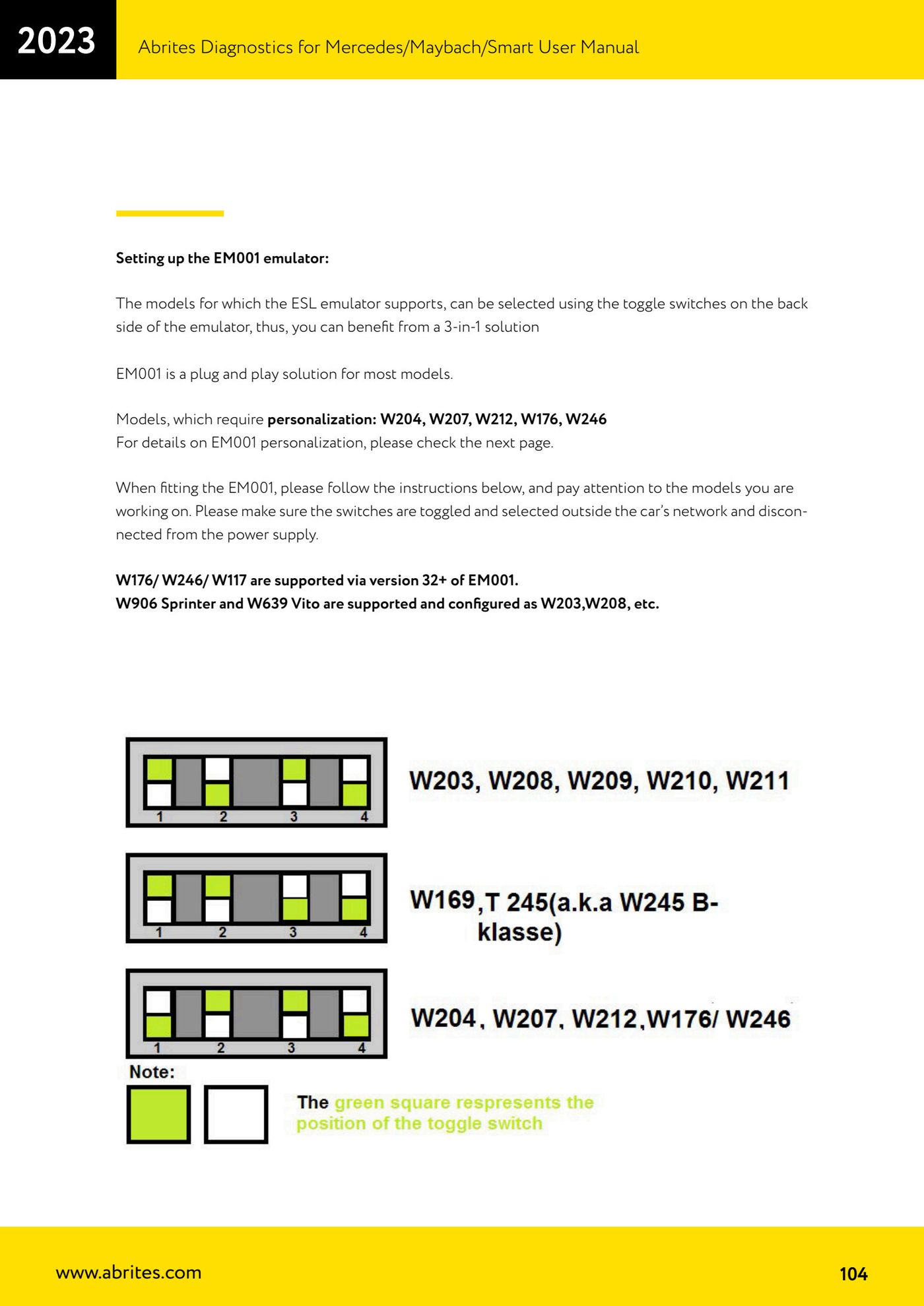
- Select the model with the toggle switches on the back of the emulator, working off the vehicle network and with the emulator disconnected from power.
- Bear in mind that W176/W246/W117 are supported from EM001 version 32 onwards.
- For W906 Sprinter and W639 Vito, set the emulator up as you would for W203, W208, etc.
- If the model is one of W204, W207, W212, W176, W246, personalization is required: go through the relevant procedure (an AVDI with valid AMS is needed).
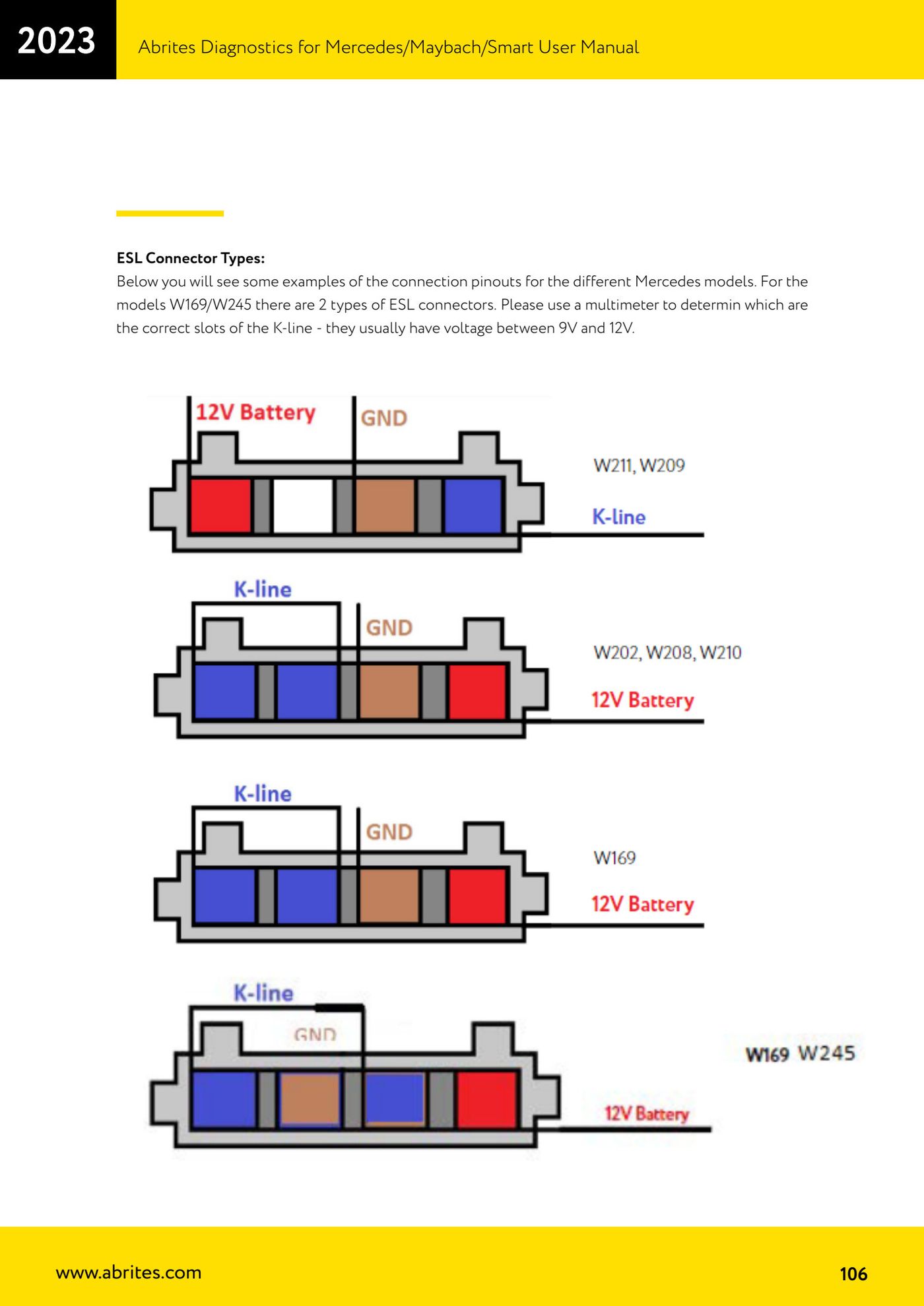
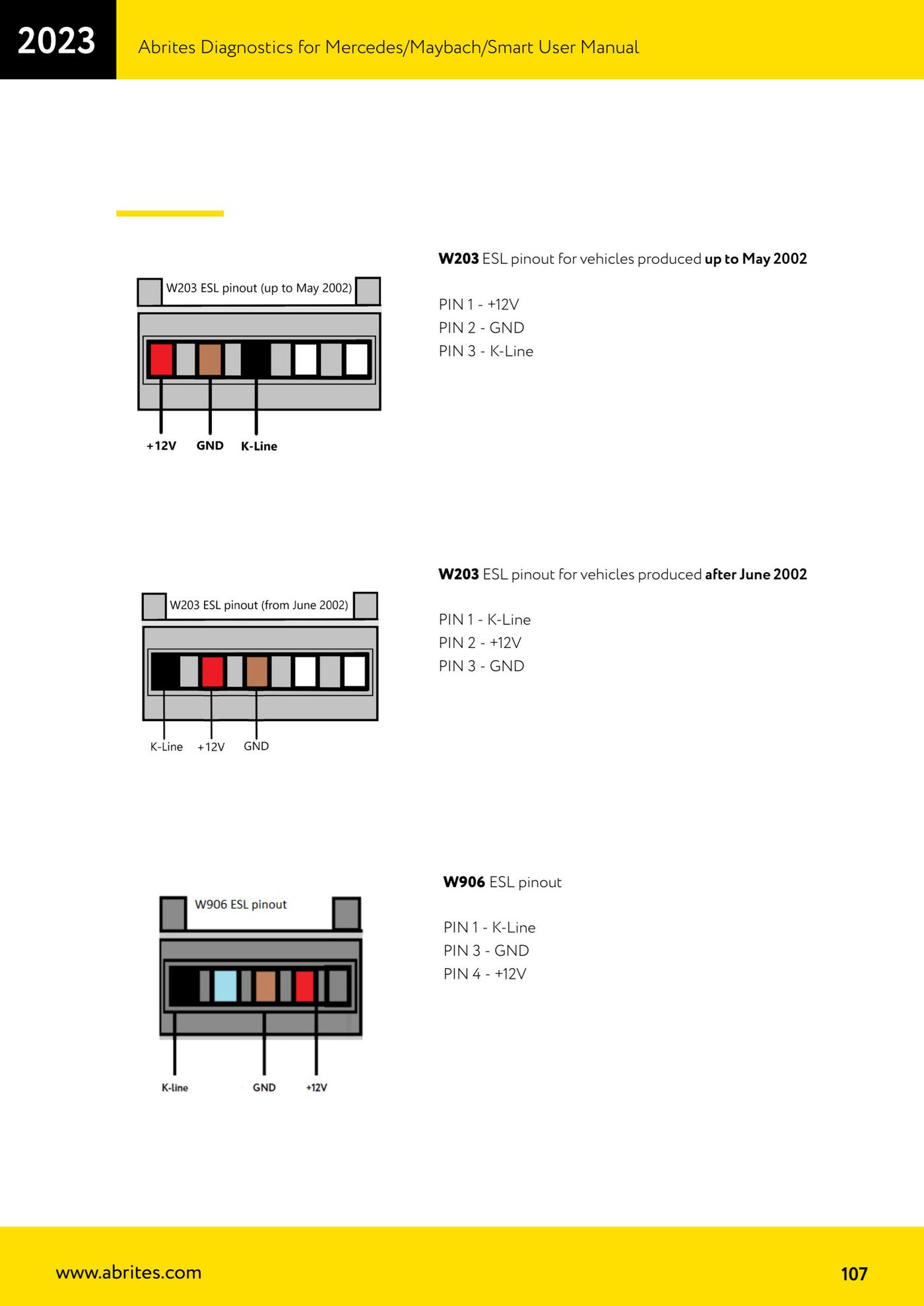
- Connect the EM001 to the vehicle's ESL connector following the pinout for that model (see ESL pinouts: W203 up to May 2002 PIN 1 +12V, PIN 2 GND, PIN 3 K-Line; W203 from June 2002 PIN 1 K-Line, PIN 2 +12V, PIN 3 GND; W906 PIN 1 K-Line, PIN 3 GND, PIN 4 +12V).
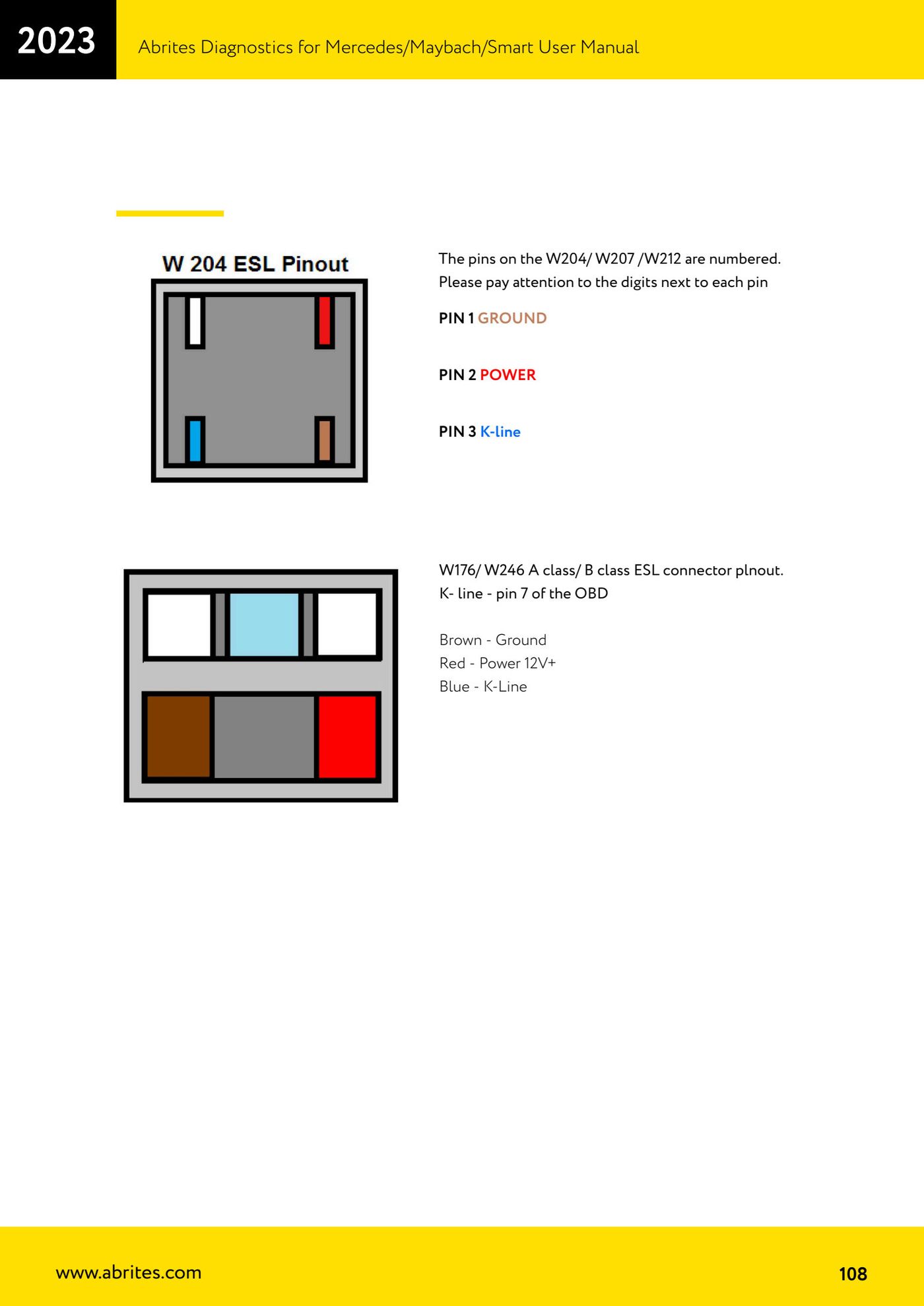
- On W204/W207/W212 watch the numbering printed next to each pin: PIN 1 GROUND, PIN 2 POWER, PIN 3 K-line.
- On W176/W246 (A-class / B-class) use this wiring: brown wire = ground, red wire = +12V, blue wire = K-Line; the K-Line is on pin 7 of the OBD.
- On W169/W245 there are two types of ESL connector: use a multimeter to find the correct K-Line contacts, which normally show a voltage between 9V and 12V.
Reference screenshots
Source: Manuale Mercedes (Offline), cap. 5.17.3 (p.103-108) · ⏱ estimated time 30-60 min
← All Abrites guides Hardware catalogue
More guides Mercedes
- Diagnostics and vehicle selection (VIN, chassis, over 1300 modules)
- Mercedes-Benz bus and truck diagnostics
- Mercedes Coding (VMAX, side sensors, parameters)
- Mercedes ECU Flashing (CFF files)
- Mercedes FBS4 Manager (722.9 and CRD3 renew, VIN change)
- Smart Functions (DPF mileage reset, DPF ash, VIM, seat belt alarm, sun roof, 360° cameras)
- FBS4 odometer correction with MN030 + emulators (EM008/EM014/EM018)
- Exhaust flaps — exhaust valve control
- CPC Torque limiter — torque limit
- VMax calibration — speed limiter
- Speed Limit Calibration — eVito 447 (electric)
- Mercedes AdBlue Reset: resetting the AdBlue system after component replacement or the remaining mileage warning