
Chip-Tools
DIY DB25 connector for VGS4-0-NAG2 (Type 1): TCU pinout to AVDI
Mercedes
Interface New
Hardware / Connections
Advanced
⏱ 30-60 min
8 steps
Wiring diagram for building your own DB25 connector to hook up to the AVDI (and to the ABProg ZN030) when you work on a VGS4-0 NAG2 Type 1 transmission control unit on the bench and you don't have the CB088 cable.
Required licences
- —
Hardware / cables


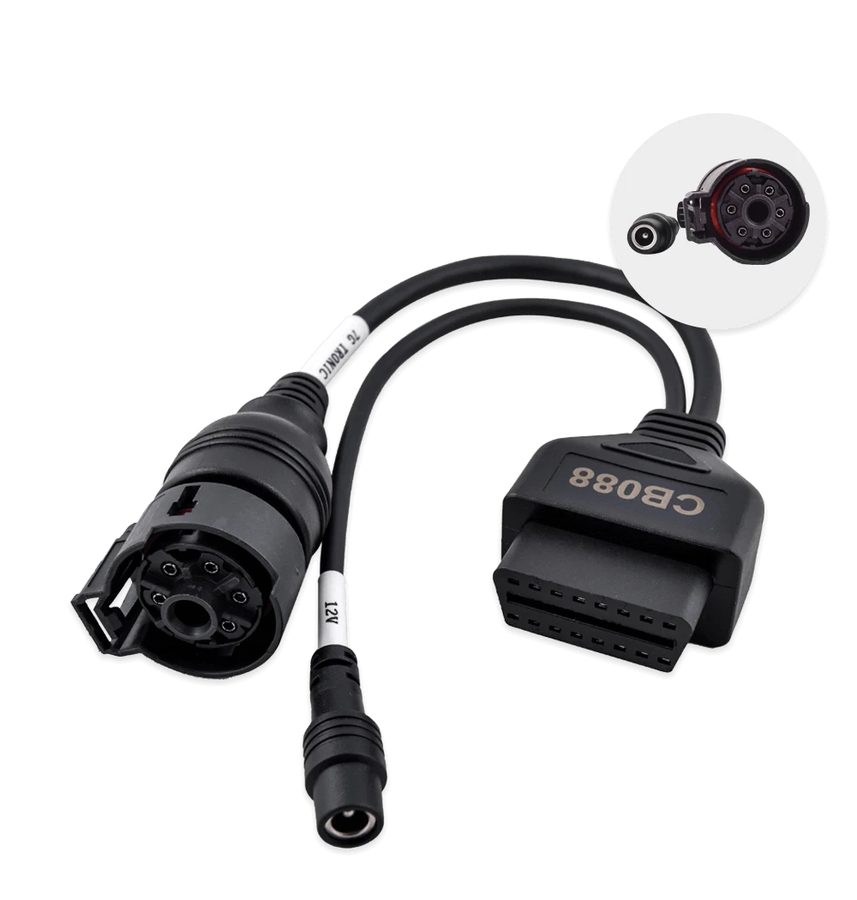
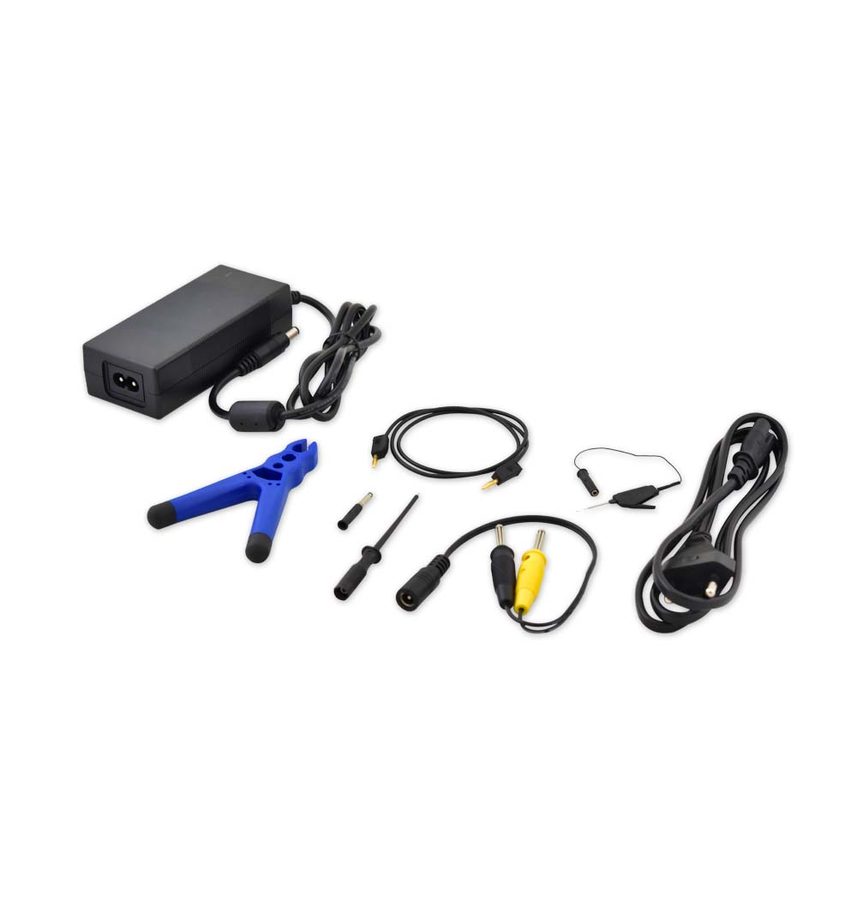
⚠ WarningUse insulated wire only and stick to the specification given for each connection. A 13.6 V supply is required.
Procedure
- Get hold of a male DB25 connector and insulated wire of adequate gauge; the DB25 goes to the ABProg ZN030 programmer / to the AVDI.
- Connect PIN 1 of the TCU connector (CAN H) to PIN 7 of the DB25 going to the AVDI.
- Connect PIN 2 of the TCU connector (CAN L) to PIN 15 of the DB25 going to the AVDI.
- Connect PIN 4 of the TCU connector (12V+) to PIN 17 of the DB25 going to the AVDI.
- Connect PIN 5 of the TCU connector (GND) to PIN 5 of the DB25 going to the AVDI.
- Fit a 120 Ohm resistor between CAN H and CAN L.
- Power the bench setup from a 13.6 V power supply.
- As an alternative to the DIY DB25 you can use the CB088 cable or the dedicated cable from the CB011 set, following the same wiring diagram.
Reference screenshots
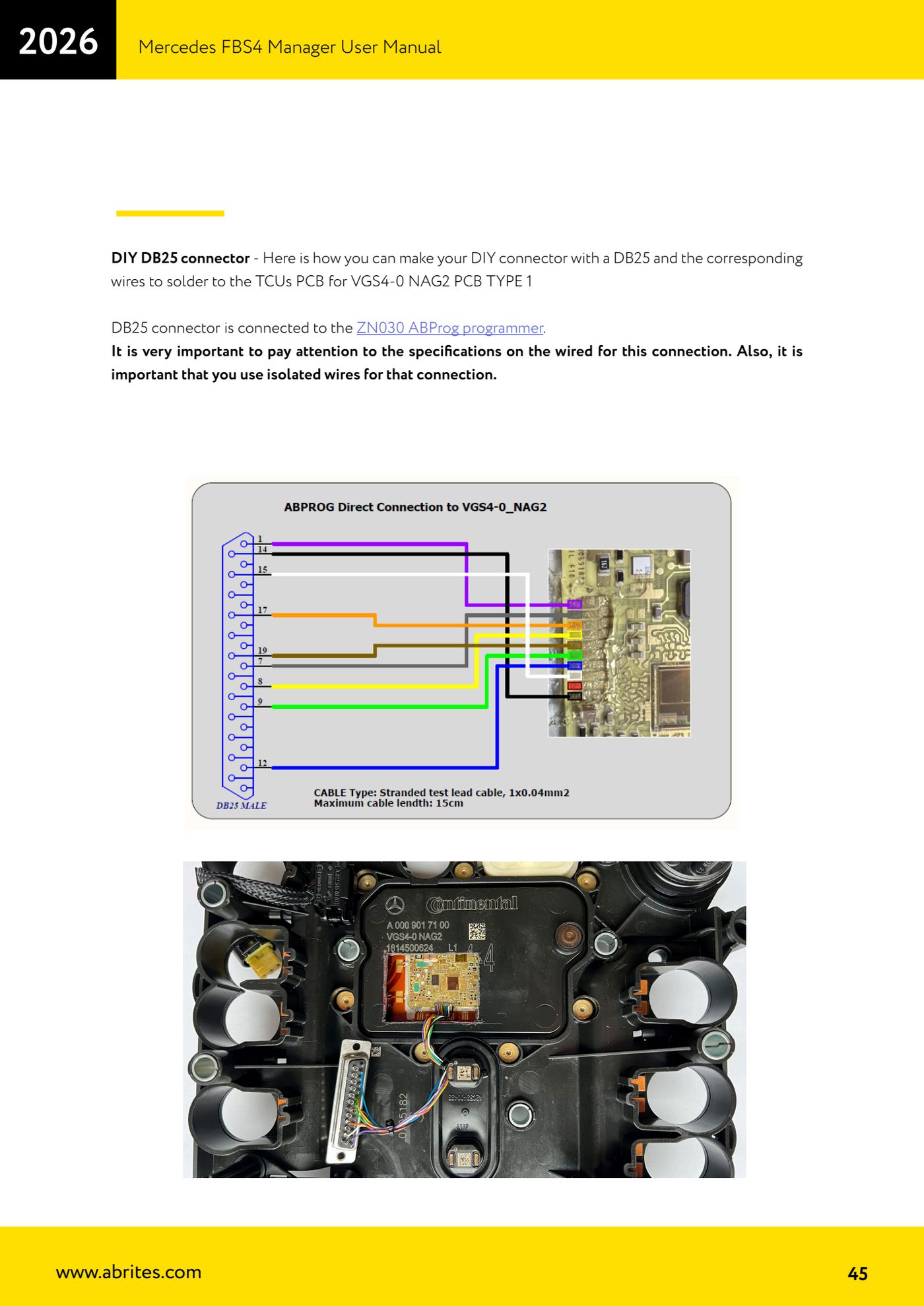
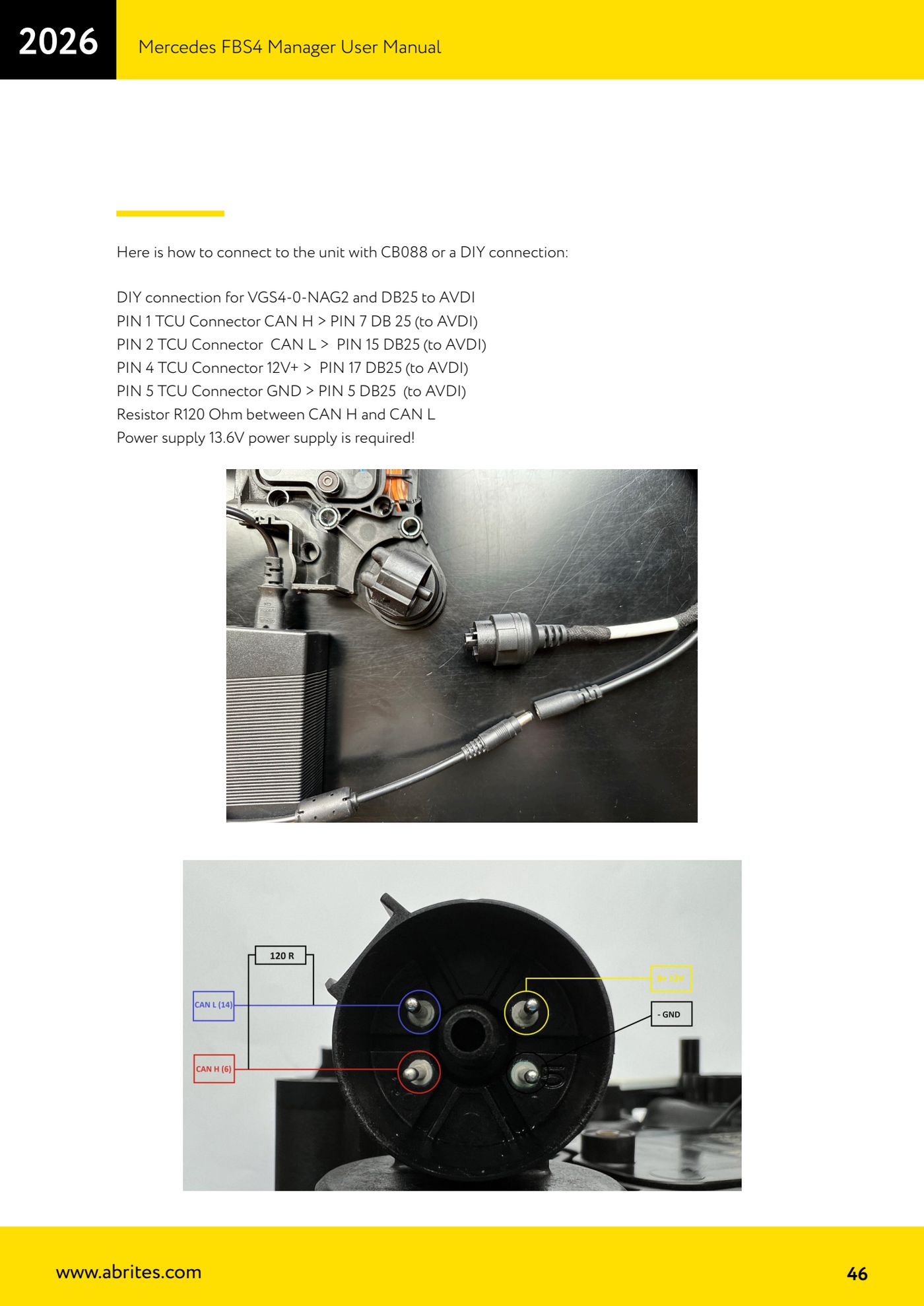
Source: Manuale Mercedes FBS4 Manager, parte 2 di 2, cap. 5.1.3 - DIY DB25 (p.45-46) · ⏱ estimated time 30-60 min
← All Abrites guides Hardware catalogue
More guides Mercedes
- Diagnostics and vehicle selection (VIN, chassis, over 1300 modules)
- Mercedes-Benz bus and truck diagnostics
- Mercedes Coding (VMAX, side sensors, parameters)
- Mercedes ECU Flashing (CFF files)
- Mercedes FBS4 Manager (722.9 and CRD3 renew, VIN change)
- Smart Functions (DPF mileage reset, DPF ash, VIM, seat belt alarm, sun roof, 360° cameras)
- FBS4 odometer correction with MN030 + emulators (EM008/EM014/EM018)
- Exhaust flaps — exhaust valve control
- CPC Torque limiter — torque limit
- VMax calibration — speed limiter
- Speed Limit Calibration — eVito 447 (electric)
- Mercedes AdBlue Reset: resetting the AdBlue system after component replacement or the remaining mileage warning