
Chip-Tools
Connecting to the vehicle's internal CAN network (DB25 cable)
Mercedes
Interface Classic
Appendix
Advanced
⏱ varies
5 steps
Working on some Mercedes components calls for direct access to the internal CAN and LIN networks: on ELV units a direct connection is essential to take them to virgin state, while everything else is done over OBD.
Required licences
- —
Hardware / cables
 AVDI
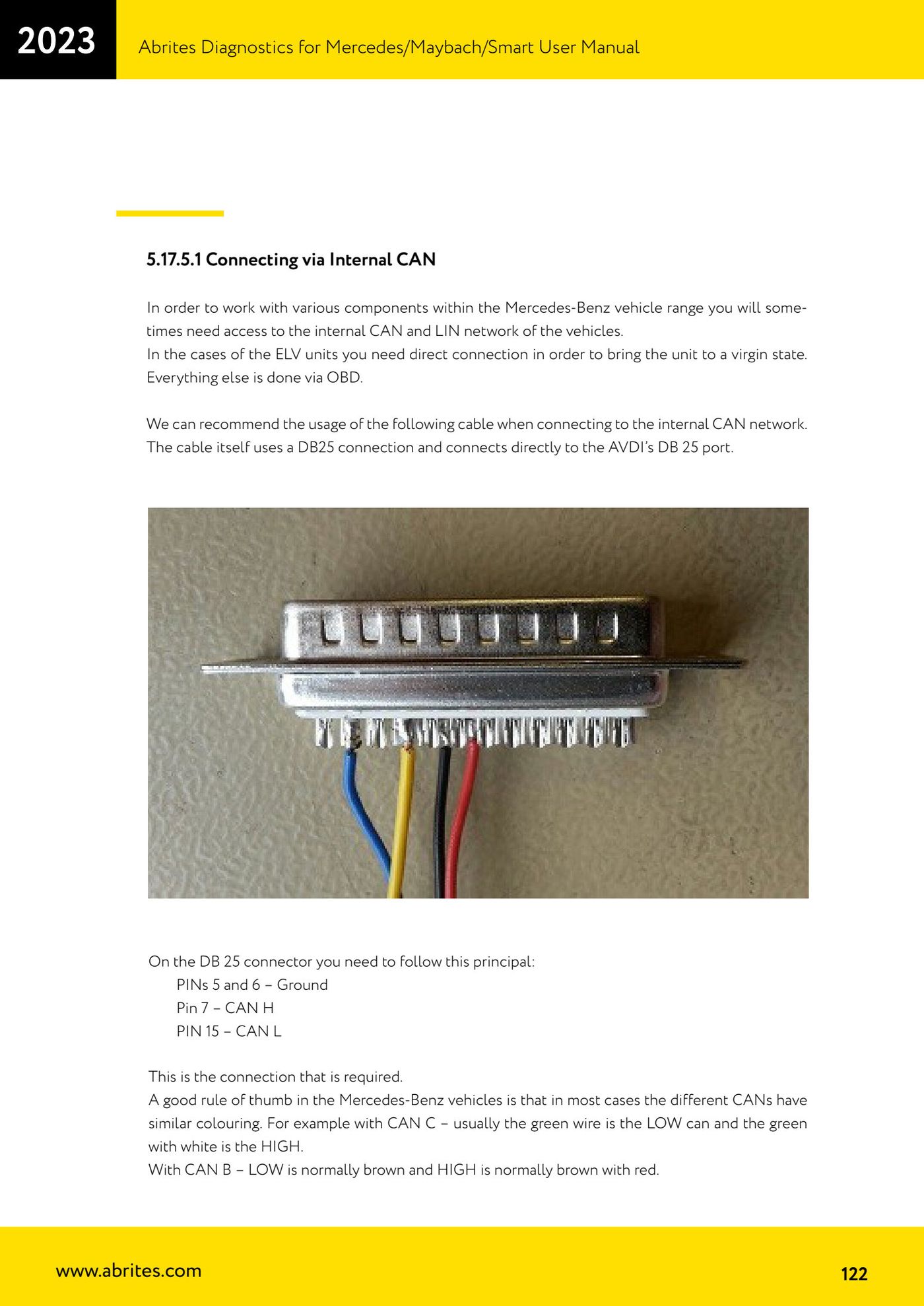
AVDI- DB25 Connector Cable
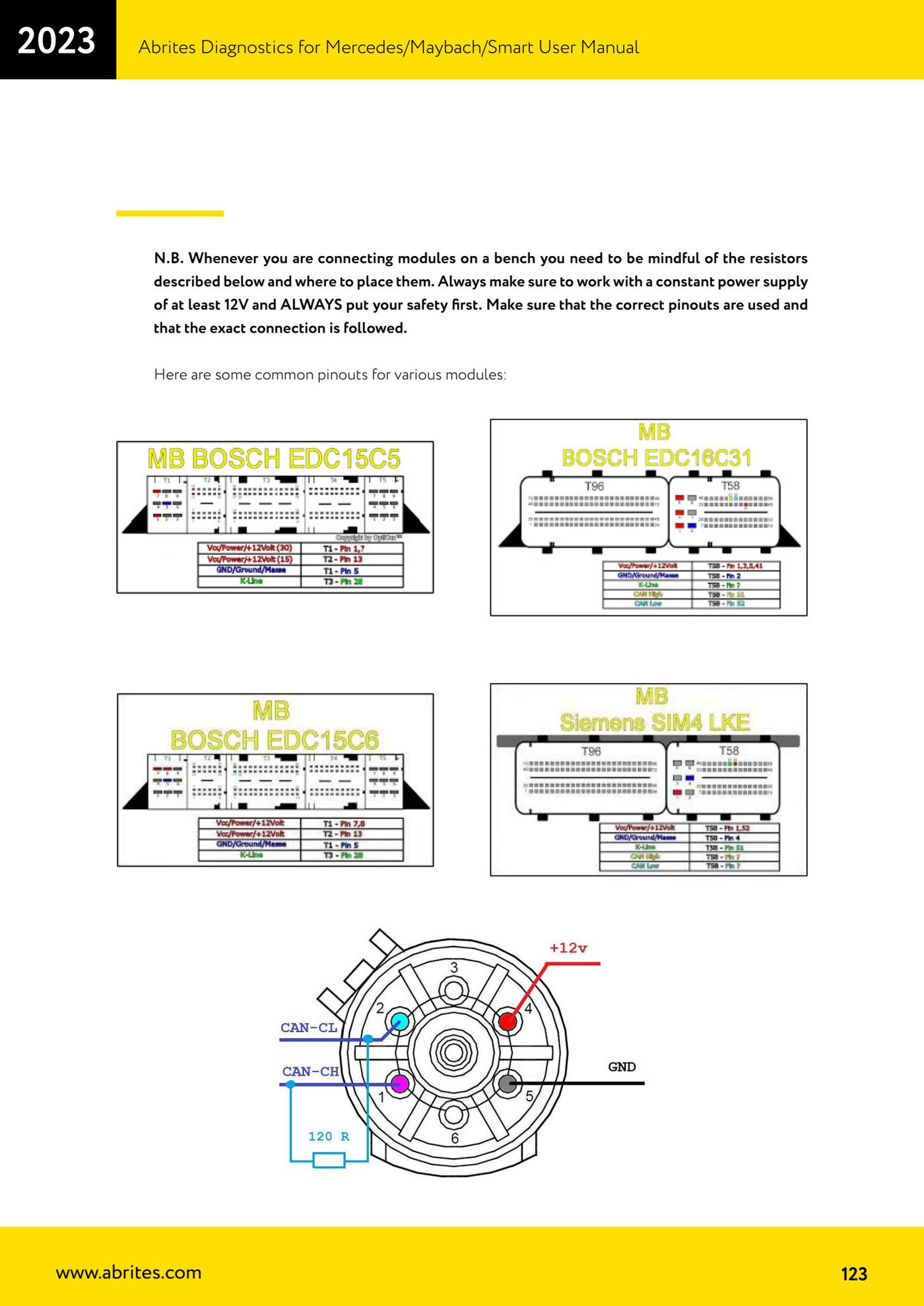
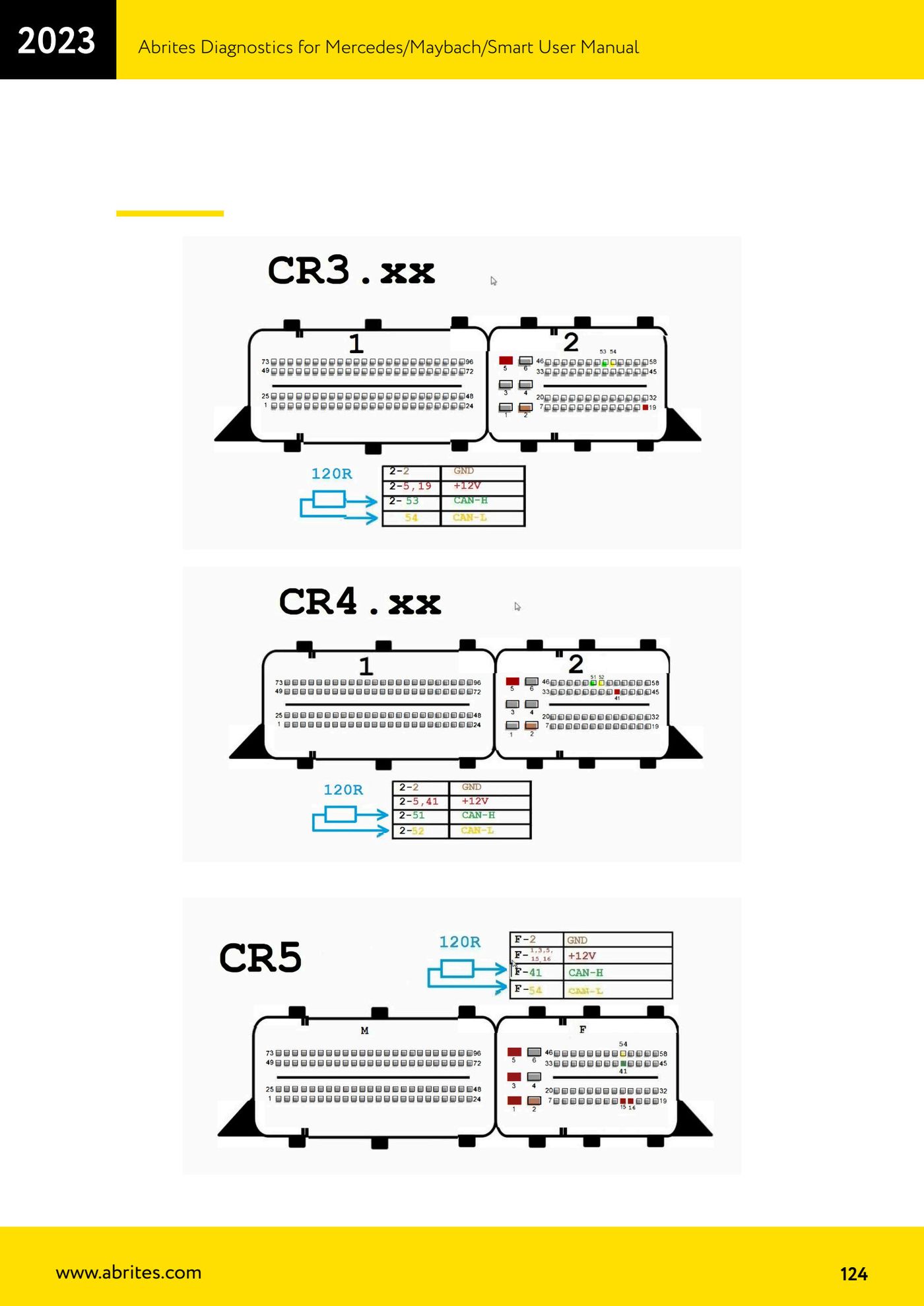
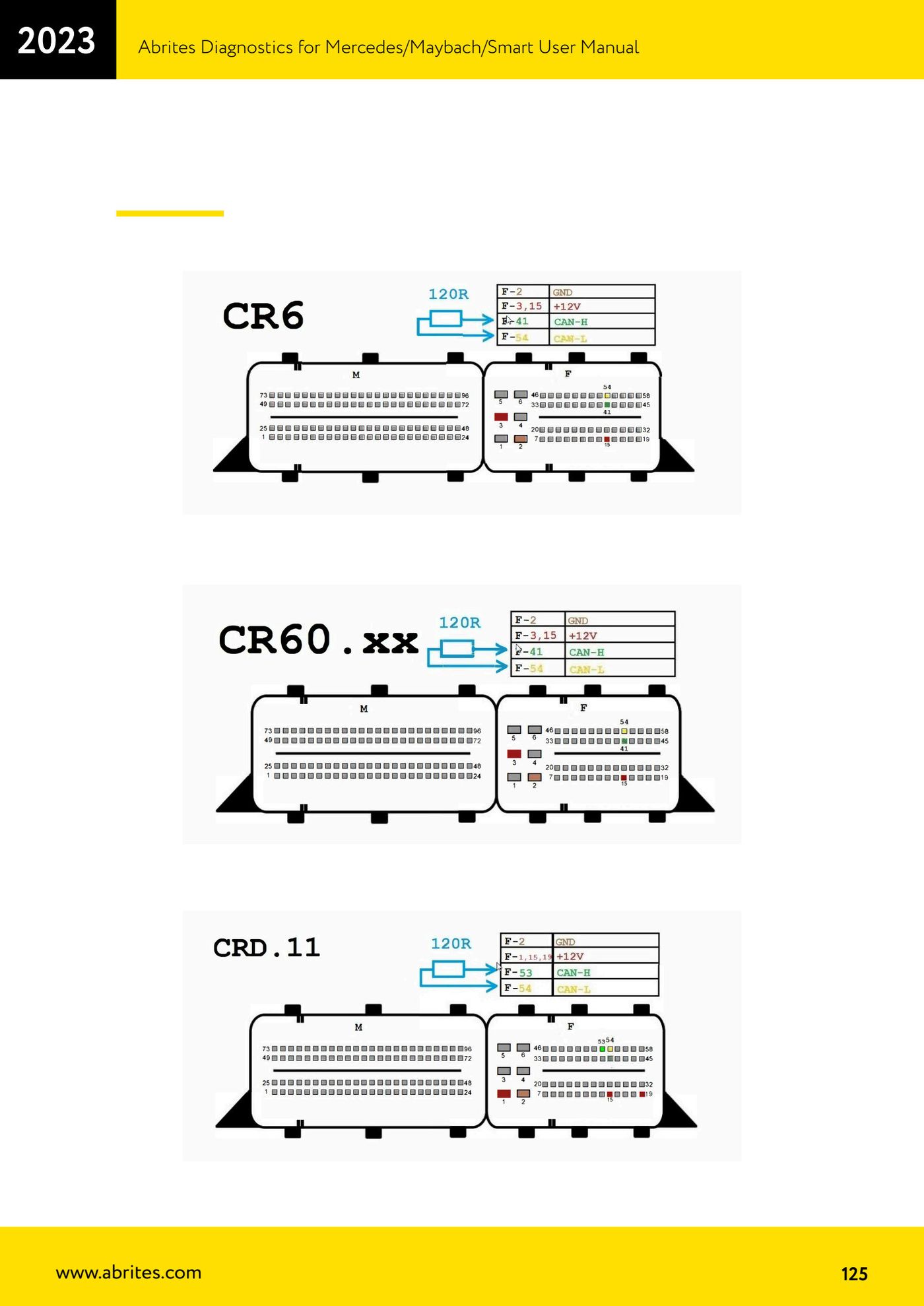
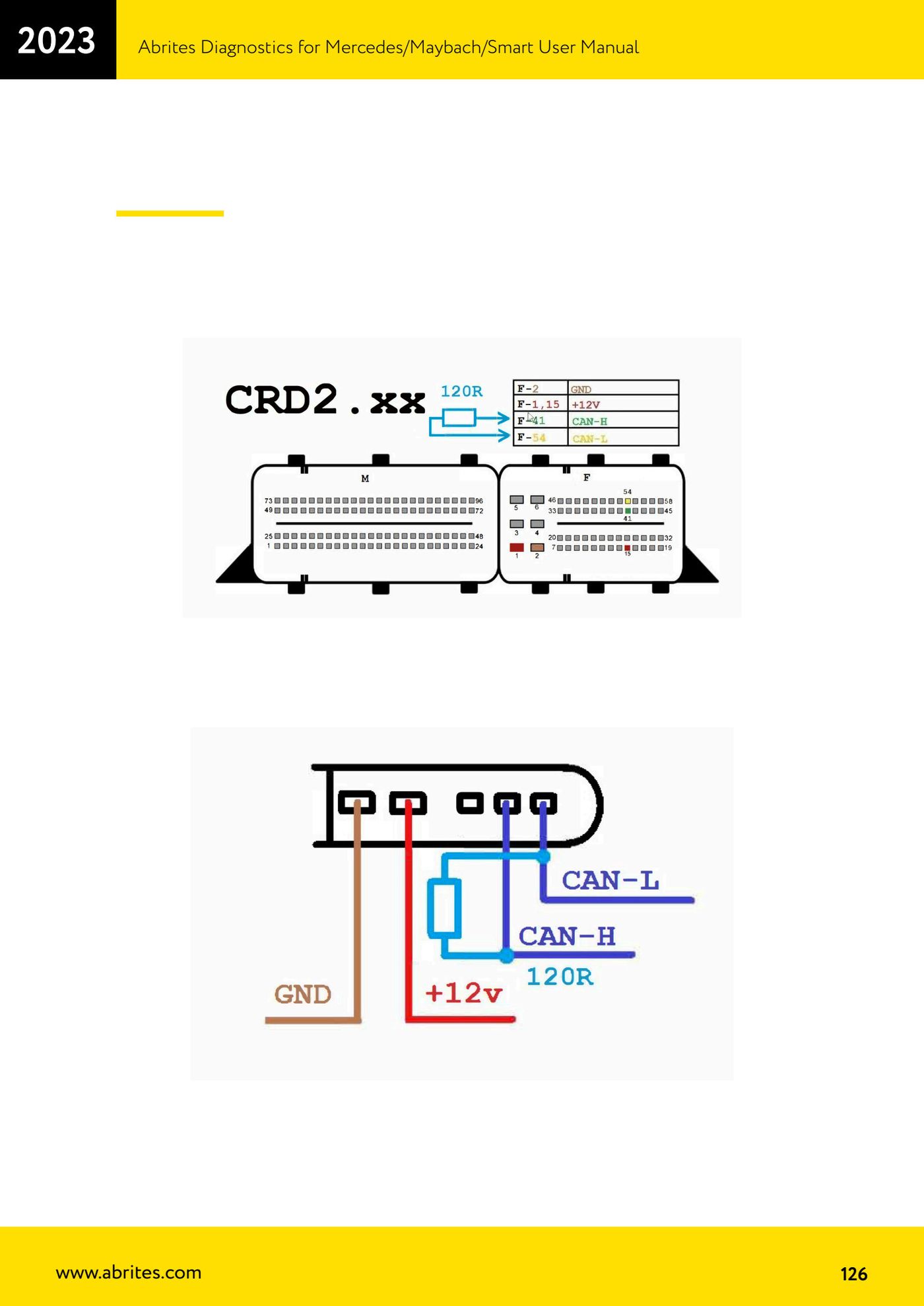
⚠ WarningWhen connecting modules on the bench watch out for the terminating resistors and where they sit, always work with a stable supply of at least 12V, respect the correct pinouts and follow the wiring diagram exactly.
Procedure
- Use the recommended cable for connecting to the internal CAN network: it plugs straight into the AVDI's DB25 port.
- Follow the DB25 connector layout: PIN 5 and 6 = Ground, PIN 7 = CAN H, PIN 15 = CAN L.
- To identify the wires in the car, remember the rule of thumb for Mercedes colours: on CAN C the green wire is usually CAN LOW and green/white is CAN HIGH; on CAN B brown is normally LOW and brown/red is HIGH.
- On the bench, set up a steady supply of at least 12V and check where the resistors are before applying power.
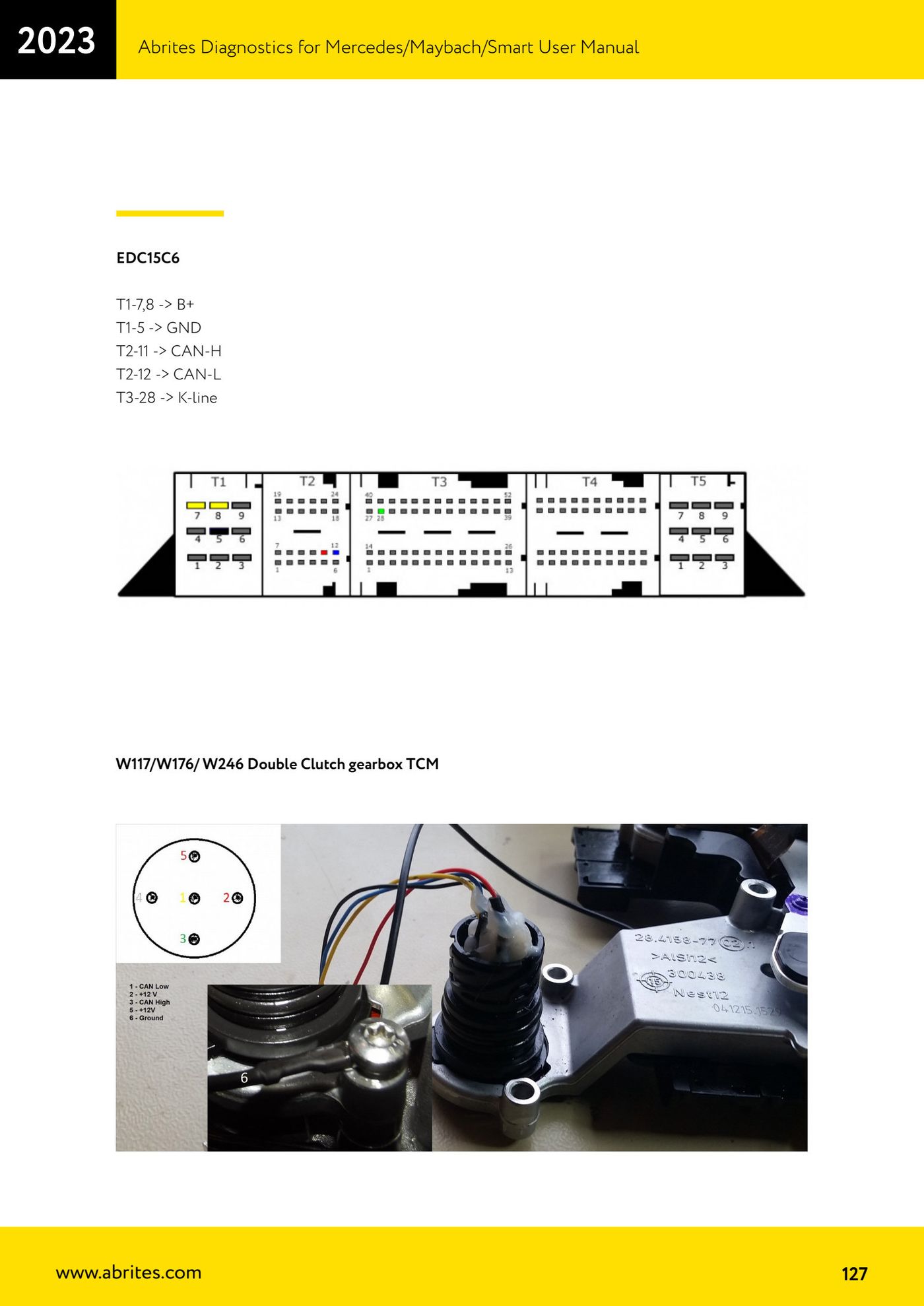
- Example pinout for the dual clutch TCM on W117/W176/W246 (EDC15C6): T1-7,8 -> B+; T1-5 -> GND; T2-11 -> CAN-H; T2-12 -> CAN-L; T3-28 -> K-line.
Reference screenshots
Source: Manuale Mercedes (Offline), cap. 5.17.5.1 (p.122-127) · ⏱ estimated time varies
← All Abrites guides Hardware catalogue
More guides Mercedes
- Diagnostics and vehicle selection (VIN, chassis, over 1300 modules)
- Mercedes-Benz bus and truck diagnostics
- Mercedes Coding (VMAX, side sensors, parameters)
- Mercedes ECU Flashing (CFF files)
- Mercedes FBS4 Manager (722.9 and CRD3 renew, VIN change)
- Smart Functions (DPF mileage reset, DPF ash, VIM, seat belt alarm, sun roof, 360° cameras)
- FBS4 odometer correction with MN030 + emulators (EM008/EM014/EM018)
- Exhaust flaps — exhaust valve control
- CPC Torque limiter — torque limit
- VMax calibration — speed limiter
- Speed Limit Calibration — eVito 447 (electric)
- Mercedes AdBlue Reset: resetting the AdBlue system after component replacement or the remaining mileage warning