
Chip-Tools
Adapting a used EZS (EIS) with the "DAS Manager"
Mercedes
Interface Classic
Keys / Immo
Advanced
⏱ varies
9 steps
Procedure for adapting a second-hand EZS (EIS) to the vehicle through the "DAS Manager". It follows the same general steps as the other modules, but needs the IR adapter and the EZS password.
Required licences
- —
Hardware / cables
 AVDI
AVDI- adattatore IR
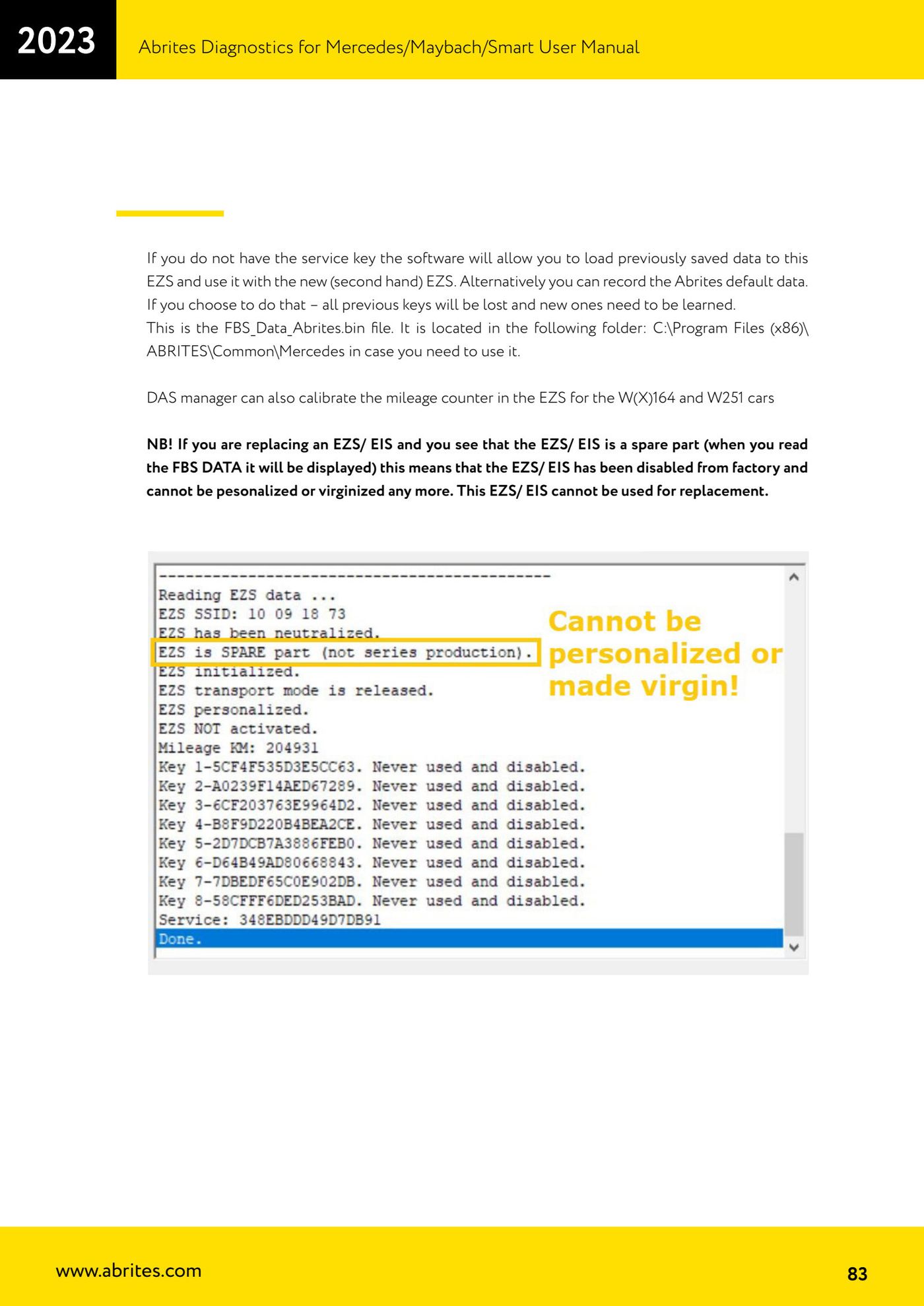
⚠ WarningNB! If reading the FBS DATA shows the EZS/EIS is a spare part, it has been disabled at the factory: it can no longer be personalized or virginized and CANNOT be used as a replacement. Also, if you write the Abrites default data all previous keys are lost and new keys have to be programmed.
Procedure
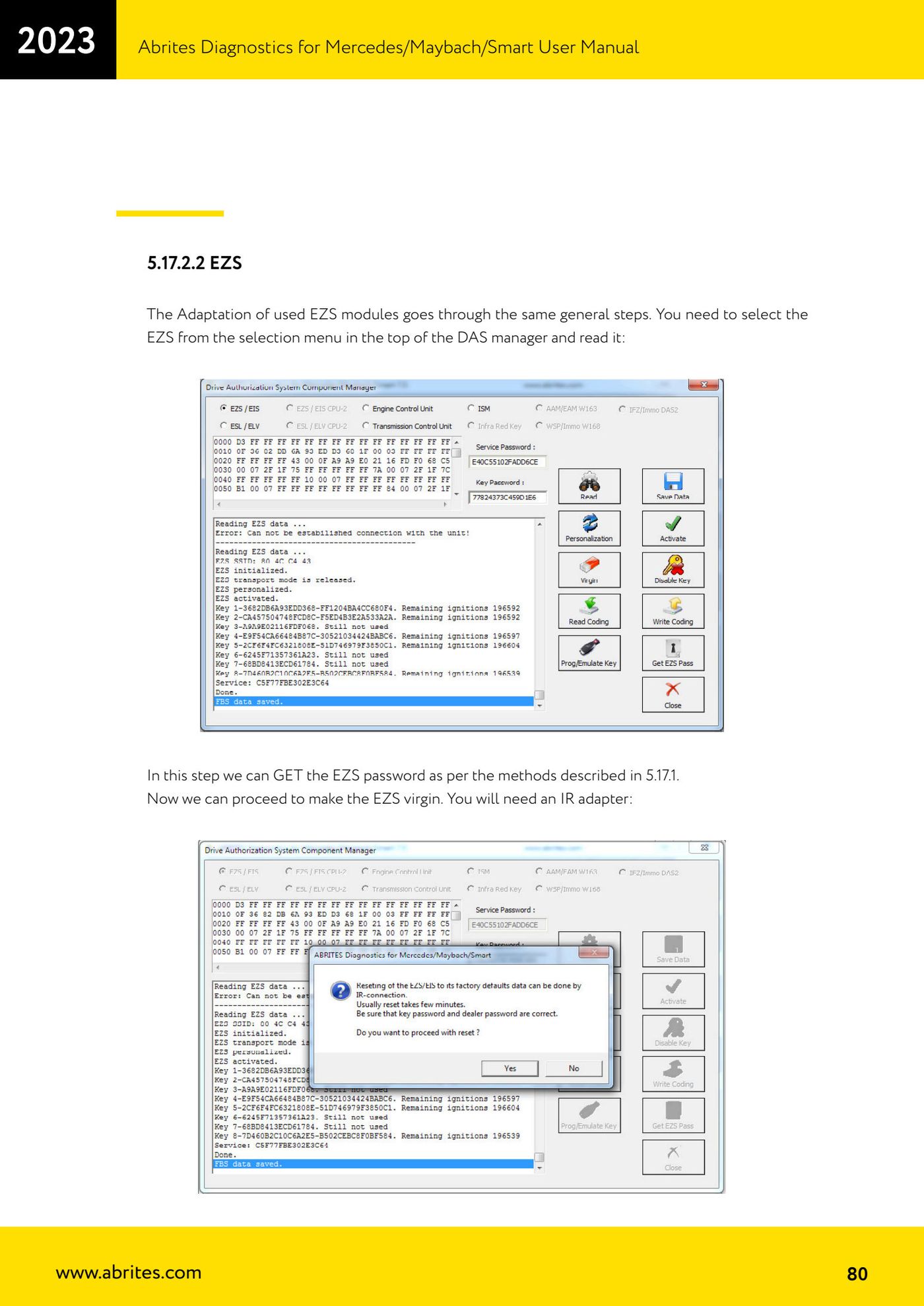
- Select "EZS" from the selection menu at the top of the "DAS Manager" and press read on the module.
- At this stage you can GET the EZS password using one of the methods described in the "EZS/EIS password extraction" guides in this collection (IR adapter, working key with PROTAG, Fuse Relay).
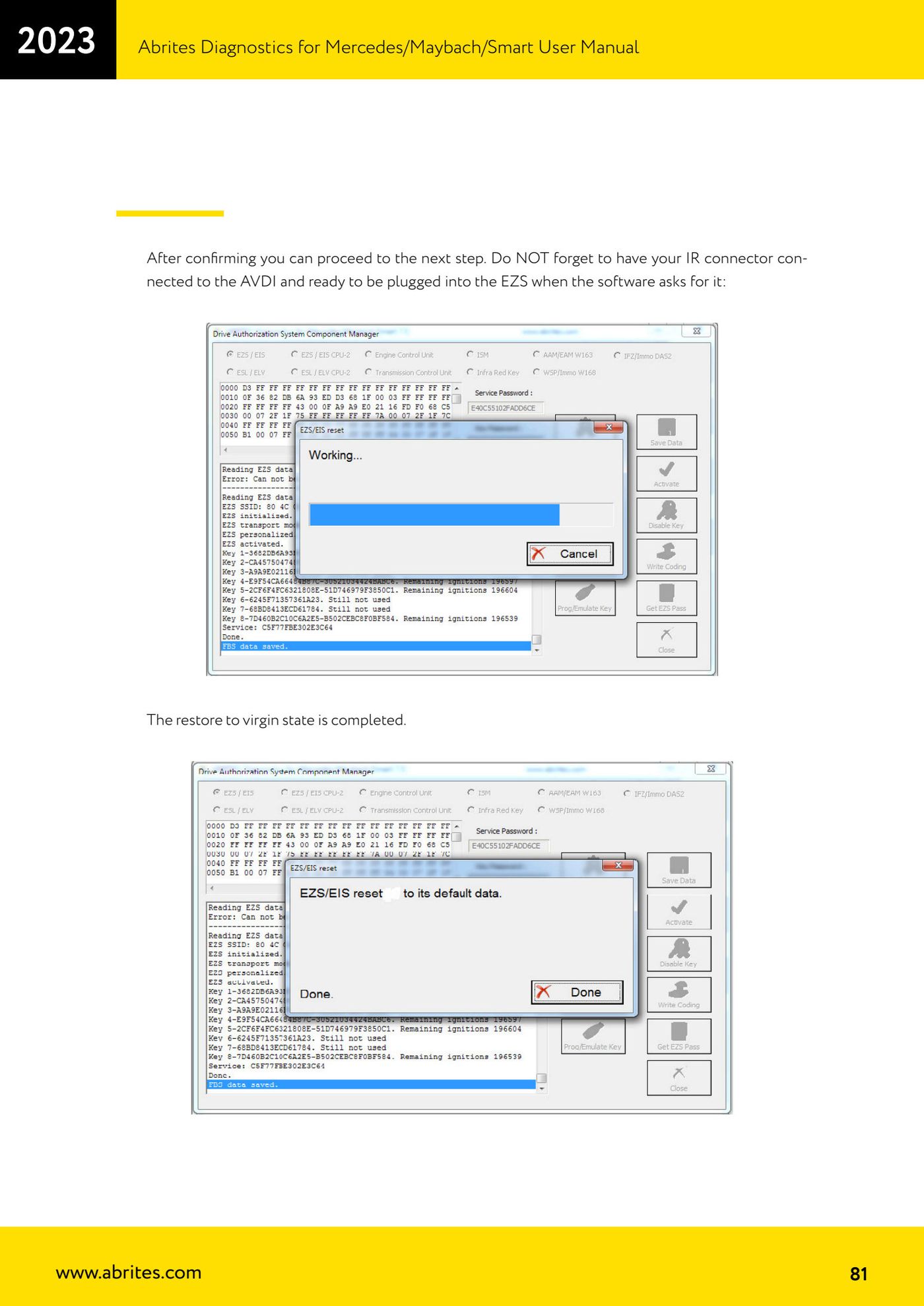
- Go ahead and virginize the EZS: the IR adapter is required.
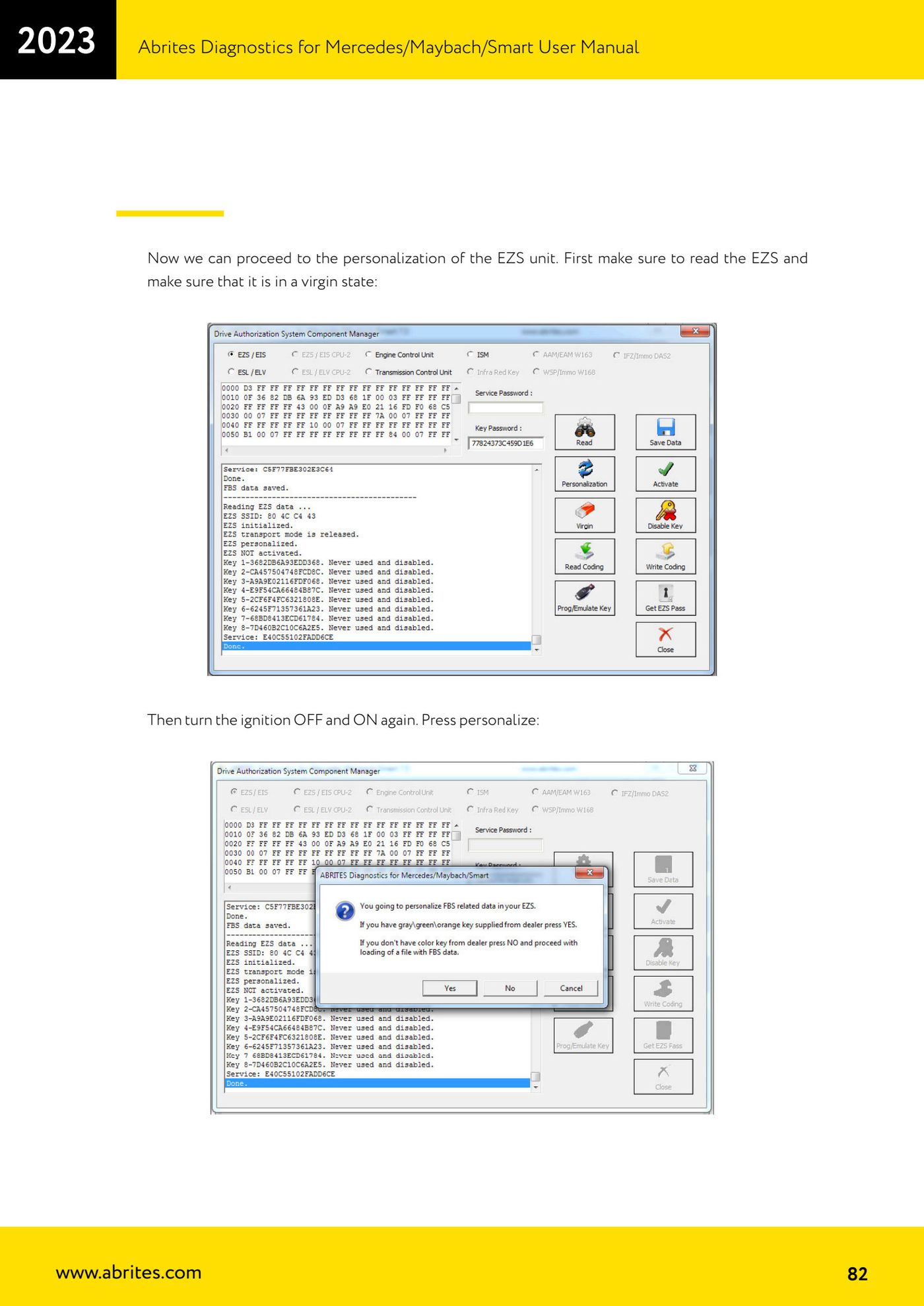
- Confirm the software's prompt and keep the IR adapter connected to the AVDI, ready to be inserted into the EZS when the software asks.
- Wait for the reset to virgin state to finish.
- Before personalizing, read the EZS again and confirm it really is in virgin state.
- Turn the key OFF and then back ON, then press "Personalize".
- If you do not have the service key, the software lets you load previously saved data and use it with the new second-hand EZS; alternatively you can write the Abrites default data (file FBS_Data_Abrites.bin, found in C:\Program Files (x86)\ABRITES\Common\Mercedes).
- Note: the "DAS Manager" can also calibrate the odometer in the EZS on W(X)164 and W251 vehicles.
Reference screenshots
Source: Manuale Mercedes (Offline), cap. 5.17.2.2 (p.80-83) · ⏱ estimated time varies
← All Abrites guides Hardware catalogue
More guides Mercedes
- Diagnostics and vehicle selection (VIN, chassis, over 1300 modules)
- Mercedes-Benz bus and truck diagnostics
- Mercedes Coding (VMAX, side sensors, parameters)
- Mercedes ECU Flashing (CFF files)
- Mercedes FBS4 Manager (722.9 and CRD3 renew, VIN change)
- Smart Functions (DPF mileage reset, DPF ash, VIM, seat belt alarm, sun roof, 360° cameras)
- FBS4 odometer correction with MN030 + emulators (EM008/EM014/EM018)
- Exhaust flaps — exhaust valve control
- CPC Torque limiter — torque limit
- VMax calibration — speed limiter
- Speed Limit Calibration — eVito 447 (electric)
- Mercedes AdBlue Reset: resetting the AdBlue system after component replacement or the remaining mileage warning