
Chip-Tools
SPC560xx MCU replacement on JLR RFA/KVM modules (JPLA, K8D2, J9C3, M9R3) and bench configuration writing with ABPROG
JLR
Interface New
Keys / Immo
Advanced
⏱ varies (desoldering + writing)
11 steps
This is what you need when the RFA/KVM module has a locked or damaged SPC560xx processor: instead of replacing the whole module you fit a new SPC560 and write the configuration straight onto the PCB, on the bench, with ABPROG. Compatible with JPLA, K8D2, J9C3 and M9R3 modules from 2018 to 2026 on Defender, Velar, Evoque, Discovery and Range Rover.


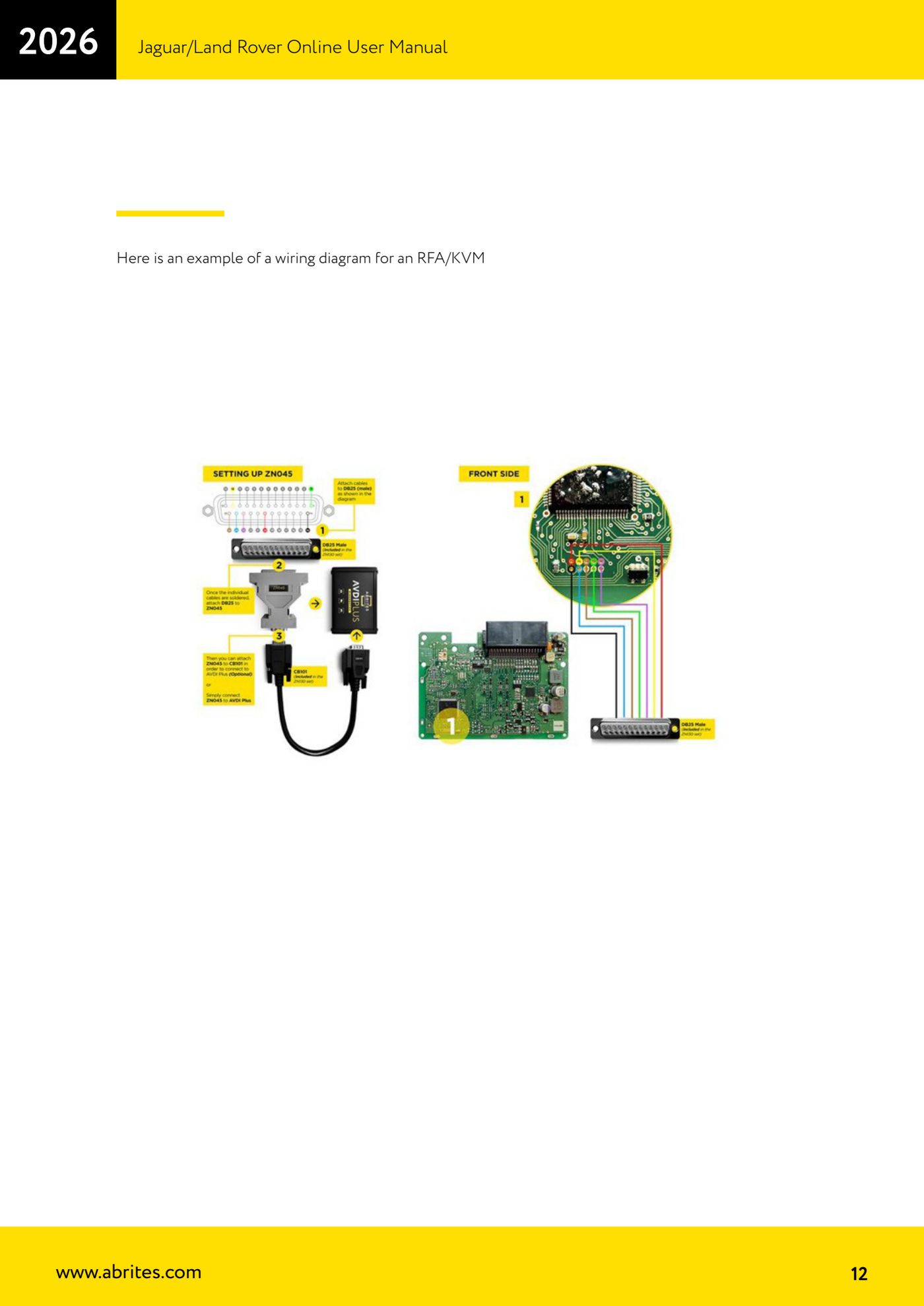
⚠ WarningThis is a bench job involving desoldering: the module has to be opened and the SPC560 chip removed. Connect ABPROG to the PCB exactly as shown in the wiring diagram displayed by the software for the selected module type: a wrong connection will damage the module.
Procedure
- Remove the RFA/KVM module from the vehicle.
- Open the module and remove the original SPC560 chip from the PCB.
- Fit a new (virgin) SPC560 chip onto the PCB.
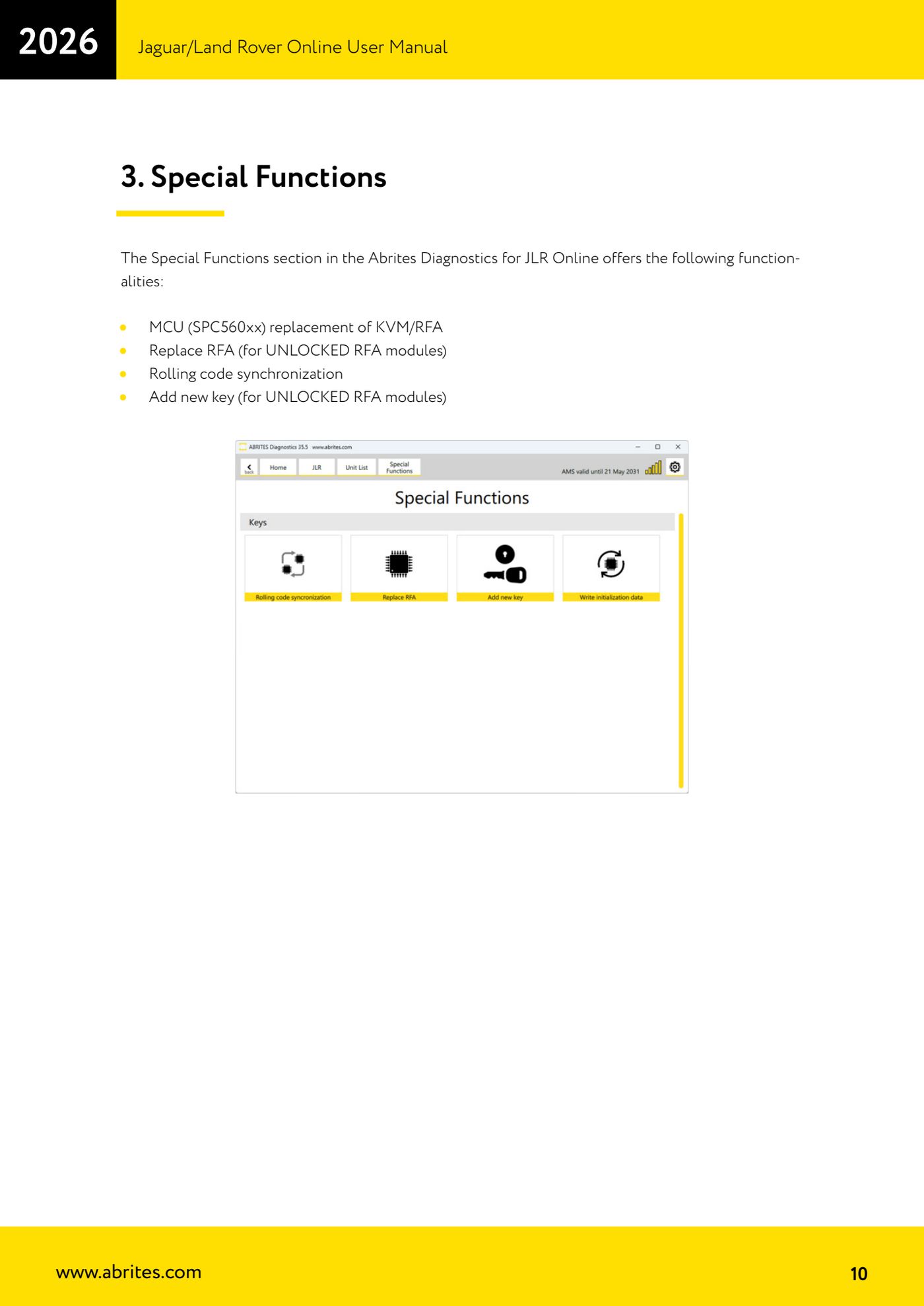
- In the JLR Online software open "Special Functions" and choose "MCU (SPC560xx) replacement of KVM/RFA".
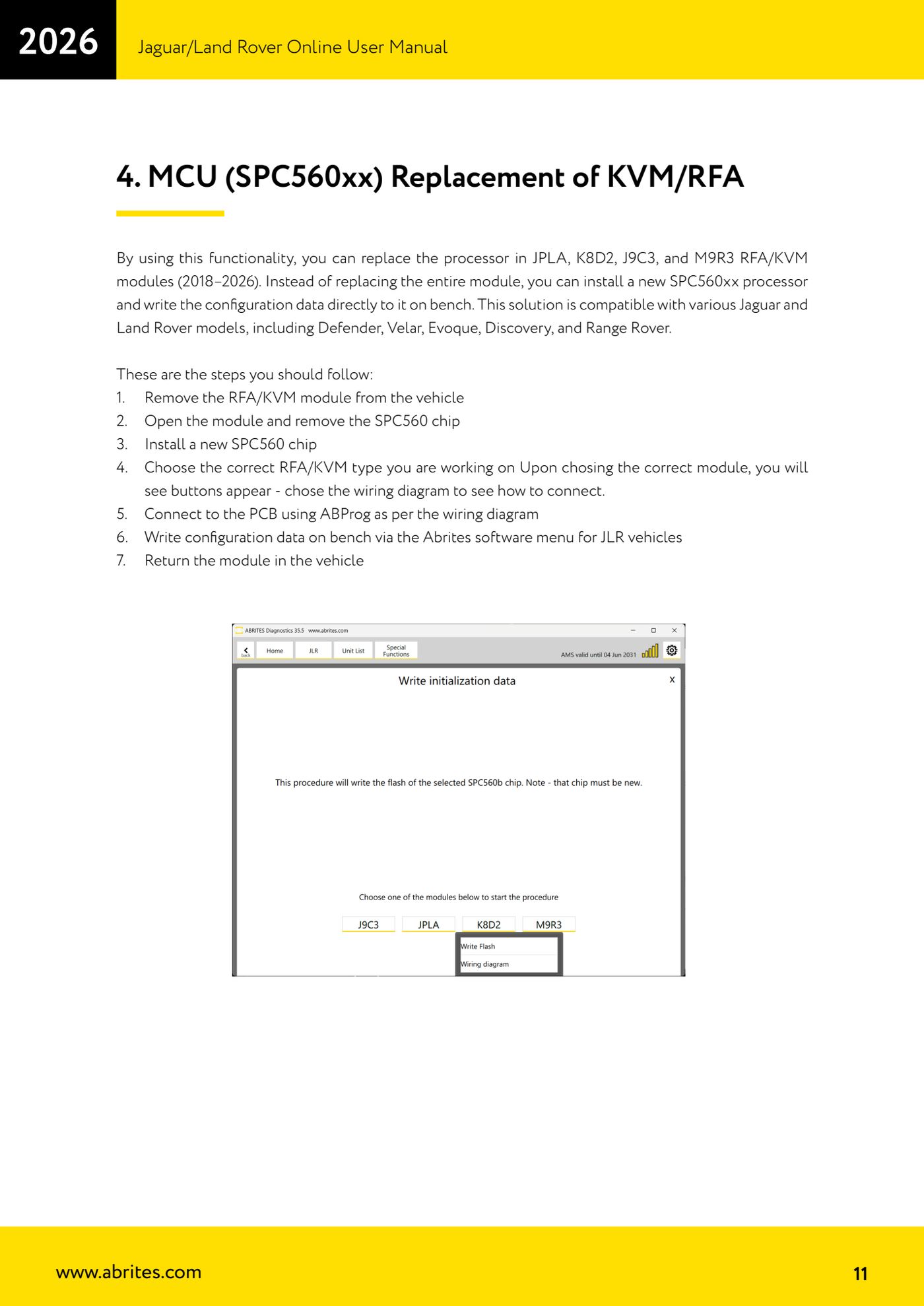
- Select the exact type of RFA/KVM module you are working on (JPLA, K8D2, J9C3 or M9R3). Once selected, dedicated buttons appear.
- Press the wiring diagram button to see how to wire that specific module.
- Connect ABPROG to the PCB points following the displayed diagram, then connect ABPROG to the PC.
- From the JLR vehicle menu in the software, start writing the configuration data to the new processor, on the bench.
- Wait for the write to finish without disconnecting anything and without cutting power.
- Close the module up and refit it to the vehicle.
- Reconnect the AVDI to the OBDII and check with the diagnostics that the module responds and has no leftover DTCs.
Reference screenshots
Source: Manuale Jaguar/Land Rover Online, cap. 3-4 (p.10-12) · ⏱ estimated time varies (desoldering + writing)
← All Abrites guides Hardware catalogue
More guides JLR
- Module scan, DTC reading and service functions on Jaguar/Land Rover with AVDI
- Key Learning / Module Initialization via OBDII on JLR 2012-2018 (unlocked KVM/RFA)
- Key Duplicator on JLR 2018+ with PROTAG and TA54/TA56/TA66/TA67 keys
- JLR 2018-2026 key programming from a 95128 BCM EEPROM dump (works with the alarm armed)
- JLR remote control synchronization after key programming (PROTAG)
- Resetting and reusing used Abrites TA54/TA56/TA66/TA67 keys for JLR (Abrites Key Reset)
- JLR cluster calibration: matching mileage after fitting a used control unit
- NV DATA and Flash on JLR: reading, saving and writing configuration and flash files for module replacement
- Immo Advanced JLR: writing transponder ID and secret key into the BCM for emergency start
- Fitting the Abrites EM015 UWB emulator on JLR: file preparation and wiring to the UWB antenna / KVM
- Abrites EM015 UWB emulator firmware update (EMUL update)
- JLR Dump tool: preparing the KVM flash (FK72, DPLA, HPLA) to program OEM keys