
Chip-Tools
Reading and clearing DTCs, live data and module identification on Mazda
Ford/Mazda
Interface New
Diagnostics
Medium
⏱ 15-30 min
8 steps
After the overall scan you go into the individual module to read fault codes, clear them, open custom sessions and monitor live values. This is the part that lets you find and close the fault without going to the dealer.
Required licences
- —
Hardware / cables

Procedure
- From the list of detected modules, open the module you are interested in by clicking on its entry.
- Press "Fault Codes" to read the fault codes stored in the module. If the module has no faults the list stays empty.
- Note the DTCs down before you do anything: once cleared they are gone from memory.
- Repair the fault on the car, then use the module's DTC clearing function to wipe the fault memory.
- Read the codes again with "Fault Codes" after clearing: if a DTC comes straight back, the fault is still present and it is a current fault, not a stored one.
- On the module screen, check the module identifications and extended IDs: you need them to verify the module part number before a replacement or a comparison against a spare.
- If you need to talk to the module in a non-standard way, open a custom session from the same screen.
- For dynamic diagnosis open the module live data, if available, and watch the live values with the engine running or during the road test, to confirm the repair.
Reference screenshots
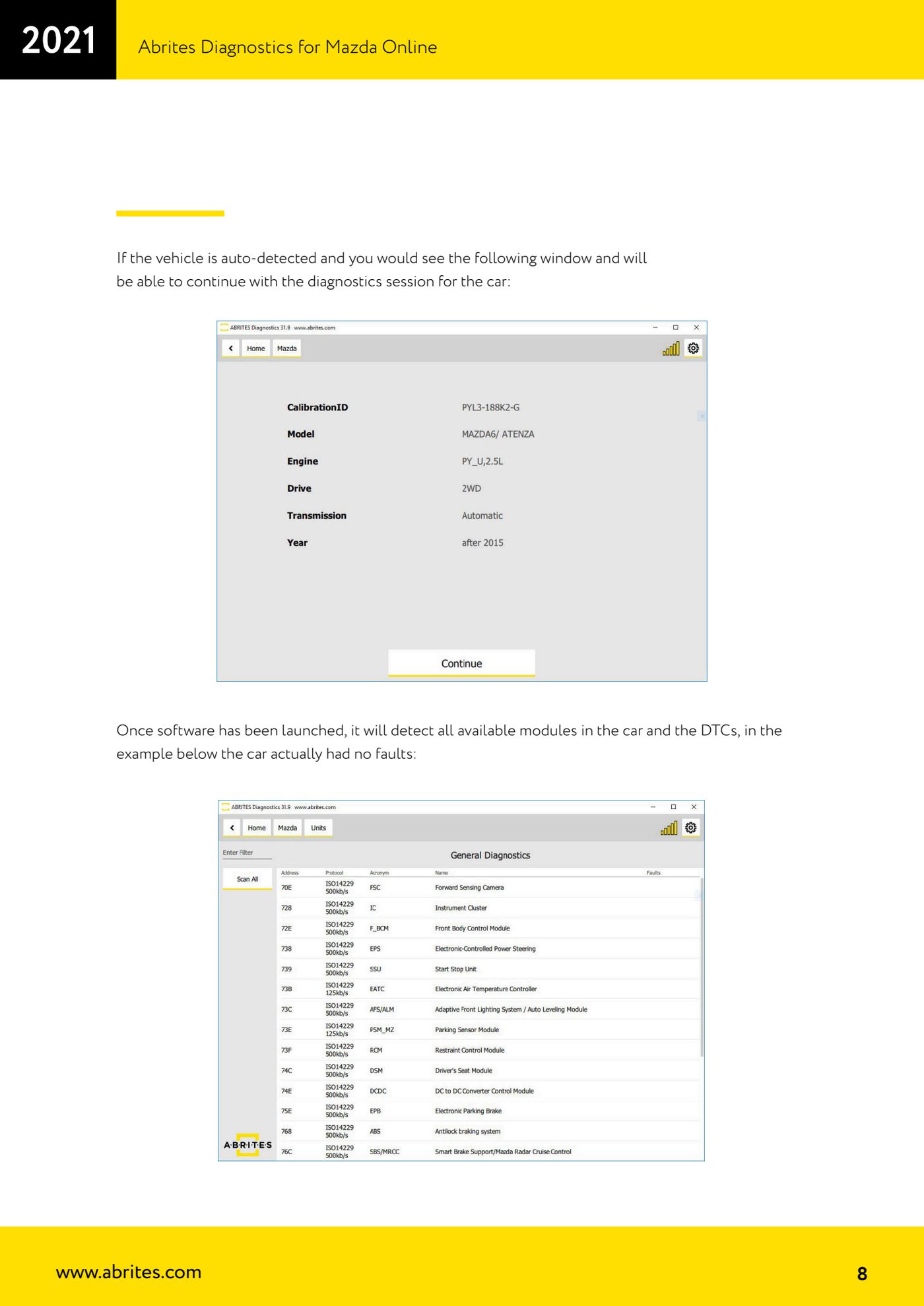
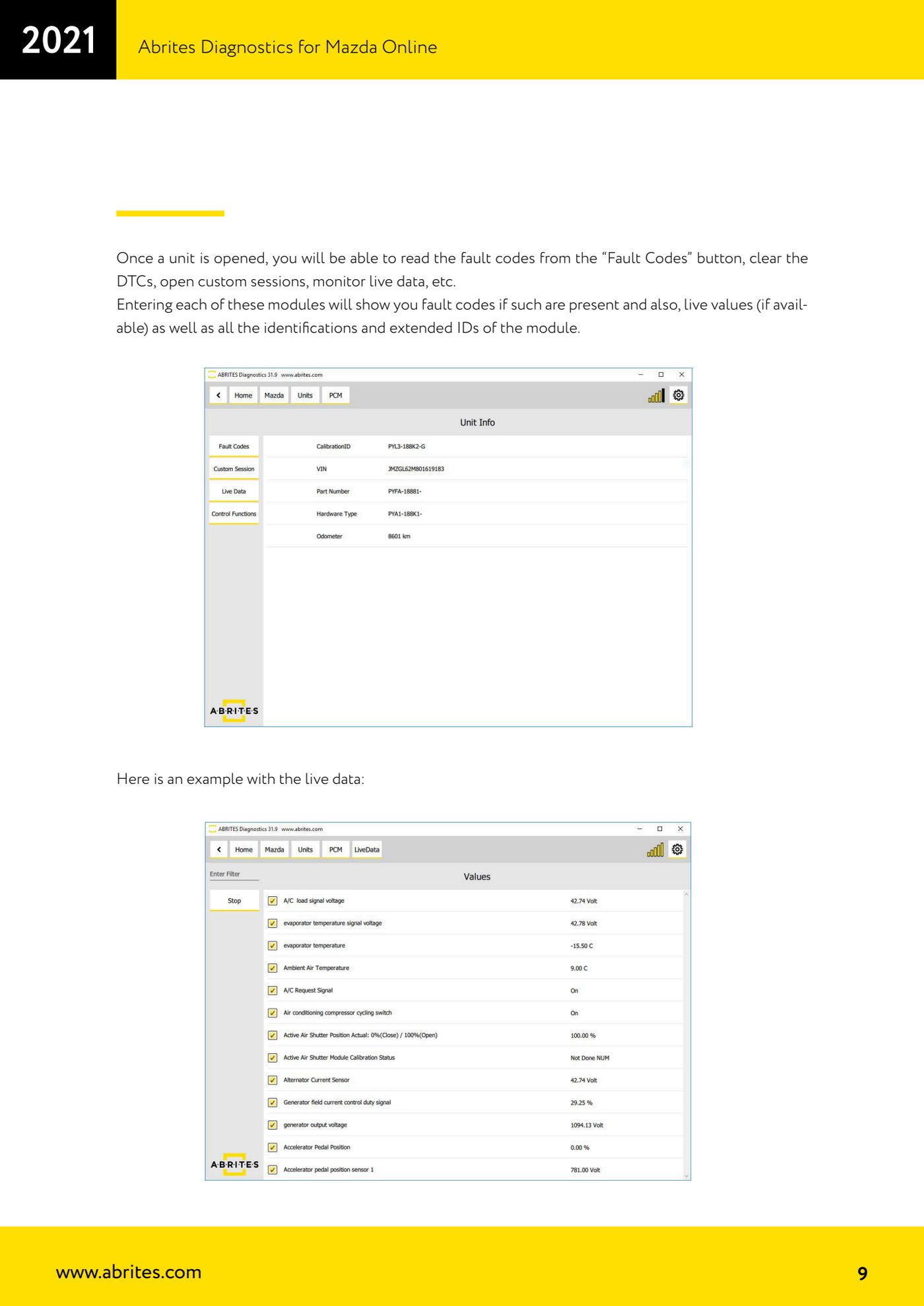
Source: Manuale Abrites Diagnostics for Mazda Online, cap. 2 (p.8-9) · ⏱ estimated time 15-30 min
← All Abrites guides Hardware catalogue
More guides Ford/Mazda
- Starting Abrites Diagnostics for Ford/Mazda: vehicle context and ECU scanning ("Scan all")
- ECU identification, DTC read/clear and Live Data on Ford/Mazda
- Getting to the Ford/Mazda "Special Functions": Memory Read/Write and Key Learning
- PATS Key Learning: adding keys on Ford/Mazda (including with the alarm triggered)
- Key programming on Mazda CX-30 and Mazda 3 from 2019 with special function MZ001
- Ford key programming from 2021 (F-150, Maverick, Mustang Mach-E, Transit): incode from the outcode or bench read of the BCM with the ZN085
- PATS Erase All Keys: erasing all keys from the Ford/Mazda PATS memory
- PATS Initialization: matching the PCM to the instrument cluster (IPC/HEC), BCM or FIP on Ford/Mazda
- Spare Key Programming and Unlimited Key Mode: enabling/disabling Ford/Mazda key programming
- PATS OUT/IN code calculator for Ford/Mazda IDS (SINGLE xx40 and DOUBLE xx44 outcodes)
- VID block (Vehicle Identification Data) in the Ford/Mazda PCM: reading and configuring parameters
- Supported protocols and OBDII pins on Ford/Mazda: HS-CAN, MS-CAN, K-Line and J1850 PWM