
Chip-Tools
Replacing the Toyota smart system / steering lock (DST AES and HITAG AES keys, including 2018+)
Toyota/Lexus
Interface Classic
Keys / Immo
Advanced
⏱ 30-60 min
8 steps
The Abrites software for Toyota/Lexus/Scion allows the vehicle's smart system and steering lock to be replaced, including models built after 2018 with Hitag AES keys, using new or used parts. The final synchronisation is done from module 46.
Required licences
- —
Hardware / cables


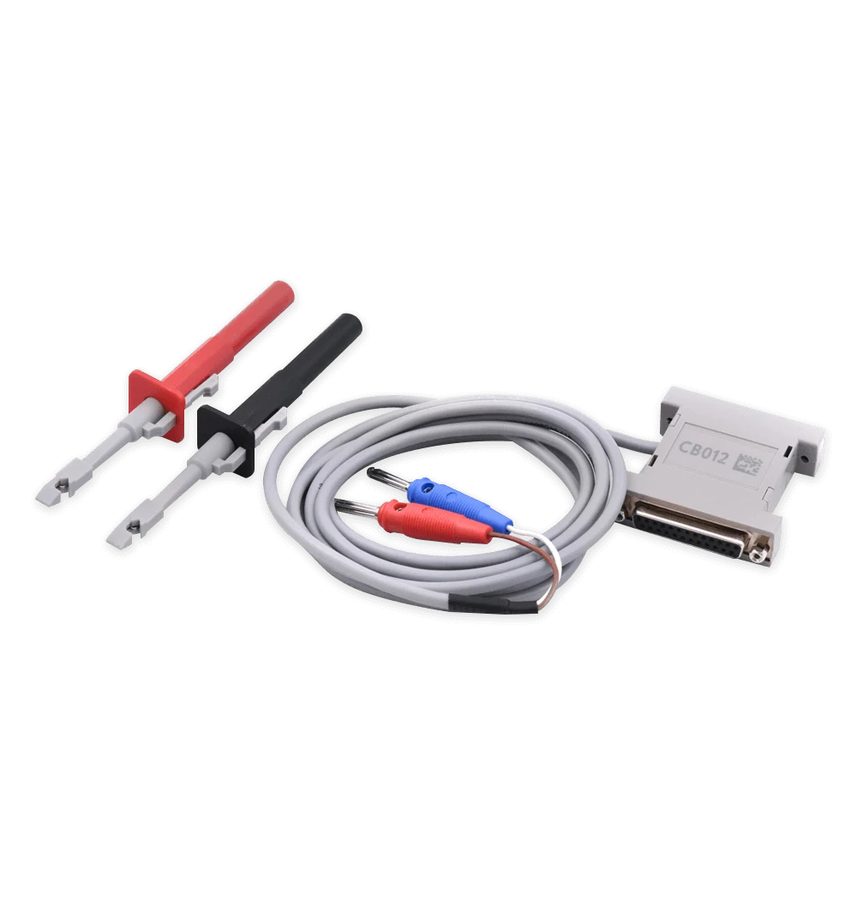
⚠ WarningBefore fitting the new smart system the ID-box must be reset (see the ID-box reset procedure). Both ID-boxes with an external EEPROM and those without are supported. A working, already registered key is needed for the final synchronisation.
Procedure
- First reset the ID-box following the procedure in chapter 9 of the manual (connection to the internal LIN with the ZN051 or CB012).
- Fit the new or used smart system and the steering lock to the vehicle.
- Start Abrites Diagnostics for Toyota/Lexus/Scion and go to the Smart System unit (module 46) from the diagnostics menu.
- Press the "Special" button.
- Press the "id box/steering" button.
- Turn the ignition to IGN ON and press "Next".
- Touch the start button with a working, already registered key, keeping the key logo facing the start button.
- Wait for the completion message: the ID-box synchronisation procedure is finished and the smart system has been replaced correctly.
Reference screenshots
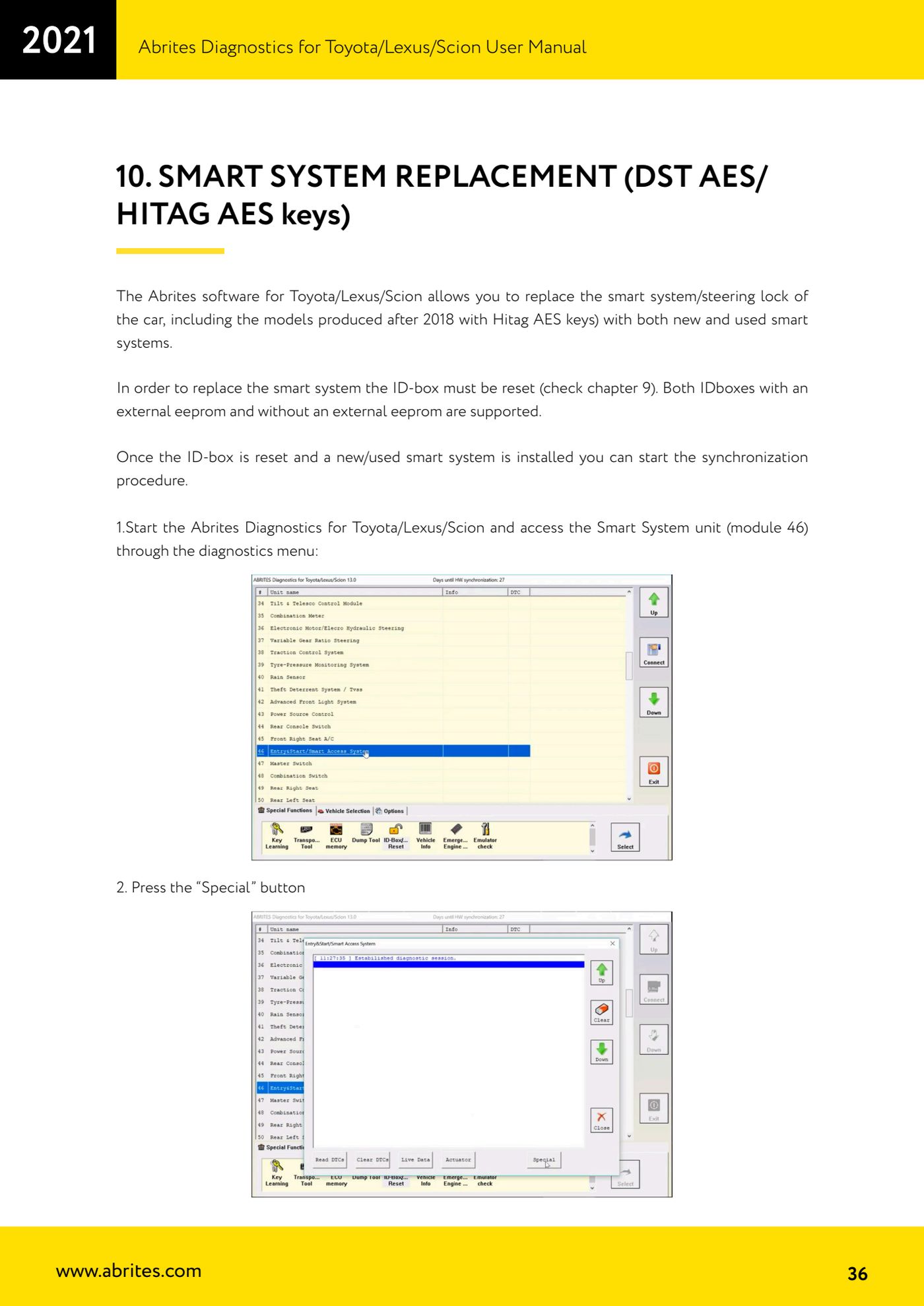
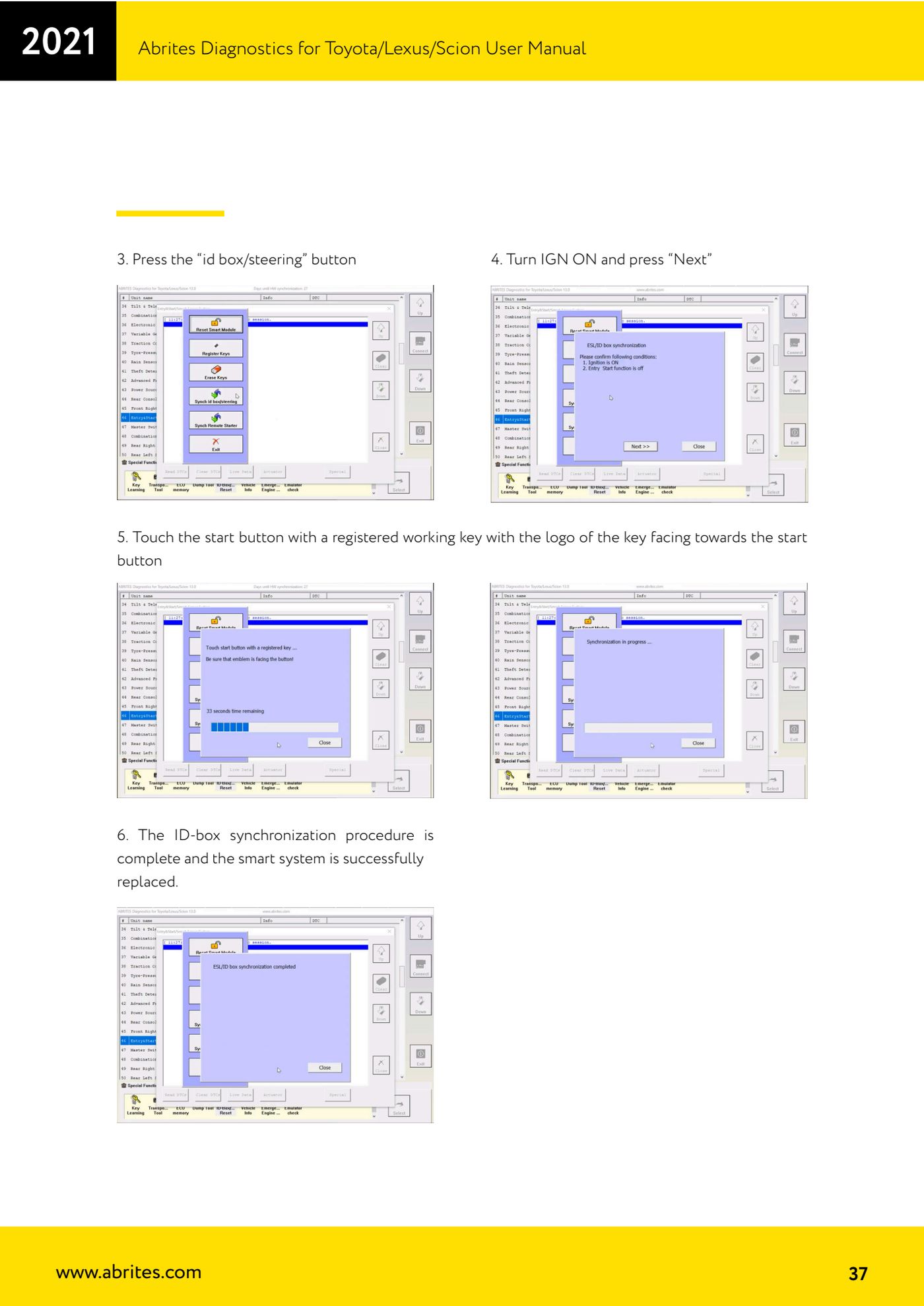
Source: Manuale Toyota/Lexus/Scion, cap. 10 - Smart system replacement (p.36-37) · ⏱ estimated time 30-60 min
← All Abrites guides Hardware catalogue
More guides Toyota/Lexus
- Basic Toyota/Lexus/Scion diagnostics: reading and clearing DTCs, Live Data and full SCAN
- Toyota/Lexus/Scion Key Learning: identifying the immobiliser system and the rules to follow
- Toyota key programming with 4C transponder (immo integrated in the engine ECU or synchronised immobox)
- Key programming with 4D immoboxes: Tokai Rika 1st/2nd generation, VALEO and VISTEON
- Programming G-type keys (DST80, 80 bit) on Tokai Rika immoboxes
- Adding an H-type key (DST AES, 128 bit) via OBD with a working key
- All keys lost on Toyota with H-type mechanical key: reset and sniffing with ZN068 and ZN067
- Finding the B+, IG SW and KEY SW fuses for the ZN067 using immobiliser Live Data
- Bench programming of H-type keys with the ZN067 adapter
- Cloning Toyota/Lexus/Scion keys and transponders with PROTAG (4C, ID33, 4D, G and H)
- Key learning on Toyota smart keys with the ZN039-2 master emulator
- Emergency start with the ZN039-2 on Toyota/Lexus/Scion/Subaru smart access