
Chip-Tools
Connecting the AVDI to a Tesla with the ZN087 cable set: CB027 on Model 3 (BCM) and ZN071 on Model S/X
Tesla
Interface Classic
Hardware / Connections
Advanced
⏱ 45-90 min
17 steps
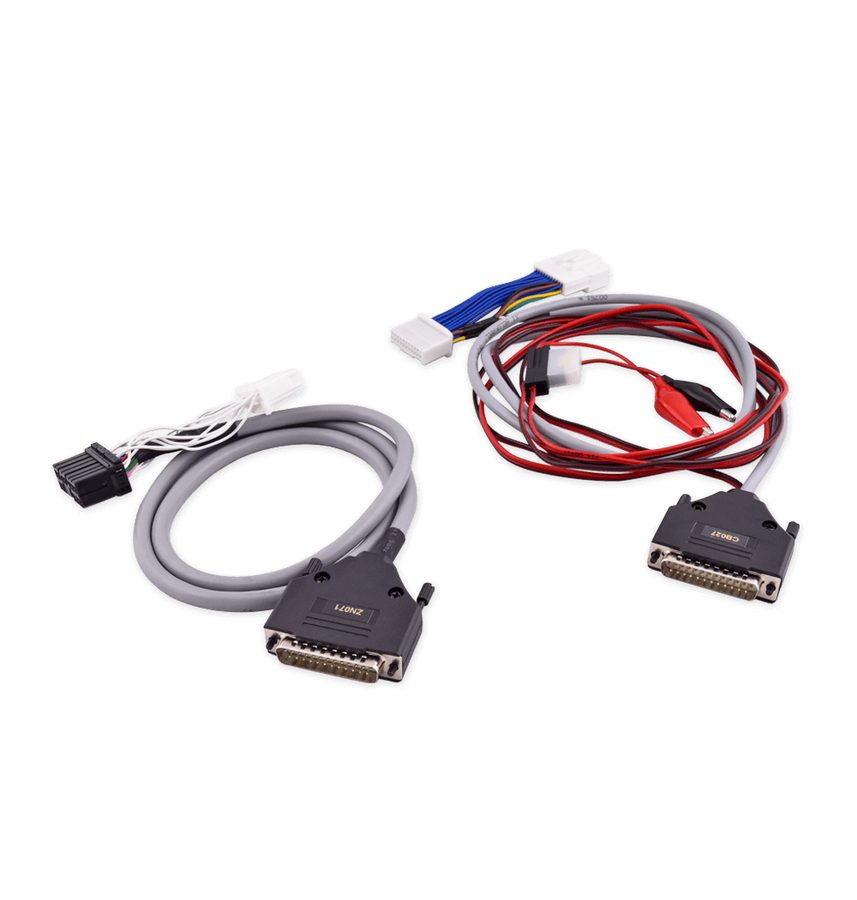
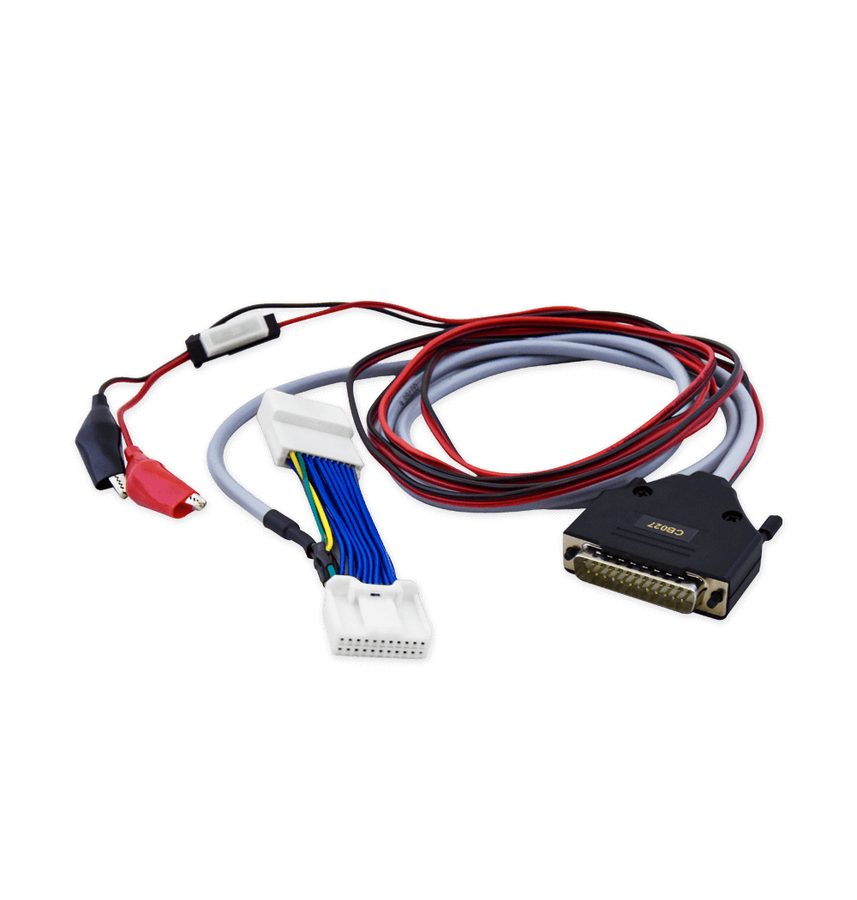
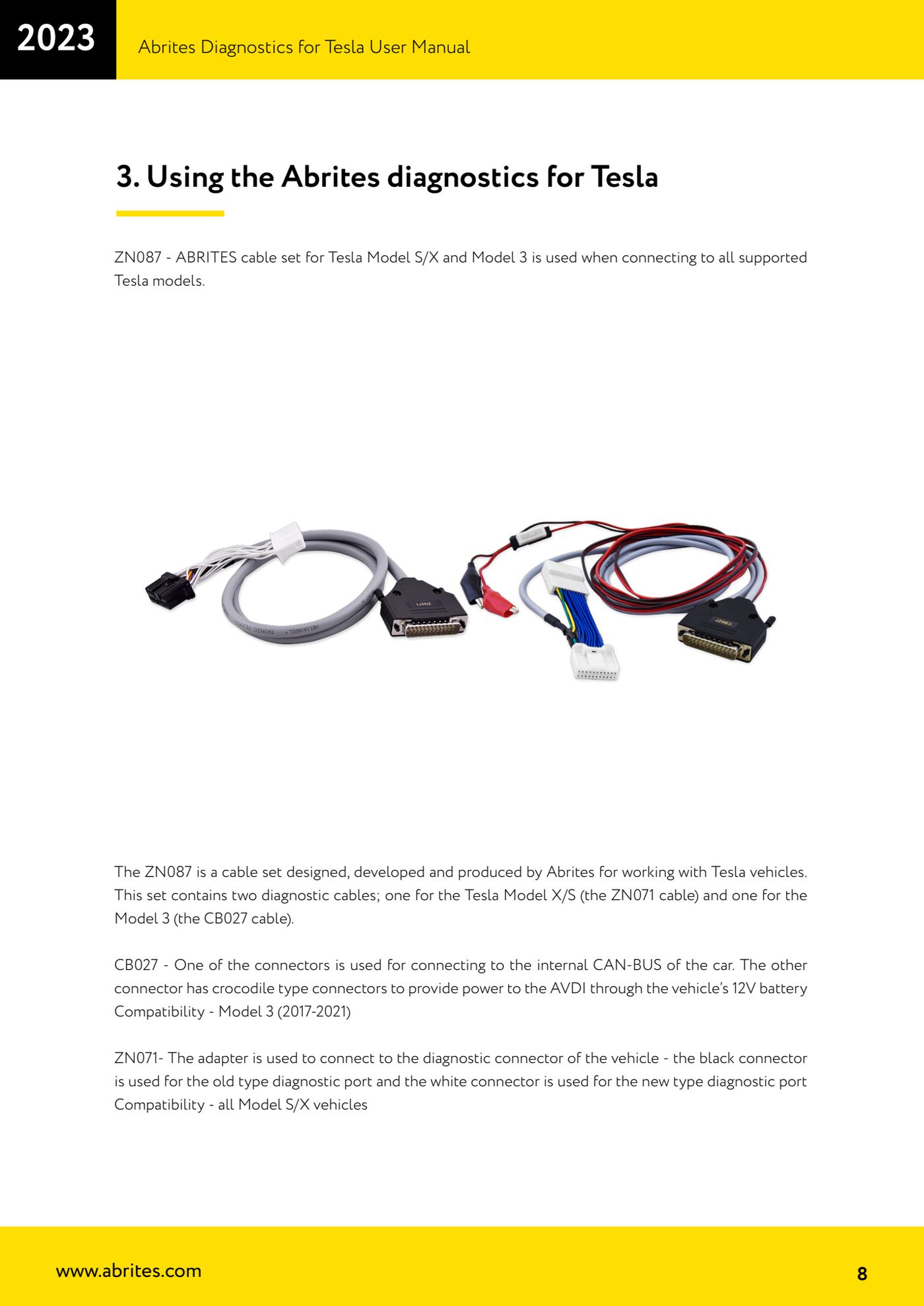
On a Tesla you do not work from the OBDII socket like a normal car: you need the ZN087 cable set, which contains the CB027 for the Model 3 (to be connected to the BCM connector under the steering wheel) and the ZN071 for all Model S/X (old- or new-type diagnostic socket). This is the safety and connection procedure to carry out BEFORE any diagnostics, key learning or airbag work.

⚠ WarningOn the Model 3 do not connect the CB027 until you have completed every safety step. Do not disconnect the 12V supply while the climate control is still running: after switching it off, wait at least 30 seconds before going on. Not following this sequence can damage the vehicle, the AVDI and the PC. Wind all the windows fully down to avoid breaking the glass and being locked out.
Procedure
- Check that you have the complete ZN087 set: CB027 cable (Model 3, 2017-2021) and ZN071 adapter (all Model S/X). The CB027 has one connector for the car's internal CAN-BUS and a second crocodile-clip lead to power the AVDI from the vehicle's 12V battery.
- MODEL 3 - step 1: disconnect any charging cable from the vehicle.
- MODEL 3 - step 2: switch off the climate control from the touchscreen and wait at least 30 seconds for it to stop completely. Do not go on before that time has passed.
- MODEL 3 - step 3: make sure the vehicle is in Park.
- MODEL 3 - step 4: wind all the door windows fully down, to avoid breaking the glass and being locked out of the cabin.
- MODEL 3 - step 5: open the left and right rear doors and push a shop rag halfway into each striker, so the latch cannot close.
- MODEL 3 - step 6: remove the 2nd row lower seat cushion (see the Tesla procedure "Seat Cushion - Lower - 2nd Row - Remove and Replace").
- MODEL 3 - step 7: remove the rear under-hood apron ("Under-hood Apron - Rear - Remove and Replace").
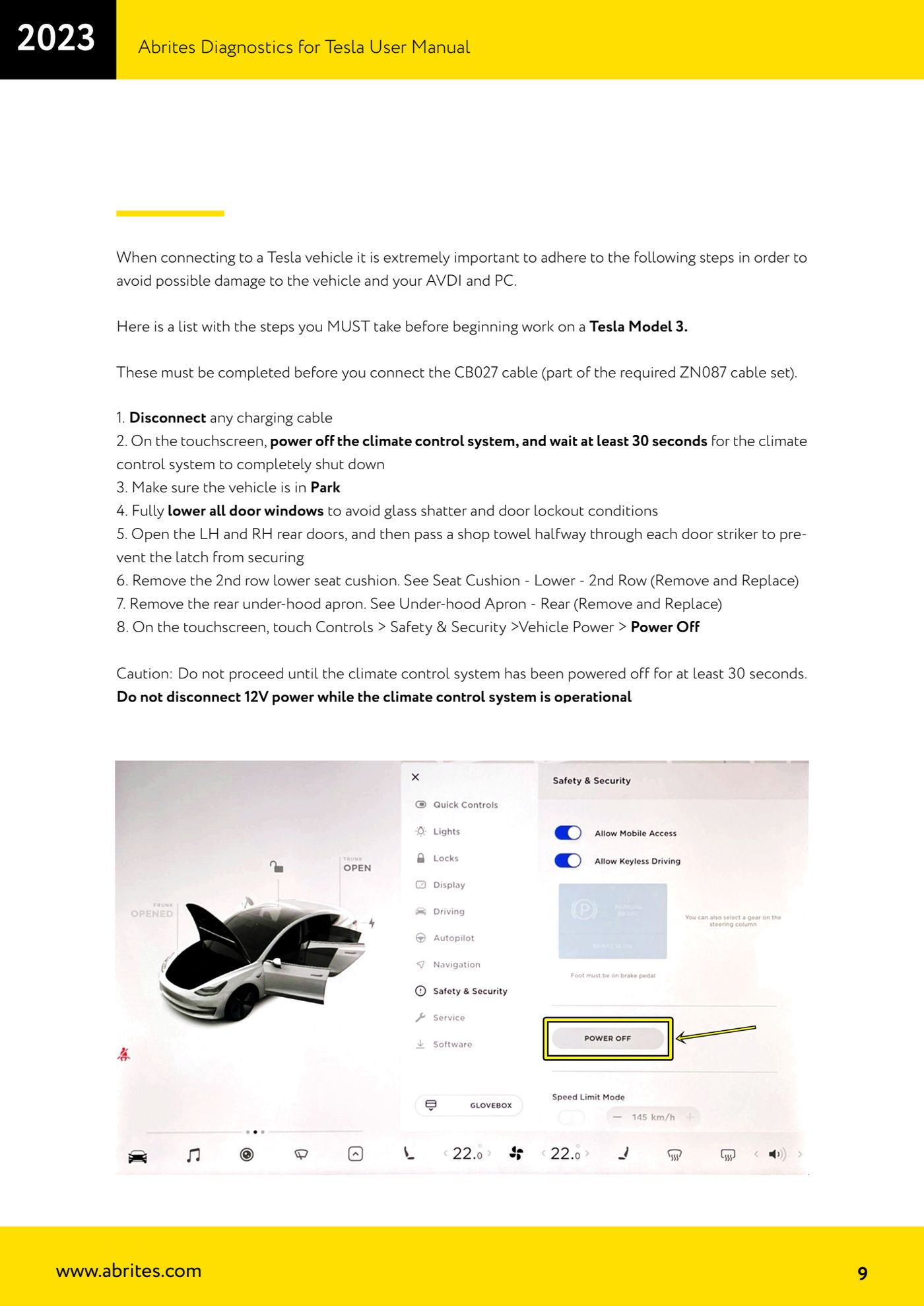
- MODEL 3 - step 8: on the touchscreen go to "Controls" > "Safety & Security" > "Vehicle Power" > "Power Off".
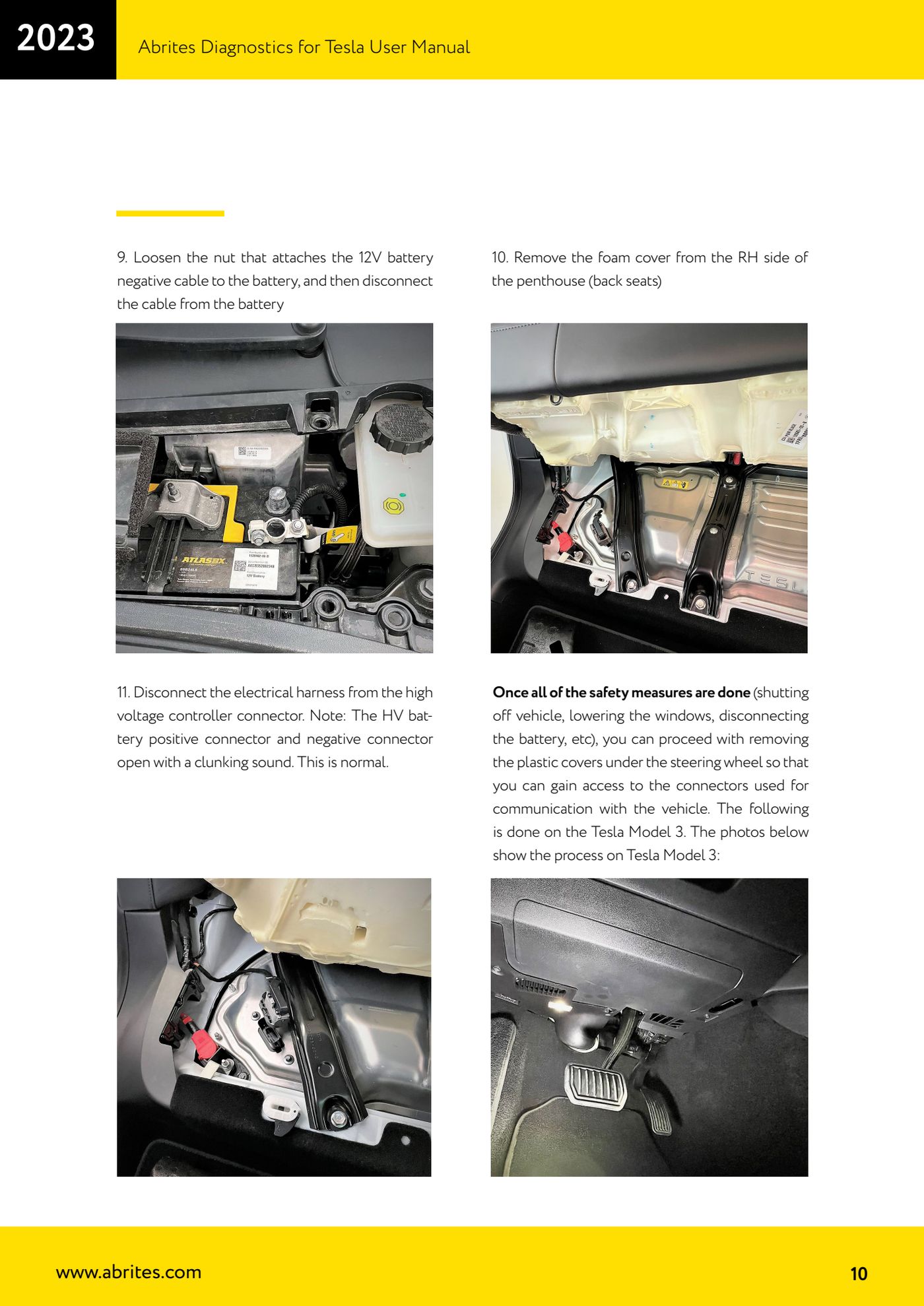
- MODEL 3 - step 9: slacken the nut securing the negative cable to the 12V battery and disconnect the cable from the battery.
- MODEL 3 - step 10: remove the foam cover on the right-hand side of the penthouse (rear seat area).
- MODEL 3 - step 11: disconnect the wiring harness from the high-voltage controller connector. It is normal for the HV battery positive and negative connectors to open with a sharp clunk.
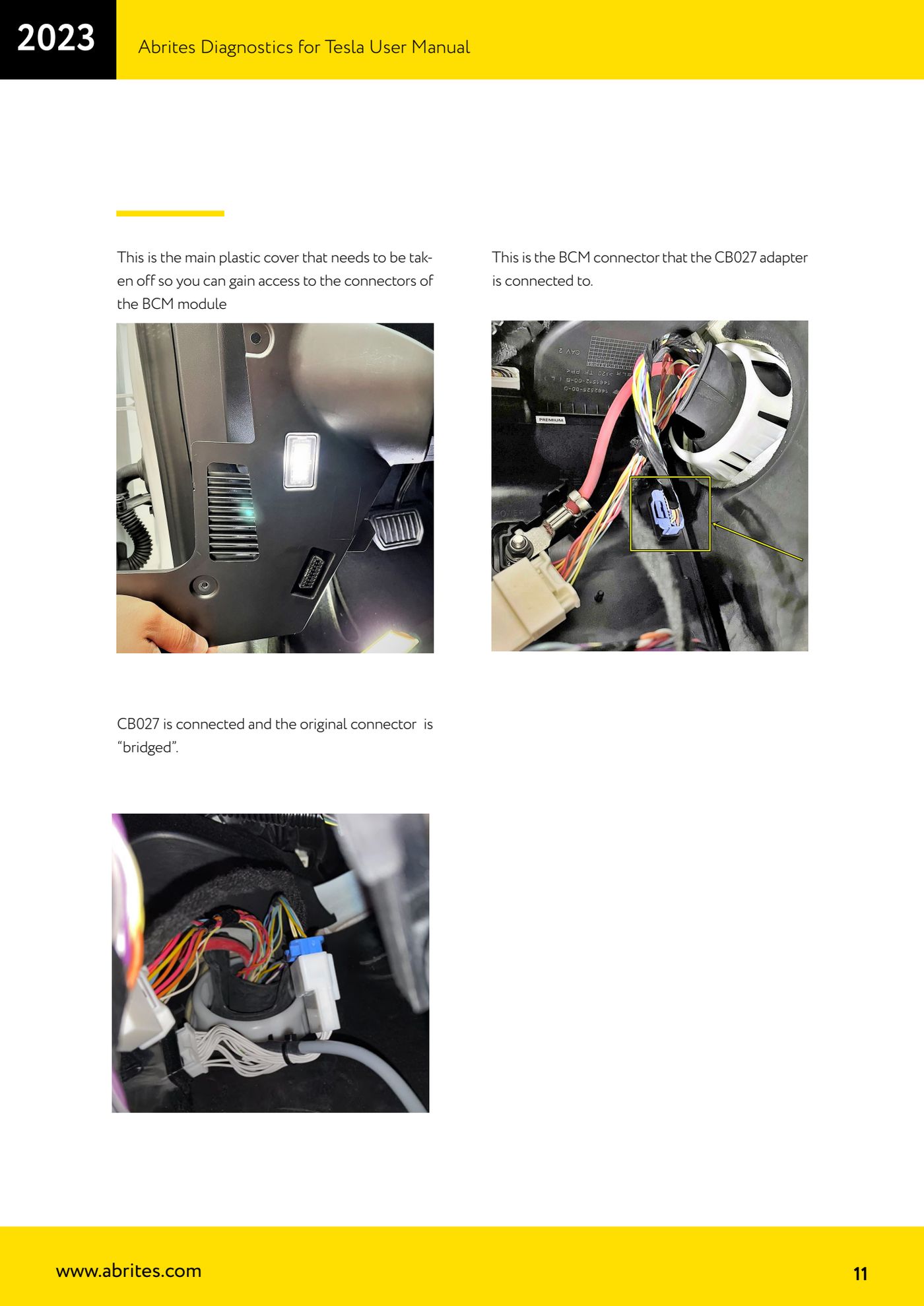
- MODEL 3 - step 12: with the safety measures completed, remove the plastic trim under the steering wheel to get to the BCM connector; it is the main cover that has to come off to reach the BCM module connectors.
- MODEL 3 - step 13: connect the CB027 to the BCM connector, patching into the original connector (the cable sits between the original connector and the module), then connect the crocodile clips to the 12V battery to power the AVDI and finally the AVDI to the PC.
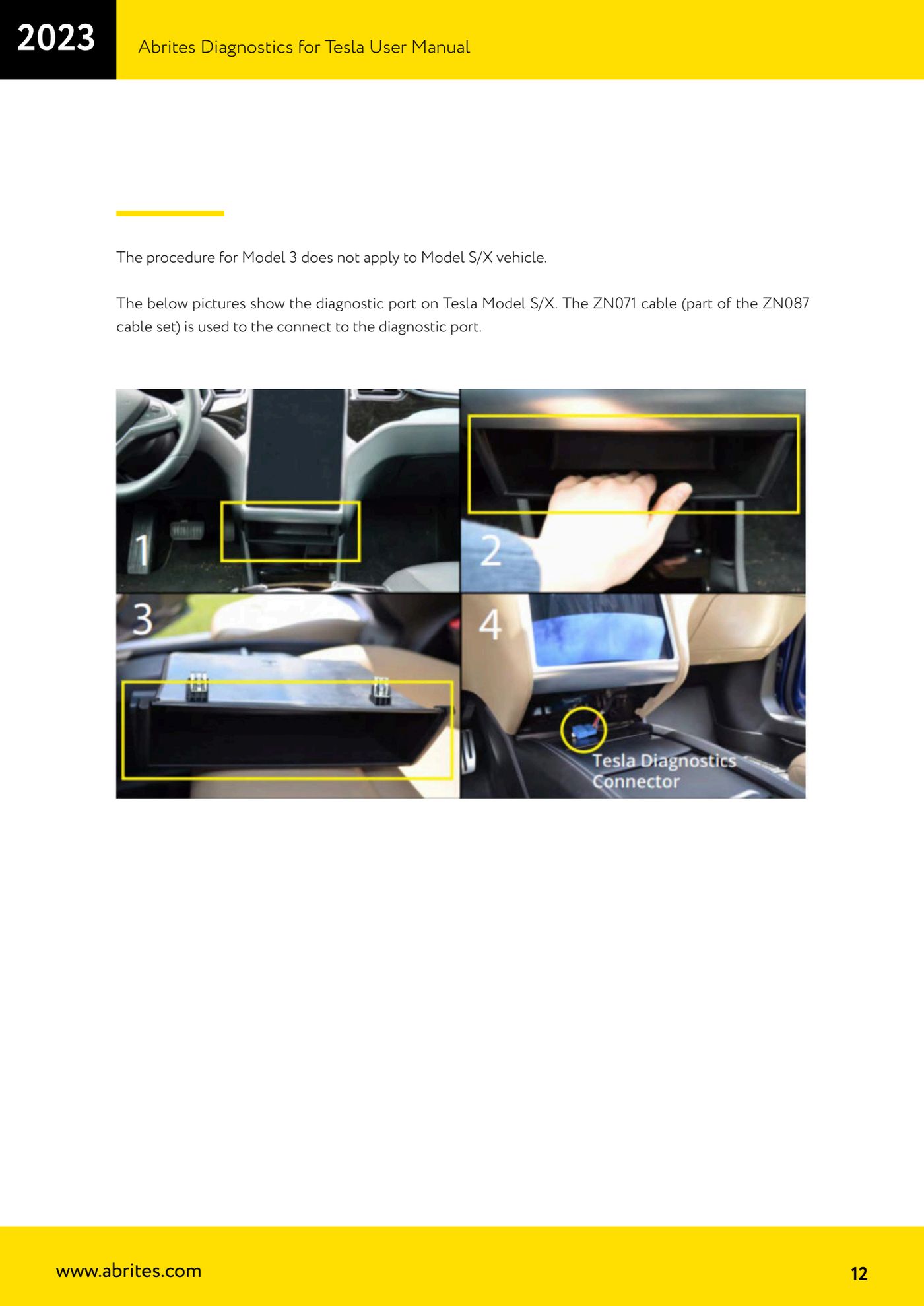
- MODEL S/X: the Model 3 procedure does NOT apply. On Model S/X you use the ZN071 adapter connected to the vehicle's diagnostic socket: BLACK connector for the old-type socket, WHITE connector for the new type. Then connect the AVDI to the PC.
- Start the "Abrites Diagnostics for Tesla" software with a stable internet connection: it is online, server-based software and will not work without a connection. Requirements: AVDI interface, PC with Windows 7 or later.
- At the end of the job refit everything in reverse order: reconnect the HV harness, the 12V battery negative, the covers, the seat cushion and remove the rags from the strikers.
Reference screenshots
Source: Manuale Abrites Diagnostics for Tesla v1.3, cap. 3 (p.8-12) · ⏱ estimated time 45-90 min
← All Abrites guides Hardware catalogue
More guides Tesla
- Tesla Model 3/S/X diagnostics: module scan, reading faults from the "Alerts" menu and "Live values"
- Tesla Service Functions: brake bleeding, parking brake service mode, 12V Reset and calibrations
- Programming a spare Tesla Model S key over OBD ("Key Learning")
- Tesla Airbag Reset on Bosch modules: crash data clearing, VIN read/write and module replacement
- Tesla Delphi airbag module on the bench: EEPROM reading with CB106 and crash data clearing with a PCB jumper