
Chip-Tools
Tesla Delphi airbag module on the bench: EEPROM reading with CB106 and crash data clearing with a PCB jumper
Tesla
Interface Classic
Airbag
Advanced
⏱ 30-60 min
11 steps
Tesla Delphi airbag modules are worked on the bench: you can read the EEPROM and clear the crash data. Reading is done by connecting the module to the AVDI with the CB106 cable and an external power supply; clearing the crash data requires a jumper across two points on the circuit board.

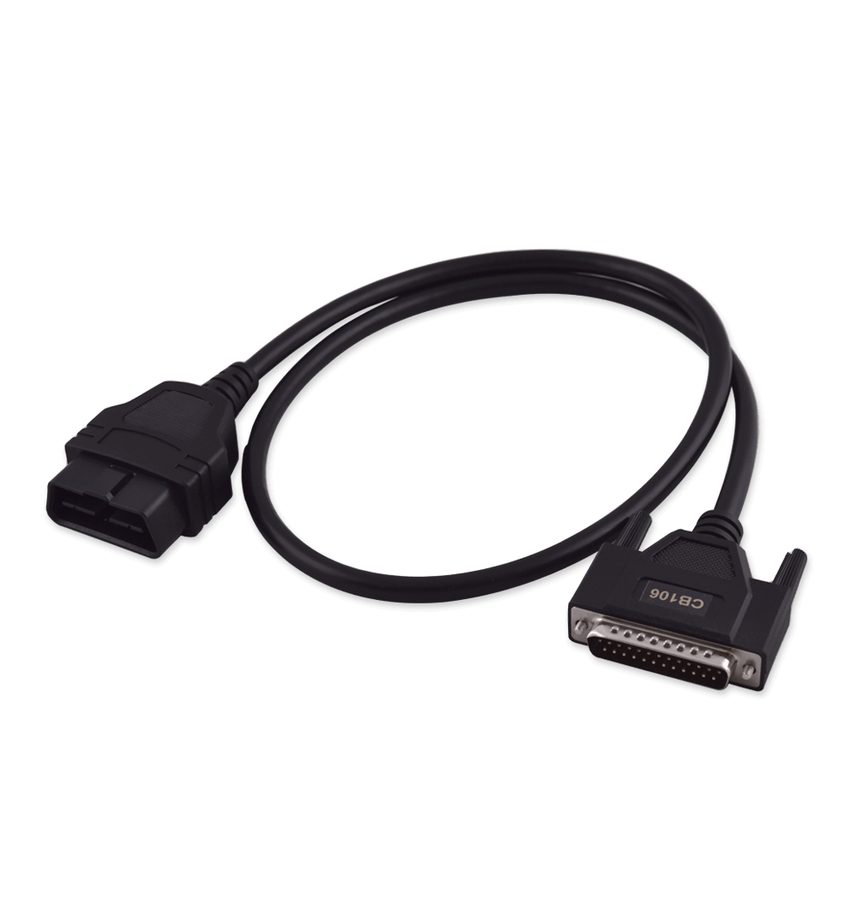
⚠ WarningOn Delphi modules the functions are only available on bench, not on the vehicle. The module has to be powered from an external supply following the connection exactly as given; the jumper on the PCB must be removed and the module returned to its original state before refitting it to the car.
Procedure
- Remove the Delphi airbag module from the vehicle and take it to the bench: the Delphi functions (EEPROM reading and crash data clearing) are only carried out off the car.
- Get the CB106 cable (the Abrites OBDII cable for the AVDI) and a regulated external power supply ready.
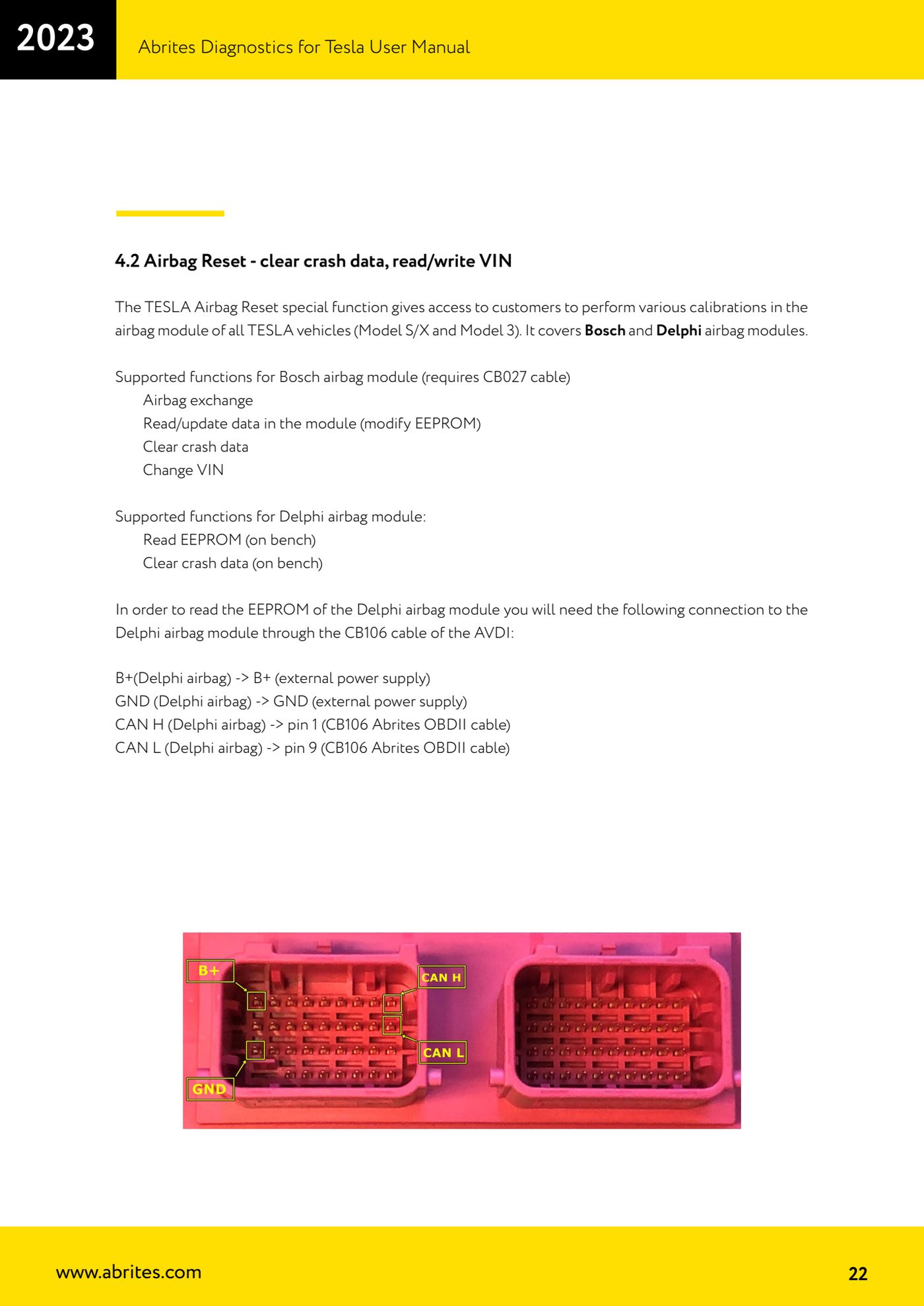
- Connect B+ of the Delphi airbag module to B+ of the external power supply.
- Connect GND of the Delphi airbag module to GND of the external power supply.
- Connect CAN H of the Delphi airbag module to pin 1 of the CB106 cable.
- Connect CAN L of the Delphi airbag module to pin 9 of the CB106 cable.
- Connect the AVDI to the PC, start the Tesla software and open "Special Functions" > "Airbag Reset", then read the Delphi module EEPROM and save the dump as a backup.
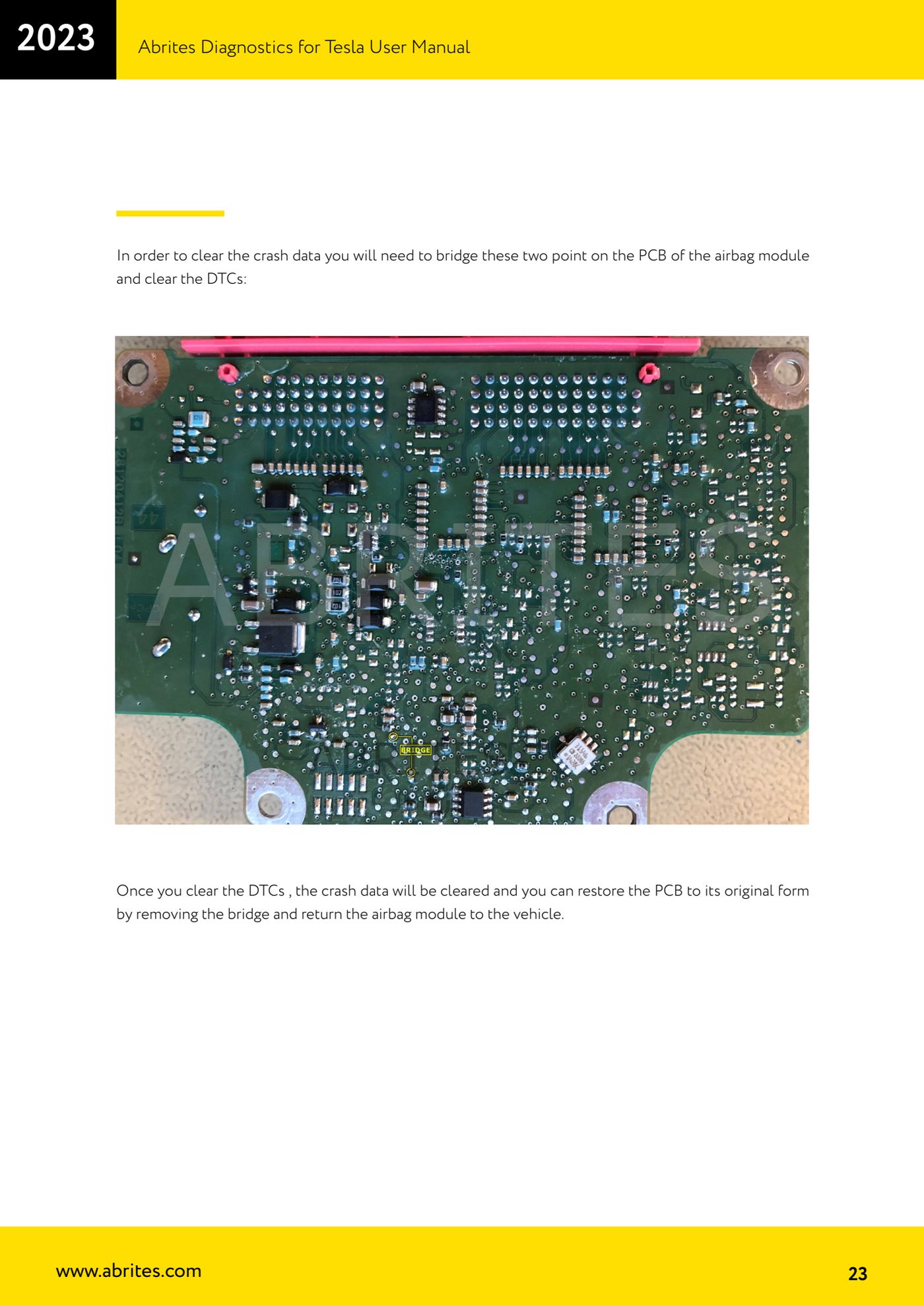
- CRASH DATA CLEARING: open the module and jumper the two points indicated on the airbag module PCB (see the manual illustration).
- With the jumper in place, run the DTC clearing from the software: clearing the DTCs also clears the crash data.
- Remove the jumper and return the PCB to its original state, close the module up and refit it to the vehicle.
- Reconnect everything on the car and check that the airbag light goes out and that the module parameters read 0 in the "Alerts" menu.
Reference screenshots
Source: Manuale Abrites Diagnostics for Tesla v1.3, cap. 4.2 (p.22-23) · ⏱ estimated time 30-60 min
← All Abrites guides Hardware catalogue
More guides Tesla
- Connecting the AVDI to a Tesla with the ZN087 cable set: CB027 on Model 3 (BCM) and ZN071 on Model S/X
- Tesla Model 3/S/X diagnostics: module scan, reading faults from the "Alerts" menu and "Live values"
- Tesla Service Functions: brake bleeding, parking brake service mode, 12V Reset and calibrations
- Programming a spare Tesla Model S key over OBD ("Key Learning")
- Tesla Airbag Reset on Bosch modules: crash data clearing, VIN read/write and module replacement