
Chip-Tools
Tesla Service Functions: brake bleeding, parking brake service mode, 12V Reset and calibrations
Tesla
Interface Classic
Service
Medium
⏱ 20-60 min
11 steps
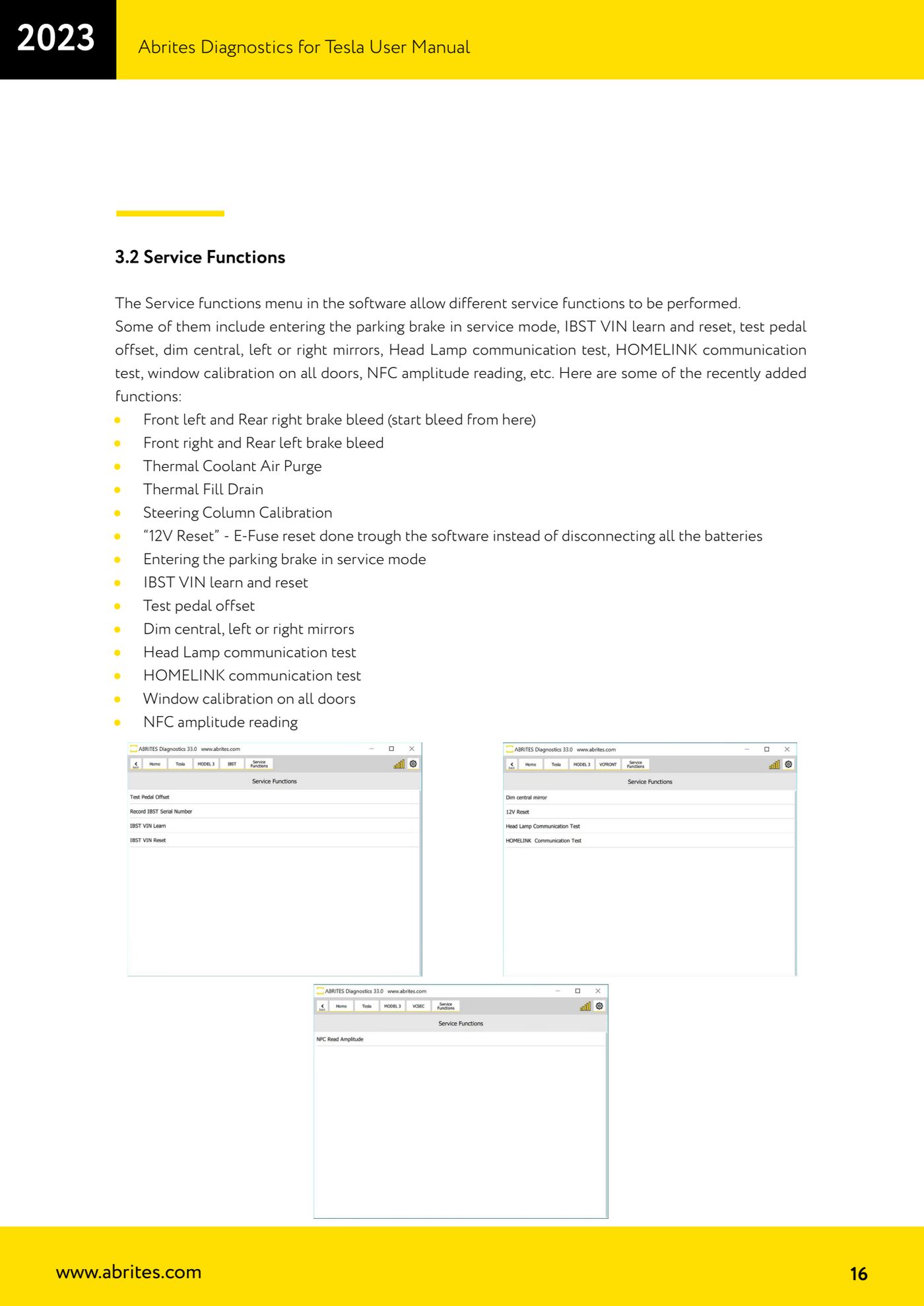
The "Service Functions" menu holds the Tesla maintenance functions: bleeding the brake system, electronically releasing the brakes to change the pads, resetting the 12V E-Fuse without disconnecting the batteries, calibrations and communication tests. You get to them module by module from the software's main screen.

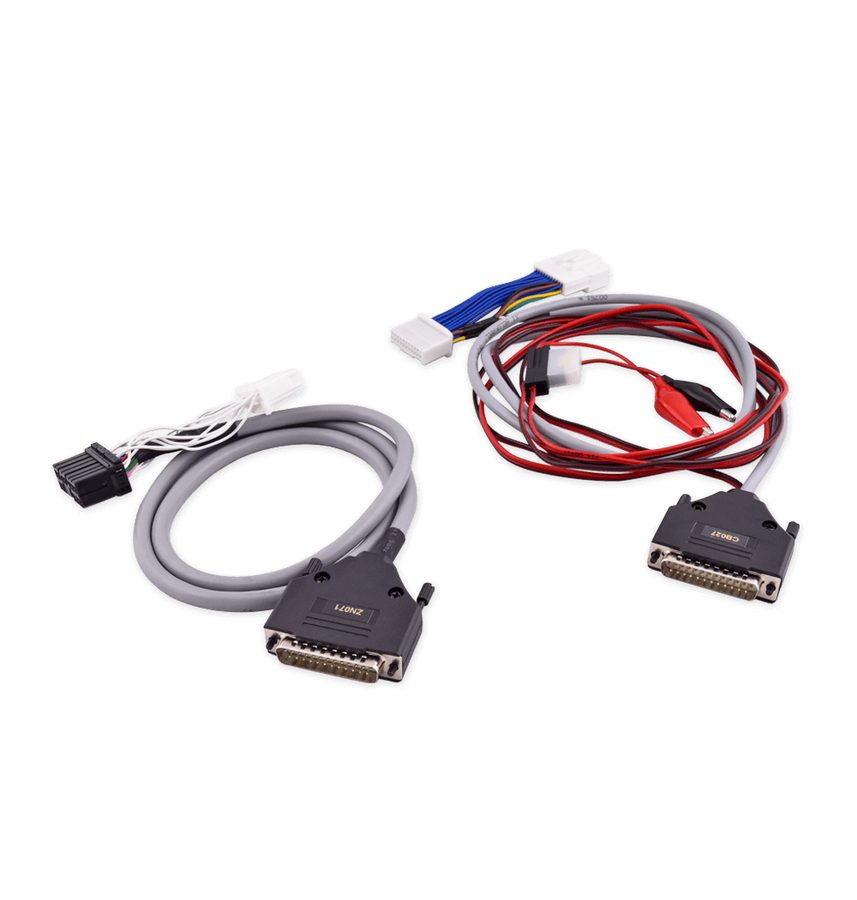
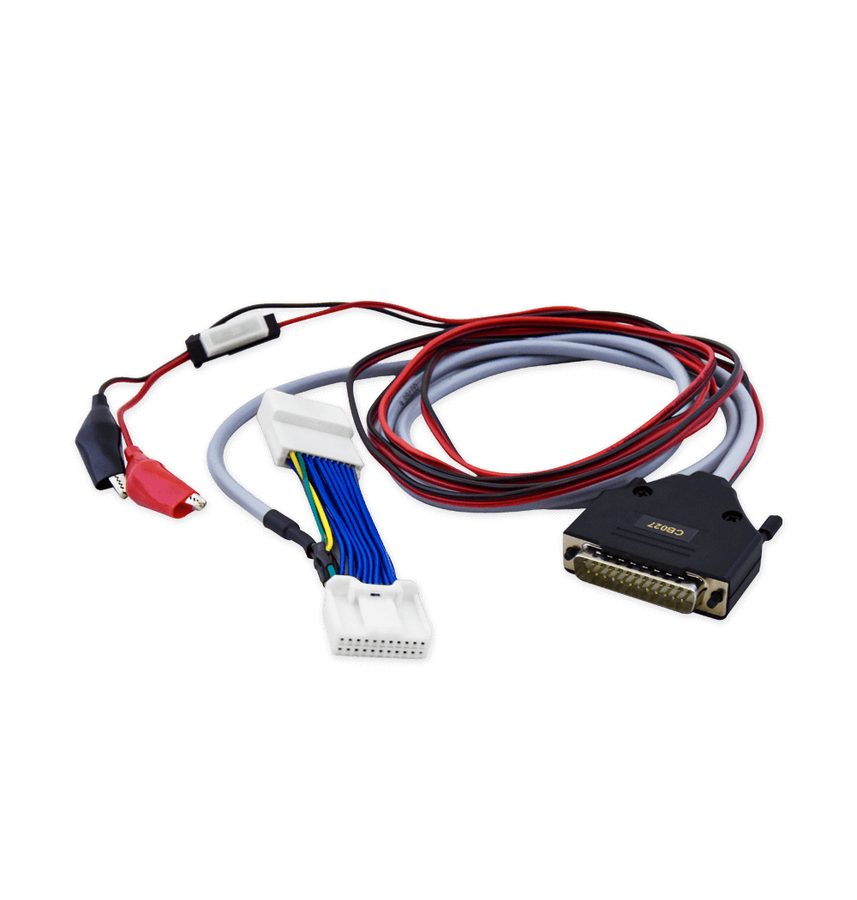
⚠ WarningBefore connecting, carry out the whole connection procedure from chapter 3 (making the Model 3 safe, ZN087 cable set): a wrong connection can damage the vehicle, the AVDI and the PC.
Procedure
- Connect the AVDI following the ZN087 procedure (CB027 on the BCM for Model 3, ZN071 on the diagnostic socket for Model S/X) and start the software with an active internet connection.
- From the main screen enter the module you want to work on, then open the "Service Functions" menu: the functions available change according to the module selected.
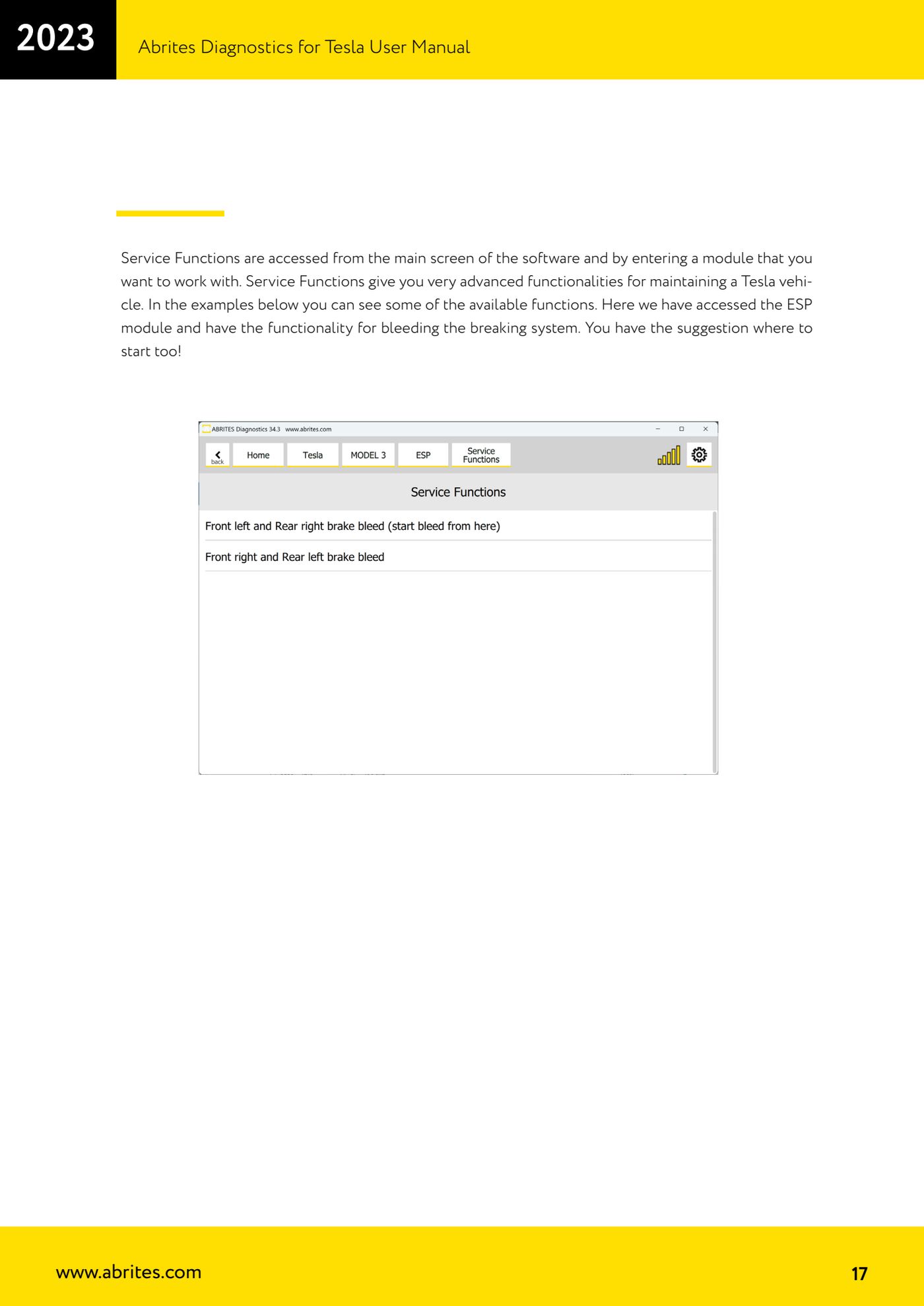
- BRAKE BLEEDING: enter the ESP module and choose "Front left and Rear right brake bleed" to start bleeding from front left and rear right. The software itself tells you where to start.
- Then carry on with "Front right and Rear left brake bleed" to finish the system on the second diagonal.
- PAD REPLACEMENT: use the electronic brake release function available in the Service Functions to open the calipers so you can change the pads, and the function that puts the parking brake into service mode ("parking brake service mode").
- 12V RESET: use the "12V Reset" function to reset the E-Fuse in software, without having to disconnect all the batteries.
- THERMAL SYSTEM: for work on the cooling circuit use "Thermal Coolant Air Purge" (air purge) and "Thermal Fill Drain" (fill/drain).
- CALIBRATIONS: "Steering Column Calibration", window calibration on all doors and the "test pedal offset" are available.
- IBST MODULE: use the "IBST VIN learn" and reset functions when working on the electronic brake booster module.
- ACCESSORY TESTS AND DIAGNOSTICS: you have centre, left and right mirror dimming, the headlamp communication test ("Head Lamp communication test"), the HOMELINK communication test and the NFC amplitude reading.
- Always follow the on-screen instructions of the individual function through to the completion message, then check the result in the "Alerts" menu or the "Live values" of the module concerned.
Reference screenshots
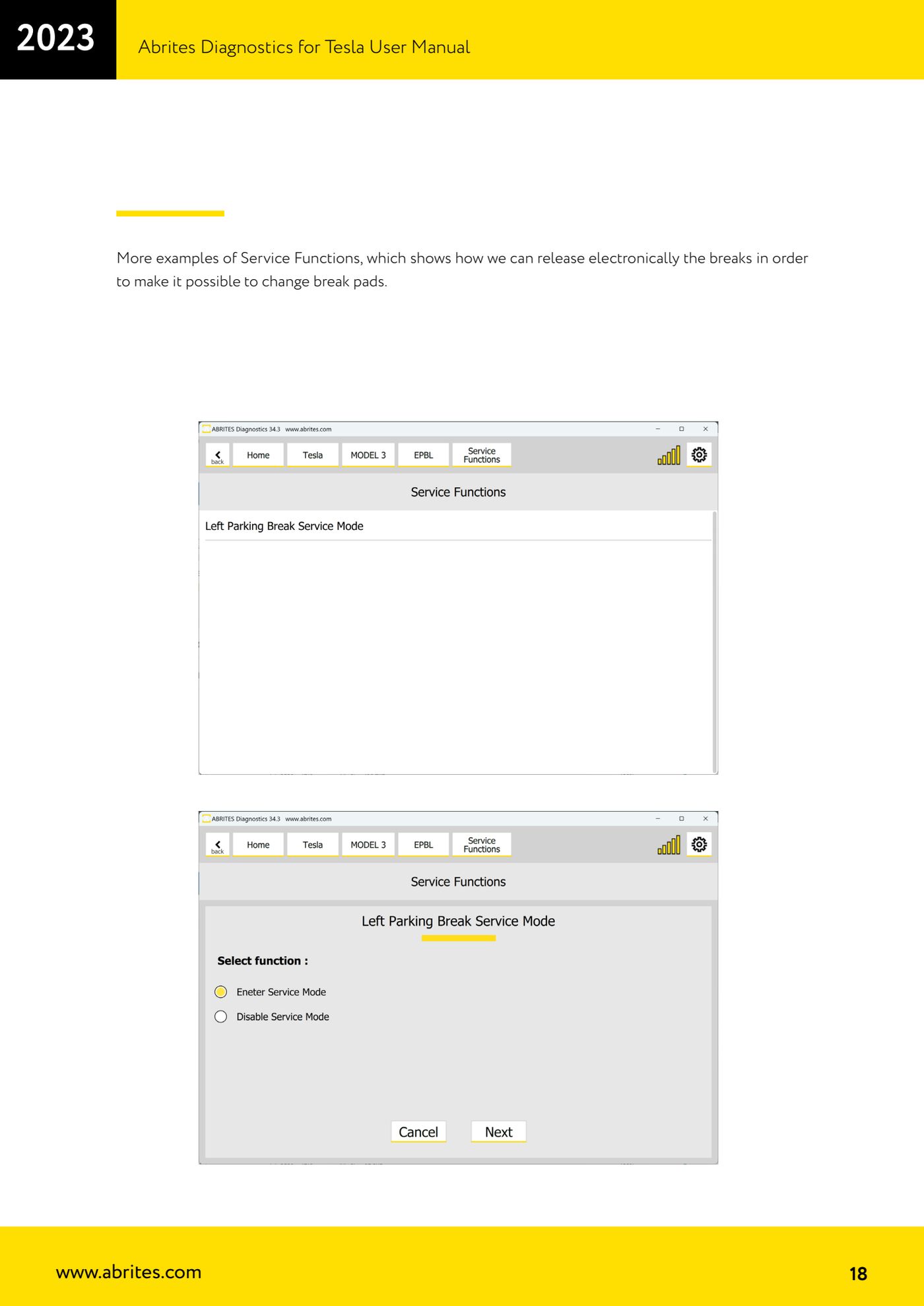
Source: Manuale Abrites Diagnostics for Tesla v1.3, cap. 3.2 (p.16-18) · ⏱ estimated time 20-60 min
← All Abrites guides Hardware catalogue
More guides Tesla
- Connecting the AVDI to a Tesla with the ZN087 cable set: CB027 on Model 3 (BCM) and ZN071 on Model S/X
- Tesla Model 3/S/X diagnostics: module scan, reading faults from the "Alerts" menu and "Live values"
- Programming a spare Tesla Model S key over OBD ("Key Learning")
- Tesla Airbag Reset on Bosch modules: crash data clearing, VIN read/write and module replacement
- Tesla Delphi airbag module on the bench: EEPROM reading with CB106 and crash data clearing with a PCB jumper