
Chip-Tools
ZN051 Distribution Box: what is in the set and how the ports are used
Mercedes
Interface Classic
Appendix
Basic
⏱ 10 min
7 steps
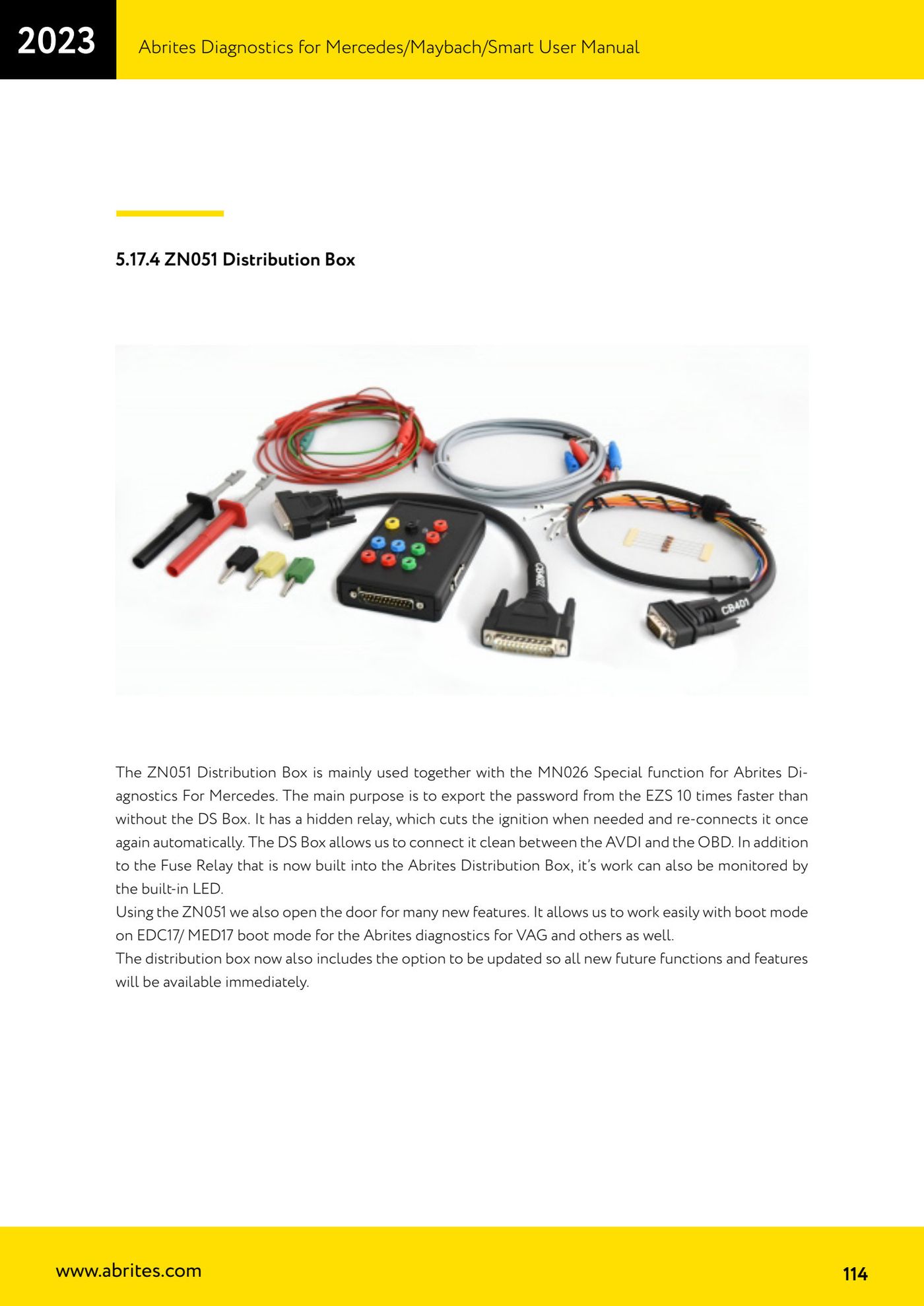
The ZN051 Distribution Box is mainly used with the MN026 special function: it lets you export the password from the EZS up to 10 times faster and sits neatly between the AVDI and the OBD socket.
Required licences
- MN026
Hardware / cables


Procedure
- Fit the DS Box between the AVDI and the vehicle's OBD socket; the built-in relay cuts the ignition when needed and restores it automatically, and the integrated LED lets you monitor what it is doing.
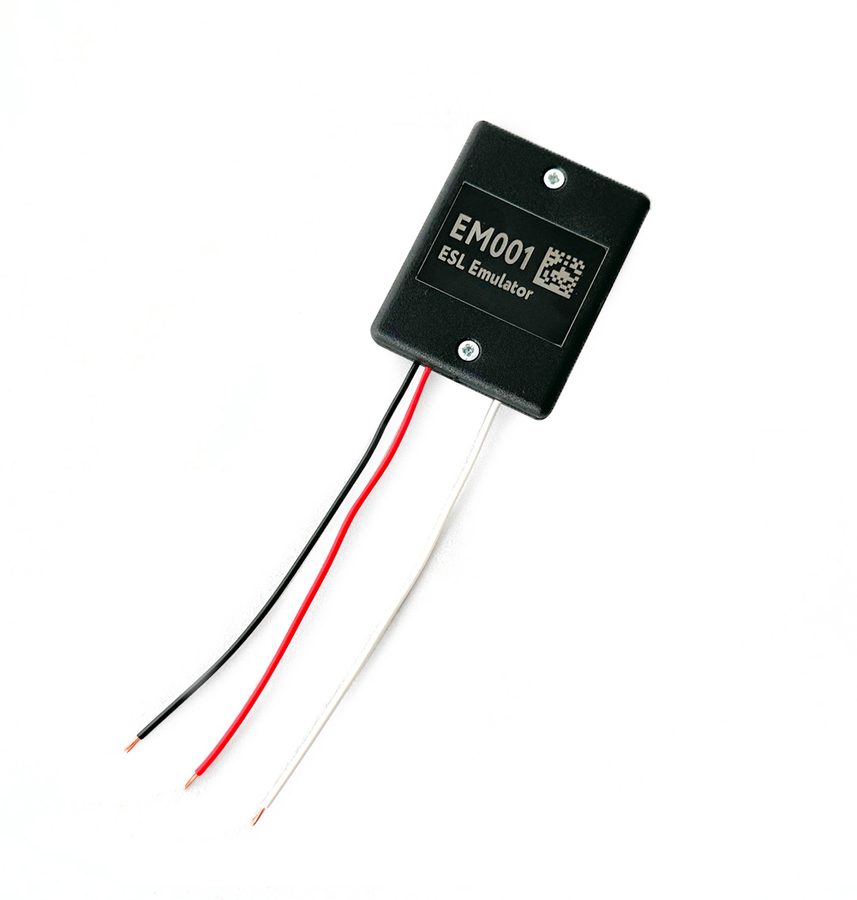
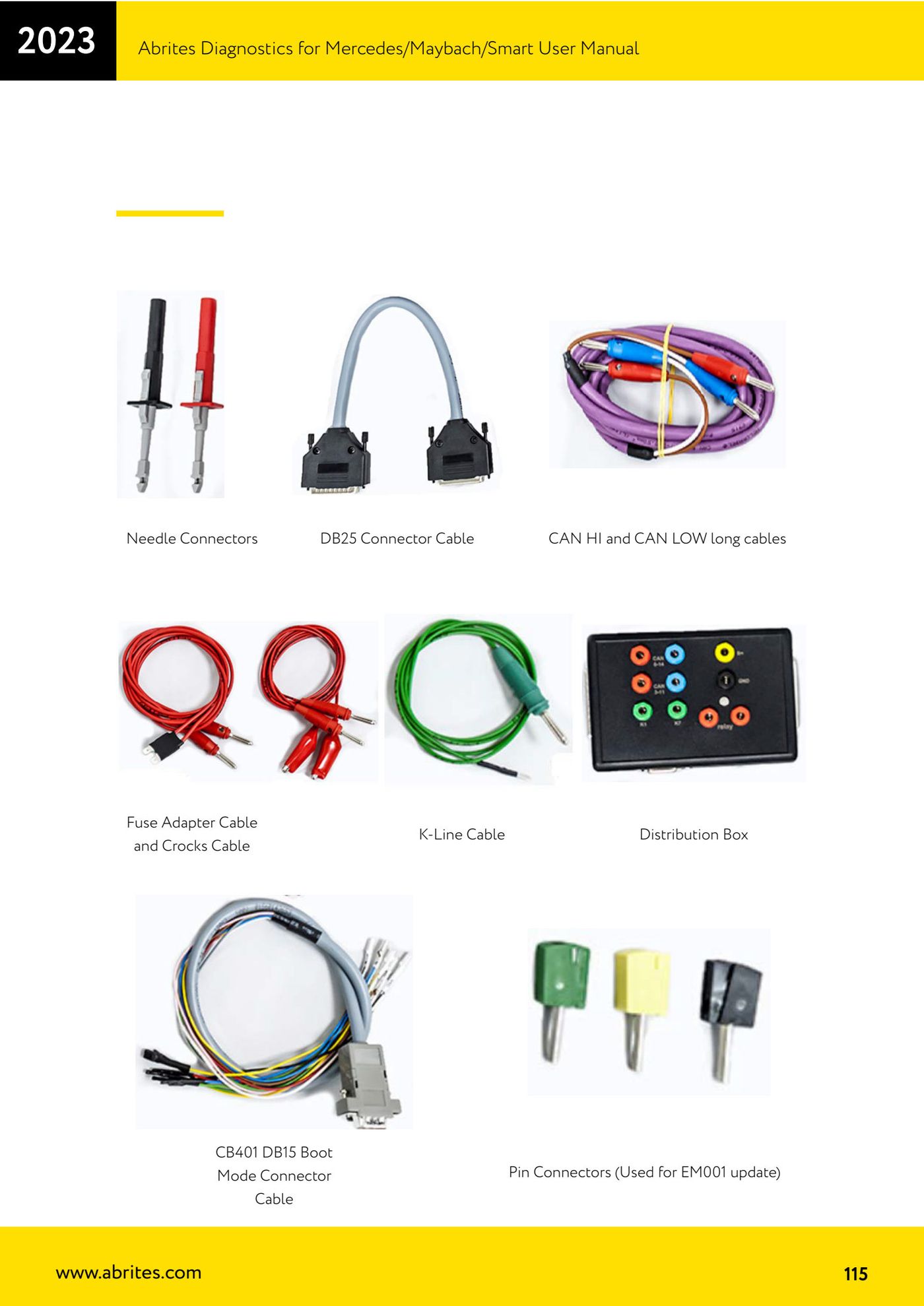
- Identify the contents of the set: Needle Connectors, Fuse Adapter Cable and Crocks Cable, CB401 DB15 Boot Mode Connector cable, DB25 Connector cable, K-Line cable, long CAN HI and CAN LOW cables, Distribution Box and Pin Connectors (the latter are used for updating the EM001).
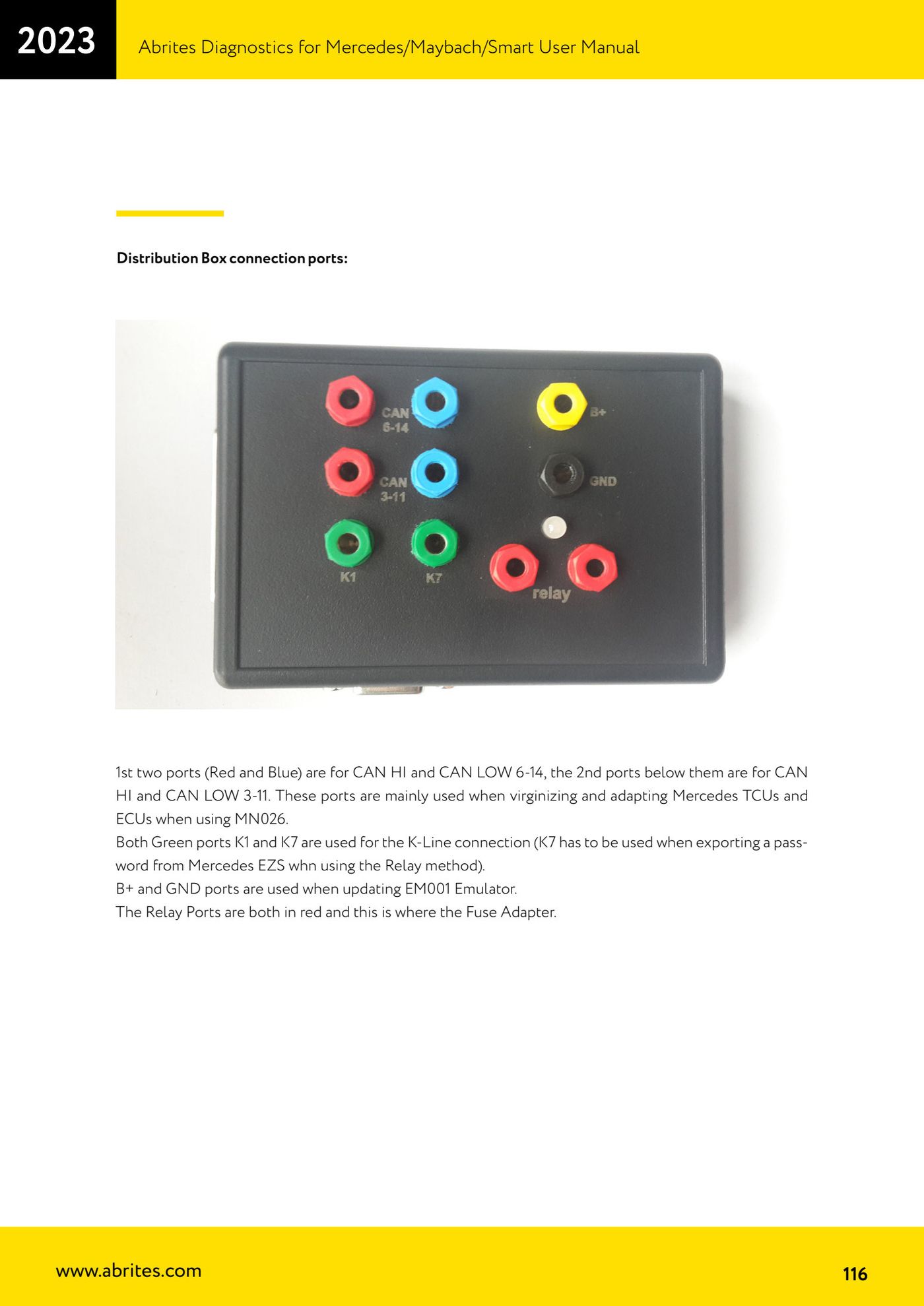
- Use the first two ports (red and blue) for CAN HI and CAN LOW 6-14 and the two ports below them for CAN HI and CAN LOW 3-11: these are mainly for virginizing and adapting Mercedes TCU and ECU units with MN026.
- Use the green K1 and K7 ports for the K-Line connection; K7 is the one to use when exporting the password from a Mercedes EZS with the relay method.
- Use the B+ and GND ports for updating the EM001 emulator.
- Connect the Fuse Adapter to the relay ports (both in red).
- Remember the Distribution Box is updatable, so future functions are available straight away; the ZN051 also makes boot mode work on EDC17/MED17 easy with Abrites Diagnostics for VAG.
Reference screenshots
Source: Manuale Mercedes (Offline), cap. 5.17.4 (p.114-116) · ⏱ estimated time 10 min
← All Abrites guides Hardware catalogue
More guides Mercedes
- Diagnostics and vehicle selection (VIN, chassis, over 1300 modules)
- Mercedes-Benz bus and truck diagnostics
- Mercedes Coding (VMAX, side sensors, parameters)
- Mercedes ECU Flashing (CFF files)
- Mercedes FBS4 Manager (722.9 and CRD3 renew, VIN change)
- Smart Functions (DPF mileage reset, DPF ash, VIM, seat belt alarm, sun roof, 360° cameras)
- FBS4 odometer correction with MN030 + emulators (EM008/EM014/EM018)
- Exhaust flaps — exhaust valve control
- CPC Torque limiter — torque limit
- VMax calibration — speed limiter
- Speed Limit Calibration — eVito 447 (electric)
- Mercedes AdBlue Reset: resetting the AdBlue system after component replacement or the remaining mileage warning