
Chip-Tools
Starting the Mercedes FBS4 Manager and overview of the modules and buttons (AVDI)
Mercedes
Interface New
Diagnostics
Basic
⏱ 10 min
7 steps
The Mercedes FBS4 Manager is the Abrites online server-based software for working on the DAS modules of Mercedes vehicles built on the FBS4 platform. This guide covers how to open it, which modules you can select and what each button does, before you start any control unit replacement.

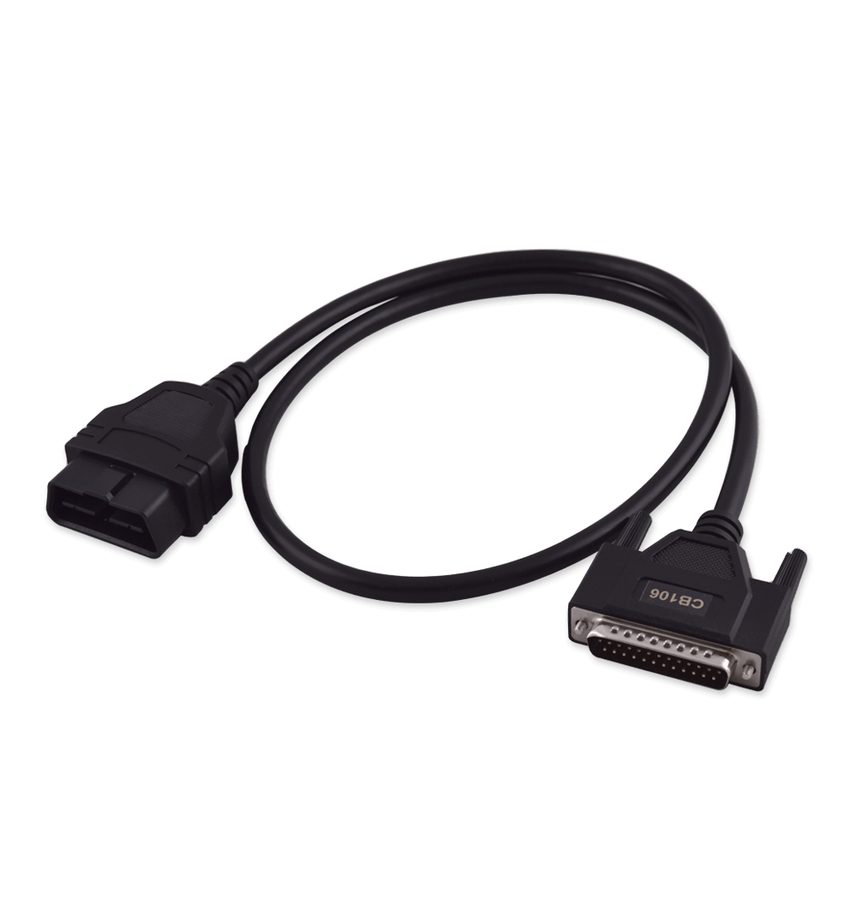
⚠ WarningThe software is online and Abrites server based: you need an active AMS, a stable Internet connection and the latest software version installed, otherwise the procedures will not complete. PC requirements: Windows 10 (the minimum stated in the manual), COM port driver updated manually.
Procedure
- Connect the AVDI to the PC and to the vehicle with the CB106 OBDII cable; check the unique ID number of your interface in the "license viewer" installed on the PC.
- Start the Abrites Quick Start application and select the Mercedes icon first.
- When the main "Abrites Diagnostics for Mercedes" screen opens, select "Mercedes FBS4 Manager".
- On the FBS4 Manager main screen pick the unit you want to work on: Electronic Ignition Switch (EZS/EIS), Engine Control Unit (ECU), Transmission Control Unit (TCU), Electronic Steering Lock (ESL), Direct Select Module (DSM/DSM222), Car Key, 48V starter-alternators of the INV20EM01 family (hybrid vehicles), Electric motor 1 & 2.
- Use "Info" to establish the connection and read the unit type and its status (virgin, personalized, activated).
- Use "Save" to read the FBS data and save it to a file on the PC: this is the backup you will need to personalize the donor module.
- Use "Personalize" to write the previously saved FBS data to the unit, "Virgin" to return the unit to virgin state (ready for personalization), "VIN" to write the VIN into the module and "Repair" to start the electronic steering lock (ESL) repair procedure.
Reference screenshots
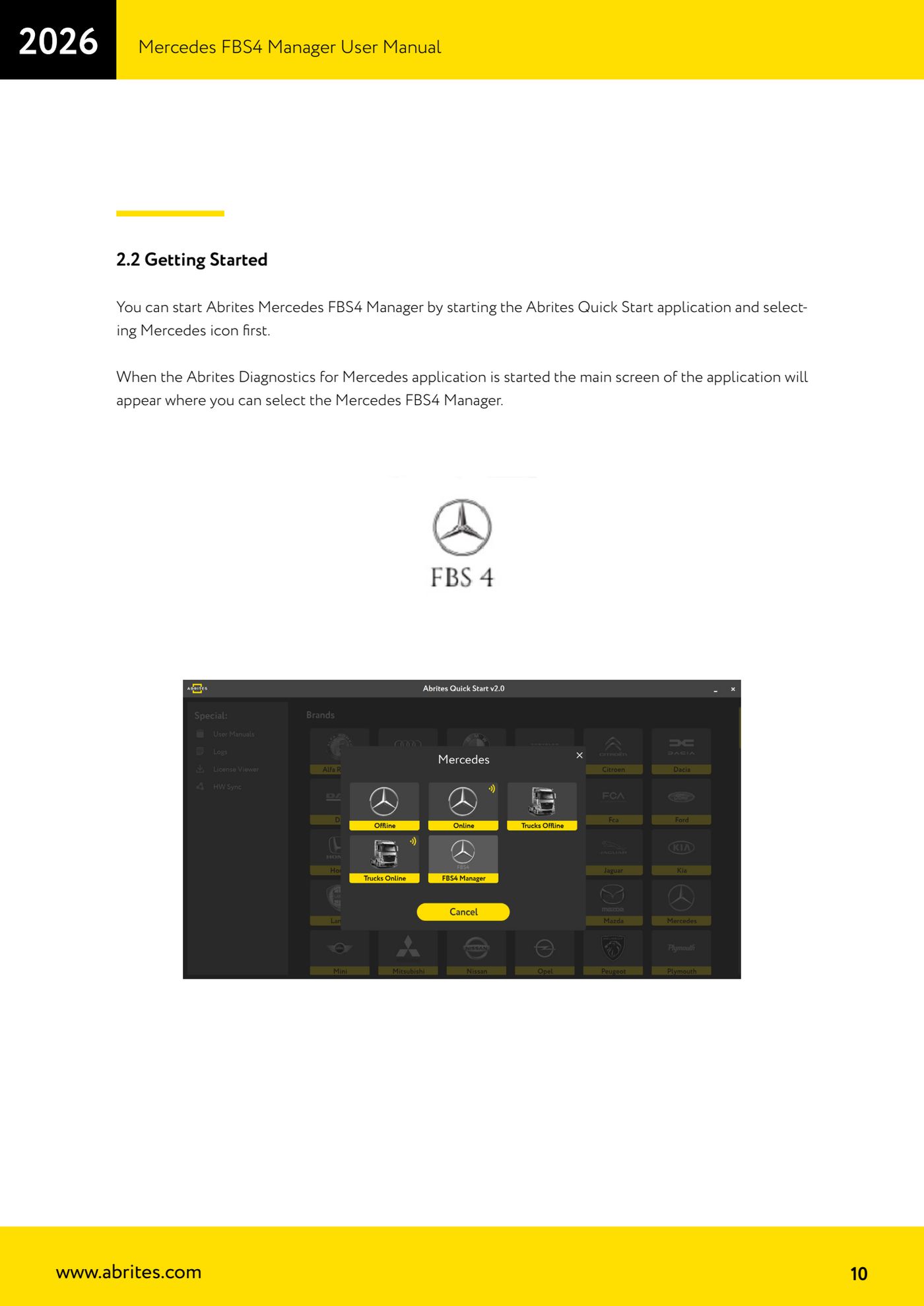
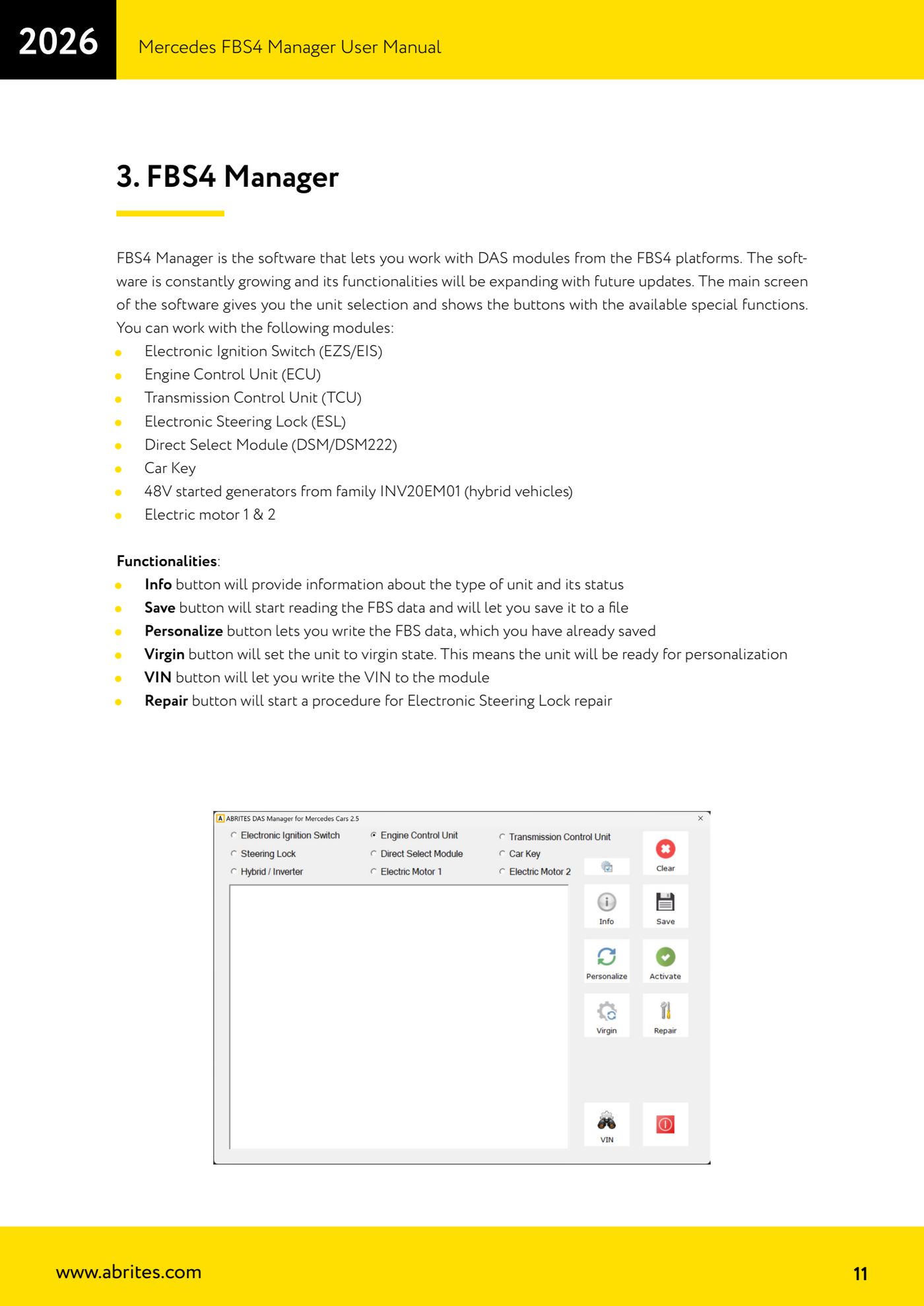
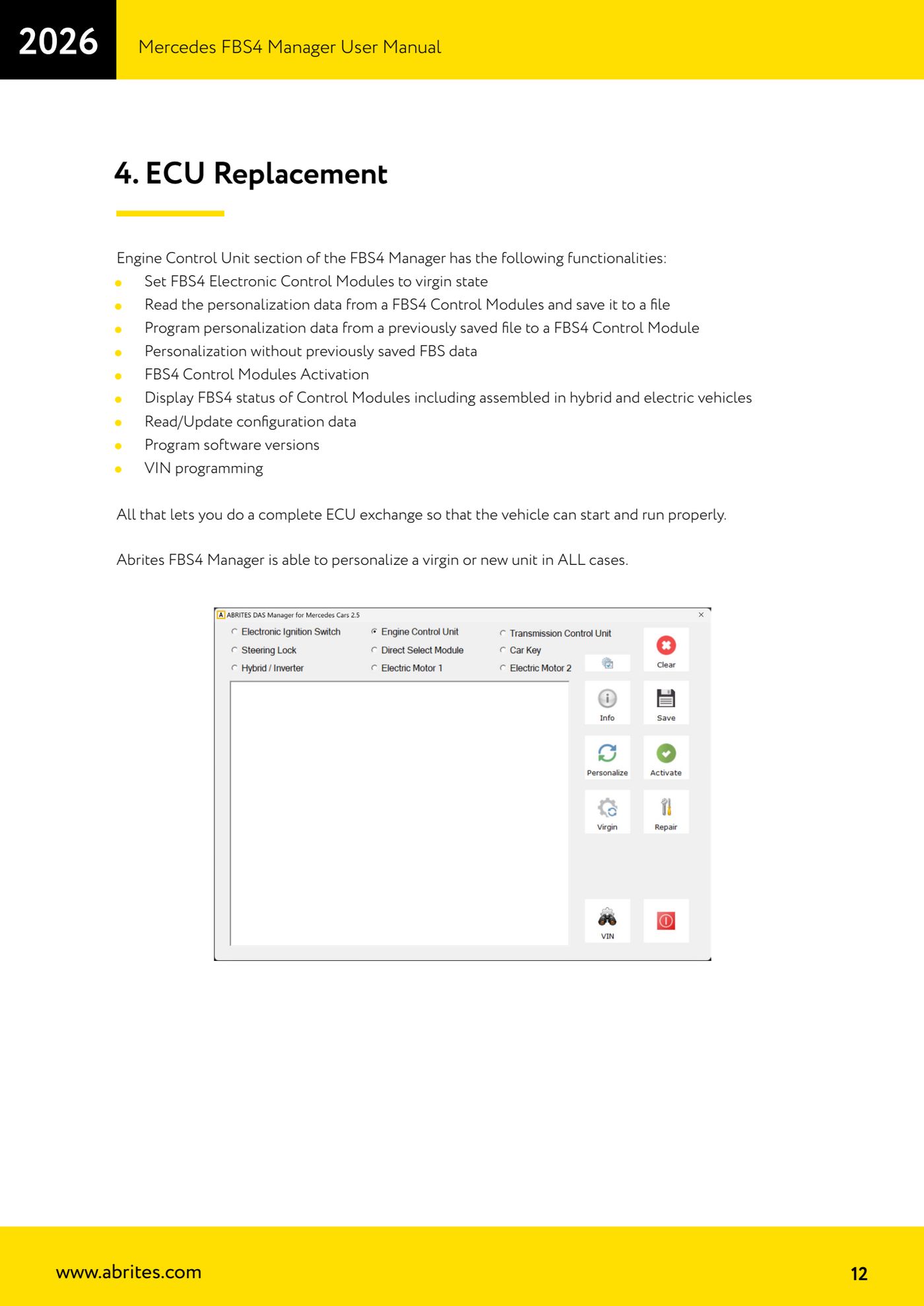
Source: Manuale Mercedes FBS4 Manager, parte 1 di 2, cap. 1-3 (p.8-12) · ⏱ estimated time 10 min
← All Abrites guides Hardware catalogue
More guides Mercedes
- Diagnostics and vehicle selection (VIN, chassis, over 1300 modules)
- Mercedes-Benz bus and truck diagnostics
- Mercedes Coding (VMAX, side sensors, parameters)
- Mercedes ECU Flashing (CFF files)
- Mercedes FBS4 Manager (722.9 and CRD3 renew, VIN change)
- Smart Functions (DPF mileage reset, DPF ash, VIM, seat belt alarm, sun roof, 360° cameras)
- FBS4 odometer correction with MN030 + emulators (EM008/EM014/EM018)
- Exhaust flaps — exhaust valve control
- CPC Torque limiter — torque limit
- VMax calibration — speed limiter
- Speed Limit Calibration — eVito 447 (electric)
- Mercedes AdBlue Reset: resetting the AdBlue system after component replacement or the remaining mileage warning