
Chip-Tools
Renewing an already adapted 722.9 (7G) transmission control unit
Mercedes
Interface Classic
Special Functions
Advanced
⏱ varies
13 steps
A special function to renew 722.9 transmission control units already adapted to another car, so they can be reused on a different vehicle. The 7-speed units (722.9) can be renewed either on the vehicle or off the car, on the bench.
Required licences
- —
Hardware / cables

⚠ WarningWhen you receive an update from your distributor you must also receive the link to download the latest version of the renew database files. During the procedure connect a battery charger to the car battery, make sure the diagnostic connector is properly seated in the socket, run the laptop off mains power and close screen savers, antivirus and any other programs that can affect system performance.
Procedure
- If you are working off the car, on the bench, connect only the CAN pins plus GND and +12V to the 7-speed unit. 7G unit pinout: Pin1 CAN-H, Pin2 CAN-L, Pin4 +12V, Pin5 GND.
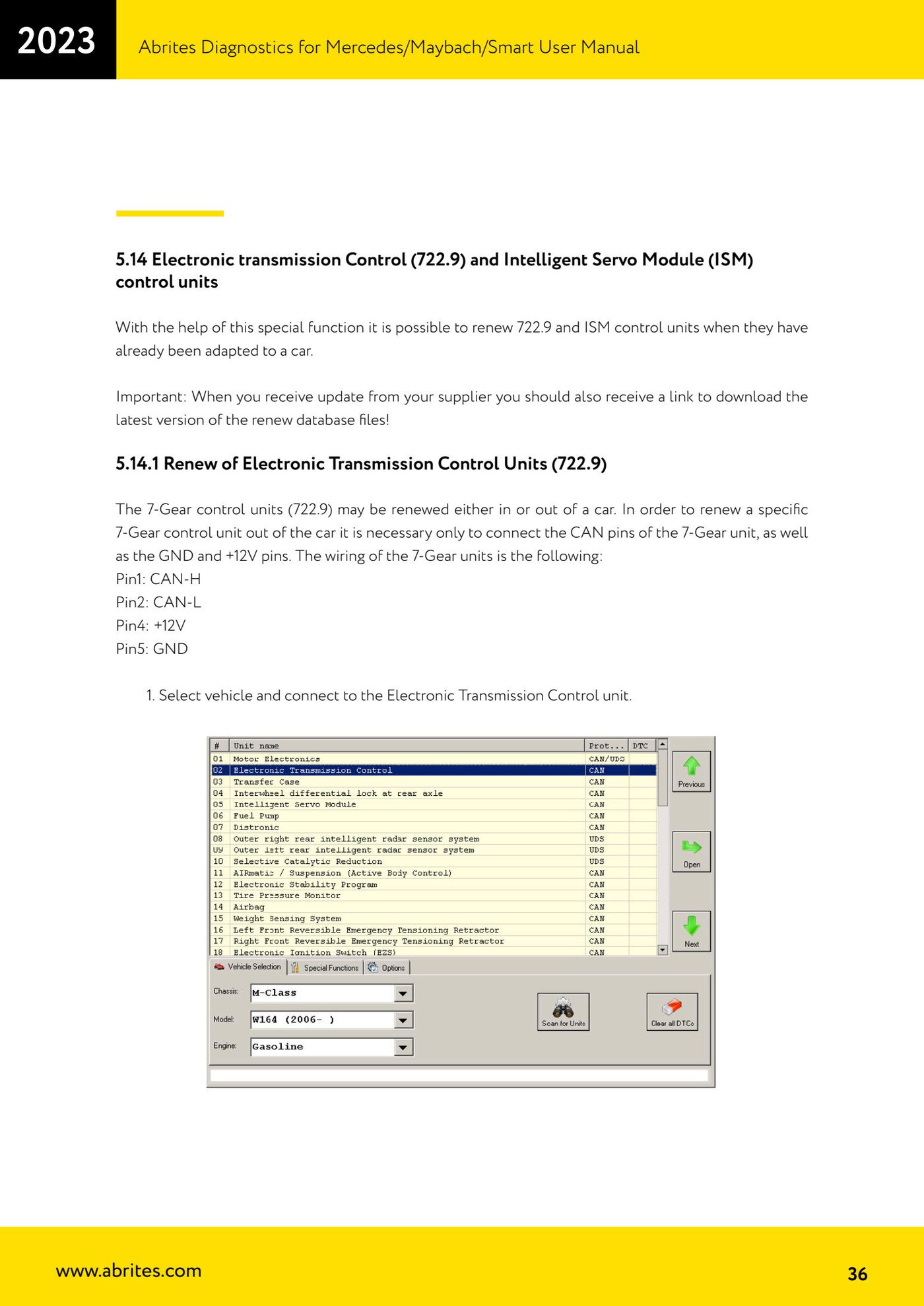
- Select the vehicle and connect to the Electronic Transmission Control unit.
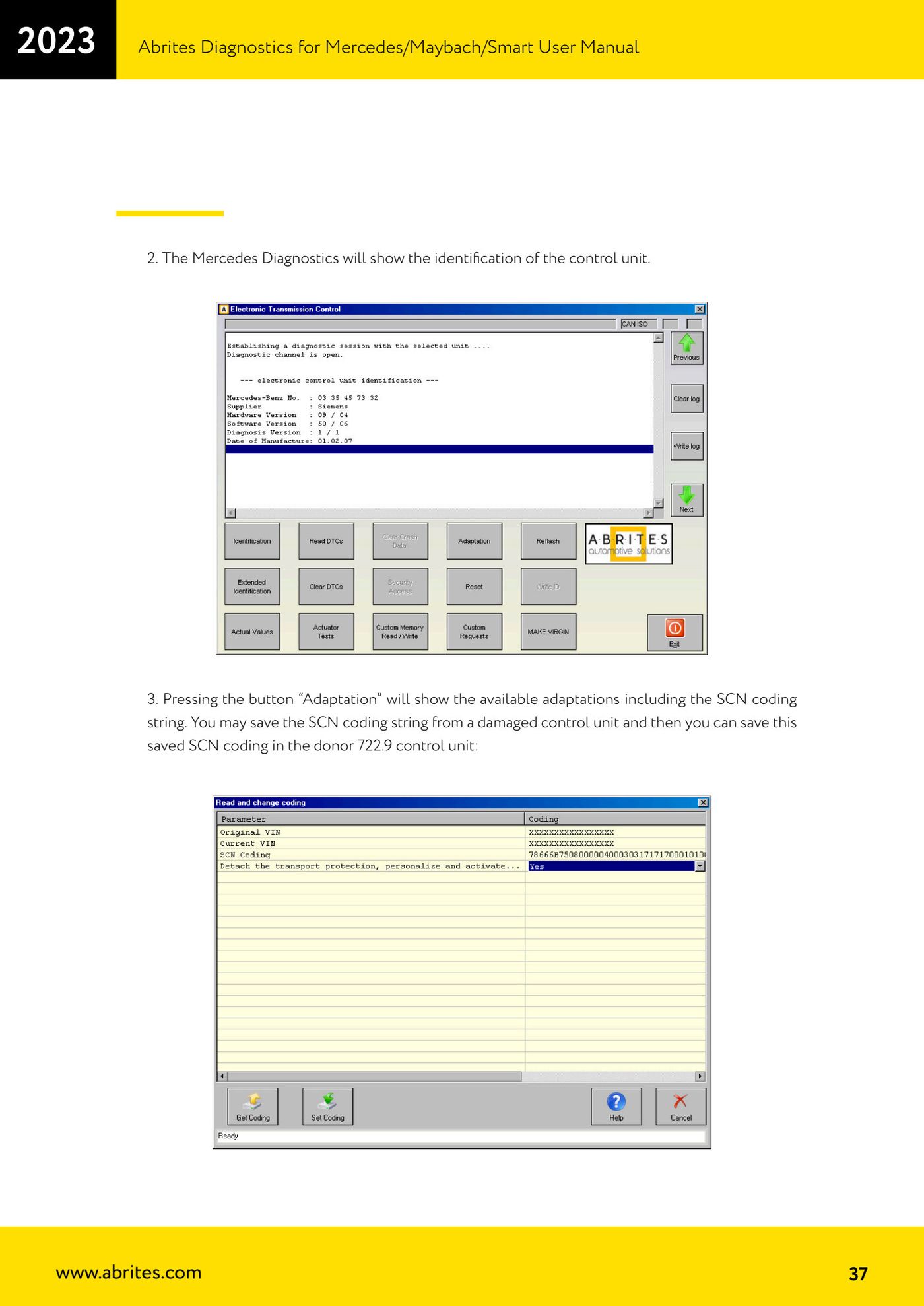
- Mercedes Diagnostics displays the control unit identification.
- Pressing the "Adaptation" button shows the available adaptations, including the SCN coding string: you can save the SCN string from a damaged unit and then write it into the donor 722.9 unit.
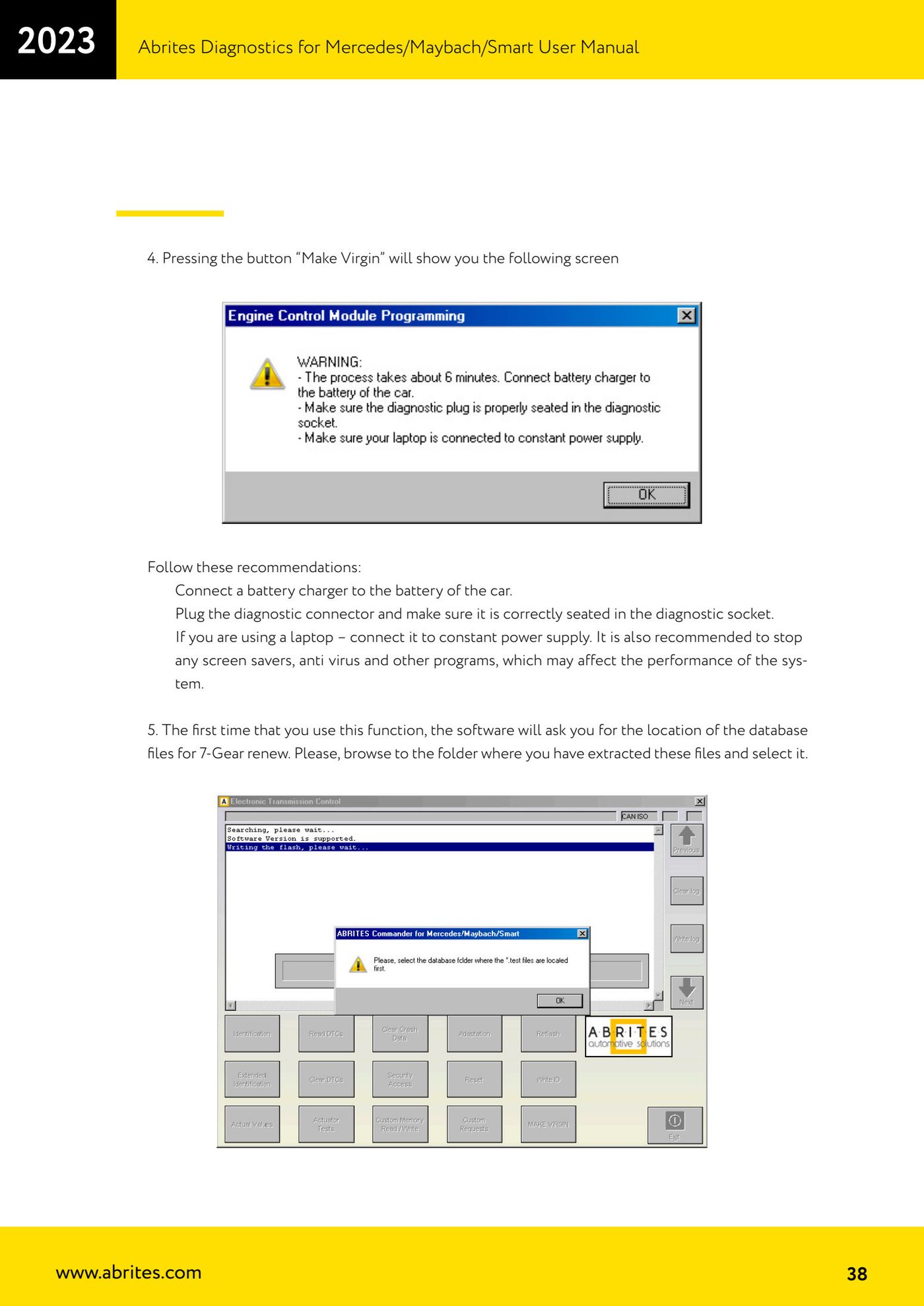
- Press the "Make Virgin" button: the screen with the recommendations appears (battery charger connected, diagnostic connector properly seated, laptop on mains power, screen saver and antivirus disabled).
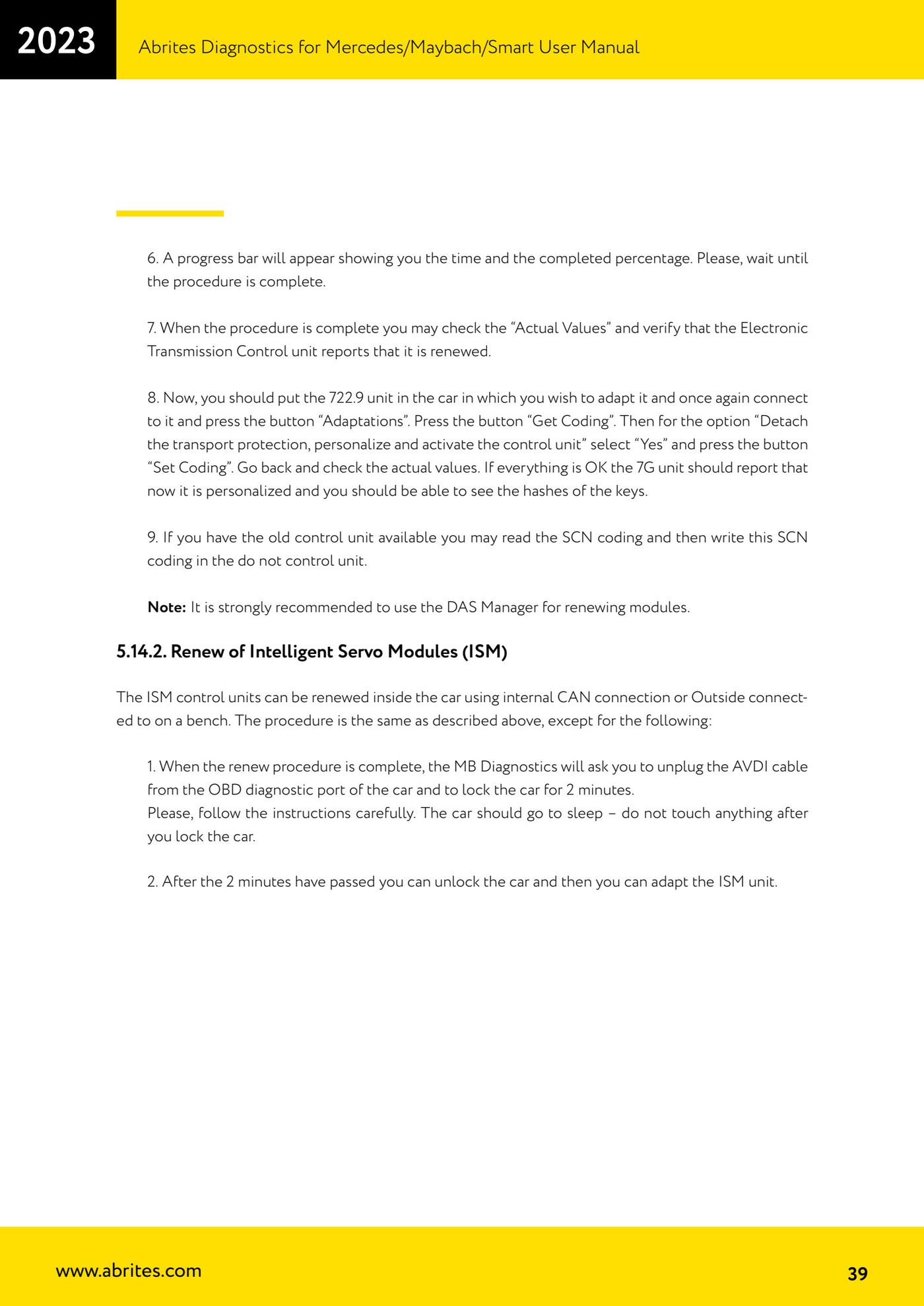
- On first run the software asks for the location of the 7G renew database files: browse to the folder where you extracted these files and select it.
- A progress bar appears with the time and percentage completed: wait for the procedure to finish without interrupting it.
- Once the procedure is complete, check the "Actual Values" and confirm that the Electronic Transmission Control unit reports itself as renewed.
- Fit the 722.9 to the car you want to adapt it to, reconnect to the unit and press the "Adaptations" button.
- Press the "Get Coding" button, then for the "Detach the transport protection, personalize and activate the control unit" option select "Yes" and press the "Set Coding" button.
- Go back and check the actual values: if everything is in order the 7G unit shows as personalized and you should be able to see the key hashes.
- If the old unit is available, read its SCN coding and write it into the donor unit.
- Note: using the DAS Manager for module renew is strongly recommended.
Reference screenshots
Source: Manuale Mercedes (Offline), cap. 5.14 e 5.14.1 (p.36-39) · ⏱ estimated time varies
← All Abrites guides Hardware catalogue
More guides Mercedes
- Diagnostics and vehicle selection (VIN, chassis, over 1300 modules)
- Mercedes-Benz bus and truck diagnostics
- Mercedes Coding (VMAX, side sensors, parameters)
- Mercedes ECU Flashing (CFF files)
- Mercedes FBS4 Manager (722.9 and CRD3 renew, VIN change)
- Smart Functions (DPF mileage reset, DPF ash, VIM, seat belt alarm, sun roof, 360° cameras)
- FBS4 odometer correction with MN030 + emulators (EM008/EM014/EM018)
- Exhaust flaps — exhaust valve control
- CPC Torque limiter — torque limit
- VMax calibration — speed limiter
- Speed Limit Calibration — eVito 447 (electric)
- Mercedes AdBlue Reset: resetting the AdBlue system after component replacement or the remaining mileage warning