
Chip-Tools
Engine Control Units: reading/writing engine ECU flash and Configuration
Mercedes
Interface Classic
Flashing / Programming
Advanced
⏱ 30-90 min
6 steps
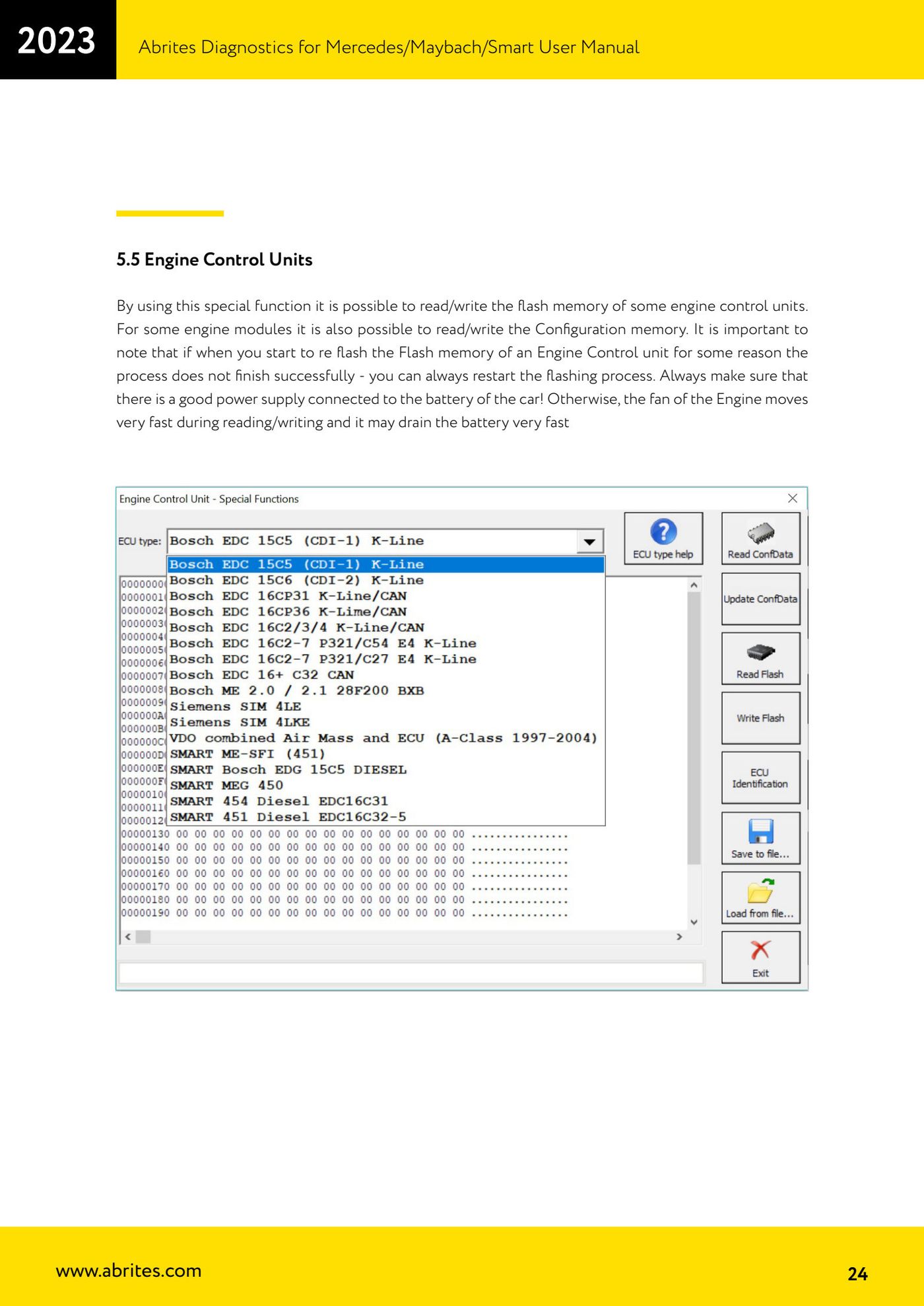
A special function that lets you read and write the flash memory of certain engine control units; on some modules reading/writing the Configuration memory is supported as well.
Required licences
- —
Hardware / cables
- —
⚠ WarningAlways make sure a good power supply is connected to the car battery: during reading/writing the engine fan runs very fast and can flatten the battery very quickly. If the flash write does not finish correctly for any reason, the flash process can always be restarted.
Procedure
- Connect a suitable power supply/battery maintainer to the vehicle battery before starting.
- Connect the interface, open the "Special Functions" tab and select "Engine Control Units".
- Read the engine ECU flash memory and save it to file as a backup; where supported, read and save the Configuration memory as well.
- Write the desired file to the control unit flash memory.
- If the write procedure stops before completion, restart the flash process without disconnecting the power supply.
- When finished, check the control unit identification and fault codes.
Reference screenshots
Source: Manuale Mercedes (Offline), cap. 5 e 5.5 Engine Control Units (p.19, p.24) · ⏱ estimated time 30-90 min
← All Abrites guides Hardware catalogue
More guides Mercedes
- Diagnostics and vehicle selection (VIN, chassis, over 1300 modules)
- Mercedes-Benz bus and truck diagnostics
- Mercedes Coding (VMAX, side sensors, parameters)
- Mercedes ECU Flashing (CFF files)
- Mercedes FBS4 Manager (722.9 and CRD3 renew, VIN change)
- Smart Functions (DPF mileage reset, DPF ash, VIM, seat belt alarm, sun roof, 360° cameras)
- FBS4 odometer correction with MN030 + emulators (EM008/EM014/EM018)
- Exhaust flaps — exhaust valve control
- CPC Torque limiter — torque limit
- VMax calibration — speed limiter
- Speed Limit Calibration — eVito 447 (electric)
- Mercedes AdBlue Reset: resetting the AdBlue system after component replacement or the remaining mileage warning