
Chip-Tools
DIY DB25 connector for VGS4-500-NAG2 (Type 2): pinout and opening the cover
Mercedes
Interface New
Hardware / Connections
Advanced
⏱ 30-60 min
8 steps
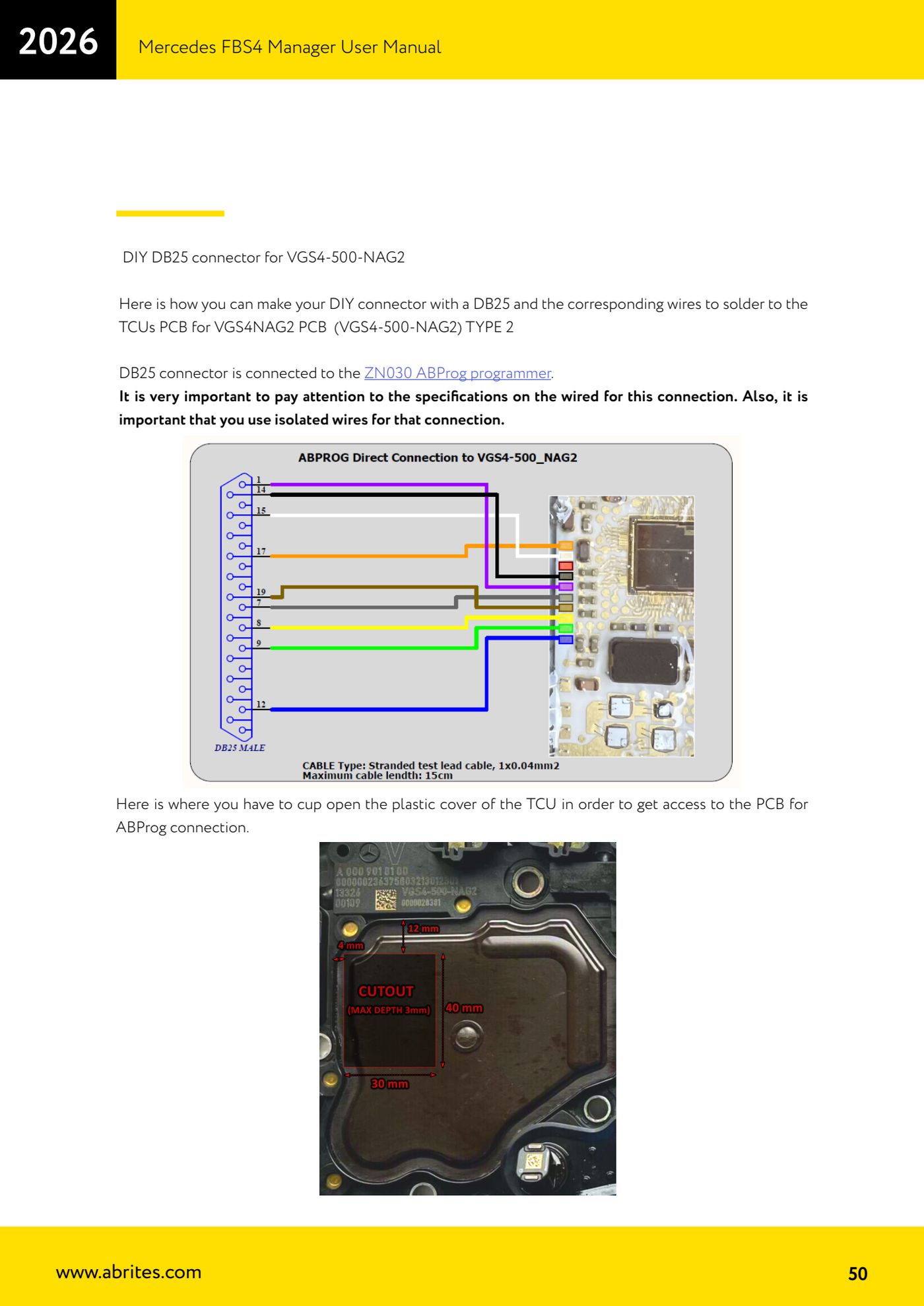
Wiring diagram for the DIY DB25 cable used to connect a VGS4-500 NAG2 (Type 2) TCU to the AVDI on the bench, plus where to open the plastic cover to get at the PCB with the ABProg.
Required licences
- —
Hardware / cables
 AVDI
AVDI- DB25 maschio
 ABProg ZN030
⚠ WarningUse insulated wire and follow the specification for each connection to the letter; a 120 Ohm resistor between CAN H and CAN L is required.
Procedure
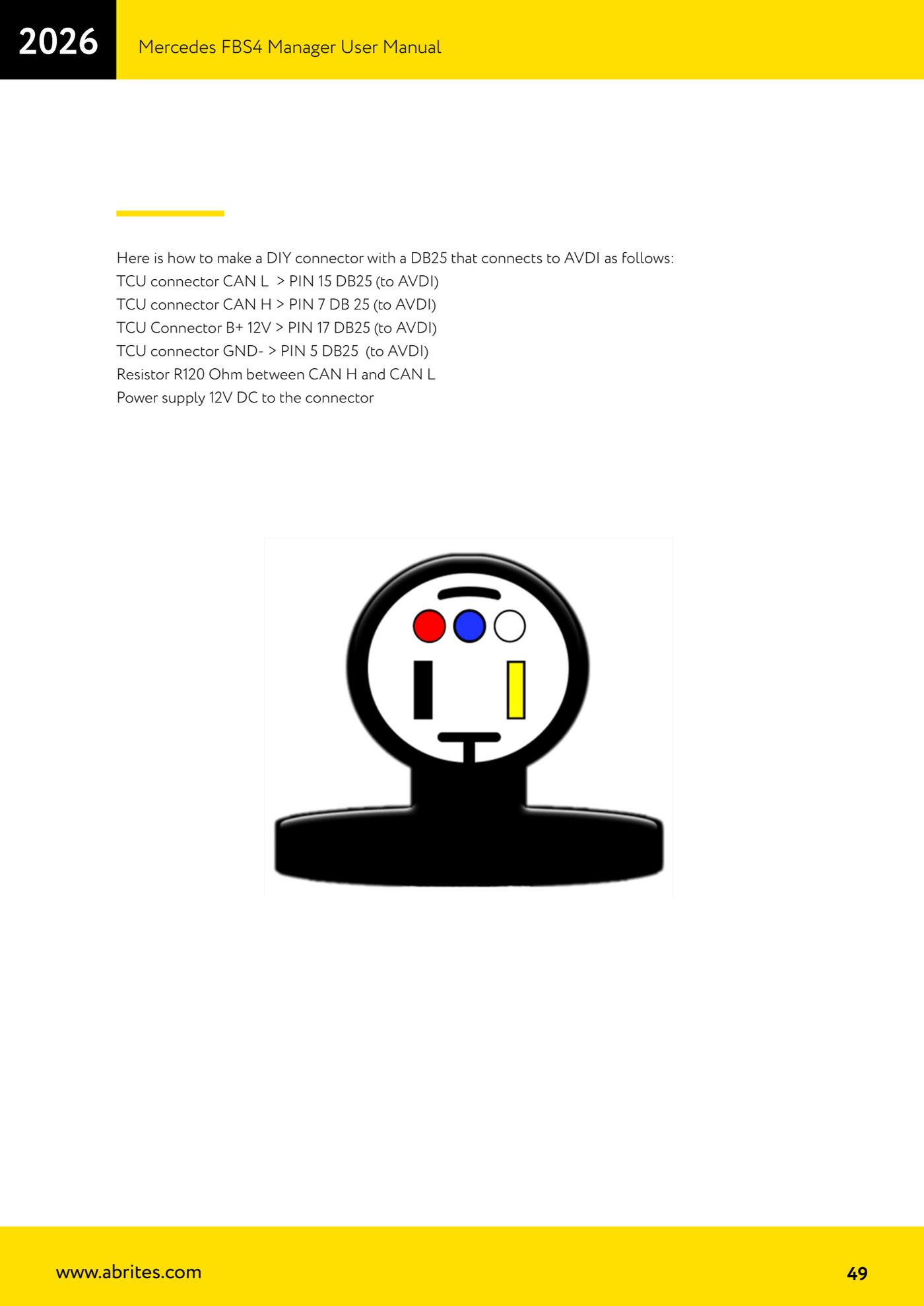
- Prepare a male DB25 connector to plug into the AVDI (for the ABProg connection the DB25 goes to the ZN030 programmer).
- Connect CAN L of the TCU connector to PIN 15 of the DB25 going to the AVDI.
- Connect CAN H of the TCU connector to PIN 7 of the DB25 going to the AVDI.
- Connect B+ 12 V of the TCU connector to PIN 17 of the DB25 going to the AVDI.
- Connect GND- of the TCU connector to PIN 5 of the DB25 going to the AVDI.
- Fit the 120 Ohm resistor between CAN H and CAN L.
- Feed the connector with 12 V DC.
- If you need to work with the ABProg, open the TCU plastic cover at the point shown in the manual to get access to the PCB, and solder the matching wires to the Type 2 PCB pads.
Reference screenshots
Source: Manuale Mercedes FBS4 Manager, parte 2 di 2, cap. 5.1.3 - DIY DB25 VGS4-500 (p.49-50) · ⏱ estimated time 30-60 min
← All Abrites guides Hardware catalogue
More guides Mercedes
- Diagnostics and vehicle selection (VIN, chassis, over 1300 modules)
- Mercedes-Benz bus and truck diagnostics
- Mercedes Coding (VMAX, side sensors, parameters)
- Mercedes ECU Flashing (CFF files)
- Mercedes FBS4 Manager (722.9 and CRD3 renew, VIN change)
- Smart Functions (DPF mileage reset, DPF ash, VIM, seat belt alarm, sun roof, 360° cameras)
- FBS4 odometer correction with MN030 + emulators (EM008/EM014/EM018)
- Exhaust flaps — exhaust valve control
- CPC Torque limiter — torque limit
- VMax calibration — speed limiter
- Speed Limit Calibration — eVito 447 (electric)
- Mercedes AdBlue Reset: resetting the AdBlue system after component replacement or the remaining mileage warning