
Chip-Tools
DAS 3: key programming (Smart key learning)
Mercedes
Interface Classic
Keys / Immo
Advanced
⏱ approx. 10 min for the online calculation, approx. 70 s with PROTAG
14 steps
A special function for key programming on vehicles with the DAS 3 system. You need the EZS (EIS) dump and the key learning password; the new key dump can be generated with the PROTAG programmer or by online calculation.
Required licences
- —
Hardware / cables
 AVDI
AVDI PROTAG
 ABPROG V4 (ZN033)
- Abrites Infra-Red (IR) adapter
- programmatore EEPROM
⚠ WarningUsing the DAS Manager for key programming is strongly recommended. Key dumps are generated in C:\Users\user name\Documents\ABRITES software for ID XXXXXX\Mercedes, where "XXXXXX" is your AVDI ID.
Procedure
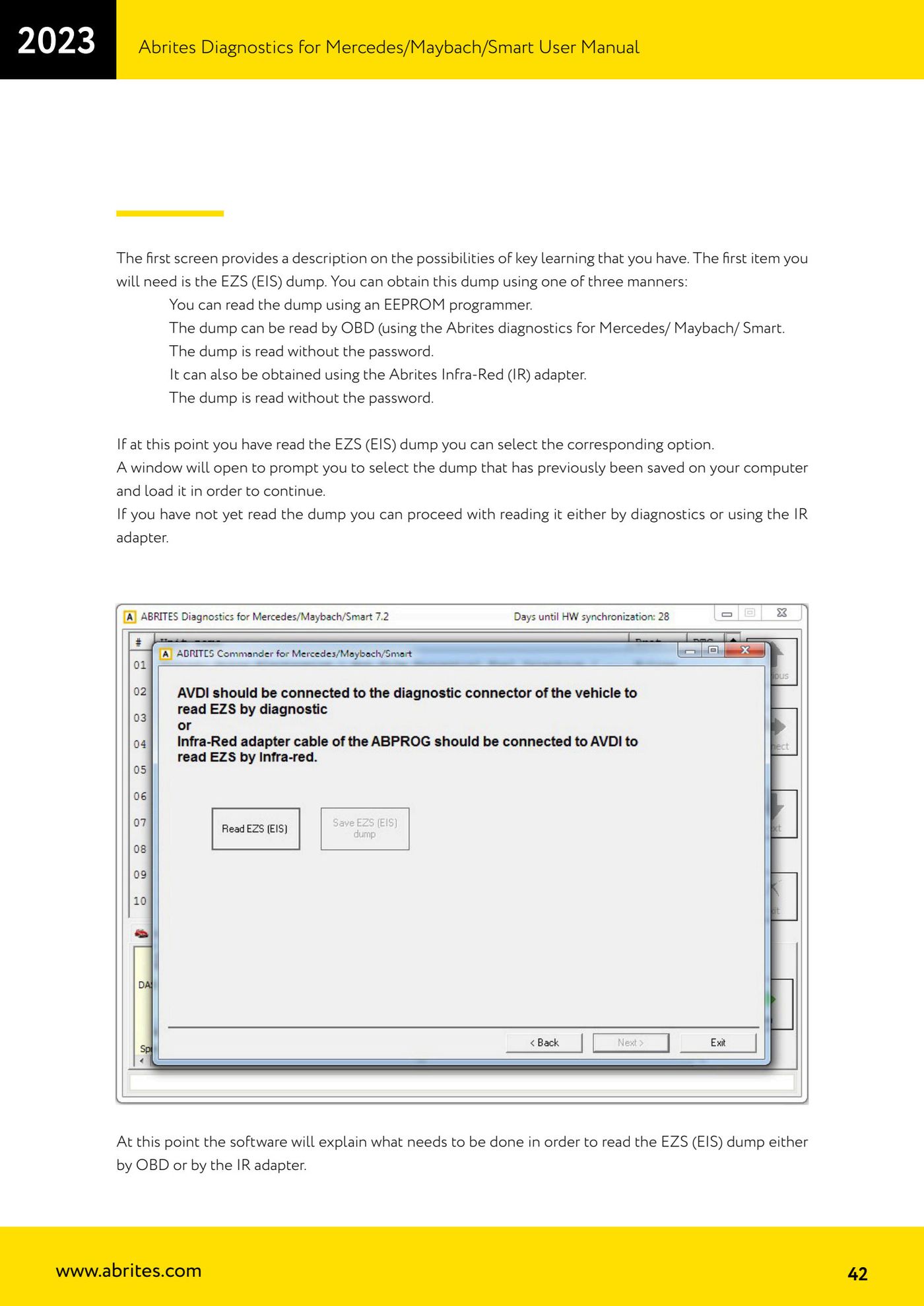
- Select the DAS 3 special function: the first screen describes the key learning options available.
- Obtain the EZS (EIS) dump in one of the three supported ways: reading it with an EEPROM programmer; reading it over OBD with Abrites diagnostics for Mercedes/Maybach/Smart (read without password); or with the Abrites infrared (IR) adapter (read without password).
- If you already have the EZS (EIS) dump, select the corresponding option: a window opens to browse for and load the dump previously saved on the computer.
- If you do not have the dump yet, choose reading by diagnostics or with the IR adapter: the software explains what is needed to read the EZS (EIS) dump with the chosen method.
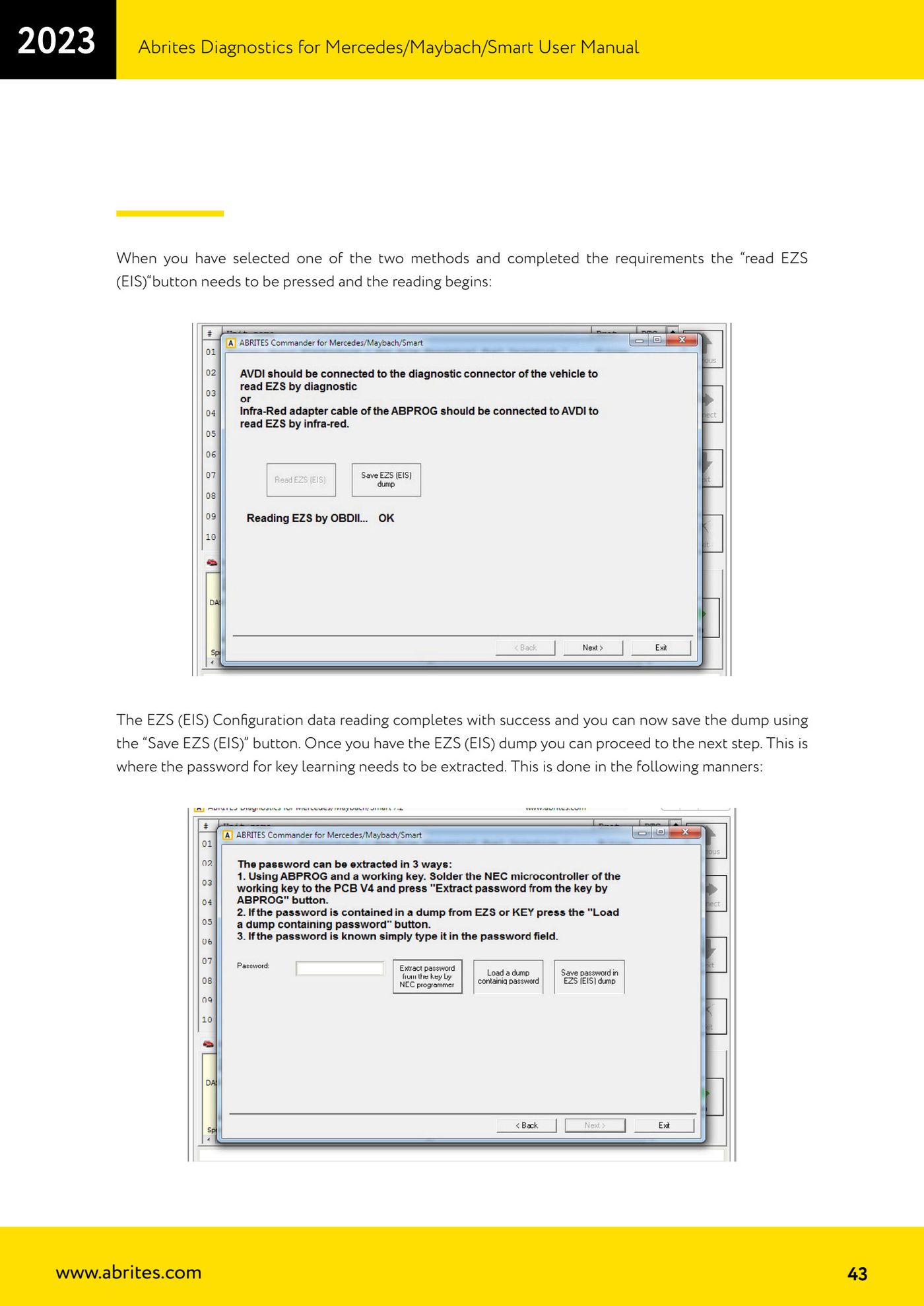
- Once the required conditions are met, press the "read EZS (EIS)" button and wait for the read.
- When the read succeeds, save the dump with the "Save EZS (EIS)" button.
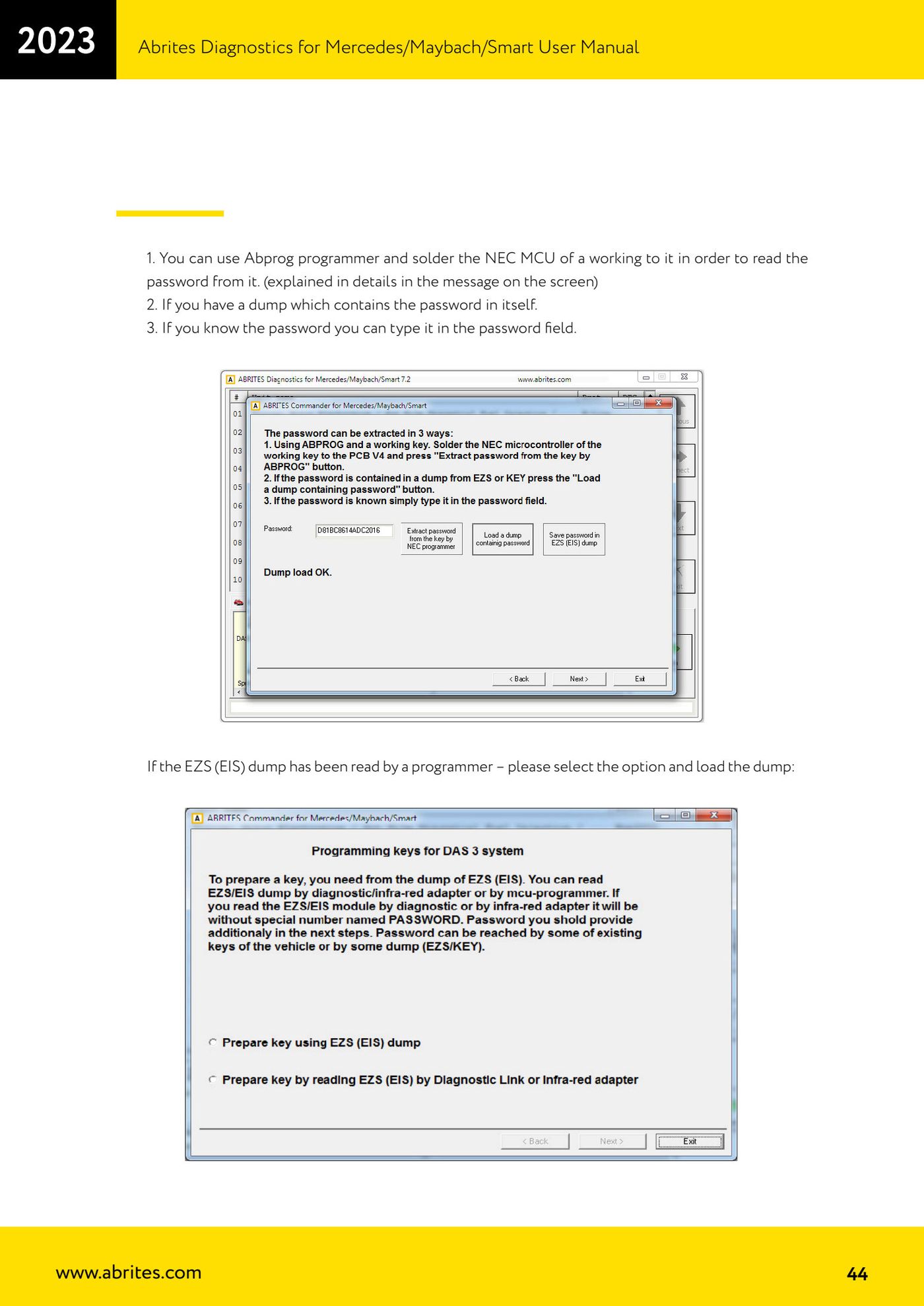
- Obtain the key learning password in one of these ways: using the Abprog programmer with the NEC MCU from a working key soldered onto it (explained in detail in the on-screen message); using a dump that already contains the password; or by typing the password into the relevant field if you know it.
- If the EZS (EIS) dump was read with a programmer, select the corresponding option and load the dump.
- The software confirms that the necessary conditions are met and that you can proceed: press "OK".
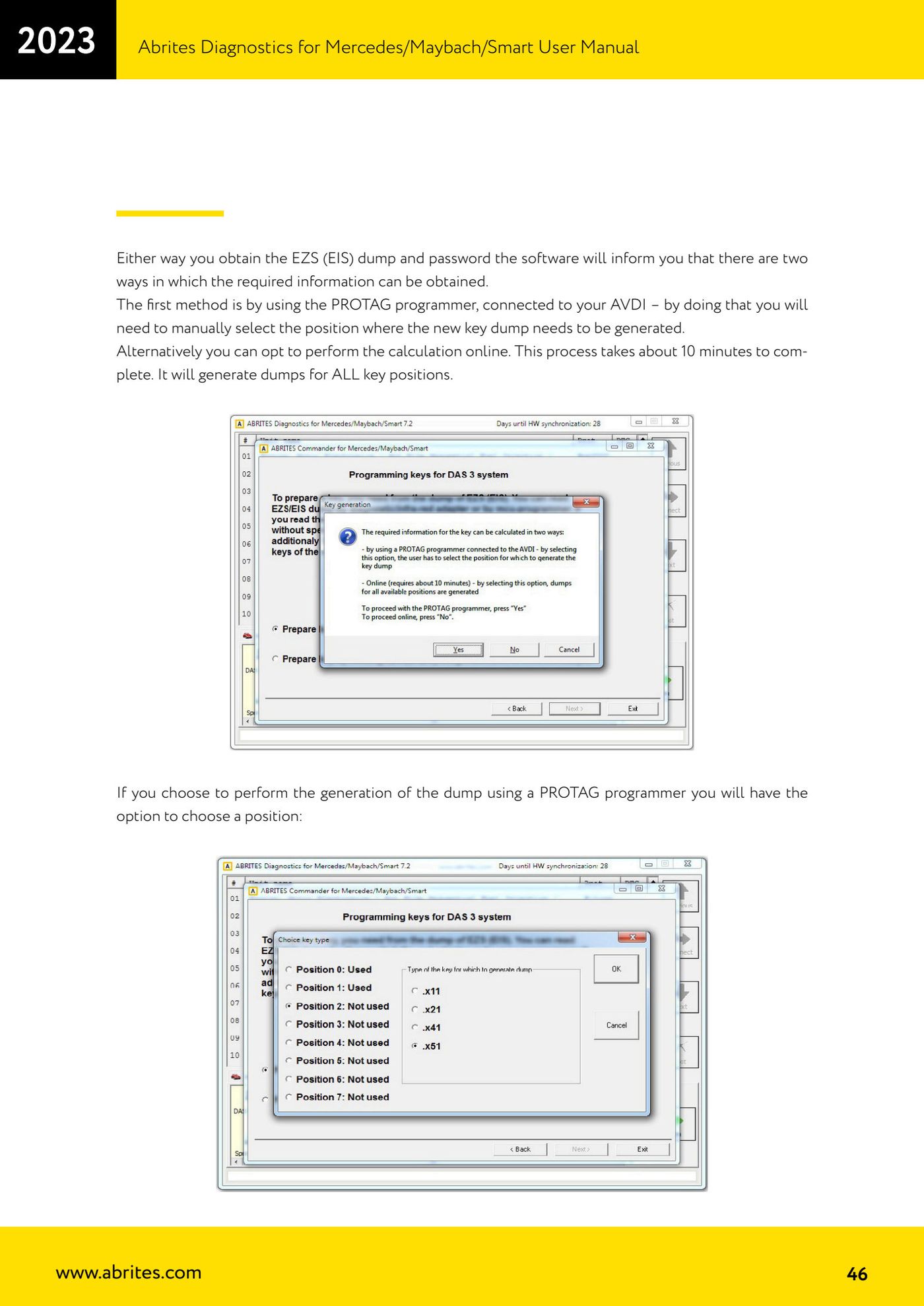
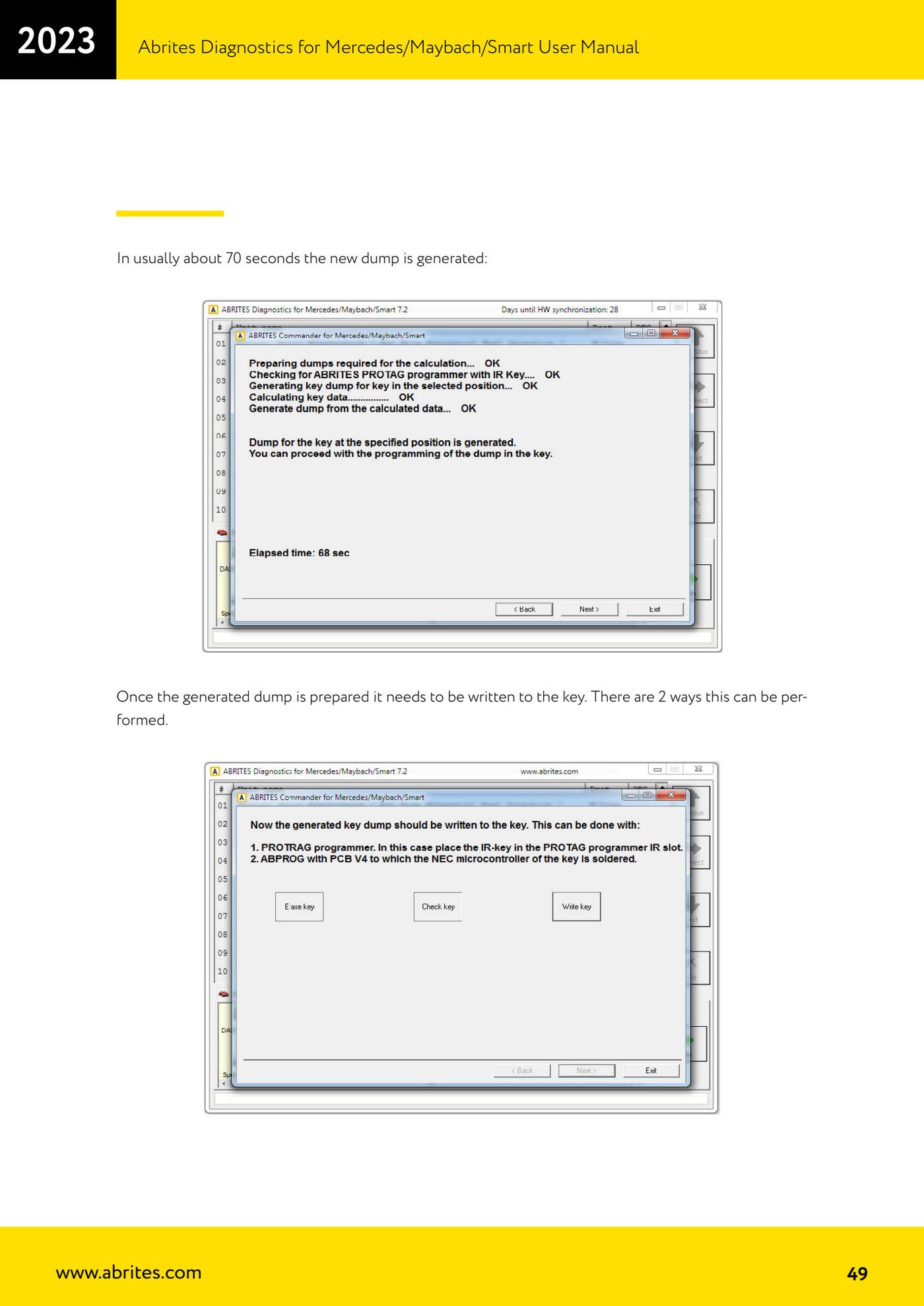
- Choose how to generate the new key dump: with the PROTAG programmer connected to the AVDI (in this case you have to select the key position to generate the dump for manually) or by online calculation (about 10 minutes, generates the dumps for ALL key positions).
- If you choose the online method the software picks the position; the online calculation then runs and the success screen appears when it finishes.
- If you choose PROTAG, select the position and start the generation: the new dump is normally ready in about 70 seconds.
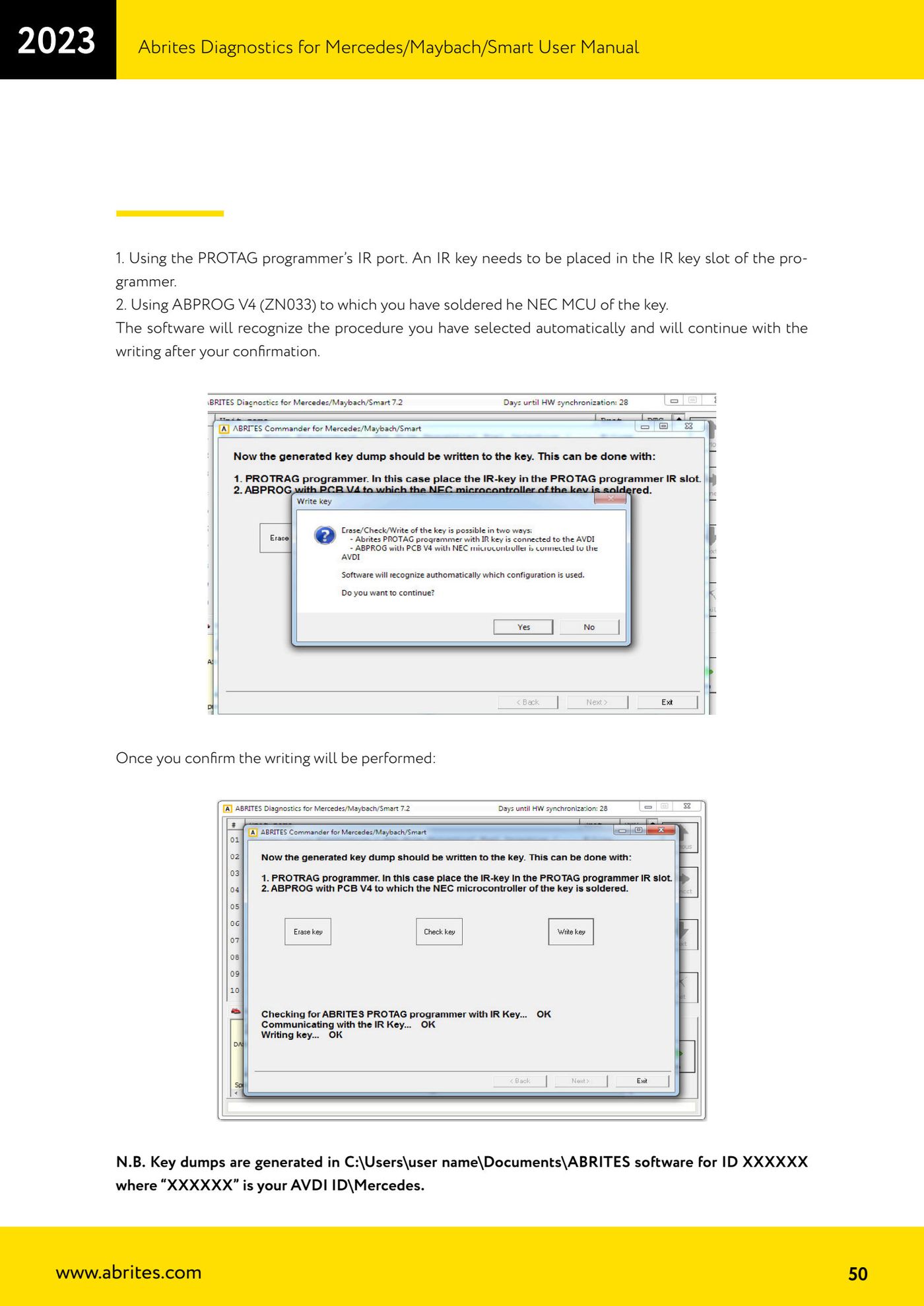
- Write the generated dump into the key in one of two ways: with the IR port of the PROTAG programmer, placing an IR key in the programmer's IR key slot; or with ABPROG V4 (ZN033) with the key's NEC MCU soldered onto it.
- The software detects the chosen method automatically and, once you confirm, performs the write.
Reference screenshots
Source: Manuale Mercedes (Offline), cap. 5.16 (p.41-50) · ⏱ estimated time approx. 10 min for the online calculation, approx. 70 s with PROTAG
← All Abrites guides Hardware catalogue
More guides Mercedes
- Diagnostics and vehicle selection (VIN, chassis, over 1300 modules)
- Mercedes-Benz bus and truck diagnostics
- Mercedes Coding (VMAX, side sensors, parameters)
- Mercedes ECU Flashing (CFF files)
- Mercedes FBS4 Manager (722.9 and CRD3 renew, VIN change)
- Smart Functions (DPF mileage reset, DPF ash, VIM, seat belt alarm, sun roof, 360° cameras)
- FBS4 odometer correction with MN030 + emulators (EM008/EM014/EM018)
- Exhaust flaps — exhaust valve control
- CPC Torque limiter — torque limit
- VMax calibration — speed limiter
- Speed Limit Calibration — eVito 447 (electric)
- Mercedes AdBlue Reset: resetting the AdBlue system after component replacement or the remaining mileage warning