
Chip-Tools
SBC repair - Sensotronic Brake Control repair and brake counter reset
Mercedes
Interface Classic
Special Functions
Medium
⏱ varies
6 steps
A very useful special function for repairing a faulty Sensotronic Brake Control (SBC) system. It is also included in the custom memory download and upload, where it lets you read the unit Configuration, save it to file, reload it and write it back to the control unit. It also resets the brake counter if the warning display is still yellow.
Required licences
- —
Hardware / cables
- —
⚠ WarningThe counter reset is only valid with a yellow display: a red display means the SBC has to be replaced.
Procedure
- Connect the vehicle and open the "SBC repair" special function.
- Check the colour of the SBC warning: if it is yellow you can go ahead with the brake counter reset, if it is red the SBC unit must be replaced.
- Using the custom memory download/upload, read the SBC unit Configuration and save it to file.
- If needed, reload the Configuration file and write it back to the unit.
- Carry out the brake counter reset.
- Alternatively, use the SBC repair special function to repair the SBC unit software directly over OBD.
Reference screenshots
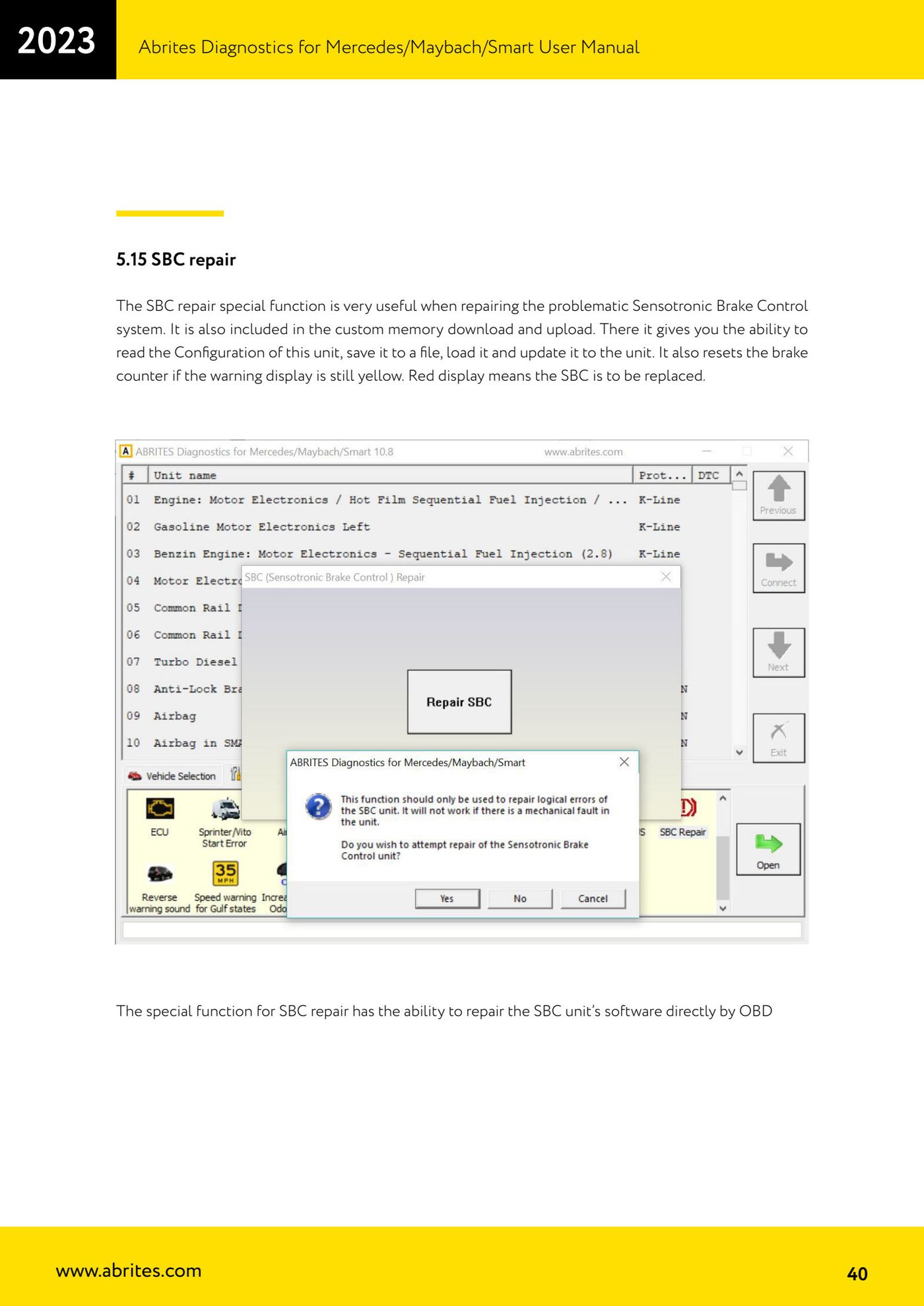
Source: Manuale Mercedes (Offline), cap. 5.15 (p.40) · ⏱ estimated time varies
← All Abrites guides Hardware catalogue
More guides Mercedes
- Diagnostics and vehicle selection (VIN, chassis, over 1300 modules)
- Mercedes-Benz bus and truck diagnostics
- Mercedes Coding (VMAX, side sensors, parameters)
- Mercedes ECU Flashing (CFF files)
- Mercedes FBS4 Manager (722.9 and CRD3 renew, VIN change)
- Smart Functions (DPF mileage reset, DPF ash, VIM, seat belt alarm, sun roof, 360° cameras)
- FBS4 odometer correction with MN030 + emulators (EM008/EM014/EM018)
- Exhaust flaps — exhaust valve control
- CPC Torque limiter — torque limit
- VMax calibration — speed limiter
- Speed Limit Calibration — eVito 447 (electric)
- Mercedes AdBlue Reset: resetting the AdBlue system after component replacement or the remaining mileage warning