
Chip-Tools
Replacing the electronic steering lock ESL/ELV with the "DAS Manager"
Mercedes
Interface Classic
Keys / Immo
Advanced
⏱ varies
10 steps
The Electronic Steering Lock is probably the trickiest module to deal with among Mercedes-Benz control units. Replacing it means virginizing both the ESL/ELV and the EZS, personalizing the EZS with the Abrites data, personalizing the ESL and programming a key.


⚠ WarningTo carry out this adaptation the EZS must be taken to virgin state as well: if you personalize the EZS with the Abrites default data all previous keys are lost and new keys have to be programmed. Virginizing requires an internet connection.
Procedure
- Start by reading the ESL/ELV in the "DAS Manager".
- Virginize the ESL/ELV: this part requires an internet connection.
- Wait for the ESL/ELV virginizing complete message.
- Read the EZS/EIS.
- Virginize the EZS/EIS.
- Personalize the EZS with the Abrites data.
- Read the ESL before personalizing it.
- Personalize the ESL/ELV.
- Program a key with the PROTAG programmer, following the key programming procedure in the "DAS Manager".
- With the key programmed, activate the ELV by turning the key to the "ON" position.
Reference screenshots
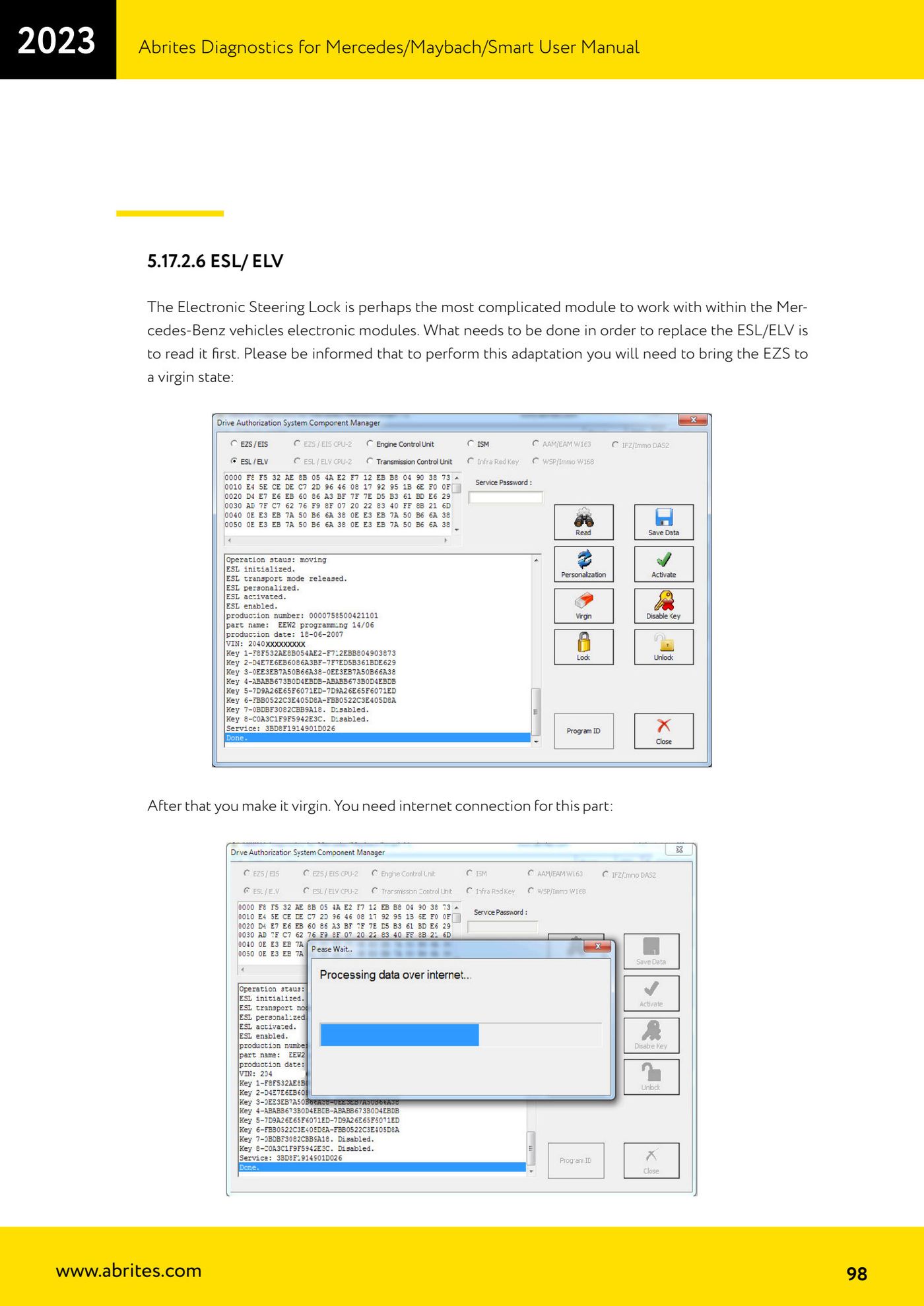
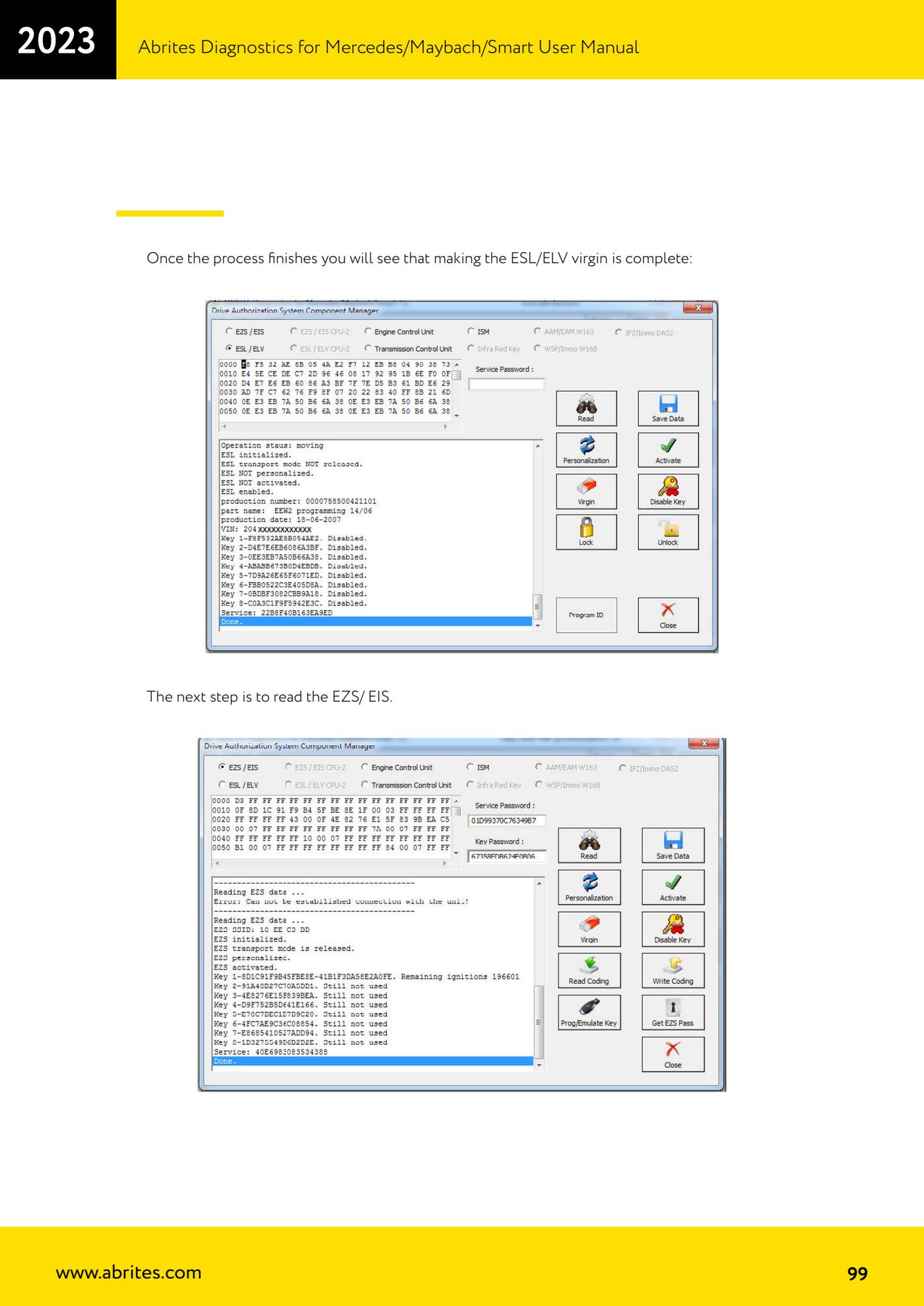
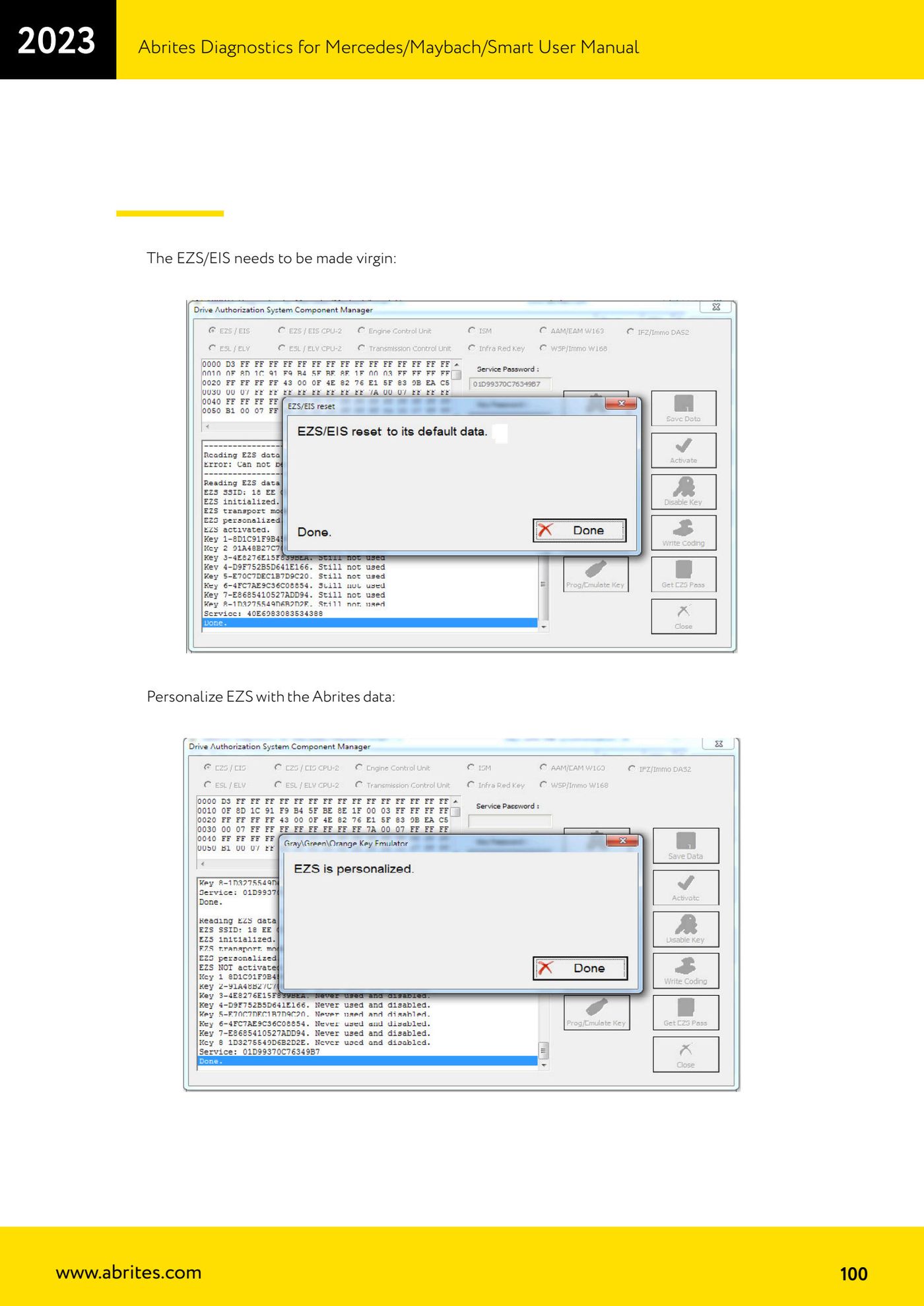
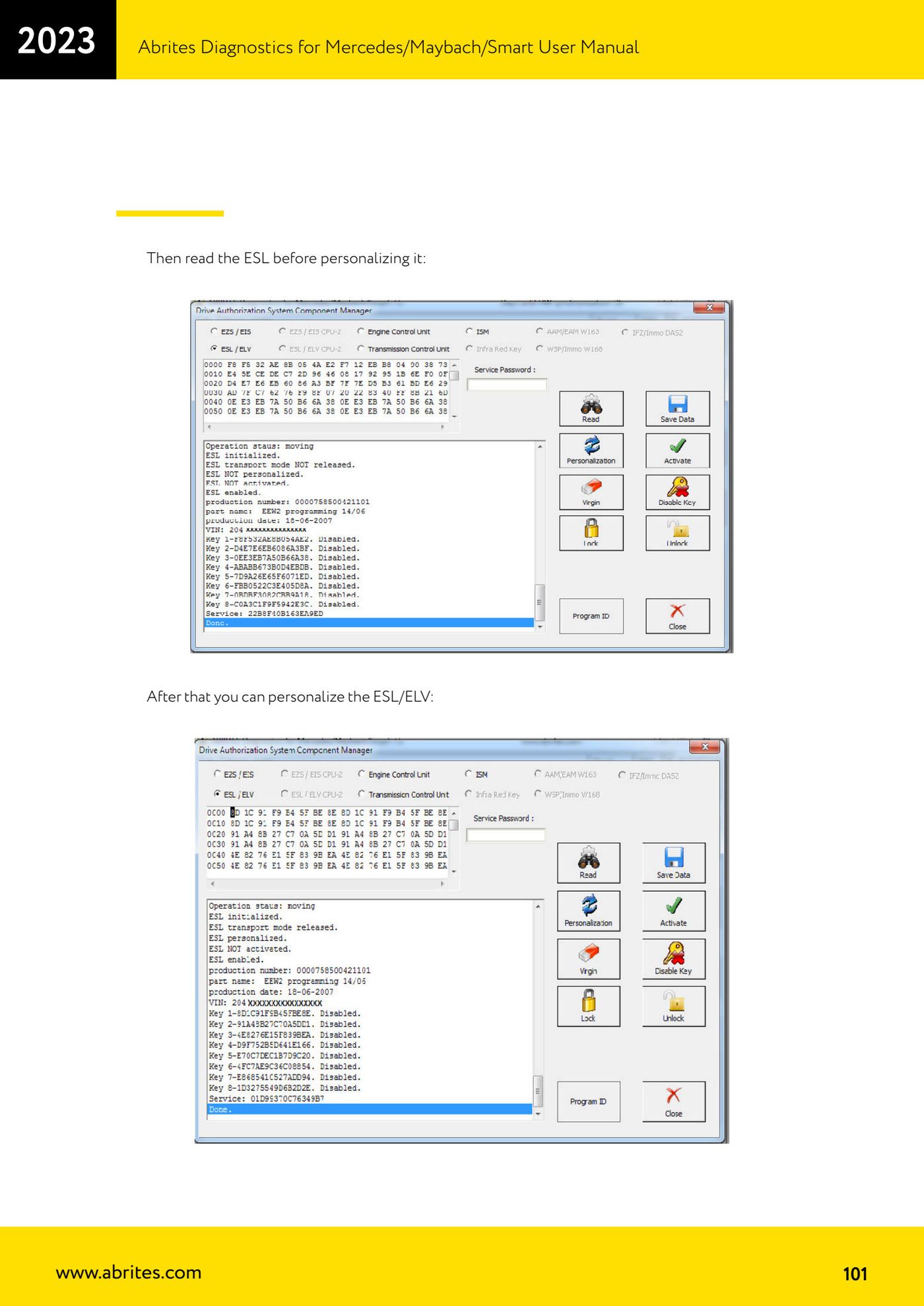
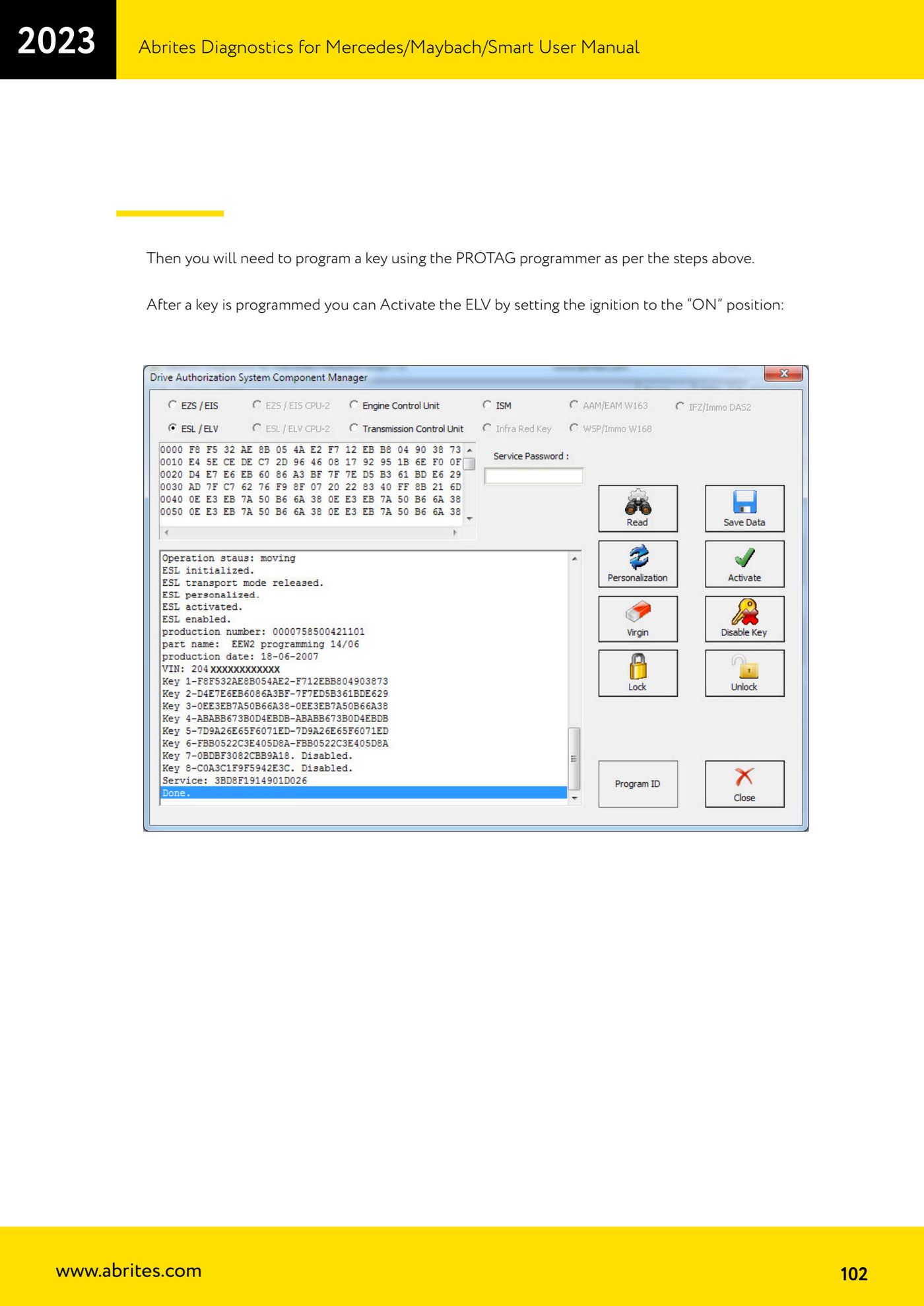
Source: Manuale Mercedes (Offline), cap. 5.17.2.6 (p.98-102) · ⏱ estimated time varies
← All Abrites guides Hardware catalogue
More guides Mercedes
- Diagnostics and vehicle selection (VIN, chassis, over 1300 modules)
- Mercedes-Benz bus and truck diagnostics
- Mercedes Coding (VMAX, side sensors, parameters)
- Mercedes ECU Flashing (CFF files)
- Mercedes FBS4 Manager (722.9 and CRD3 renew, VIN change)
- Smart Functions (DPF mileage reset, DPF ash, VIM, seat belt alarm, sun roof, 360° cameras)
- FBS4 odometer correction with MN030 + emulators (EM008/EM014/EM018)
- Exhaust flaps — exhaust valve control
- CPC Torque limiter — torque limit
- VMax calibration — speed limiter
- Speed Limit Calibration — eVito 447 (electric)
- Mercedes AdBlue Reset: resetting the AdBlue system after component replacement or the remaining mileage warning