
Chip-Tools
Personalizing an EZS (EIS) using the FBS data from the engine ECU
Mercedes
Interface Classic
Keys / Immo
Advanced
⏱ varies
10 steps
When the car's original EZS is missing or faulty, a replacement EZS can be personalized using the FBS data read from the engine ECU. You also need the SSID, because engine ECUs do not hold it internally even though the EZS cannot work without it.
Required licences
- —
Hardware / cables

⚠ WarningEngine ECUs do not hold the SSID internally, even though the EZS cannot work without it: with no SSID the procedure cannot be completed, so get hold of it before you start.
Procedure
- Gather what you need: a replacement EZS (EIS), the key password, FBS data read from an ECU and the SSID.
- Read the key password.
- Read the FBS data from the engine ECU.
- Take the EZS to virgin state.
- Personalize the EZS with the data taken from the ECU: enter the password in the field provided and select the "Update FBS Data file" radio button.
- Write the key password.
- Write the SSID.
- In the summary window check that the EZS now shows as personalized with the SSID.
- In some cases you will have to reprogram the keys to the car: that is no problem, since you already have the key password.
- Once the procedure is finished the EZS is personalized with the ECU data: the car starts and is back on the road.
Reference screenshots
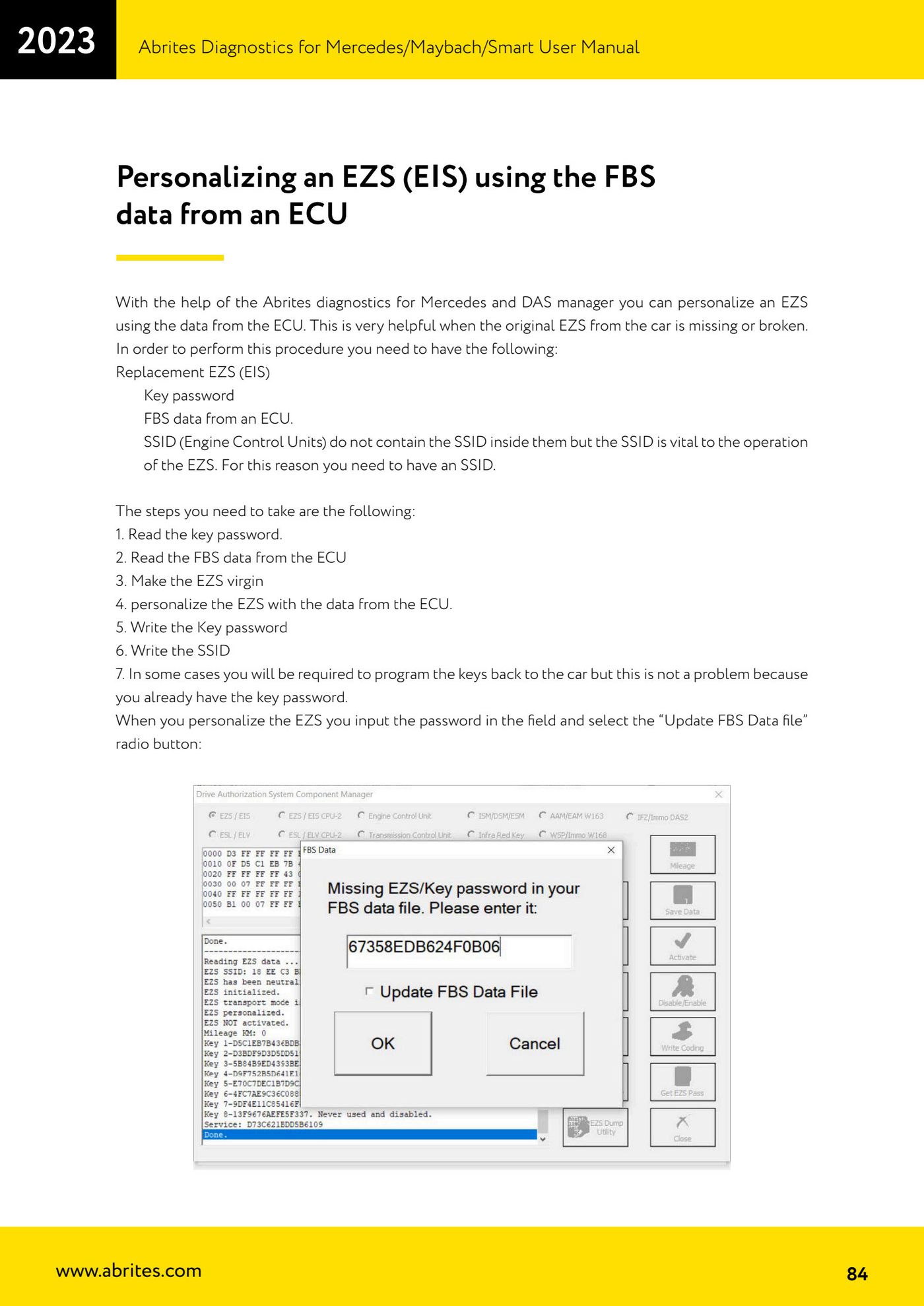
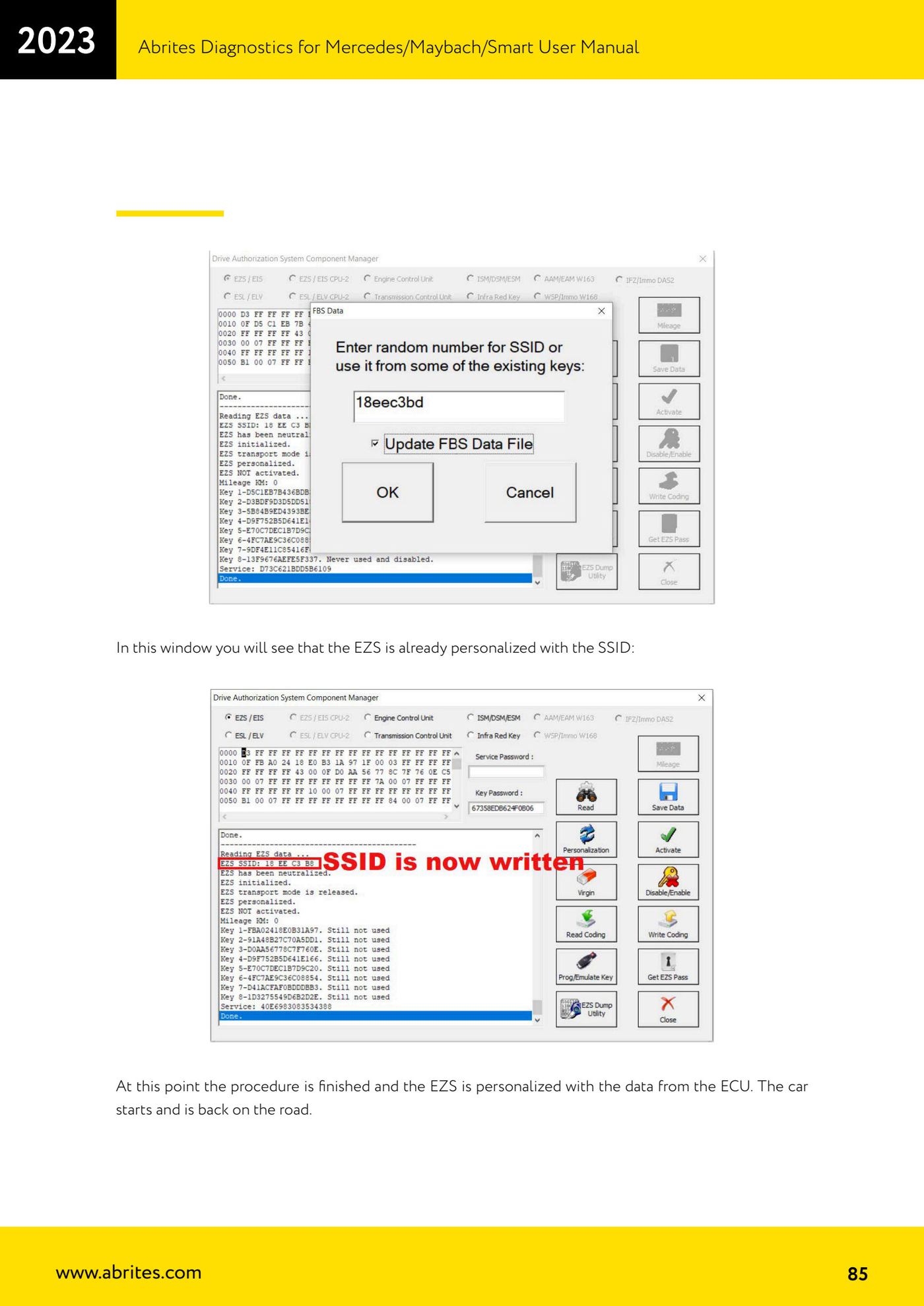
Source: Manuale Mercedes (Offline), cap. 5.17.2.2 (p.84-85) · ⏱ estimated time varies
← All Abrites guides Hardware catalogue
More guides Mercedes
- Diagnostics and vehicle selection (VIN, chassis, over 1300 modules)
- Mercedes-Benz bus and truck diagnostics
- Mercedes Coding (VMAX, side sensors, parameters)
- Mercedes ECU Flashing (CFF files)
- Mercedes FBS4 Manager (722.9 and CRD3 renew, VIN change)
- Smart Functions (DPF mileage reset, DPF ash, VIM, seat belt alarm, sun roof, 360° cameras)
- FBS4 odometer correction with MN030 + emulators (EM008/EM014/EM018)
- Exhaust flaps — exhaust valve control
- CPC Torque limiter — torque limit
- VMax calibration — speed limiter
- Speed Limit Calibration — eVito 447 (electric)
- Mercedes AdBlue Reset: resetting the AdBlue system after component replacement or the remaining mileage warning