
Chip-Tools
Extracting the EZS/EIS password with the IR adapter (ZN076 / ZN036 + ZN030)
Mercedes
Interface Classic
Keys / Immo
Advanced
⏱ up to 1 hour
8 steps
The DAS Manager lets you extract the EZS (EIS) password by reading the data over infrared. The new ZN076 replaces the ZN036: it has the infrared key adapter on one side and a USB connector on the other that plugs straight into the PC's USB port, giving a faster response and greater signal range.
Required licences
- —
Hardware / cables

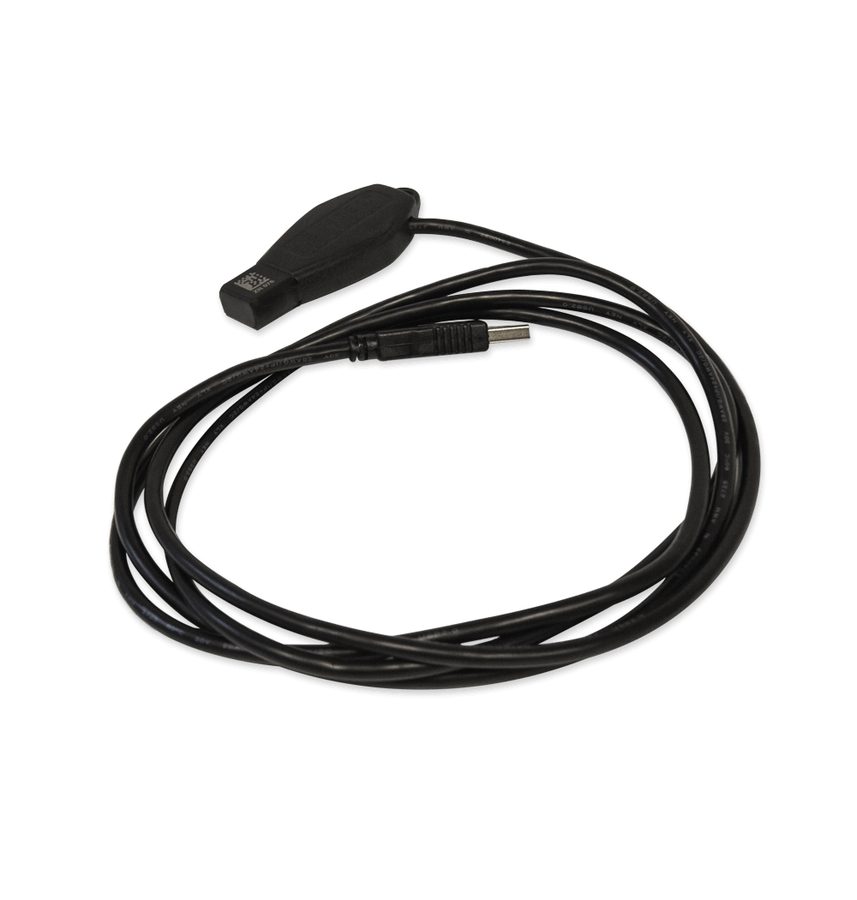


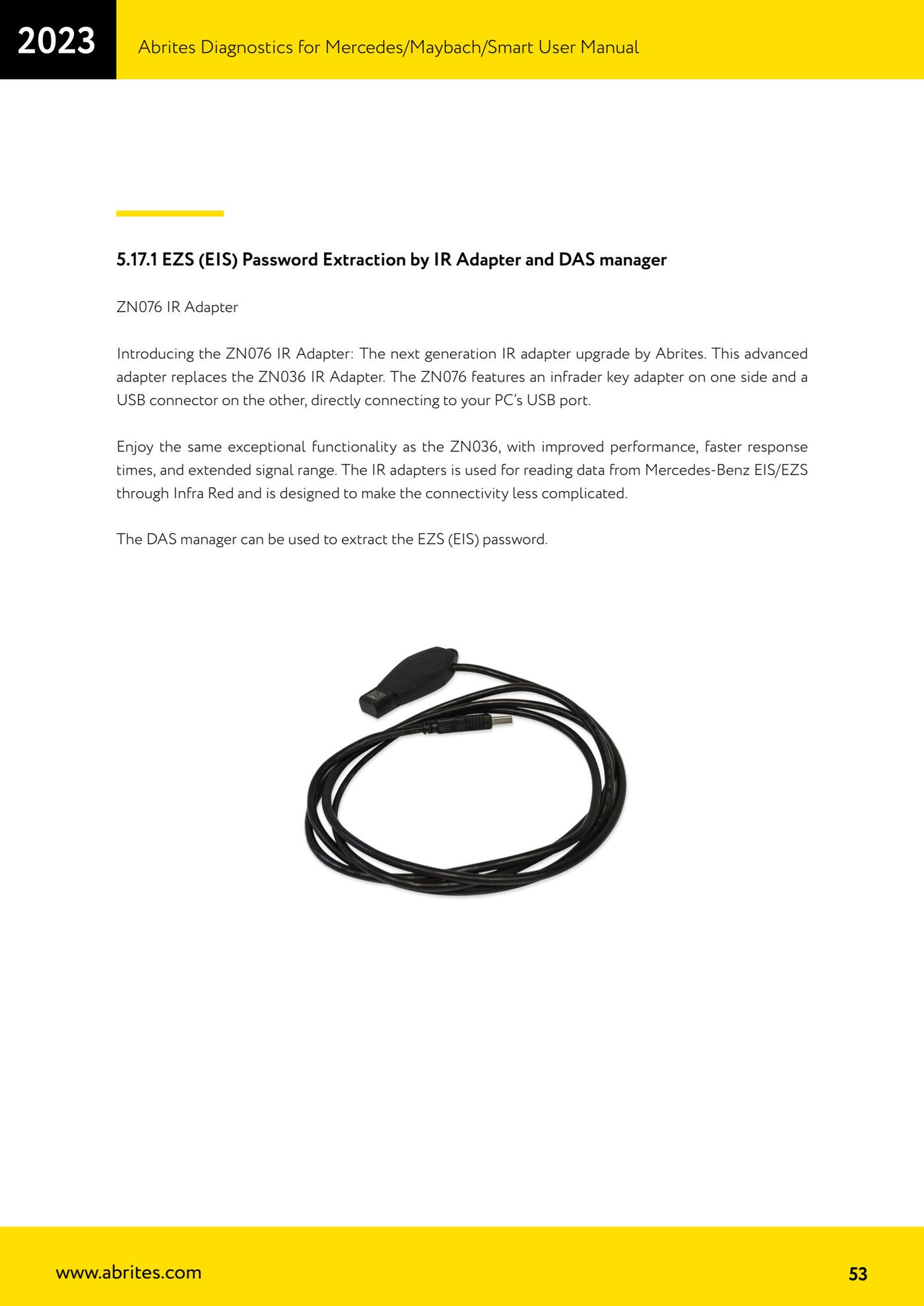
⚠ WarningIf you use the ZN036 you must connect it to the ZN030 (ABPROG) and that to the AVDI as shown in the manual diagram; the ZN076 goes straight into the PC's USB port. Note from the manual for all-keys-lost cases: stop the PC from going into sleep, since that slows the password extraction down, and keep constant power on both the PC and the vehicle you are working on.
Procedure
- Connect the IR adapter: ZN076 straight into the PC's USB port, or ZN036 via the ZN030 (ABPROG) connected to the AVDI.
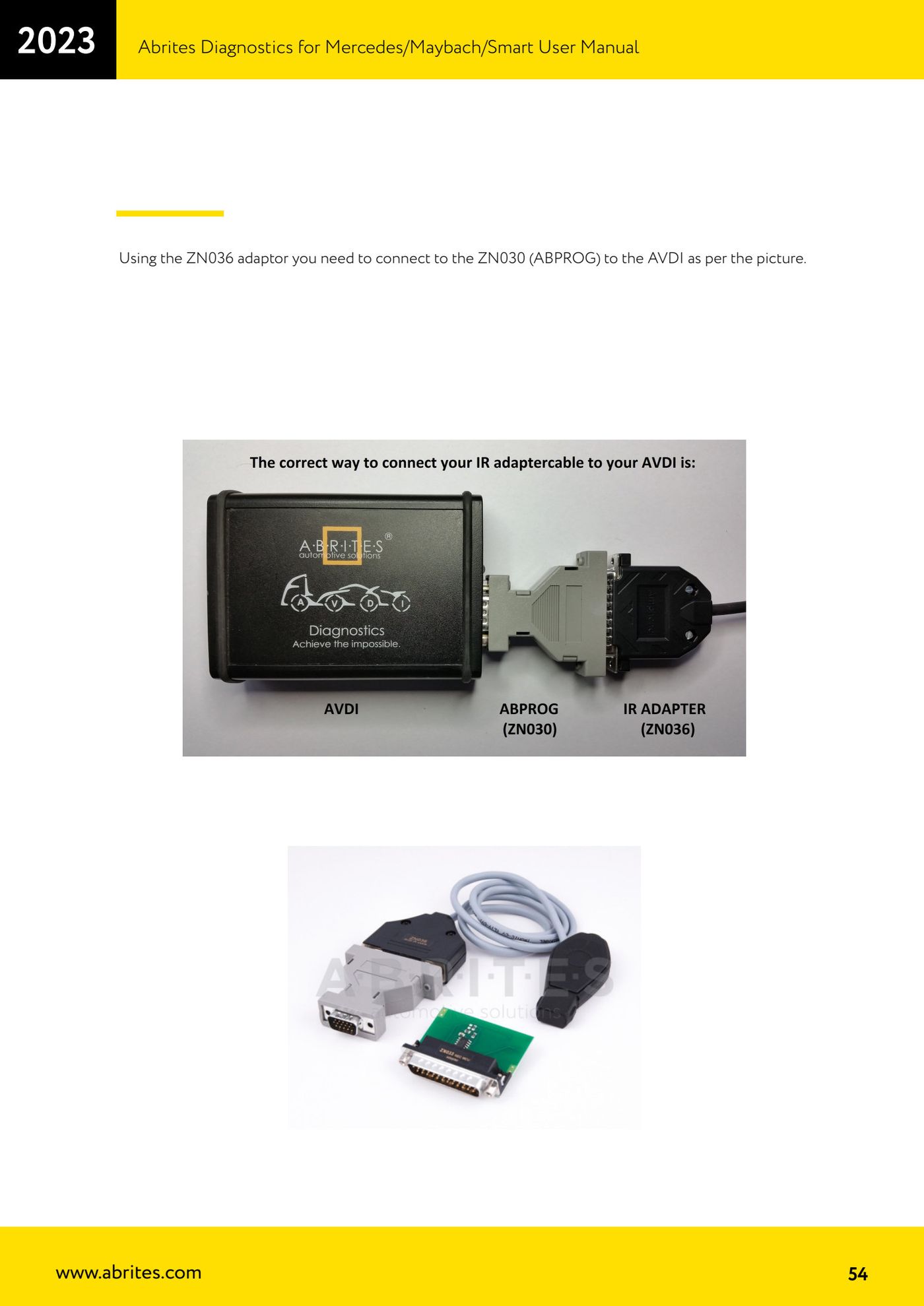
- Connect the AVDI to the vehicle and open the "DAS Manager" special function.
- Perform the EZS read.
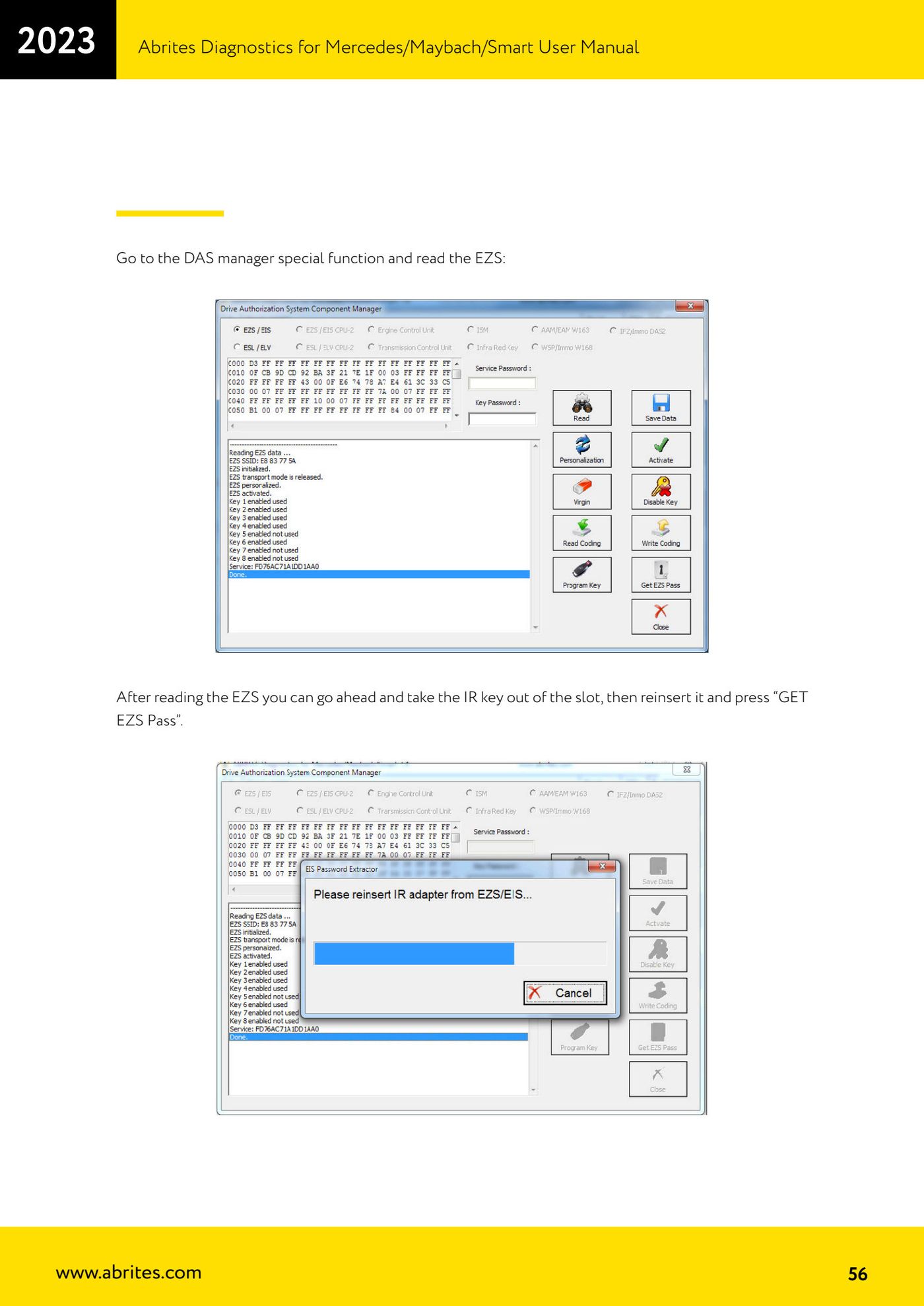
- When the read is done, pull the IR key out of the ignition lock, put it back in and press "GET EZS Pass".
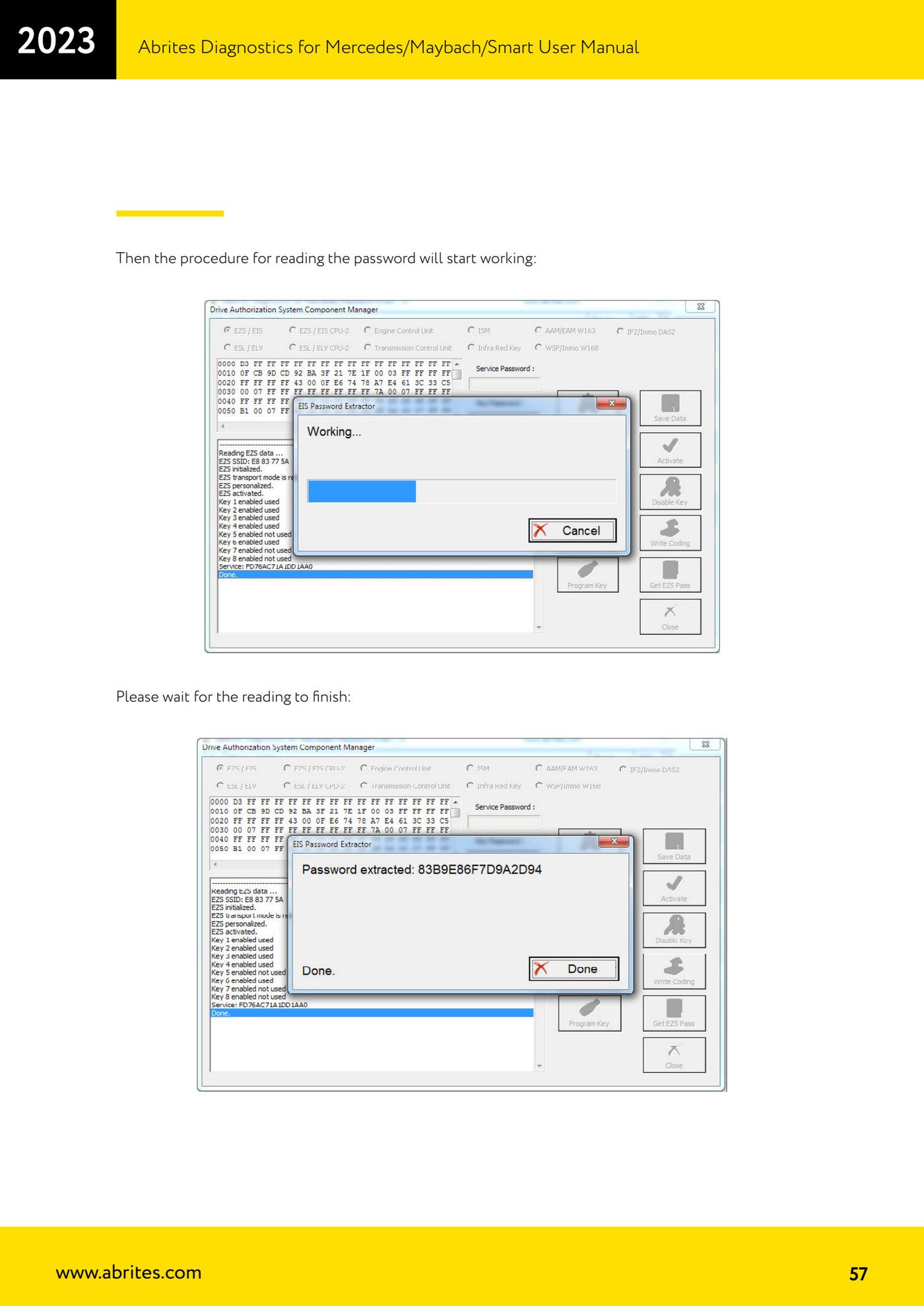
- Wait: the password read procedure starts, let the software work until it finishes.
- In all-keys-lost cases the software asks you to connect the EZS LIN line to OBD PIN7: this speeds the calculation up. The easiest way is to unplug the ESL connector and connect one end of the LIN there, the other to OBD PIN7 (the AVDI DB25 connector pinout is in the common user manual).
- On W639, if necessary, connect K-Line 1 of the distribution box to CAN HI 3 of the EZS.
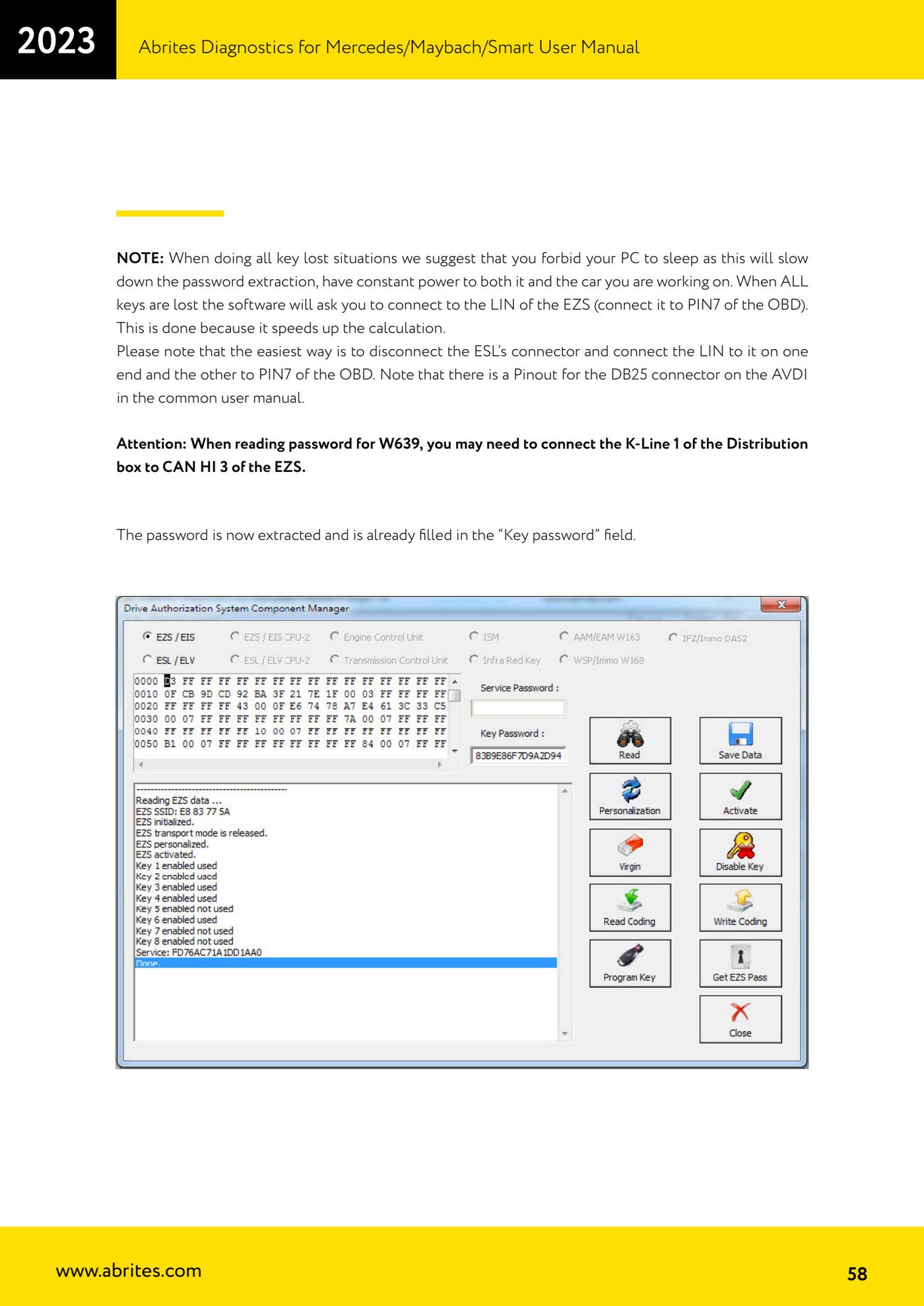
- When the procedure finishes the password is already filled into the "Key password" field.
Reference screenshots
Source: Manuale Mercedes (Offline), cap. 5.17.1 (p.53-58) · ⏱ estimated time up to 1 hour
← All Abrites guides Hardware catalogue
More guides Mercedes
- Diagnostics and vehicle selection (VIN, chassis, over 1300 modules)
- Mercedes-Benz bus and truck diagnostics
- Mercedes Coding (VMAX, side sensors, parameters)
- Mercedes ECU Flashing (CFF files)
- Mercedes FBS4 Manager (722.9 and CRD3 renew, VIN change)
- Smart Functions (DPF mileage reset, DPF ash, VIM, seat belt alarm, sun roof, 360° cameras)
- FBS4 odometer correction with MN030 + emulators (EM008/EM014/EM018)
- Exhaust flaps — exhaust valve control
- CPC Torque limiter — torque limit
- VMax calibration — speed limiter
- Speed Limit Calibration — eVito 447 (electric)
- Mercedes AdBlue Reset: resetting the AdBlue system after component replacement or the remaining mileage warning