
Chip-Tools
DAS Manager: ESL/ELV adaptations (reset, unlock, virginize, service password)
Mercedes
Interface Classic
Keys / Immo
Medium
⏱ varies
5 steps
The DAS Manager special function brings together on a single screen the operations that used to be separate functions for EZS/EIS and ESL/ELV, on both CAN and K-Line. Use it whenever you need to work on the drive authorisation system (DAS) modules: reading, activation, key enabling, adaptations and virginizing.
Required licences
- —
Hardware / cables

Procedure
- Connect the AVDI to the vehicle and start Abrites Diagnostics for Mercedes/Maybach/Smart.
- Open the "DAS Manager" special function.
- From the list of options choose the module you want to work on (EZS/EIS or ESL/ELV).
- For the ESL/ELV use the entries available in the list to carry out the operation you need: reset, unlocking the electronic steering lock, virginizing, extracting the service password and the other functions provided.
- In the lower window check the ESL/ELV configuration data shown by the software before and after the operation.
Reference screenshots
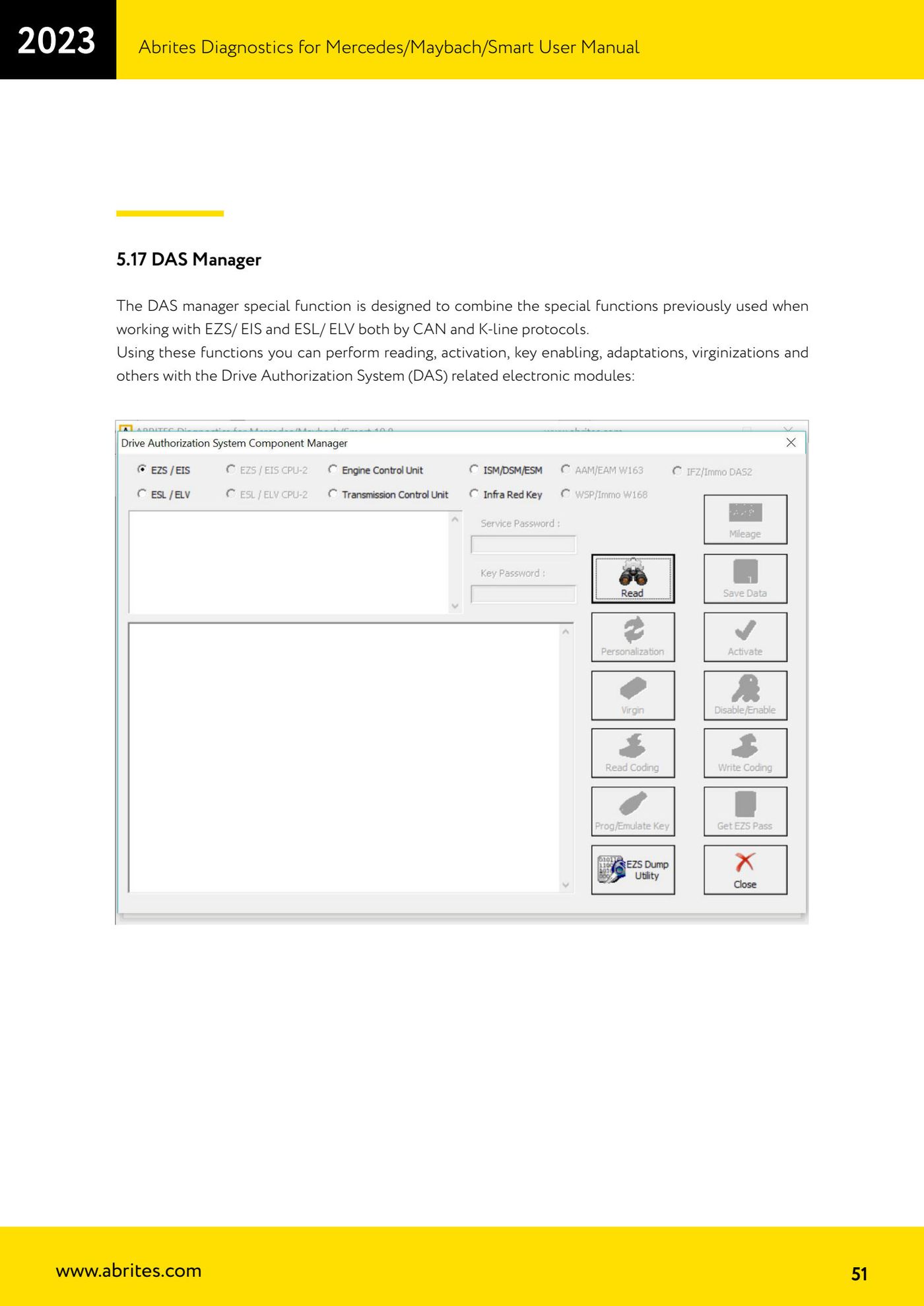
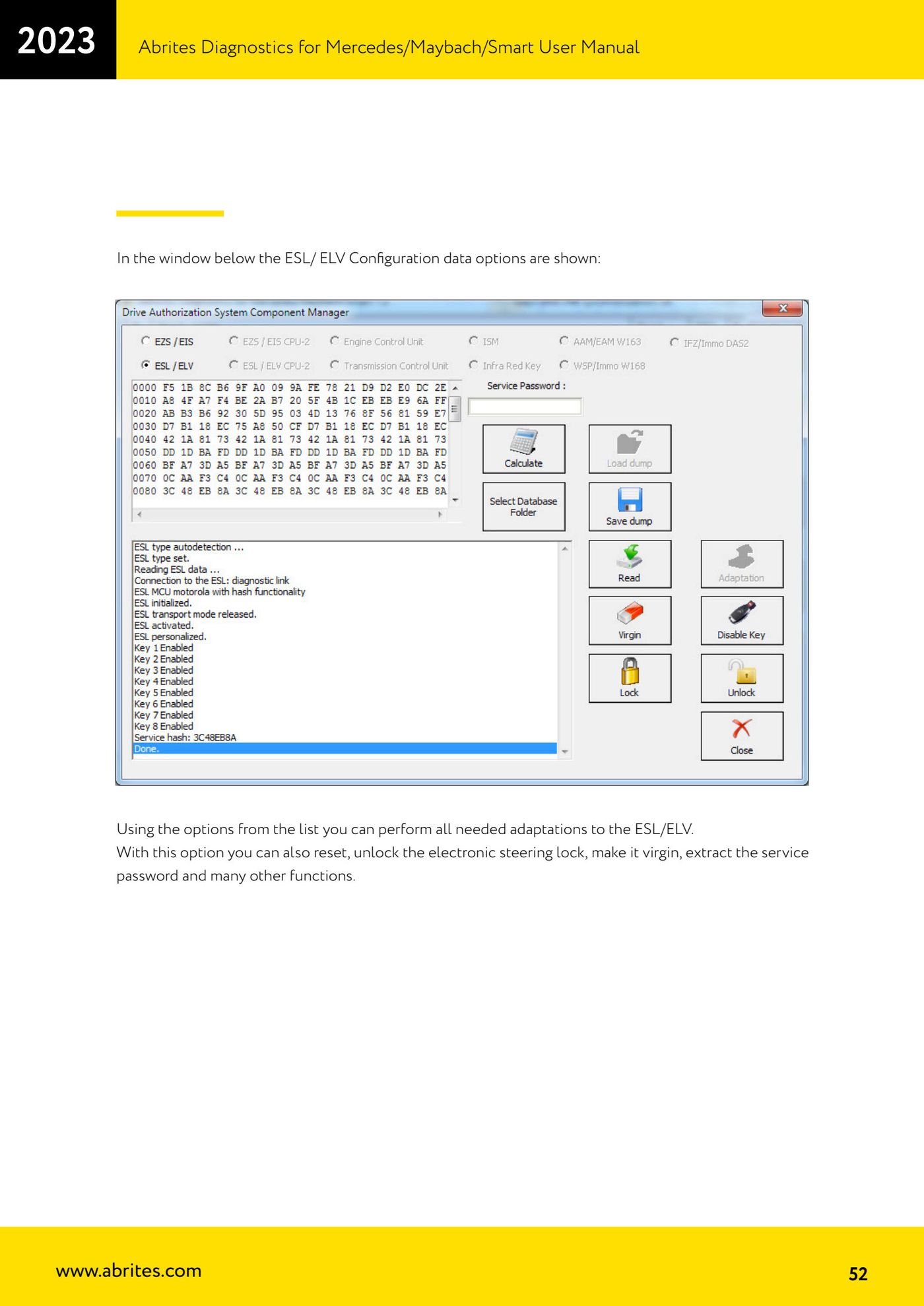
Source: Manuale Mercedes (Offline), cap. 5.17 DAS Manager (p.51-52) · ⏱ estimated time varies
← All Abrites guides Hardware catalogue
More guides Mercedes
- Diagnostics and vehicle selection (VIN, chassis, over 1300 modules)
- Mercedes-Benz bus and truck diagnostics
- Mercedes Coding (VMAX, side sensors, parameters)
- Mercedes ECU Flashing (CFF files)
- Mercedes FBS4 Manager (722.9 and CRD3 renew, VIN change)
- Smart Functions (DPF mileage reset, DPF ash, VIM, seat belt alarm, sun roof, 360° cameras)
- FBS4 odometer correction with MN030 + emulators (EM008/EM014/EM018)
- Exhaust flaps — exhaust valve control
- CPC Torque limiter — torque limit
- VMax calibration — speed limiter
- Speed Limit Calibration — eVito 447 (electric)
- Mercedes AdBlue Reset: resetting the AdBlue system after component replacement or the remaining mileage warning