
Chip-Tools
Configuration read/write (Custom Memory Download/Upload, VDO clusters 1998-2003)
Mercedes
Interface Classic
Coding / Adaptations
Advanced
⏱ 20-60 min
6 steps
A special function for reading and writing the Configuration memory of certain control units. It is used for investigation, for reading and programming flash memories and in particular for programming the Configuration of the VDO instrument clusters on all Mercedes vehicles between 1998 and 2003.
Required licences
- —
Hardware / cables
- —
⚠ WarningFrom version 3.9 onwards, on C-Class W203 and G-Class W463 the Configuration can be read/written through the OBDII socket: connecting directly to the instrument cluster is no longer necessary.
Procedure
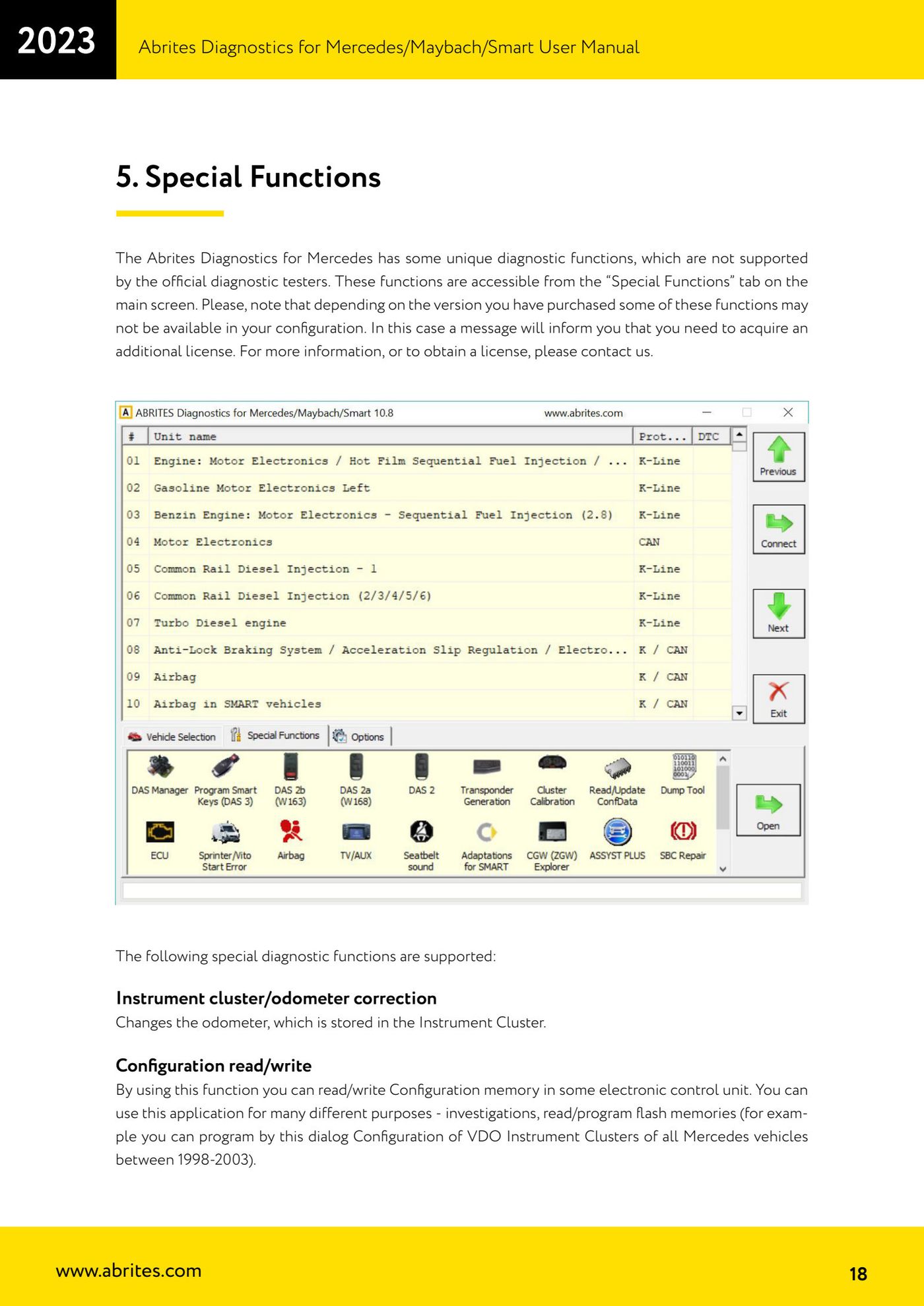
- Connect the interface and open the "Special Functions" tab.
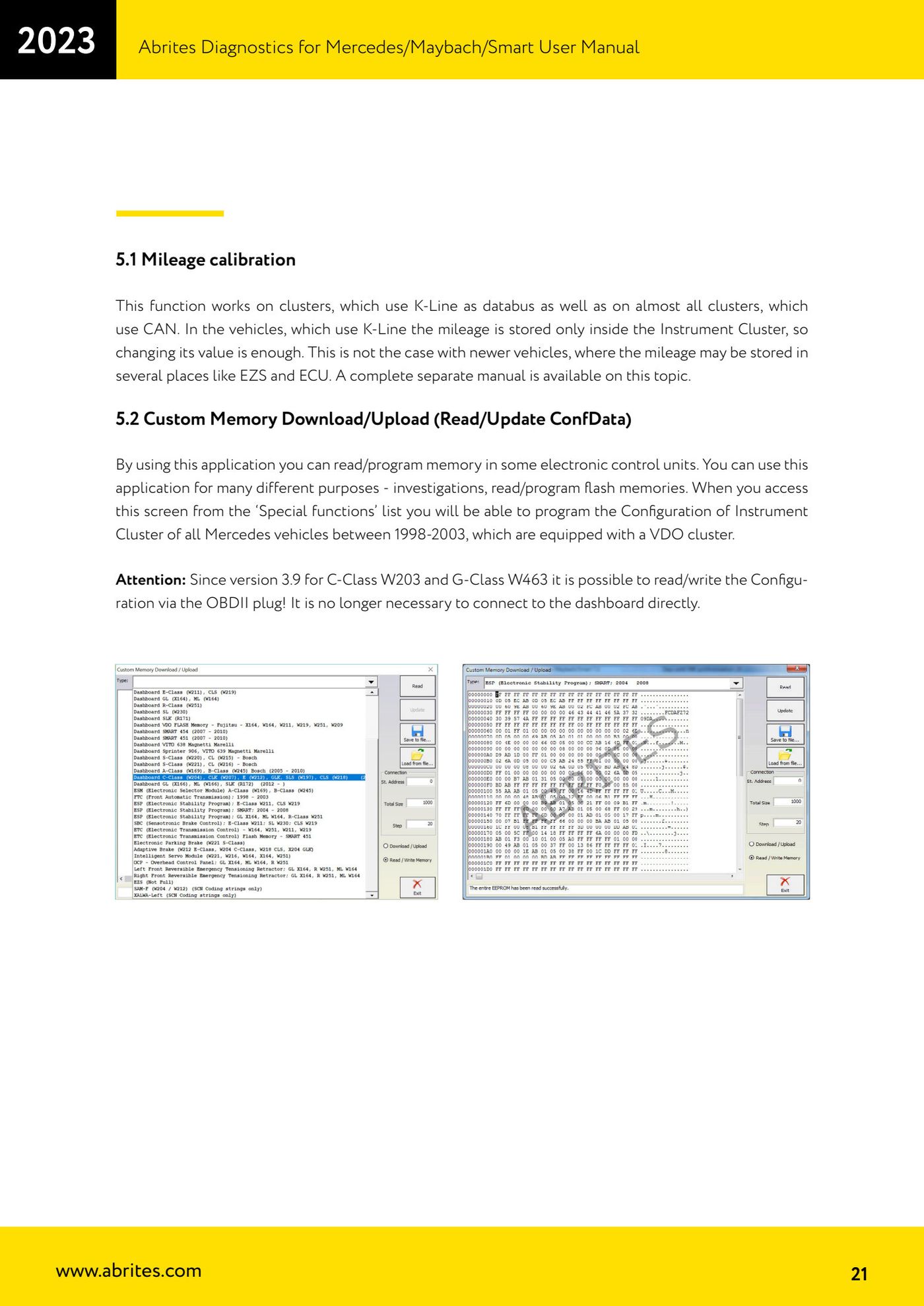
- Select "Configuration read/write" (Custom Memory Download/Upload - Read/Update ConfData).
- If you reach this screen from the "Special functions" list you can program the instrument cluster Configuration of all Mercedes vehicles between 1998 and 2003 fitted with a VDO cluster.
- Read the control unit Configuration and save it to file before making any change.
- Apply the required changes and write the Configuration back to the control unit.
- On C-Class W203 and G-Class W463 carry out the read and write straight from the OBDII socket, without removing or wiring into the cluster.
Reference screenshots
Source: Manuale Mercedes (Offline), cap. 5 e 5.2 Custom Memory Download/Upload (p.18, p.21) · ⏱ estimated time 20-60 min
← All Abrites guides Hardware catalogue
More guides Mercedes
- Diagnostics and vehicle selection (VIN, chassis, over 1300 modules)
- Mercedes-Benz bus and truck diagnostics
- Mercedes Coding (VMAX, side sensors, parameters)
- Mercedes ECU Flashing (CFF files)
- Mercedes FBS4 Manager (722.9 and CRD3 renew, VIN change)
- Smart Functions (DPF mileage reset, DPF ash, VIM, seat belt alarm, sun roof, 360° cameras)
- FBS4 odometer correction with MN030 + emulators (EM008/EM014/EM018)
- Exhaust flaps — exhaust valve control
- CPC Torque limiter — torque limit
- VMax calibration — speed limiter
- Speed Limit Calibration — eVito 447 (electric)
- Mercedes AdBlue Reset: resetting the AdBlue system after component replacement or the remaining mileage warning