
Chip-Tools
Transponder Tool: connecting the programmer and identifying Daihatsu keys and transponders
Daihatsu
Interface Classic
Keys / Immo
Medium
⏱ 10-20 min
8 steps
The "Transponder Tool" is the special function used to read and identify the transponders in Daihatsu keys. It is the obligatory first step before cloning a key, producing a virgin transponder or working on the immobiliser dump.
Required licences
- —
Hardware / cables
 AVDI
AVDI- programmatore di transponder Abrites
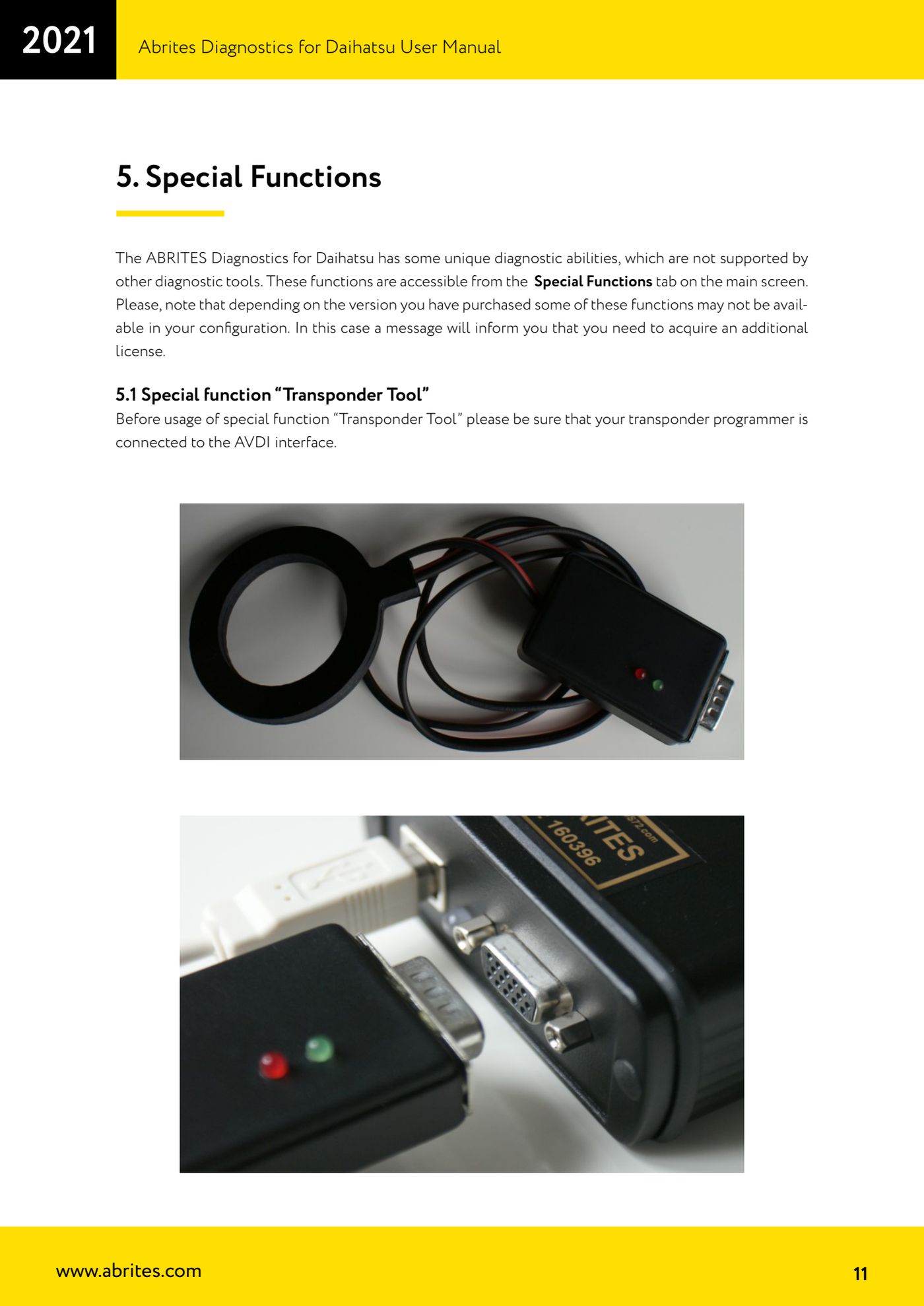
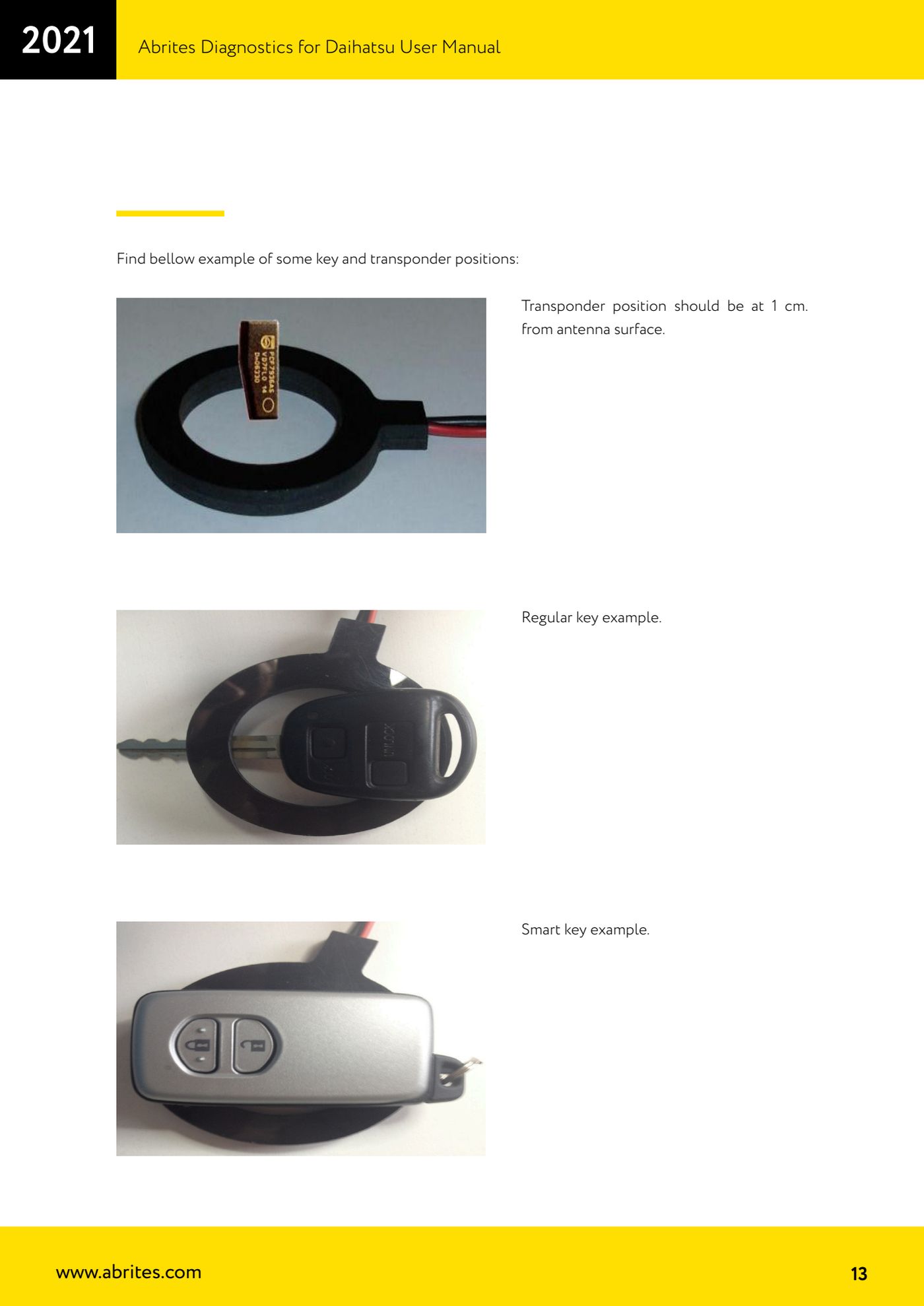
⚠ WarningWhile working with the antenna, keep the programmer away from metal surfaces: metal disturbs transponder reading and writing.
Procedure
- Connect the transponder programmer to the AVDI interface before launching the special function, otherwise the software will not detect it.
- On the main screen open the "Special Functions" tab and select "Transponder Tool".
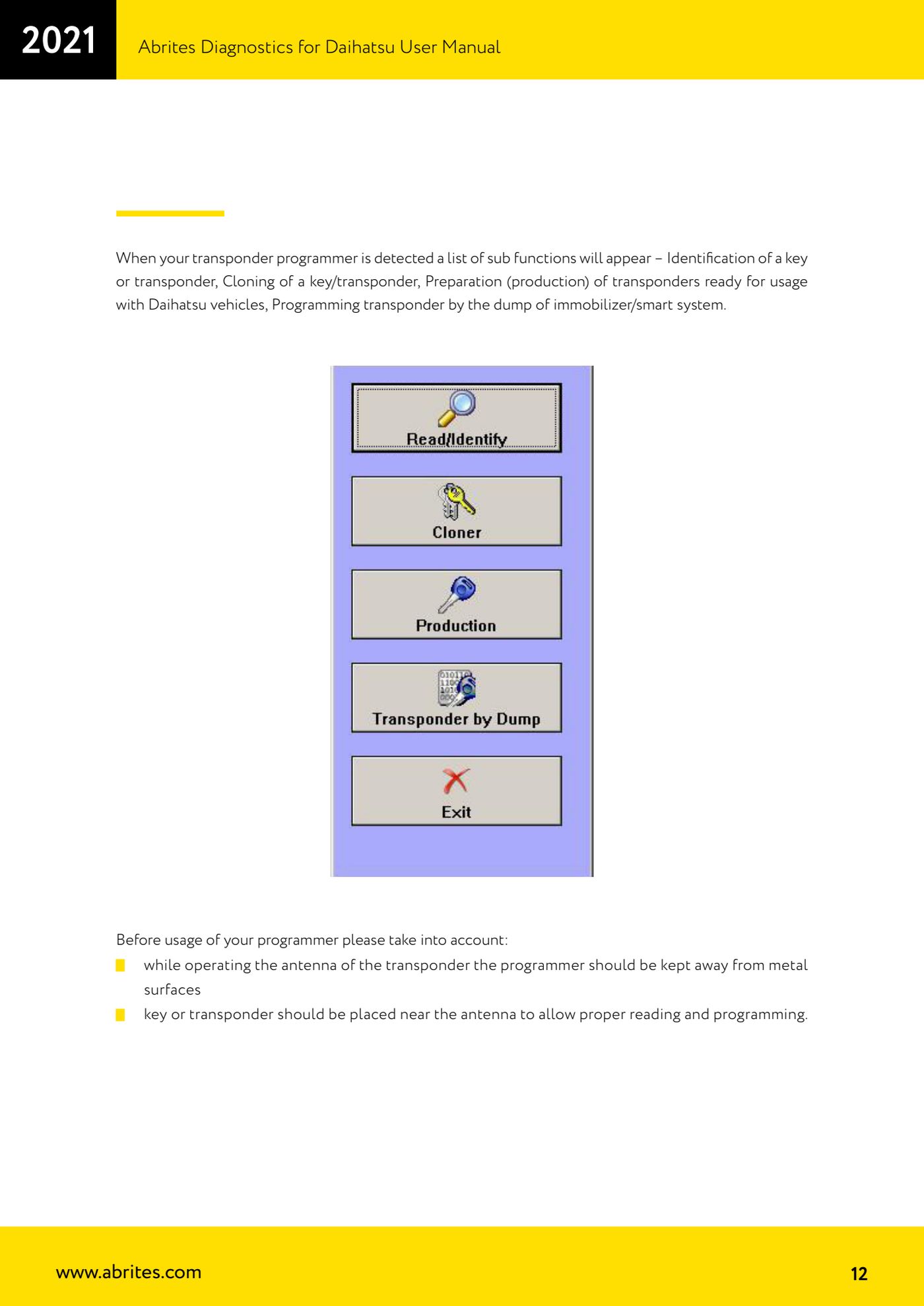
- Wait for the programmer to be detected: the list of available sub-functions appears, that is key/transponder identification, cloning, preparation (production) of transponders ready for Daihatsu vehicles and transponder programming from an immobiliser/smart system dump.
- If a missing licence message appears instead, that function is not included in the configuration you bought and has to be purchased separately.
- Place the key or transponder near the programmer's antenna, about 1 cm from the antenna surface: that is the correct distance for both a conventional key and a smart key.
- Press the "Read/Identify" button: the software shows a message with the transponder type and the programmed content.
- Read the identified type. The software only identifies the transponders used on Daihatsu vehicles: Texas 4C fixed (holds only the identification number, no authentication logic) and Texas 4D crypto (holds user-programmable data fields used by the immobiliser to decide whether the key has been programmed to the vehicle, plus the option of programming 40-bit secret keys for the authentication algorithm).
- If the read fails, reposition the key keeping the 1 cm from the antenna and move the programmer away from metal parts of the bench or the vehicle.
Reference screenshots
Source: Manuale Daihatsu, cap. 5.1 e 5.1.1 (p.11-14) · ⏱ estimated time 10-20 min
← All Abrites guides Hardware catalogue
More guides Daihatsu
- Starting Abrites Diagnostics for Daihatsu and opening a session with an ECU
- Reading and clearing DTC faults on Daihatsu ECUs
- Live Data and actuator tests on Daihatsu ECUs
- Cloning a Daihatsu key: Texas 4C onto TPX1 and Texas 4D onto TPX2
- Producing Daihatsu transponders ready for on-vehicle programming (virgin Texas 4D / TPX2)
- Preparing a Daihatsu key from the immobiliser or smart system dump
- Daihatsu Dump Tool: resetting to virgin state, mileage correction and airbag crash data clearing