
Chip-Tools
Reading and clearing DTC faults on Daihatsu ECUs
Daihatsu
Interface Classic
Diagnostics
Basic
⏱ 10-15 min
7 steps
Reading the fault codes stored in a Daihatsu ECU and clearing them after the repair. This is the basic function you start any diagnosis with, whether it is a warning light on or a customer complaint.
Required licences
- —
Hardware / cables

Procedure
- Open the diagnostic session with the ECU concerned from the main screen (double-click the entry in the list).
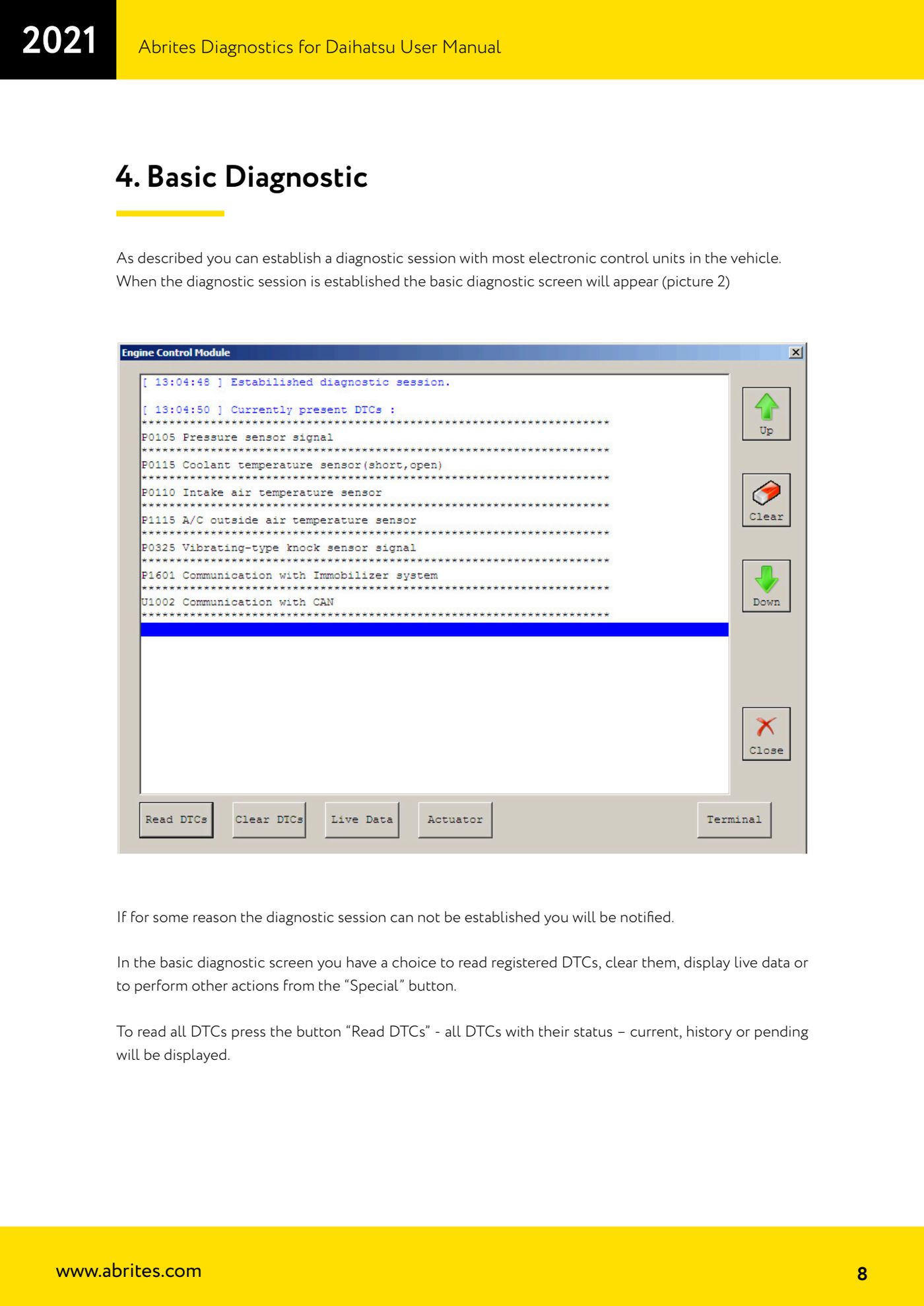
- On the basic diagnostics screen press the "Read DTCs" button: the software reads all the stored fault codes.
- Read the list: every DTC is shown with its number (Uxxxx, Bxxxx or Cxxxx format) and a detailed fault description.
- Check the status of each DTC, shown next to the code: current, history or pending. A "current" fault is present right now, a "history" one is stored but no longer active.
- Repeat the read on every suspect ECU, opening one session at a time from the main list.
- Once the fault is repaired press "Clear DTCs" to delete the codes stored in the ECU.
- Read again with "Read DTCs" to confirm the faults do not come straight back: if a code returns as current, the fault is still there.
Reference screenshots
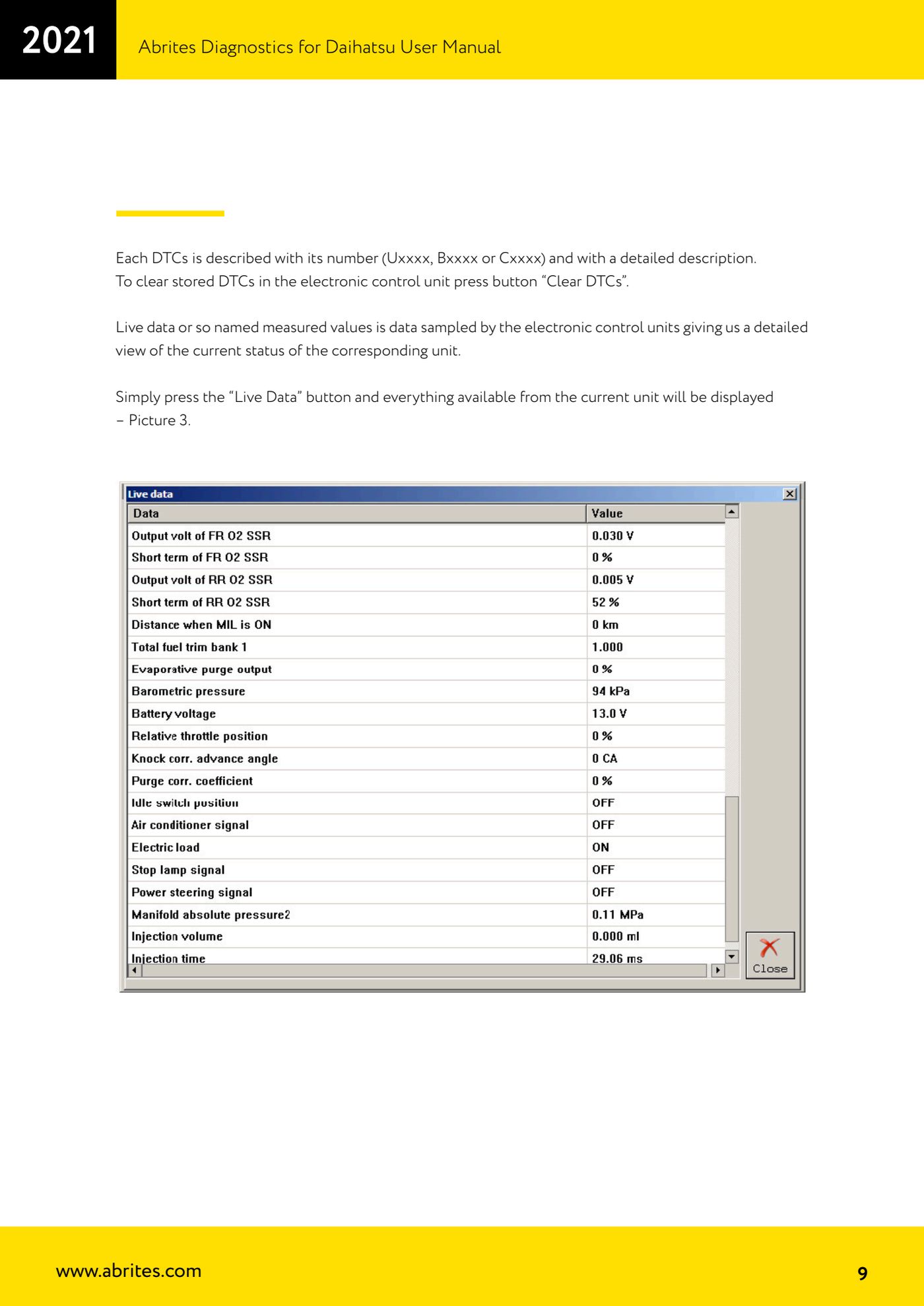
Source: Manuale Daihatsu, cap. 4 (p.8-9) · ⏱ estimated time 10-15 min
← All Abrites guides Hardware catalogue
More guides Daihatsu
- Starting Abrites Diagnostics for Daihatsu and opening a session with an ECU
- Live Data and actuator tests on Daihatsu ECUs
- Transponder Tool: connecting the programmer and identifying Daihatsu keys and transponders
- Cloning a Daihatsu key: Texas 4C onto TPX1 and Texas 4D onto TPX2
- Producing Daihatsu transponders ready for on-vehicle programming (virgin Texas 4D / TPX2)
- Preparing a Daihatsu key from the immobiliser or smart system dump
- Daihatsu Dump Tool: resetting to virgin state, mileage correction and airbag crash data clearing