
Chip-Tools
Starting Abrites Diagnostics for Daihatsu and opening a session with an ECU
Daihatsu
Interface Classic
Diagnostics
Basic
⏱ 5-10 min
7 steps
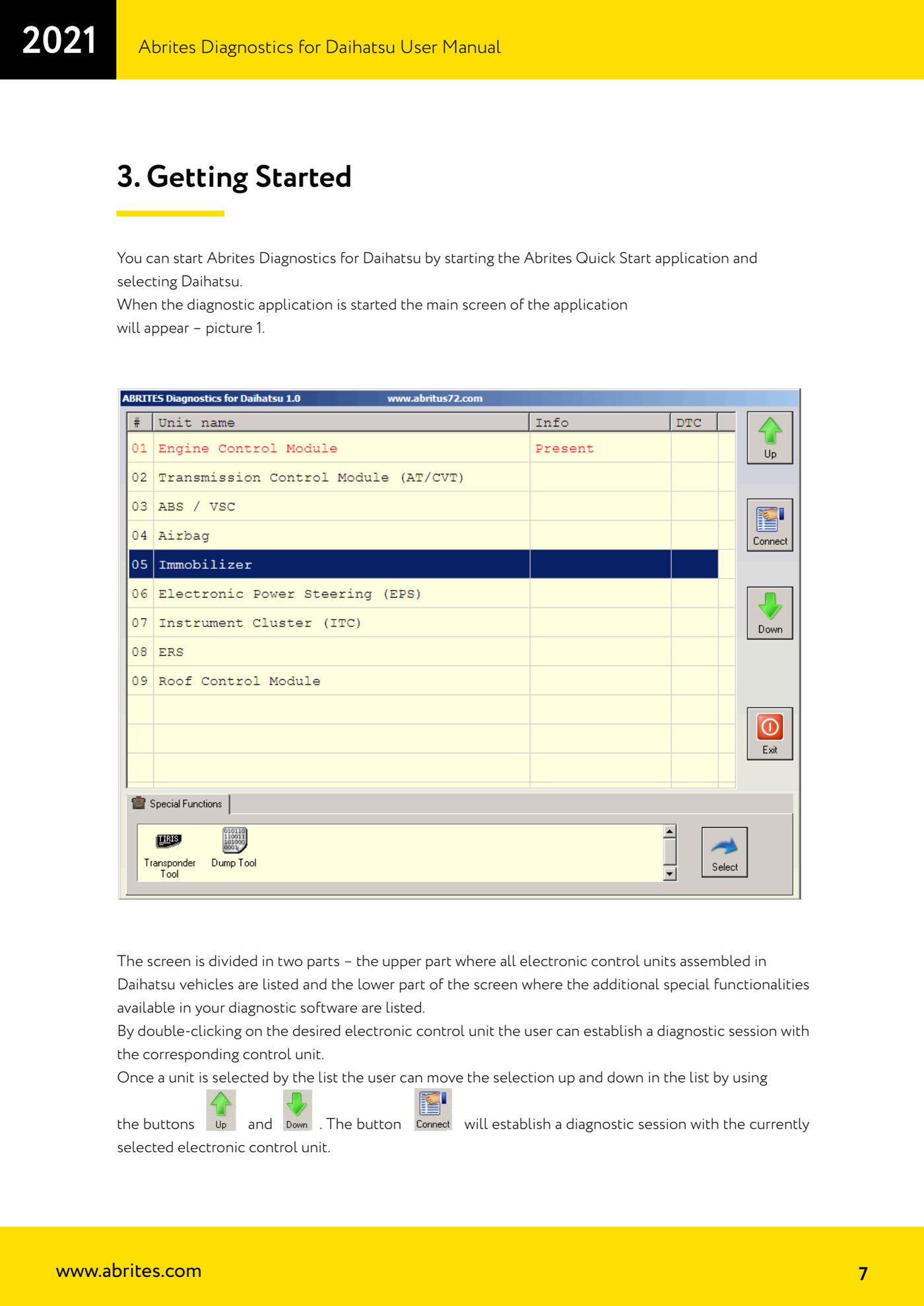
First job on any Daihatsu: start the diagnostic software and open a session with the ECU you are interested in. The main screen lists all the ECUs fitted to Daihatsu vehicles at the top and the available special functions at the bottom.
Required licences
- —
Hardware / cables

⚠ WarningThe software runs on Windows XP, 2000, Vista and 7 and needs at least a Pentium 4 with 512 MB of RAM. Windows RT is not supported.
Procedure
- Check that the AVDI interface software is already installed on the PC; if it is not, work through the "AVDI Common User's Manual" first.
- Plug the AVDI into the vehicle's OBDII socket and into the PC, then turn the ignition ON.
- Start the "Abrites Quick Start" application and select "Daihatsu": the main screen of the diagnostic software opens.
- Look at the screen: the upper part lists all the electronic control units fitted to Daihatsu vehicles, the lower part the special functions ("Special Functions") included in your configuration.
- Scroll the ECU list with the up/down arrow buttons to move the selection, or click directly on the entry you want.
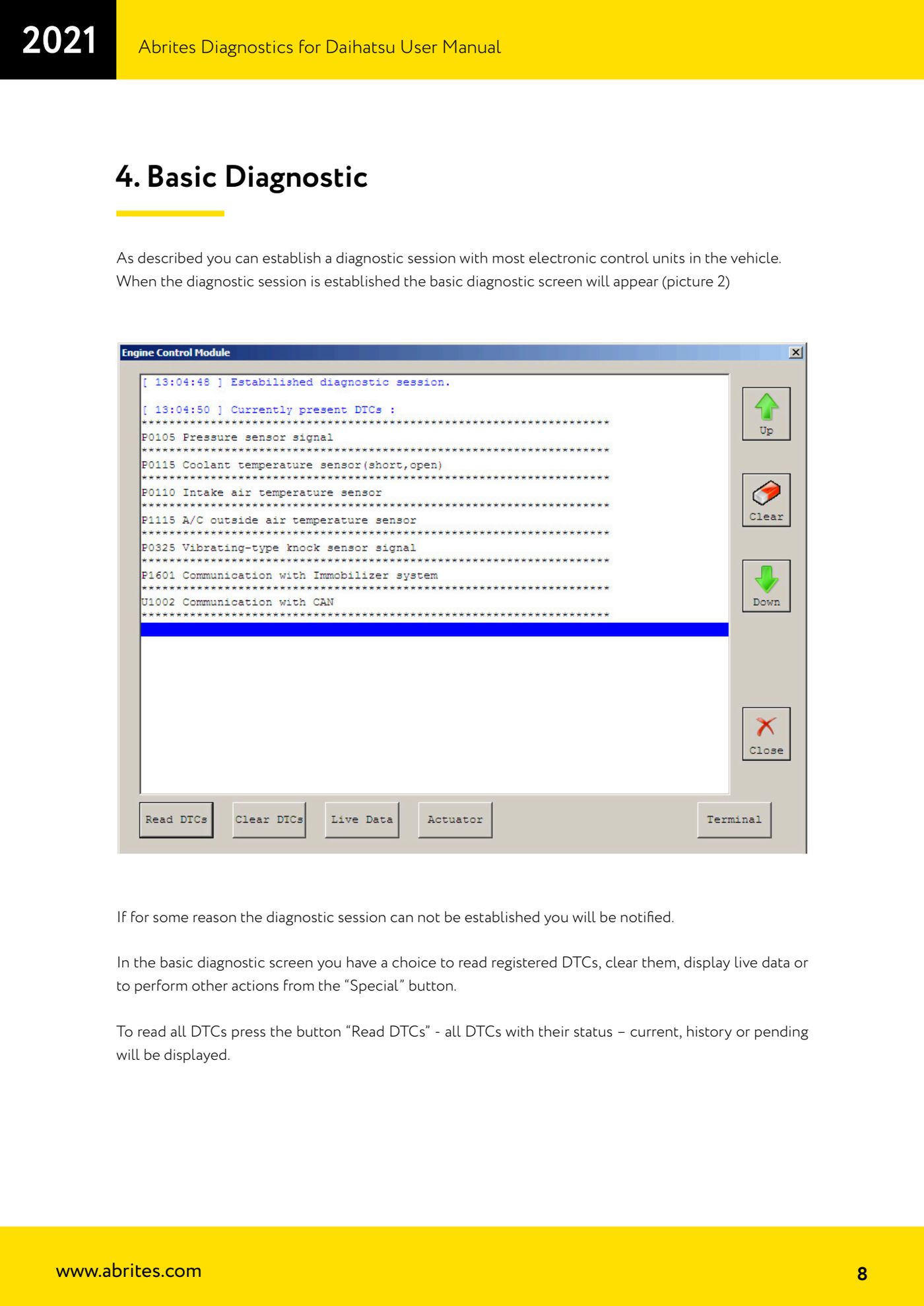
- Open the diagnostic session by double-clicking the ECU you want, or select it and press the connect button: the software establishes the session with that ECU.
- If the session cannot be established, the software warns you with a message: check the power supply, ignition on, OBDII connection and that the ECU is actually fitted to the vehicle.
Reference screenshots
Source: Manuale Daihatsu, cap. 2-3 (p.6-7) · ⏱ estimated time 5-10 min
← All Abrites guides Hardware catalogue
More guides Daihatsu
- Reading and clearing DTC faults on Daihatsu ECUs
- Live Data and actuator tests on Daihatsu ECUs
- Transponder Tool: connecting the programmer and identifying Daihatsu keys and transponders
- Cloning a Daihatsu key: Texas 4C onto TPX1 and Texas 4D onto TPX2
- Producing Daihatsu transponders ready for on-vehicle programming (virgin Texas 4D / TPX2)
- Preparing a Daihatsu key from the immobiliser or smart system dump
- Daihatsu Dump Tool: resetting to virgin state, mileage correction and airbag crash data clearing