
Chip-Tools
Preparing a Daihatsu key from the immobiliser or smart system dump
Daihatsu
Interface Classic
Keys / Immo
Advanced
⏱ varies
8 steps
When working over diagnostics is not possible, this utility prepares the key from the EEPROM dump of the immobiliser/smart module. The software automatically identifies the vehicle type and the transponder or key needed for programming.
Required licences
- —
Hardware / cables
 AVDI
AVDI- programmatore di transponder Abrites
- programmatore IC per EEPROM
⚠ WarningThe dump modified by the application has to be written back into the immobiliser/smart module with the same IC programmer used to read it: always keep an untouched copy of the original dump before any write.
Procedure
- Remove the immobiliser or smart module from the vehicle and read its EEPROM with an IC programmer, saving the dump to file.
- Keep a safety copy of the original dump, separate from the file you will be working on.
- Connect the transponder programmer to the AVDI, open "Special Functions" and launch "Transponder Tool".
- Select the sub-function for programming the transponder from the immobiliser/smart system dump and load the dump file into the application.
- Let the software automatically identify the vehicle type and tell you which transponder or key is needed for programming.
- Place the indicated transponder/key about 1 cm from the programmer's antenna and start writing the key.
- Save the new dump modified by the application and program it back into the immobiliser/smart module with the same IC programmer.
- Refit the module to the vehicle and check that the prepared key starts the engine.
Reference screenshots
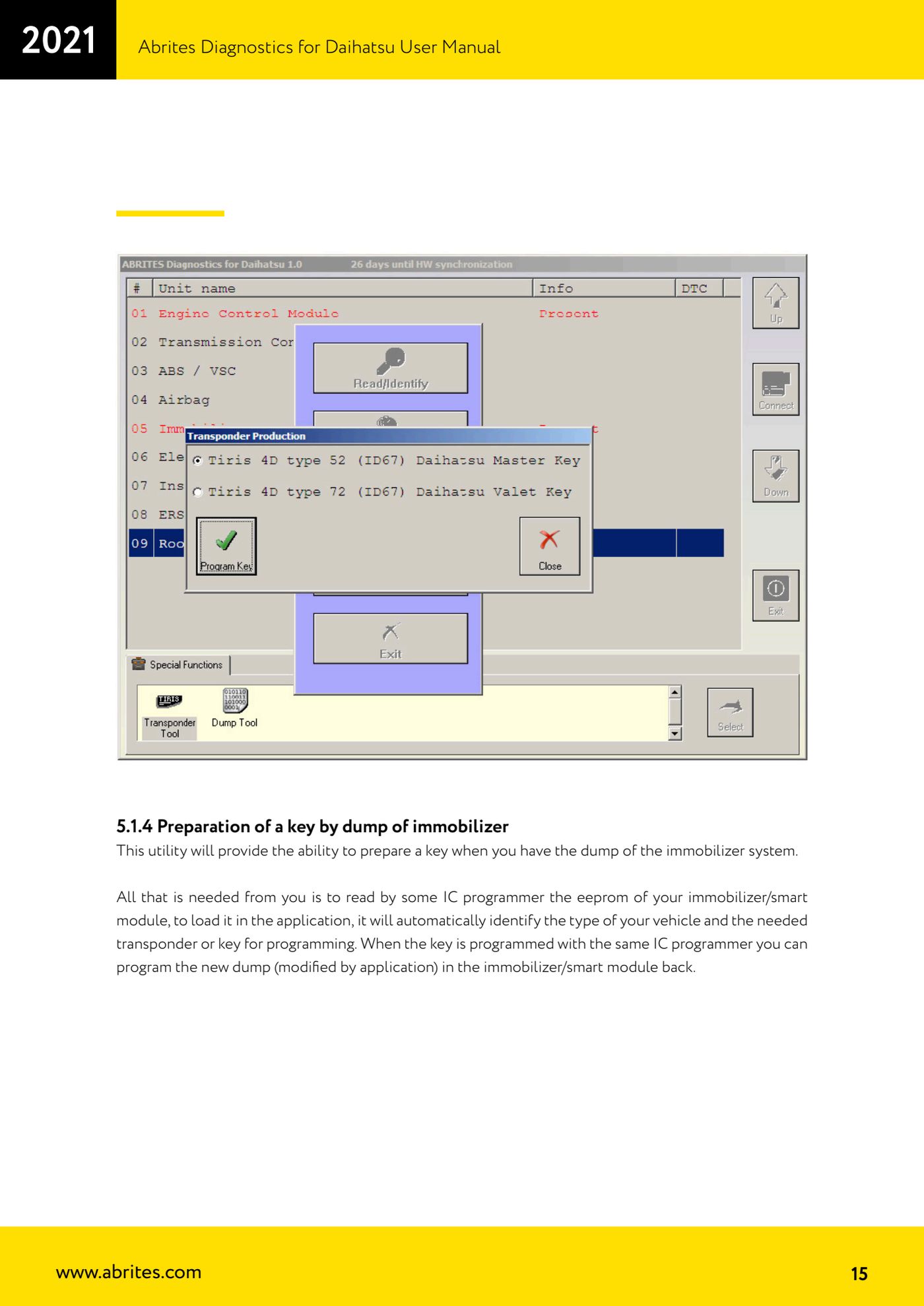
Source: Manuale Daihatsu, cap. 5.1.4 (p.15) · ⏱ estimated time varies
← All Abrites guides Hardware catalogue
More guides Daihatsu
- Starting Abrites Diagnostics for Daihatsu and opening a session with an ECU
- Reading and clearing DTC faults on Daihatsu ECUs
- Live Data and actuator tests on Daihatsu ECUs
- Transponder Tool: connecting the programmer and identifying Daihatsu keys and transponders
- Cloning a Daihatsu key: Texas 4C onto TPX1 and Texas 4D onto TPX2
- Producing Daihatsu transponders ready for on-vehicle programming (virgin Texas 4D / TPX2)
- Daihatsu Dump Tool: resetting to virgin state, mileage correction and airbag crash data clearing