
Chip-Tools
Live Data and actuator tests on Daihatsu ECUs
Daihatsu
Interface Classic
Diagnostics
Basic
⏱ 15-30 min
7 steps
Live values ("Live Data") and actuator tests tell you whether a component is actually working, when the DTC alone is not enough to pin down the fault. Handy for confirming an implausible sensor reading or for driving an actuator directly and hearing/seeing it operate.
Required licences
- —
Hardware / cables

⚠ WarningChock all the vehicle's wheels during testing and work in a well-ventilated area, with the exhaust gases ducted outside the workshop.
Procedure
- Open the diagnostic session with the ECU you want to look at from the main screen.
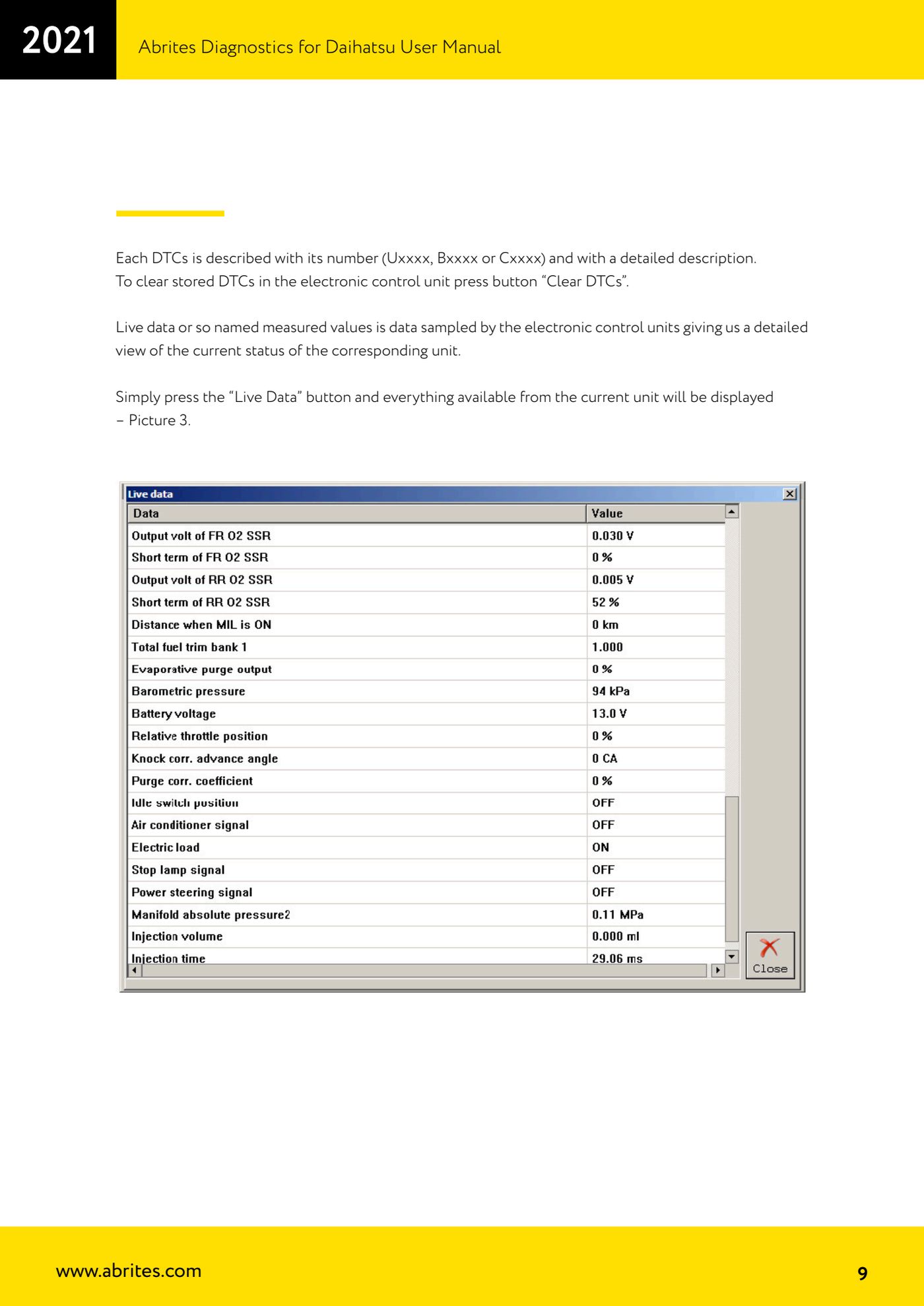
- On the basic diagnostics screen press the "Live Data" button: the software shows every parameter the selected ECU makes available.
- Read the values sampled by the ECU and compare them against the actual state of the vehicle (engine off/running, pedal released/pressed, lights on, etc.) to spot implausible readings.
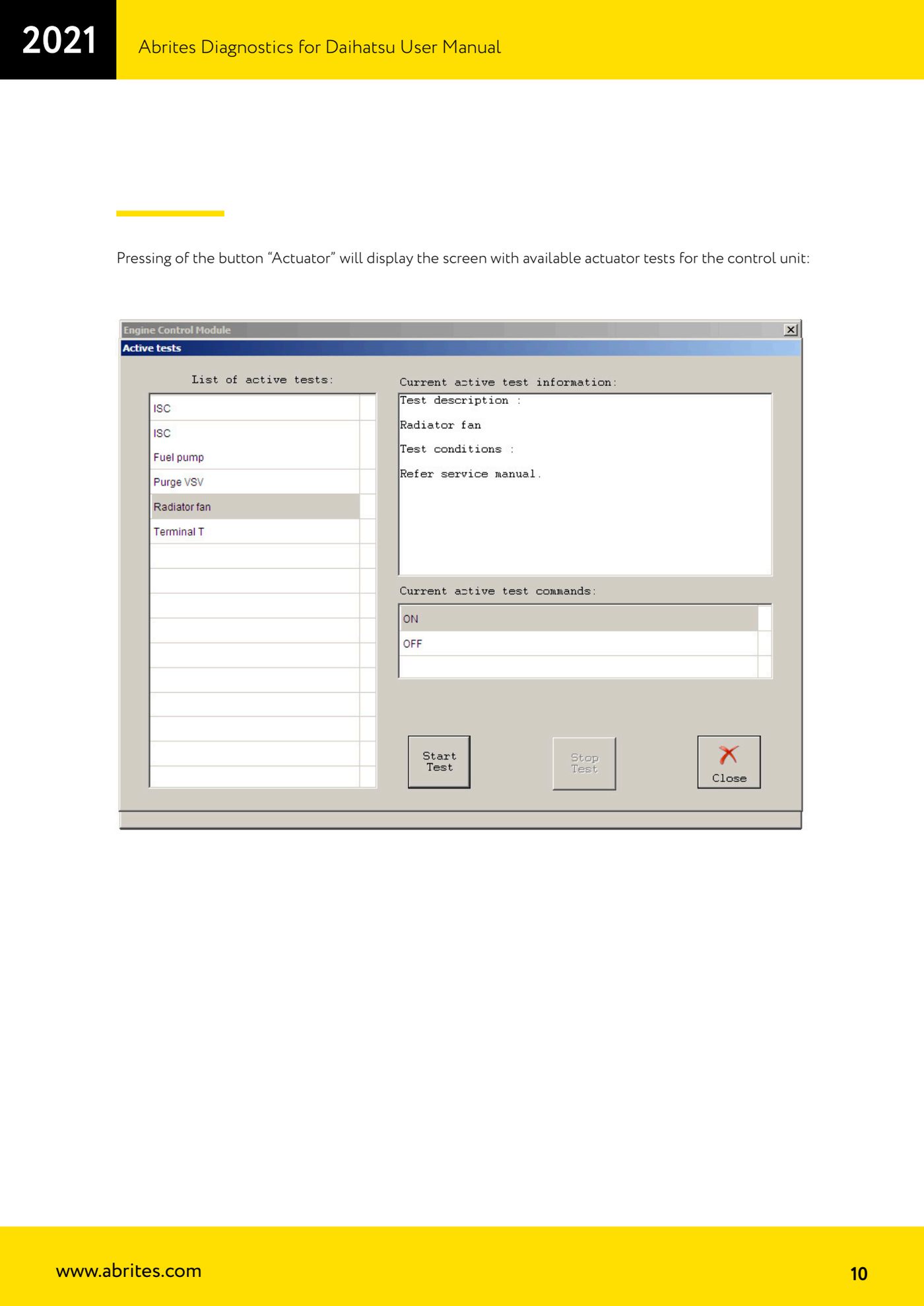
- To test a component, go back to the basic diagnostics screen and press the "Actuator" button: the list of actuator tests available for that ECU appears.
- Select the test you want and start it, then check on the vehicle itself that the actuator responds (noise, movement, the lamp or load being switched).
- If an actuator does not respond to the command, the fault is downstream of the ECU (wiring, connector or component); if it does respond, focus the search on the command signal or on the sensor that drives it.
- Close the actuator test before unplugging the AVDI and read the DTCs again with "Read DTCs", because the tests can set temporary codes that need clearing.
Reference screenshots
Source: Manuale Daihatsu, cap. 4 (p.9-10) · ⏱ estimated time 15-30 min
← All Abrites guides Hardware catalogue
More guides Daihatsu
- Starting Abrites Diagnostics for Daihatsu and opening a session with an ECU
- Reading and clearing DTC faults on Daihatsu ECUs
- Transponder Tool: connecting the programmer and identifying Daihatsu keys and transponders
- Cloning a Daihatsu key: Texas 4C onto TPX1 and Texas 4D onto TPX2
- Producing Daihatsu transponders ready for on-vehicle programming (virgin Texas 4D / TPX2)
- Preparing a Daihatsu key from the immobiliser or smart system dump
- Daihatsu Dump Tool: resetting to virgin state, mileage correction and airbag crash data clearing