
Chip-Tools
ESL (ELV) repair on Mercedes FBS4: releasing the electronic steering lock and clearing the "ELV Component Fault" error
Mercedes
Interface New
Keys / Immo
Medium
⏱ 20-40 min
13 steps
Function dedicated to the "ELV Component Fault" error on all FBS4 cars fitted with the ESL (ELV) electronic steering lock: the module fails through dirt, wear or voltage spikes and stays stuck in its last position, so the car won't start. The function clears the fault, releases the ESL and lets the car start. It can be run on the car or on the bench.
Required licences
- MN033
Hardware / cables


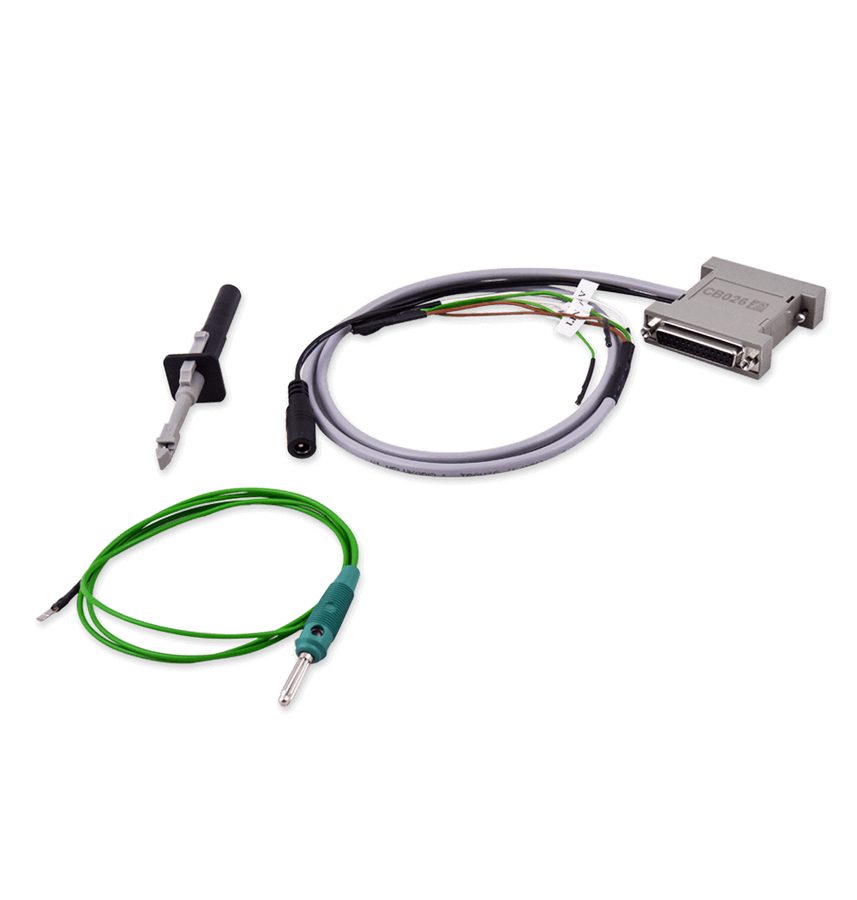
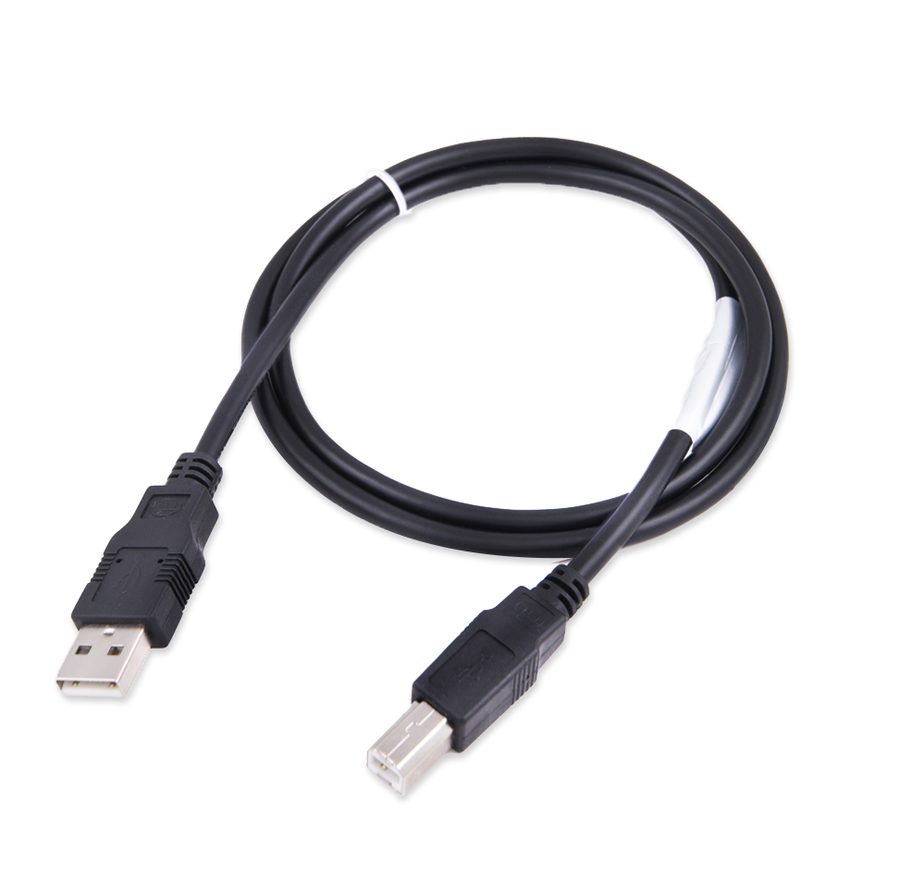
⚠ WarningReleasing it is a stop-gap fix: to stop the problem coming back, the faulty parts of the ESL (ELV) must be repaired or replaced. The function needs a direct connection to the ESL diagnostic line - OBDII on its own is not enough.
Procedure
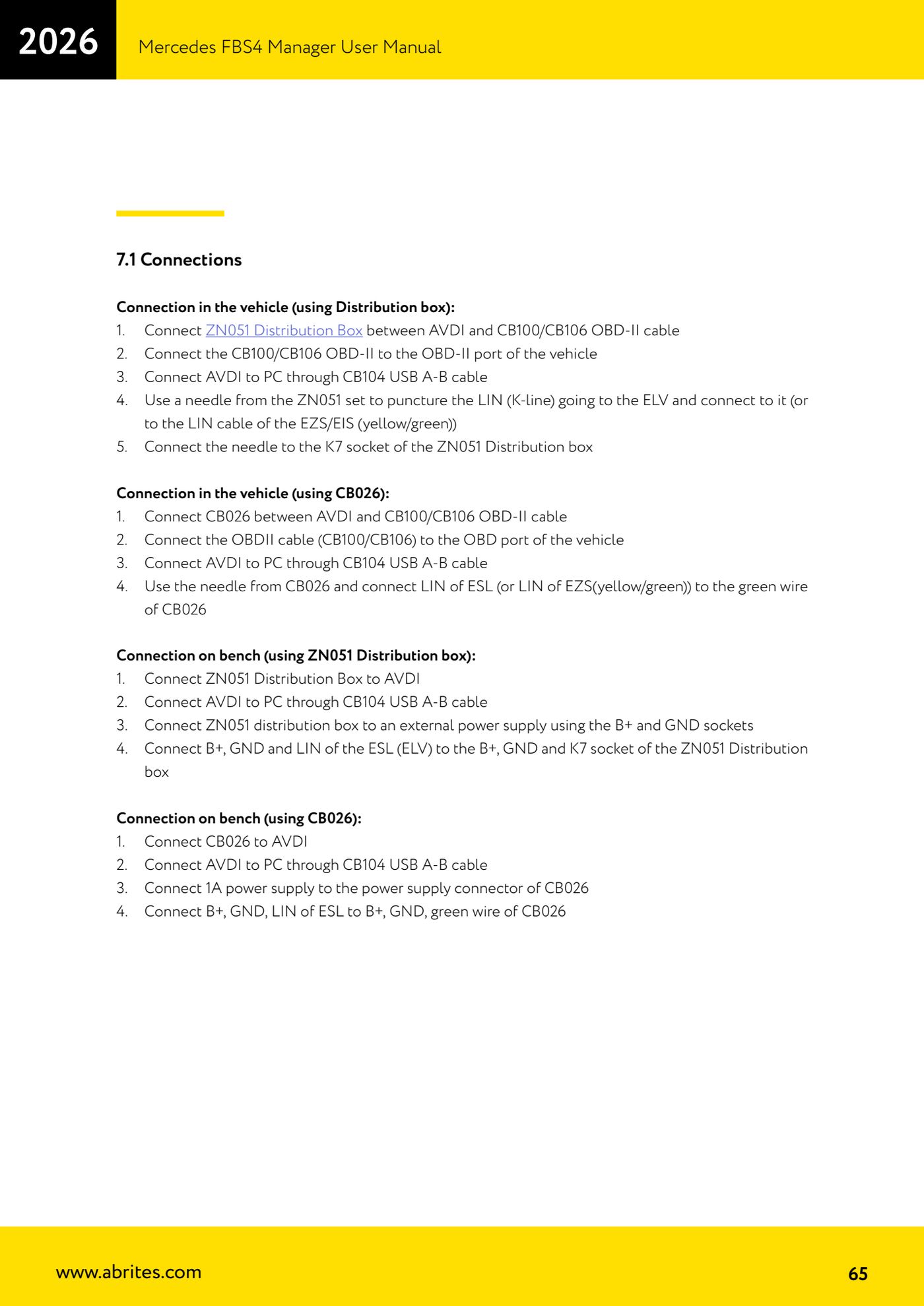
- ON-CAR CONNECTION WITH ZN051 - Connect the ZN051 Distribution Box between the AVDI and the CB100/CB106 OBDII cable.
- Connect the CB100/CB106 OBDII cable to the car's OBDII port and the AVDI to the PC with the CB104 USB A-B cable.
- Using a needle from the ZN051 set, pierce the LIN (K-line) wire running to the ESL (or the LIN wire at the EZS/EIS, yellow/green) and tap into it.
- Connect the needle to the K7 socket on the ZN051 Distribution Box.
- ON-CAR CONNECTION WITH CB026 (alternative) - Connect the CB026 between the AVDI and the CB100/CB106 OBDII cable, plug the OBDII into the car and the AVDI into the PC with CB104; using the CB026 needle, connect the ESL LIN (or the yellow/green LIN at the EZS) to the green wire of the CB026.
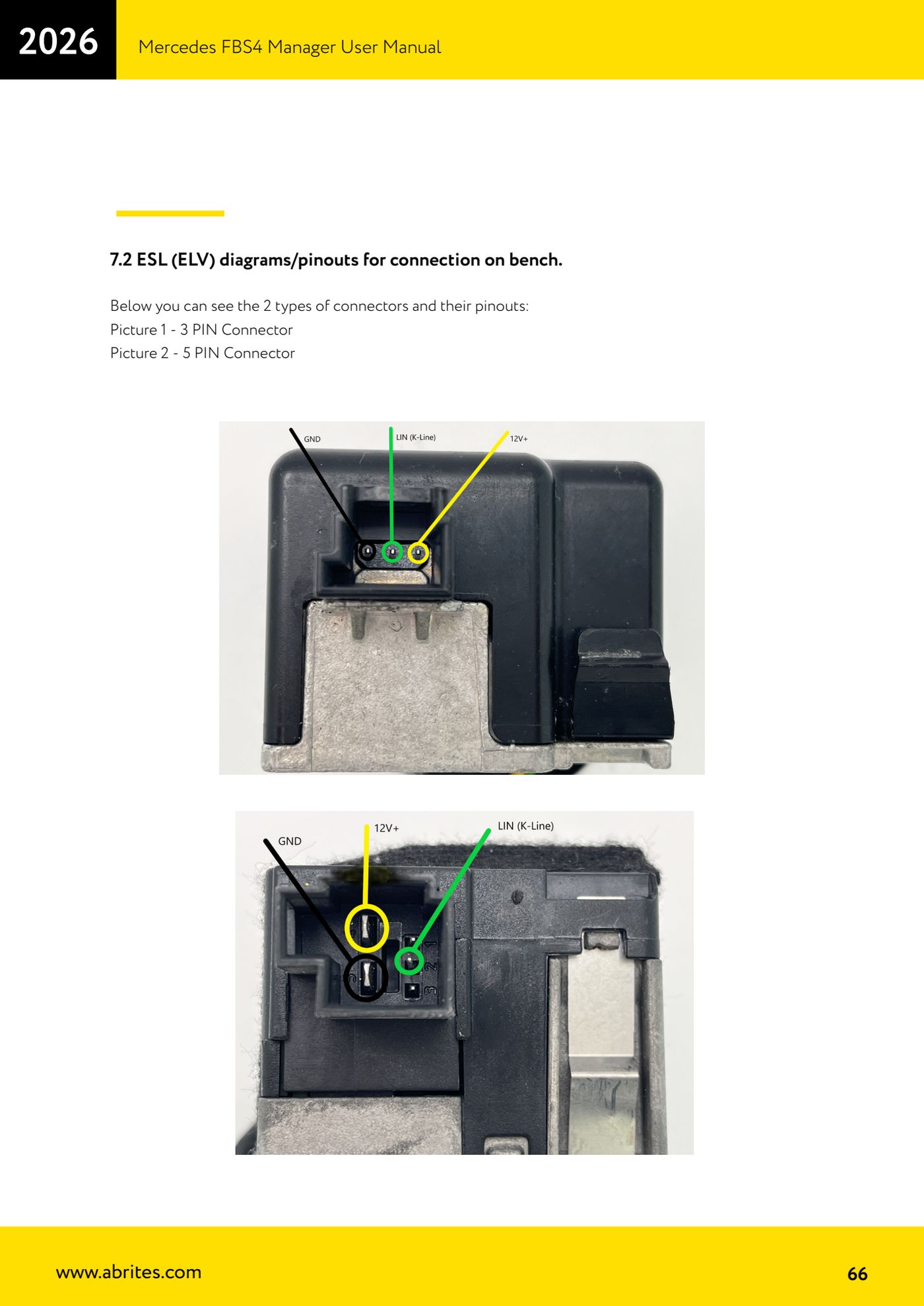
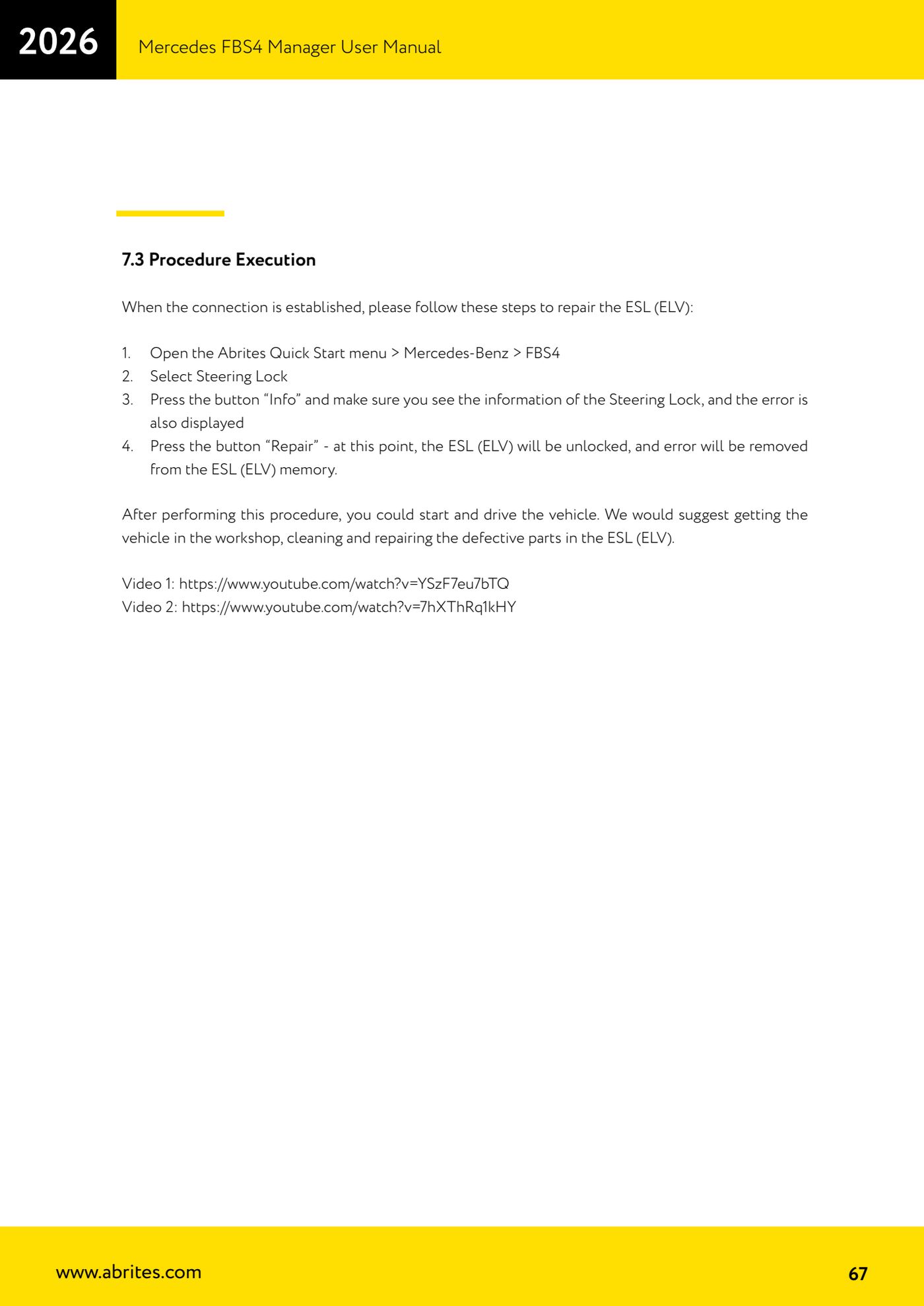
- BENCH CONNECTION WITH ZN051 - Connect the ZN051 Distribution Box to the AVDI, the AVDI to the PC with CB104, power the ZN051 from an external supply using the B+ and GND sockets, and connect the ESL's B+, GND and LIN to the B+, GND and K7 sockets of the ZN051.
- BENCH CONNECTION WITH CB026 (alternative) - Connect the CB026 to the AVDI, the AVDI to the PC with CB104, power the CB026 from a 1 A supply on its power connector, and connect the ESL's B+, GND and LIN to B+, GND and the green wire of the CB026.
- On the bench, refer to the diagrams for the two ESL connector types: 3 PIN and 5 PIN, with their respective pinouts.
- RUNNING IT - Open the Abrites Quick Start menu > Mercedes-Benz > FBS4.
- Select "Steering Lock".
- Press "Info" and check that you can see the steering lock information and the fault shown.
- Press "Repair": the ESL (ELV) is released and the fault is cleared from its memory.
- Try starting: the car should now fire up. Still advise the customer to have the car in the workshop to clean and repair the faulty parts of the ESL.
Reference screenshots
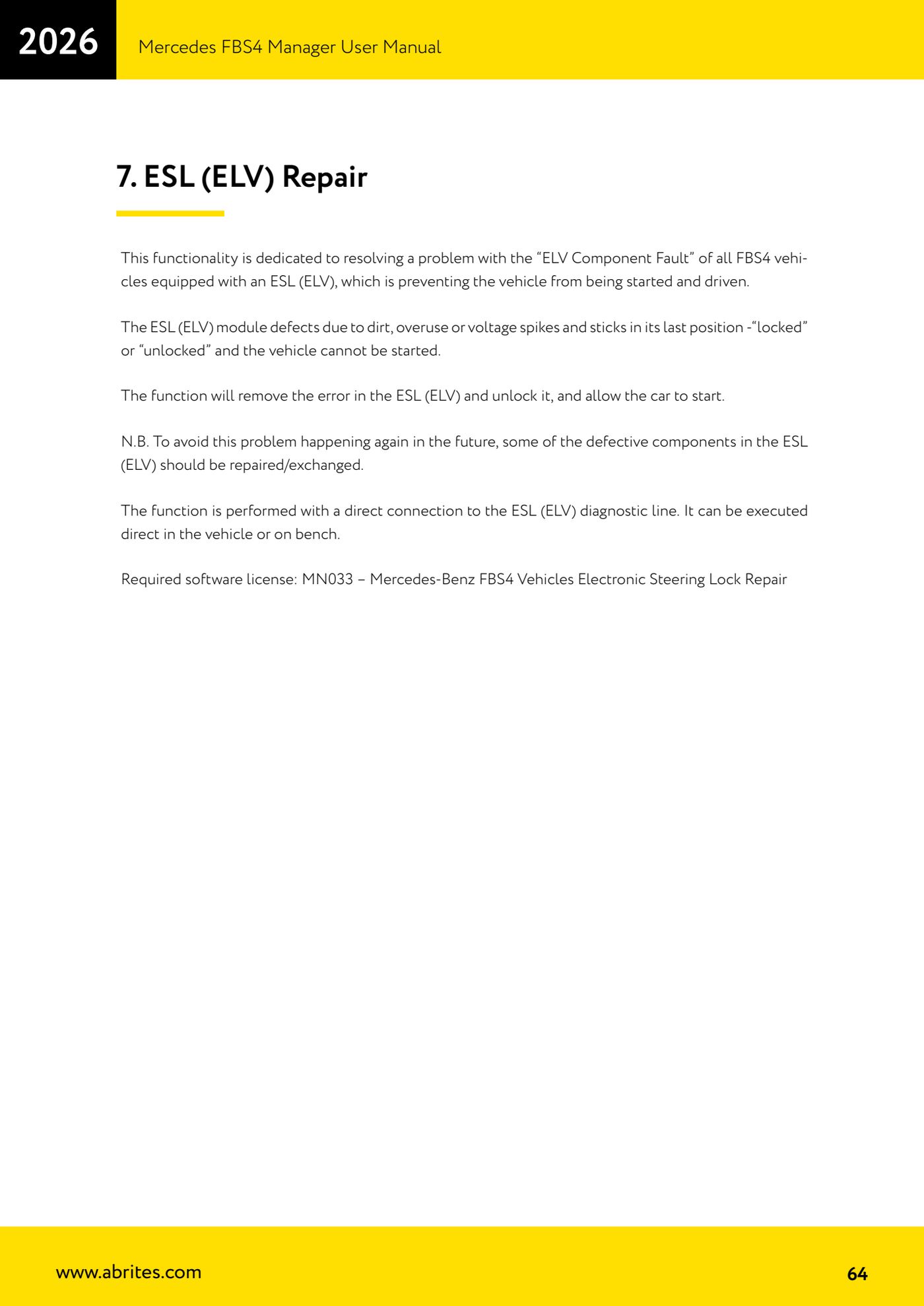
Source: Manuale Mercedes FBS4 Manager, parte 2 di 2, cap. 7, 7.1, 7.2 e 7.3 (p.64-67) · ⏱ estimated time 20-40 min
← All Abrites guides Hardware catalogue
More guides Mercedes
- Diagnostics and vehicle selection (VIN, chassis, over 1300 modules)
- Mercedes-Benz bus and truck diagnostics
- Mercedes Coding (VMAX, side sensors, parameters)
- Mercedes ECU Flashing (CFF files)
- Mercedes FBS4 Manager (722.9 and CRD3 renew, VIN change)
- Smart Functions (DPF mileage reset, DPF ash, VIM, seat belt alarm, sun roof, 360° cameras)
- FBS4 odometer correction with MN030 + emulators (EM008/EM014/EM018)
- Exhaust flaps — exhaust valve control
- CPC Torque limiter — torque limit
- VMax calibration — speed limiter
- Speed Limit Calibration — eVito 447 (electric)
- Mercedes AdBlue Reset: resetting the AdBlue system after component replacement or the remaining mileage warning