
Chip-Tools
McLaren: guided calibration functions (CCU, SAS, ESP, SCUG, seats, windows)
McLaren
Interface Classic
Special Functions
Medium
⏱ varies
8 steps
The step-by-step guided procedures in the ML001 licence simplify complex McLaren calibrations and adaptations. They are typically used after replacing a sensor or a mechanical component (suspension pressure sensor, steering angle sensor, yaw rate sensor, steering column, seat or window motors).
Required licences
- ML001
Hardware / cables

⚠ WarningBefore any test chock all the vehicle's wheels and keep the work area safe (Abrites safety instructions). Chassis and steering calibrations require the vehicle to be stationary and in the position called for by the on-screen procedure.
Procedure
- Plug the AVDI into the OBDII socket, switch the ignition on and open "Abrites Diagnostics for McLaren Online", selecting the correct model.
- Run a "Full Vehicle Scan" and read the DTCs: some calibrations will not complete if there are active faults on the sensor or ECU involved.
- Enter "Special Functions" and open the guided functions section ("Guided Functions").
- Choose the calibration you need from those available: "[CCU] Acceleration Zero Calibration" (zeroing the acceleration sensor), "[CCU] Suspension Pressure Sensor Calibration", "[SCML/SMCR] Seat Calibration" (left/right seat calibration), "[SAS] Zero Position Steering Wheel (Fine Tuning)", "[ESP] Yaw Rate Sensor Calibration", "[SCUG] Steering Column Calibration", "[DMR/DML] Door Windows Calibration" (right/left door window calibration).
- Put the vehicle in the condition the screen calls for: car stationary on level ground, wheels straight for SAS/SCUG/ESP calibrations, doors and glass clear of obstructions for DMR/DML calibration, seat clear of obstructions for SCML/SMCR.
- Follow the interactive step-by-step procedure shown by the software: only confirm each step once the required condition is actually met.
- Do not switch the ignition off, unplug the AVDI or break the internet connection until the calibration completion message appears.
- When finished, repeat "Read/Clear DTCs" to clear the faults generated during the procedure and check operation on the vehicle (steering, ride height, seat or window movement, depending on the calibration performed).
Reference screenshots
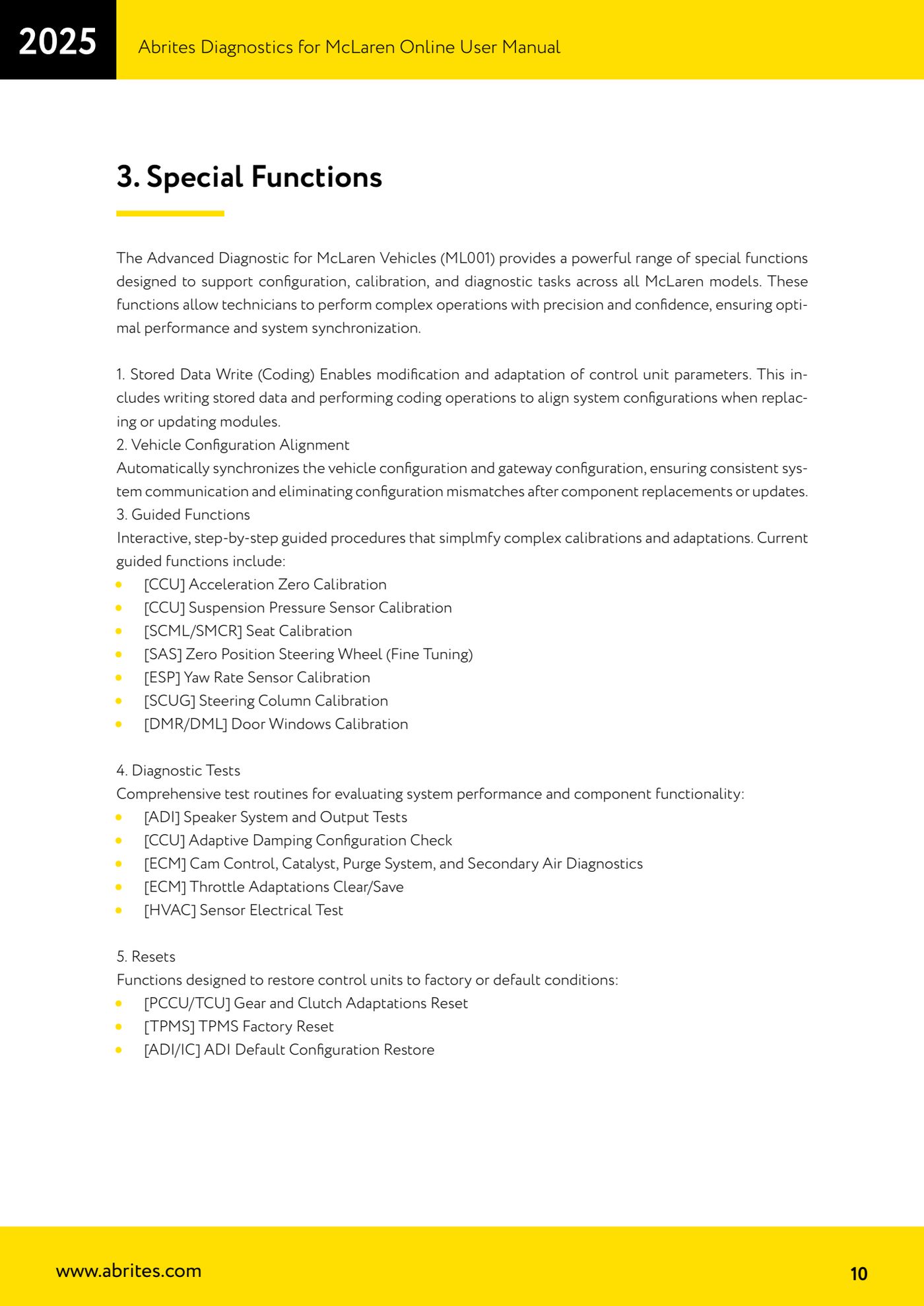
Source: Manuale McLaren, cap. 3 Special Functions, punto 3 Guided Functions (p.10) · ⏱ estimated time varies
← All Abrites guides Hardware catalogue
More guides McLaren
- McLaren: connecting the AVDI and starting Abrites Diagnostics for McLaren Online
- McLaren: full vehicle scan, DTC reading/clearing and Live Data
- McLaren: Stored Data Write (coding) and vehicle/gateway configuration alignment
- McLaren: ADI, CCU, ECM and HVAC diagnostic tests (speakers, adaptive damping, throttle, climate sensors)
- McLaren: gearbox and clutch adaptation reset (PCCU/TCU), TPMS factory reset and ADI configuration restore
- McLaren: vehicle configurations - ADI radio, heated screen (BC) and dynamometer mode (ESP)