
Chip-Tools
Mitsubishi key programming over CAN with the PIN code (Key Programming)
Mitsubishi
Interface Classic
Keys / Immo
Advanced
⏱ 30-60 min
10 steps
The "Key Programming" special function registers new keys to the Mitsubishi immobiliser working over CAN, when the vehicle PIN code is known. The software carries a database of default PINs and also lets you change the vehicle PIN. Use it to add spare keys or to make up a fresh key set.
Required licences
- —
Hardware / cables
 AVDI
AVDI- cavo OBDII
- Tag Key Tool (software per configurare il transponder)
⚠ WarningIf the message "Password Incorrect" or "PIN Code could not be verified" appears, the PIN is almost certainly wrong: do NOT push past 3 attempts, or the immobiliser will lock out. If it does lock out you have to wait 15-30 minutes with the ignition ON and then repeat the procedure. Also watch out for: L200s built in Mexico after 2010 do not use the default PIN, each car has its own; most Grandis after 2006 can be diagnosed on CAN but some are on K-Line and those are NOT supported. If you change the vehicle PIN, you will have to use the new PIN at the next programming.
Procedure
- Prepare the keys before you get in the car: the transponder must be HITAG (PCF7936) and must be configured to work in "Password Mode". The configuration is done with the "Tag Key Tool" software. With a transponder that is not properly prepared the procedure will not succeed.
- Connect the AVDI to the OBDII socket and turn the ignition ON.
- Start "ABRITES diagnostics for MITSUBISHI" and open the "Special Functions" tab: select "Key Programming" from the list by double-clicking, or select it and press "Open".
- On the screens that follow, select the vehicle model you are working on, then choose the function you want from the menu offered.
- Press the "Next" button to move to the following screen.
- Enter the "New Chassis Number/VIN" requested and the vehicle PIN code, then press "Next". If you do not have the PIN, remember the software has a database of default PINs (not valid for post-2010 Mexican L200s, though).
- With the PIN accepted, press "Program a Key" to register a new key, or "Erase Keys" if you need to erase all existing keys before registering the new set.
- Follow the on-screen prompts through to the confirmation windows: on successful programming the software shows the success screens.
- Check it on the vehicle: try starting with each programmed key, one at a time, and confirm the immobiliser light goes out properly.
- If you are working on a vehicle with a smart key (fast system) also follow the dedicated procedure in the appendix, which explains how to fit the metal blade into the ignition lock and how to sync the remotes.
Reference screenshots
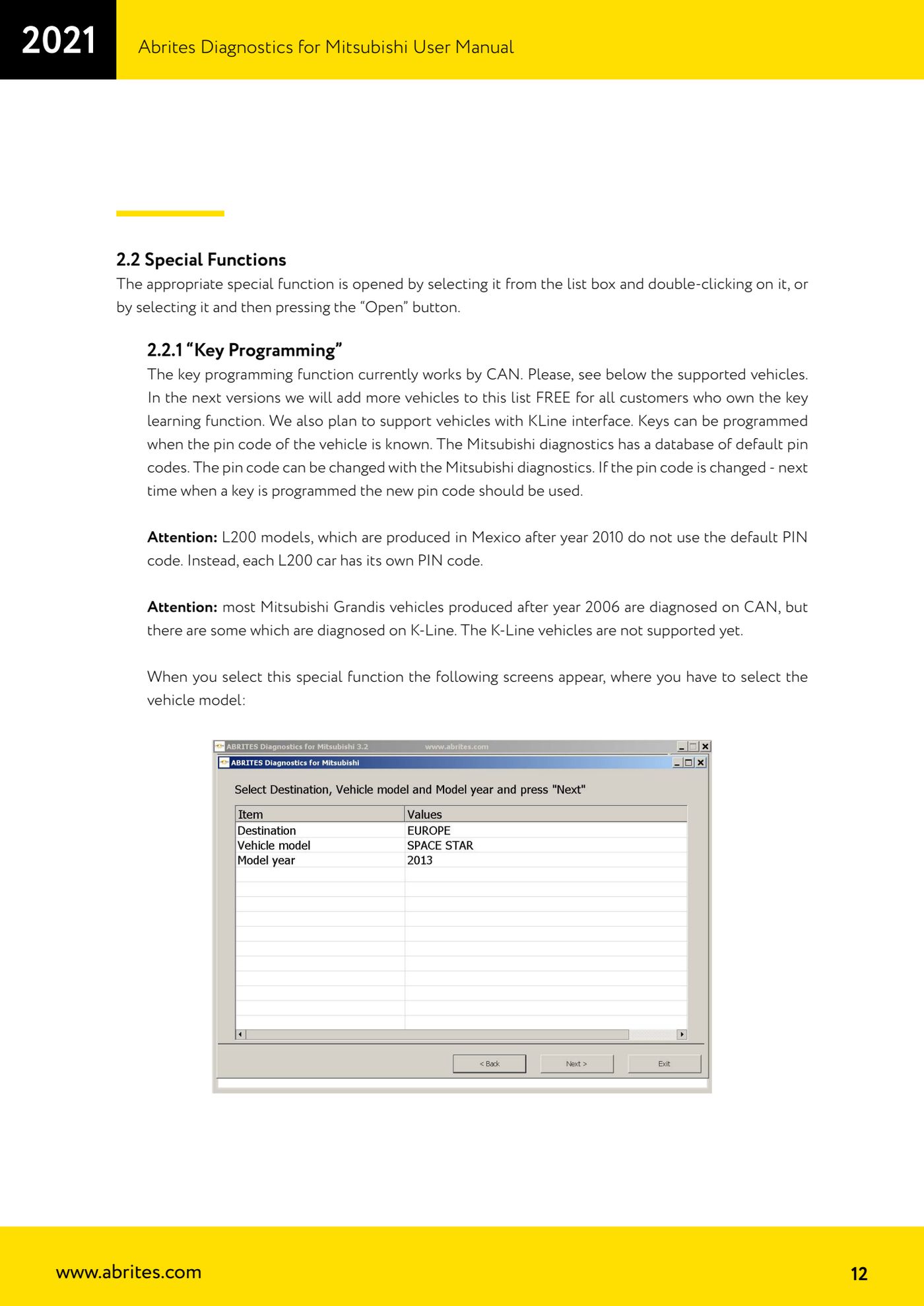
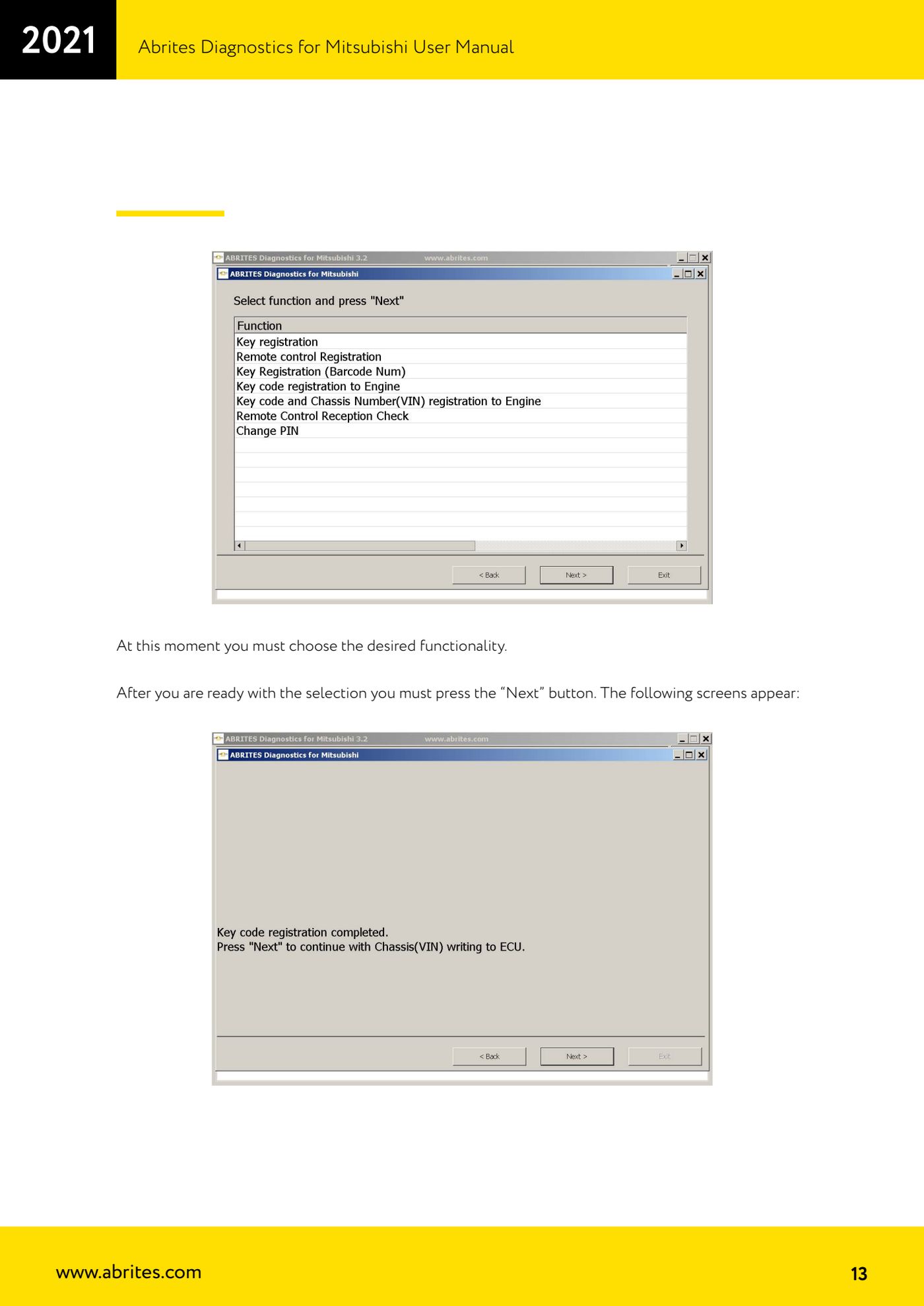
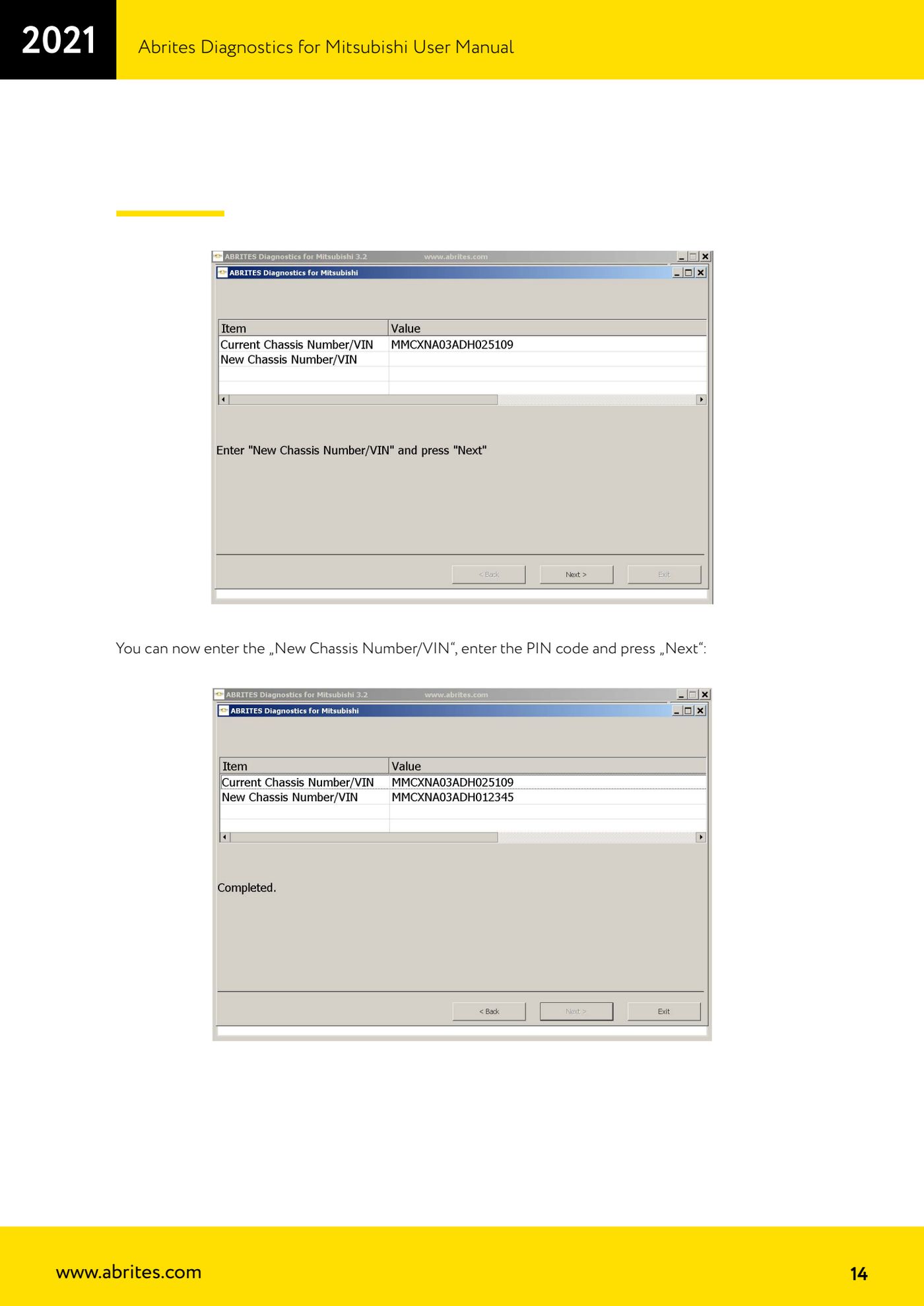
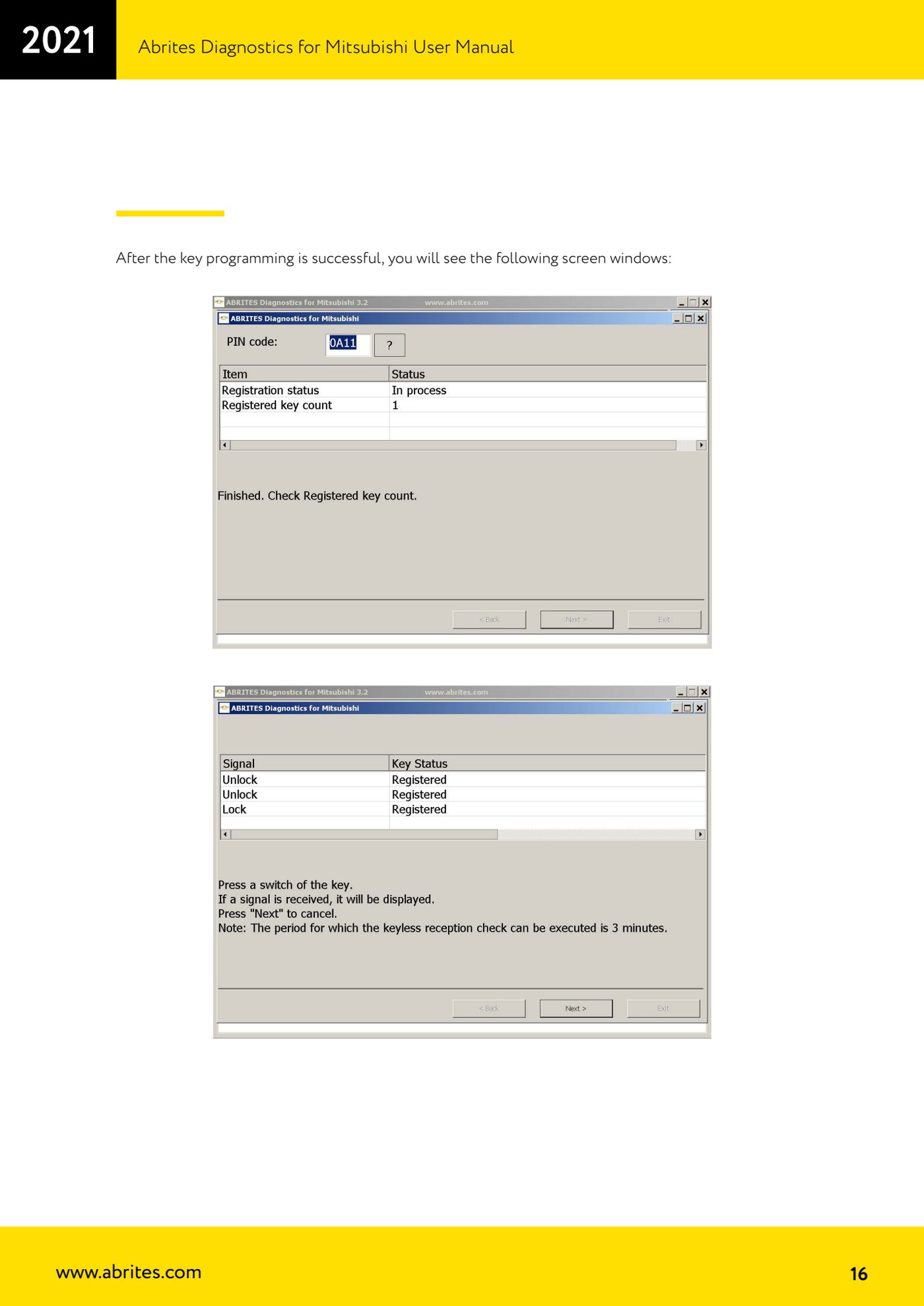
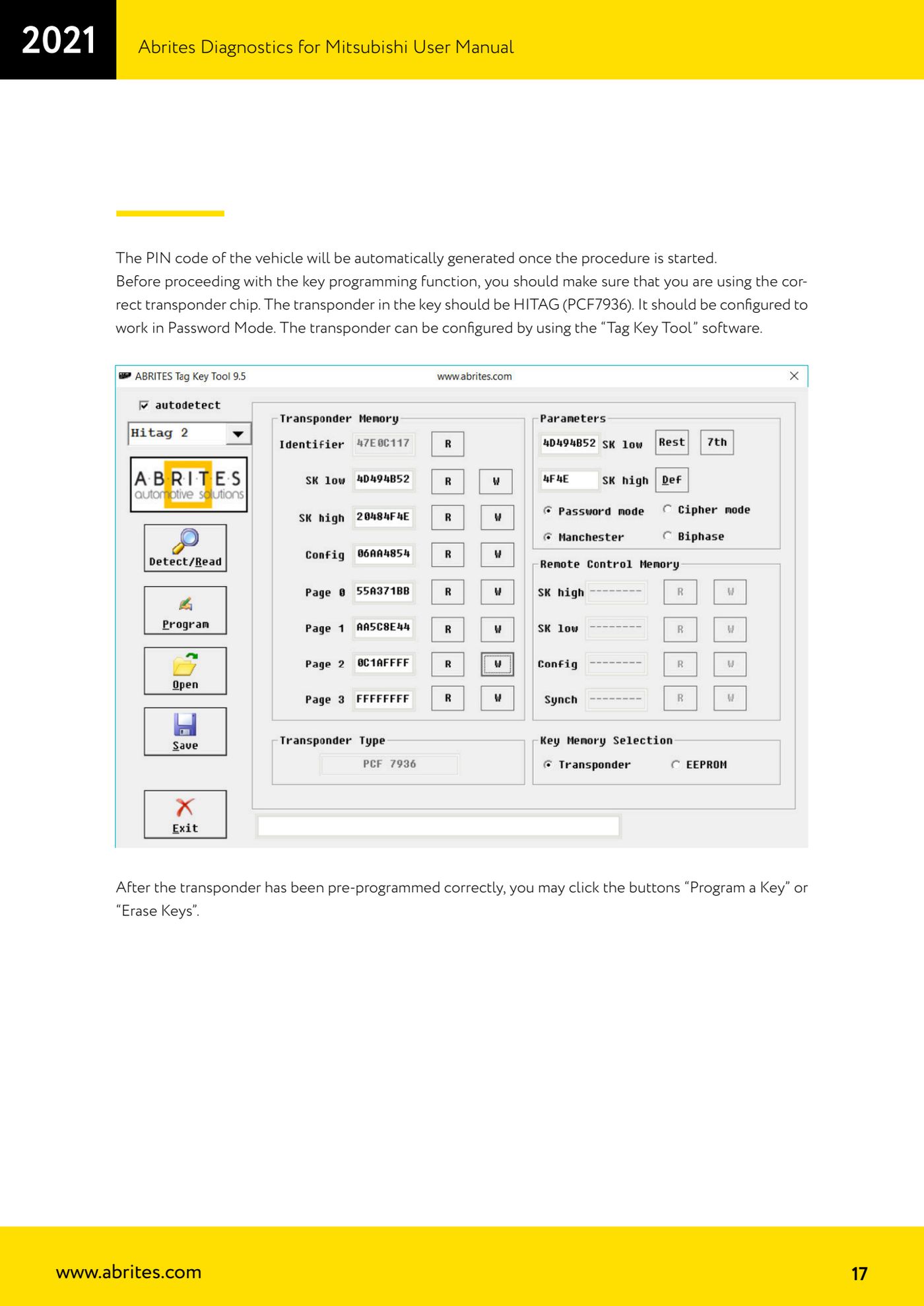
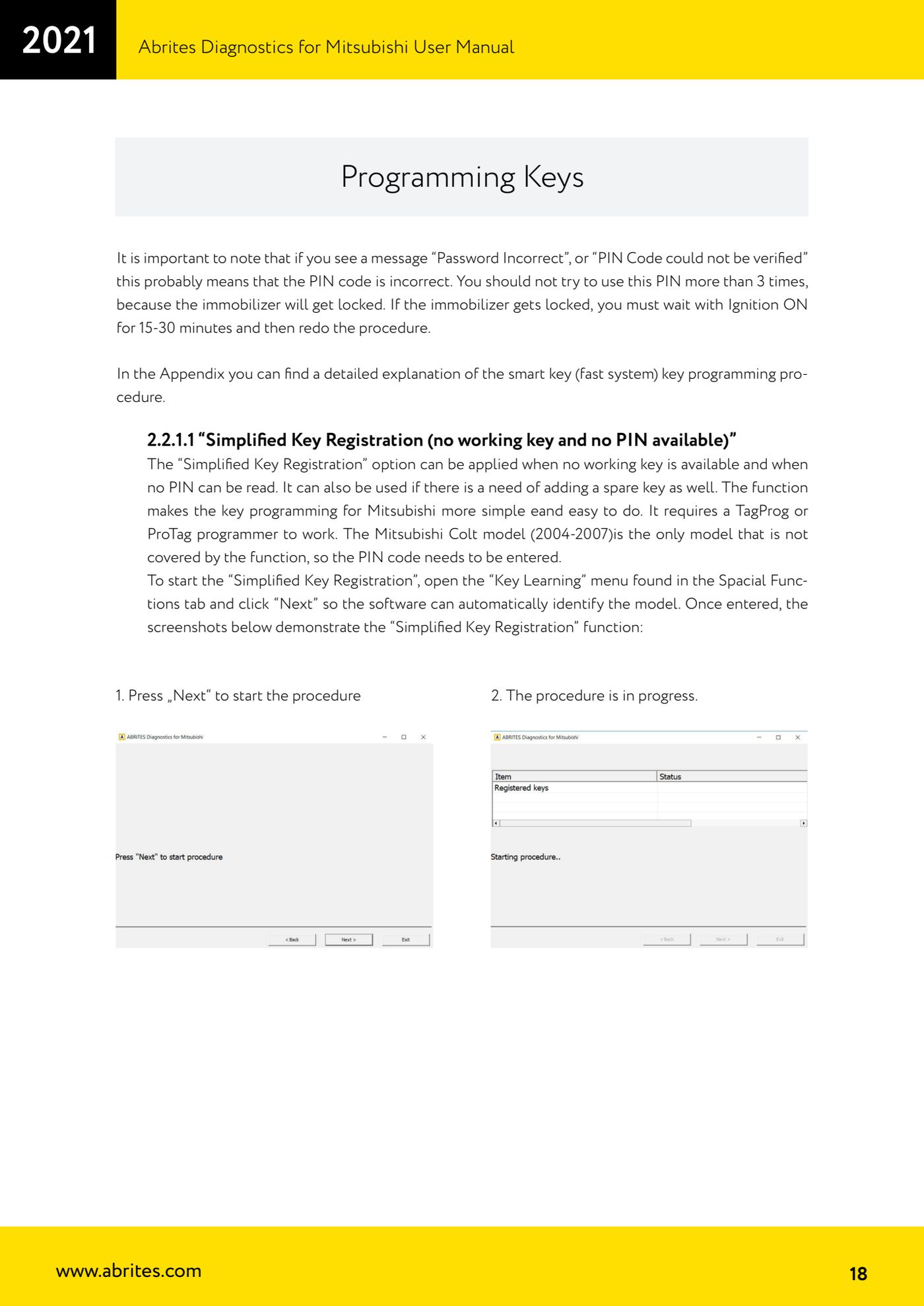
Source: Manuale Mitsubishi, cap. 2.2.1 "Key Programming" (p.12-18) · ⏱ estimated time 30-60 min
← All Abrites guides Hardware catalogue
More guides Mitsubishi
- Standard Mitsubishi diagnostics with the AVDI: control unit scan, DTCs, actual values and actuator tests
- Mitsubishi Coding: reading, saving and writing the coding and the chassis number (VIN)
- Resetting and setting the Service Reminder (service light) on Mitsubishi
- Mitsubishi Simplified Key Registration: keys with no working key and no PIN (PROTAG/TagProg)
- Mitsubishi Smart Key (Fast System): key programming and KOS remote synchronization
- Mitsubishi Dump Tool: mileage calculation and PIN reading from an EEPROM dump ("Swap bytes" function)
- Mitsubishi SW Update: checking and updating module software from the Abrites servers