
Chip-Tools
Mitsubishi Coding: reading, saving and writing the coding and the chassis number (VIN)
Mitsubishi
Interface Classic
Coding / Adaptations
Medium
⏱ 20-40 min
8 steps
The "Coding" function lets you change the coding values of the module you are working on, read the chassis VIN and save the coding to a file so you can write it back to another vehicle or to a replacement module. It is the function to use when adapting a used or new module that needs the correct coding and VIN.
Required licences
- —
Hardware / cables
 AVDI
AVDI- cavo OBDII
Procedure
- Connect the AVDI to the OBDII socket, ignition ON, and connect to the control unit you want to code (double-click the module or "Connect").
- Open the "Coding" function from the connected control unit's menu.
- Before touching anything, read the existing coding and save it to a file: it is your way back if something does not add up. "Read Coding Options" gives you the read variants available for that module.
- Read the vehicle chassis number (VIN) from the same screen and note it down: you need it identical when adapting a replacement module.
- If you are adapting a module that came from another vehicle, load the coding file saved from the original module using the load-from-file function, so you carry the correct configuration over to the new module.
- Check the "Write Coding Options" to pick the correct write mode before confirming.
- To write the chassis number, open the VIN writing screen, enter the vehicle's full VIN and confirm the write.
- When finished, read the coding and the VIN back to confirm the written values are what you expected, then run a fault read with "Read DTCs" and clear any codes generated during the job.
Reference screenshots
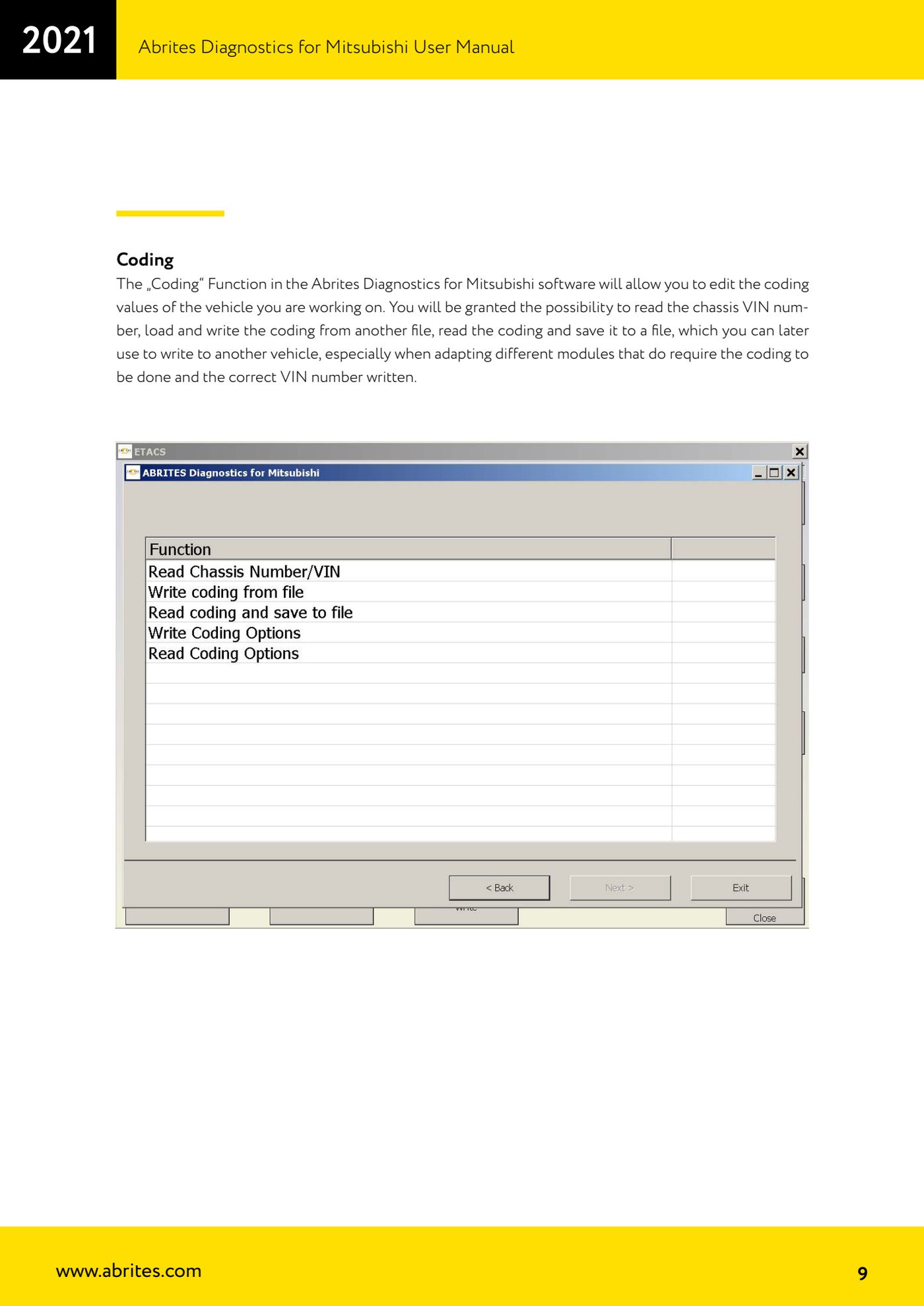
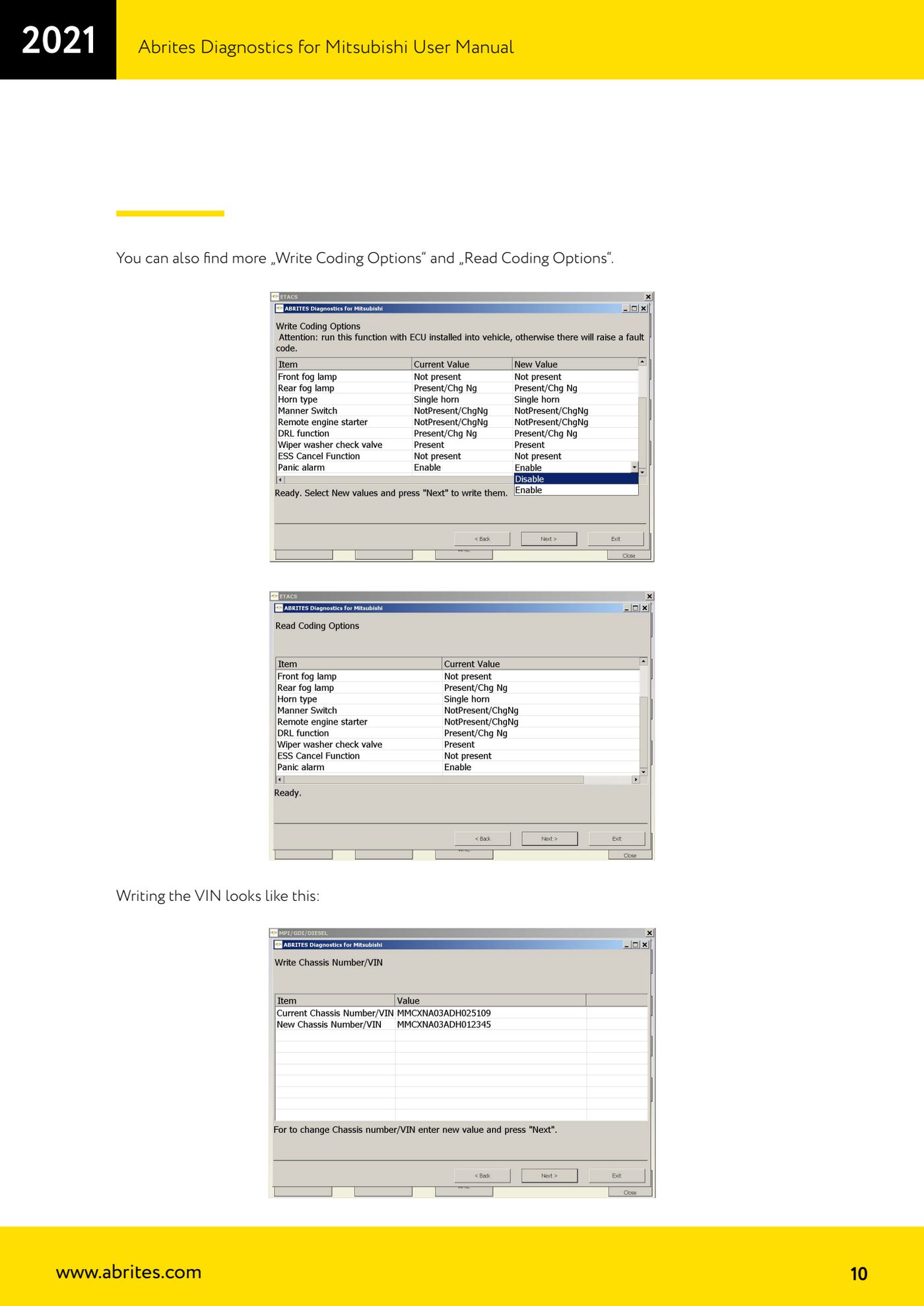
Source: Manuale Mitsubishi, cap. 2.1 - Coding (p.9-10) · ⏱ estimated time 20-40 min
← All Abrites guides Hardware catalogue
More guides Mitsubishi
- Standard Mitsubishi diagnostics with the AVDI: control unit scan, DTCs, actual values and actuator tests
- Resetting and setting the Service Reminder (service light) on Mitsubishi
- Mitsubishi key programming over CAN with the PIN code (Key Programming)
- Mitsubishi Simplified Key Registration: keys with no working key and no PIN (PROTAG/TagProg)
- Mitsubishi Smart Key (Fast System): key programming and KOS remote synchronization
- Mitsubishi Dump Tool: mileage calculation and PIN reading from an EEPROM dump ("Swap bytes" function)
- Mitsubishi SW Update: checking and updating module software from the Abrites servers