
Chip-Tools
Honda vehicle auto-detection, module list, DTC reading and live values
Honda
Interface New
Diagnostics
Basic
⏱ 15-30 min
8 steps
The software identifies the connected Honda by itself and builds the list of control units fitted. From there you go into each module to read fault codes, live values and identifications. This is the function to use for dealer-level fault-finding.
Required licences
- —
Hardware / cables

Procedure
- Connect the AVDI to the vehicle OBDII socket and start Abrites Diagnostics for Honda from the "Abrites Quick Start" menu.
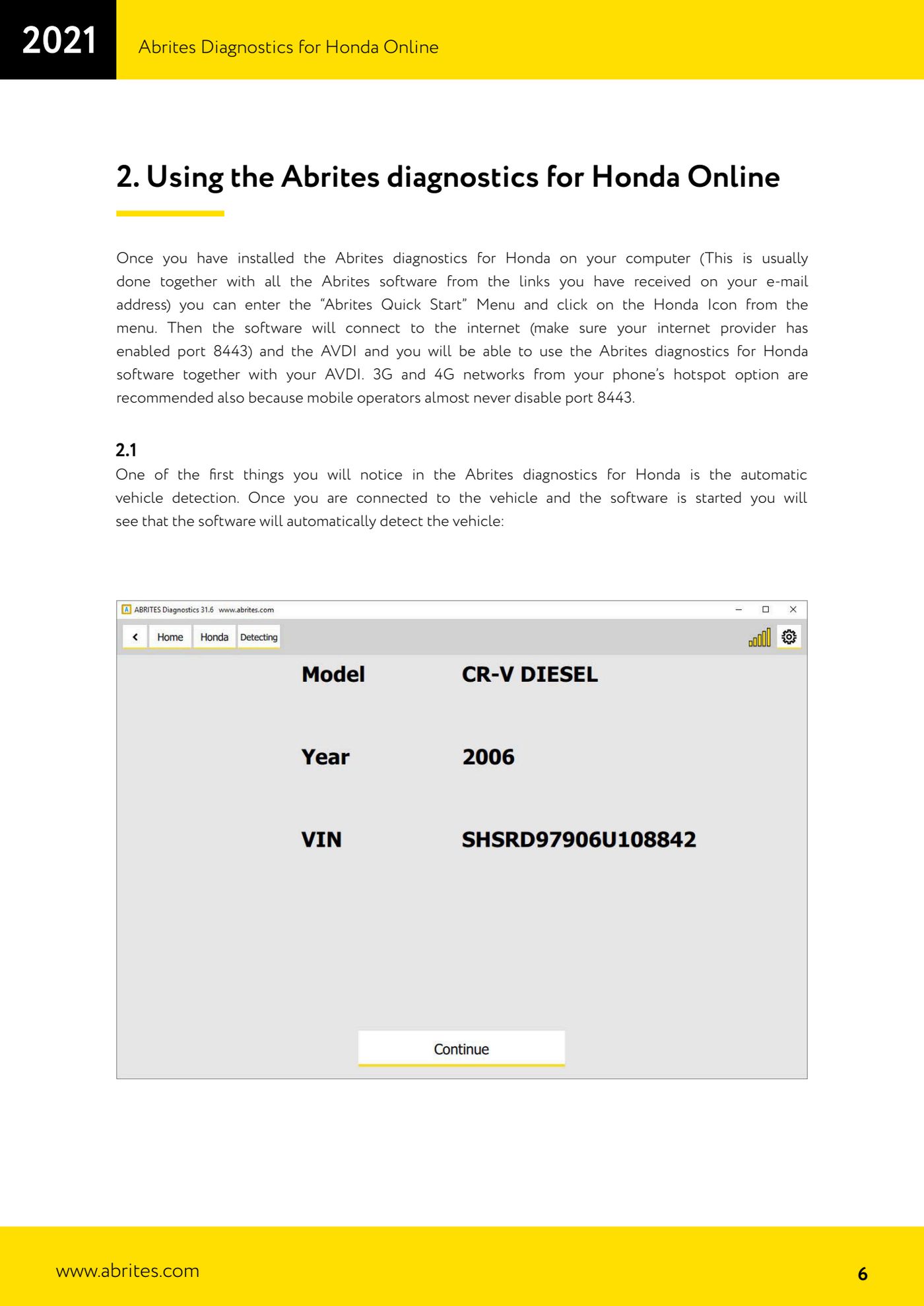
- Turn the ignition ON and let the software work: as soon as it is connected to the vehicle it runs auto-detection by itself and displays the identified vehicle.
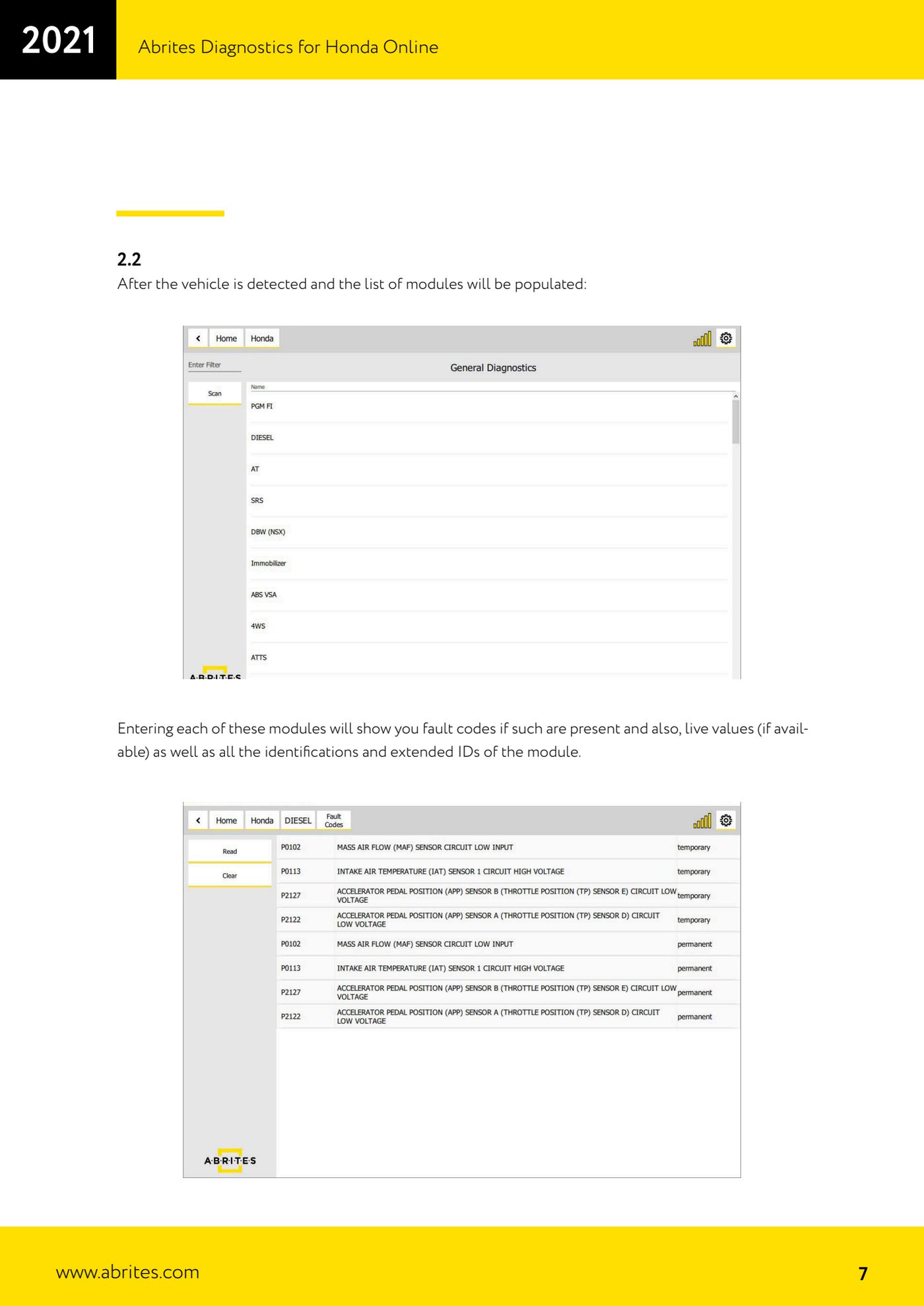
- Wait for detection to finish: straight after, the software populates the list of modules fitted to the car.
- Scroll through the module list and select the one you are interested in to enter it.
- Inside the module, read any fault codes (DTCs) present to pinpoint the fault.
- In the same module check the live values, where the module makes them available, to watch sensor and actuator behaviour in real time.
- Always check the module identifications and extended IDs too: they confirm which control unit is fitted before any repair or replacement.
- After the repair, read the module again and clear the fault codes, then do a check read to confirm they do not come back.
Reference screenshots
Source: Manuale Abrites Diagnostics for Honda Online, cap. 2.1-2.2 (p.6-7) · ⏱ estimated time 15-30 min
← All Abrites guides Hardware catalogue